
Stacktris - Balance & Stack Tetromino Blocks - Puzzle Game
 Shooter
Rail Shooter Ride
Build a roller-coaster rail shooter that aims as you ride.
 Arcade
Pumpkin Night Adventure
Build a Halloween grid-arena survival romp.
 Puzzle
Box Robot Puzzle
Build crate-pushing puzzles with vehicles and physics timing.
 Unity
UnityCrimson Illusion Battle
Build a Unity fantasy battle through a crimson illusion realm.
 Adventure
Character Adventure Sim
Build a 3D character explorer with traversal and interactive zones.
 Subscriber only
Unreal City Tour
Explore a photoreal Unreal city with terrain and live weather.
 Action
Open World City Action
Build an open-world city romp with driving and police chases.
 Unity
UnityStrawberry Grove Adventure
Build a cozy Unity pixel grove of exploration and collectibles.
 Unity
UnityBattle of Balls
Build a Unity arena where rolling balls collide and grow.
 Racing
Track Racing Challenge
Build a closed-circuit racer built around drift corners.
ShooterRail Shooter Ride
Build a roller-coaster rail shooter that aims as you ride.
ArcadePumpkin Night Adventure
Build a Halloween grid-arena survival romp.
PuzzleBox Robot Puzzle
Build crate-pushing puzzles with vehicles and physics timing.
UnityCrimson Illusion Battle
Build a Unity fantasy battle through a crimson illusion realm.
AdventureCharacter Adventure Sim
Build a 3D character explorer with traversal and interactive zones.
Subscriber onlyUnreal City Tour
Explore a photoreal Unreal city with terrain and live weather.
ActionOpen World City Action
Build an open-world city romp with driving and police chases.
UnityStrawberry Grove Adventure
Build a cozy Unity pixel grove of exploration and collectibles.
UnityBattle of Balls
Build a Unity arena where rolling balls collide and grow.
RacingTrack Racing Challenge
Build a closed-circuit racer built around drift corners.
Prompt

Games are fun. Creating them is even better.
Game Introduction
About the Game
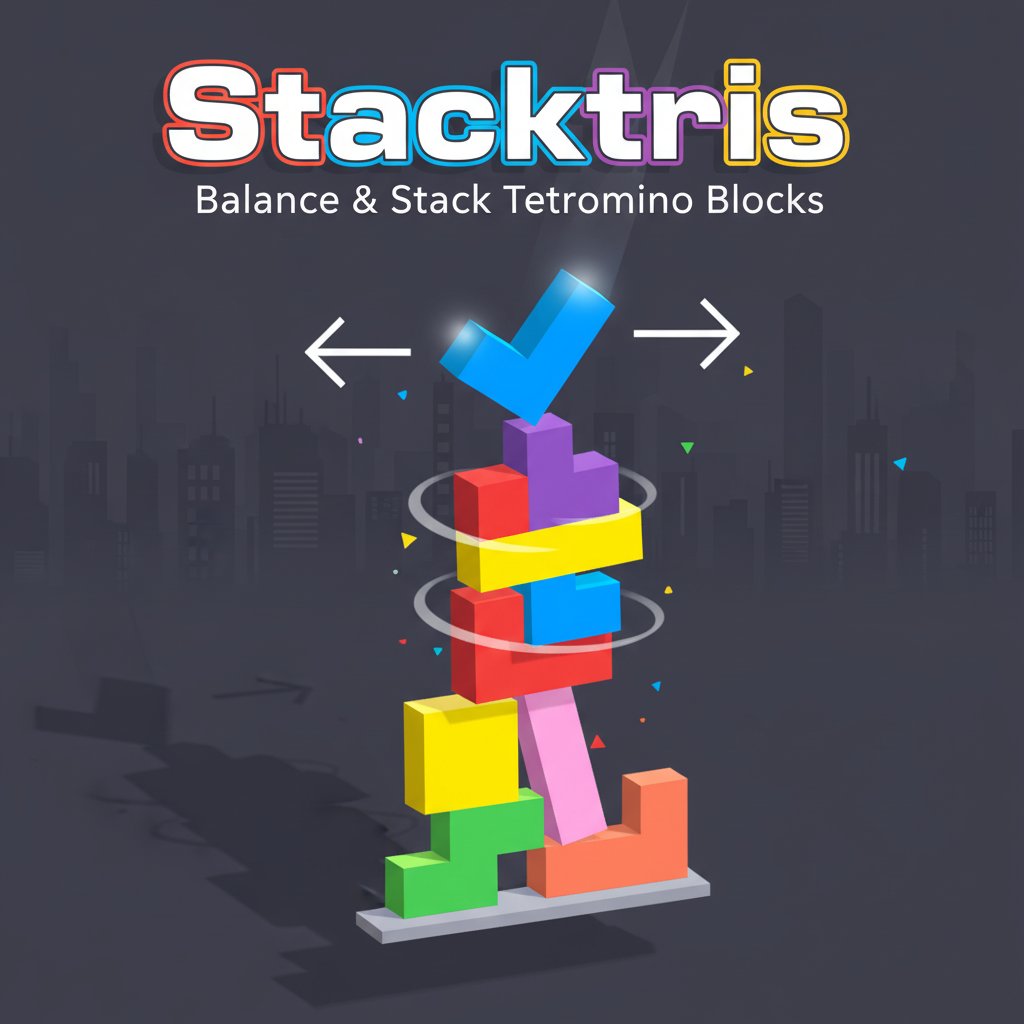
Stacktris is an innovative arcade game that merges the beloved Tetris experience with challenging tower stacking mechanics. This physics-based puzzle game tests your precision and patience as you carefully balance spinning tetromino blocks to create the tallest possible tower.
The game features vibrant, colorful graphics with classic Tetris-shaped pieces that spin at increasingly fast speeds. Your goal is simple yet challenging: stack these blocks without letting a single piece fall off the platform.
Core Features
Unique Spinning Mechanics
Unlike traditional Tetris, blocks in Stacktris spin continuously and accelerate over time. You must time your clicks perfectly to stop the rotation at the right angle for optimal stacking.
Physics-Based Gameplay
Every block placement matters due to realistic physics simulation. Blocks can slide, bounce, and topple if not positioned correctly, adding an extra layer of challenge to the classic puzzle formula.
Upgrade System
Collect coins during gameplay to purchase powerful upgrades: - Slow Spin : Reduces initial rotation speed for easier timing - High Friction : Prevents blocks from sliding off each other - Coin Magnet : Attracts coins automatically to your blocks - Low Bounce : Reduces block bouncing for more stable stacking - Wide Table : Expands the platform width for easier placement - Next Block Preview : Shows upcoming tetromino shapes
Progressive Difficulty
As you build higher, the challenge increases with faster spinning speeds and more complex block arrangements, keeping the gameplay engaging and progressively challenging.
Gameplay Instructions
Desktop Controls
- Click and Hold : Stop tetromino rotation
- Mouse Drag : Position the block horizontally above the platform
- Release Click : Drop the block
- A/D or Arrow Keys : Fine-tune horizontal positioning
- ESC : Access main menu
- Enter : Pause game
Mobile Controls
- Long Press : Stop block spinning
- Drag : Move block horizontally to desired position
- Release : Drop the block onto the stack
The intuitive control scheme works seamlessly across all devices, ensuring smooth gameplay whether you're on desktop or mobile.
Game Strategy
Timing is Everything
Success in Stacktris requires mastering the timing of stopping spinning blocks. Watch the rotation pattern and click at the optimal moment to achieve the best stacking angle.
Build a Stable Foundation
Start with a wide, stable base using longer tetromino pieces. This foundation will support taller structures and prevent early collapses.
Use Physics to Your Advantage
Understand how blocks interact with each other. Sometimes allowing controlled sliding or bouncing can help pieces settle into better positions.
Why Play Stacktris
Stacktris offers a fresh take on classic puzzle gaming that appeals to both Tetris veterans and newcomers. The game provides:
- Free-to-Play : Completely free with no hidden costs or premium content
- Cross-Platform : Works perfectly on computers, phones, and tablets
- No Download Required : Play instantly in any modern web browser
- Addictive Progression : Upgrade system provides long-term goals
- Skill-Based Challenge : Pure skill gameplay with no luck elements
- Social Competition : Challenge friends to beat your highest tower
Whether you have five minutes or an hour, Stacktris provides engaging entertainment that's easy to start but difficult to master. The combination of familiar Tetris shapes with innovative physics creates a uniquely satisfying puzzle experience.