
3D Flight Simulator - Simulation Game
 Subscriber only
Unreal Landscape Tour
Tour photoreal Unreal landscapes with cinematic camera work.
 SEELE02 CORE
Game Generator
Turn a one-line idea into a playable game demo.
 FPS
FPSNight Mission Survival
Build a first-person night survival with flashlight combat.
 New
NewDrone Flight Combat
Build a cinematic drone combat run with missiles and a HUD.
 Subscriber only
Unreal Mountain Tour
Tour a third-person Unreal world of mountains and water.
 New
New3D Block Puzzle
Build a 3D falling-block puzzle with rotations and row clears.
 Voxel
VoxelVoxel Hero Adventure
Build a voxel hero who explores, mines, and builds.
 Driving
City Car Driving
Build an open-city free-driving game with car selection.
 New
NewUnderwater Puzzle
Build an underwater puzzle: restore coral, dodge crabs.
 Unity
UnityCupid's Arrow
Build a Unity archery game of timing and matchmaking.
Subscriber onlyUnreal Landscape Tour
Tour photoreal Unreal landscapes with cinematic camera work.
SEELE02 COREGame Generator
Turn a one-line idea into a playable game demo.
FPSNight Mission Survival
Build a first-person night survival with flashlight combat.
NewDrone Flight Combat
Build a cinematic drone combat run with missiles and a HUD.
Subscriber onlyUnreal Mountain Tour
Tour a third-person Unreal world of mountains and water.
New3D Block Puzzle
Build a 3D falling-block puzzle with rotations and row clears.
VoxelVoxel Hero Adventure
Build a voxel hero who explores, mines, and builds.
DrivingCity Car Driving
Build an open-city free-driving game with car selection.
NewUnderwater Puzzle
Build an underwater puzzle: restore coral, dodge crabs.
UnityCupid's Arrow
Build a Unity archery game of timing and matchmaking.
Prompt

Games are fun. Creating them is even better.
Game Introduction
About the Game
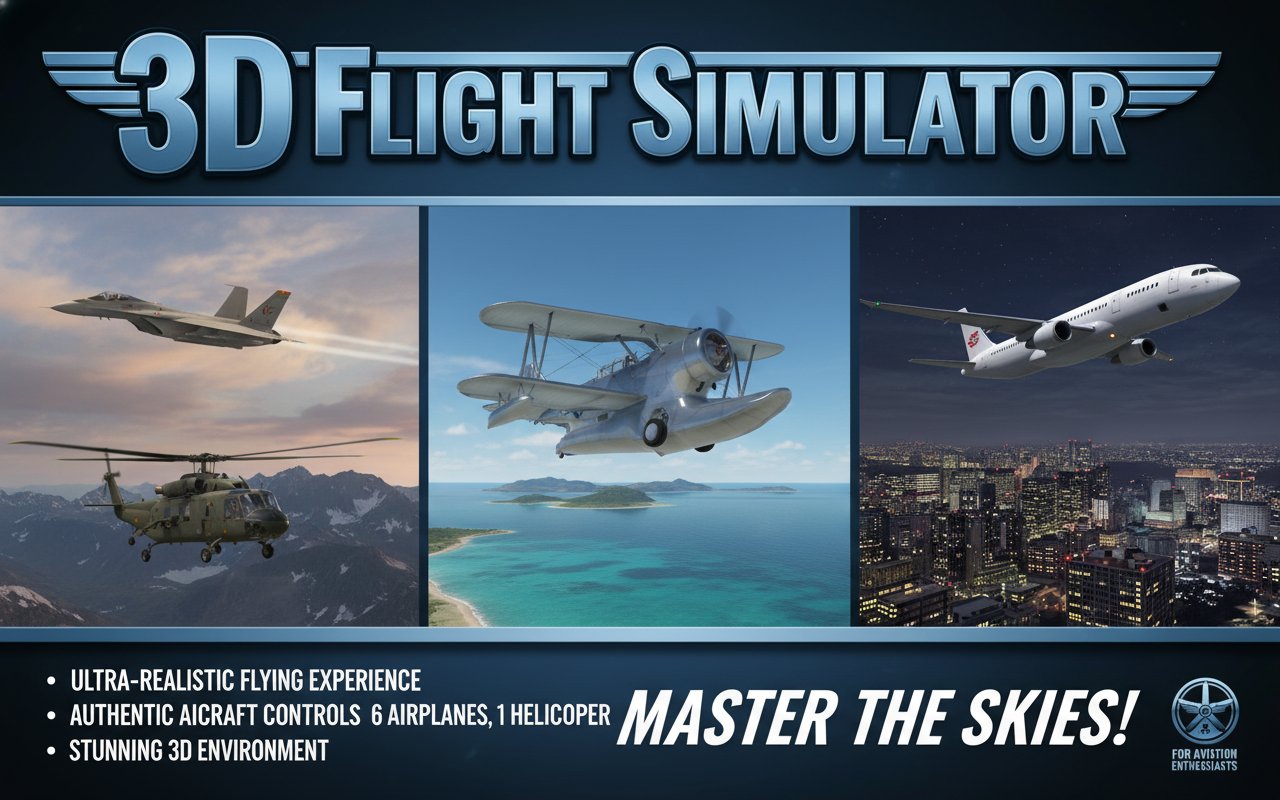
3D Flight Simulator is an ultra-realistic flying game that puts you in the cockpit of various aircraft types. This comprehensive flight simulation experience allows you to master the complex art of aviation from the safety of your browser. With authentic controls and realistic physics, the game serves as an excellent introduction to piloting for beginners while providing engaging challenges for experienced virtual pilots.
The game features beautiful 3D graphics that create an immersive flying environment, making every takeoff, flight, and landing feel authentic and rewarding.
Core Features
This flight simulator stands out with its comprehensive aircraft selection and realistic simulation:
Diverse Aircraft Fleet
- 6 Different Airplanes : Each with unique flight characteristics and handling properties
- 1 Helicopter : Experience rotorcraft dynamics with realistic helicopter physics
- Authentic Controls : Every aircraft responds realistically to pilot inputs
Immersive Environment
- Expansive 3D World : Large flying area with varied terrain and landmarks
- Multiple Starting Locations : 3 different airports and helipads to begin your flights
- Realistic Physics : Authentic flight dynamics that mirror real aviation principles
- Weather Effects : Dynamic environmental conditions that affect flight performance
Training-Focused Design
The simulator is specifically designed for learning and practice, making it ideal for: - Novice pilots learning basic flight principles - Experienced gamers seeking realistic flight challenges - Aviation enthusiasts wanting to experience different aircraft types - Anyone interested in understanding the complexities of flight
Gameplay Mechanics
Flight Training Progression
The game emphasizes gradual skill development. Start with basic aircraft and simple maneuvers before advancing to more complex helicopters and challenging flight scenarios. Each aircraft type offers unique learning opportunities and flight characteristics.
Realistic Flight Physics
Experience authentic aerodynamics including: - Lift and Drag : Realistic airflow effects on aircraft surfaces - Weight Distribution : Proper aircraft balance affecting flight stability - Engine Performance : Throttle response and power management - Weather Impact : Wind effects on flight paths and landing approaches
Operation Guide
Mastering flight controls is essential for successful piloting:
Basic Aircraft Controls
- E Key : Start aircraft engine (essential first step)
- 0 Key : Increase throttle for forward momentum
- Arrow Keys : Control aircraft pitch and roll
- Speed Management : Reach approximately 40 knots for takeoff
Helicopter Operation
- Q, Z, X Keys : Combined with arrow keys for helicopter control
- Advanced Maneuvering : Master collective and cyclic controls
- Hovering Techniques : Learn to maintain stable hovering flight
Flight Phases
- Pre-flight : Engine startup and system checks
- Takeoff : Throttle management and rotation
- Flight : Navigation and altitude control
- Landing : Approach planning and touchdown techniques
Why Play This Flight Simulator
Educational Value
This simulator provides genuine educational benefits for understanding aviation principles. Learn how altitude affects engine performance, how weather impacts flight safety, and why proper pre-flight procedures are crucial.
Risk-Free Learning Environment
Practice dangerous maneuvers and emergency procedures without real-world consequences. Crash and try again as many times as needed to master difficult techniques.
Accessibility
Unlike expensive flight training or complex desktop simulators, this browser-based game offers: - No Download Required : Play instantly in any modern web browser - Free Access : Complete flight simulation experience at no cost - Cross-Platform : Works on computers, tablets, and mobile devices - Immediate Access : No registration or account creation needed
Progressive Challenge System
Start with simple single-engine aircraft and progress to complex multi-engine planes and helicopters. Each aircraft type presents unique challenges that build upon previously learned skills.
Technical Excellence
The game leverages advanced 3D graphics technology to deliver smooth performance across different devices. Optimized rendering ensures consistent frame rates even during complex flight scenarios with multiple aircraft and detailed terrain.