
Craft World: Building Games - Simulation Game
 Voxel
VoxelVoxel Village Explorer
Build a voxel village to roam with jump and camera controls.
 Shooter
Decay Zone Survival
Build a first-person zombie survival with ammo management.
 SEELE02 CORE
Game Generator
Turn a one-line idea into a playable game demo.
 Unity
UnityCupid's Arrow
Build a Unity archery game of timing and matchmaking.
 Puzzle
Magic Cube Puzzle
Build an interactive Rubik's Cube with scramble and reset.

Time-Attack Racer
Build a no-physics finish-gate racer with nitro, minimap guidance, and synthesized audio.
 Unity
UnityCrimson Illusion Battle
Build a Unity fantasy battle through a crimson illusion realm.
 Puzzle
Box Robot Puzzle
Build crate-pushing puzzles with vehicles and physics timing.
 New
NewDrone Flight Combat
Build a cinematic drone combat run with missiles and a HUD.
 Subscriber only
Unreal City Tour
Explore a photoreal Unreal city with terrain and live weather.
VoxelVoxel Village Explorer
Build a voxel village to roam with jump and camera controls.
ShooterDecay Zone Survival
Build a first-person zombie survival with ammo management.
SEELE02 COREGame Generator
Turn a one-line idea into a playable game demo.
UnityCupid's Arrow
Build a Unity archery game of timing and matchmaking.
PuzzleMagic Cube Puzzle
Build an interactive Rubik's Cube with scramble and reset.
Time-Attack Racer
Build a no-physics finish-gate racer with nitro, minimap guidance, and synthesized audio.
UnityCrimson Illusion Battle
Build a Unity fantasy battle through a crimson illusion realm.
PuzzleBox Robot Puzzle
Build crate-pushing puzzles with vehicles and physics timing.
NewDrone Flight Combat
Build a cinematic drone combat run with missiles and a HUD.
Subscriber onlyUnreal City Tour
Explore a photoreal Unreal city with terrain and live weather.
Prompt

Games are fun. Creating them is even better.
Game Introduction
About Craft World
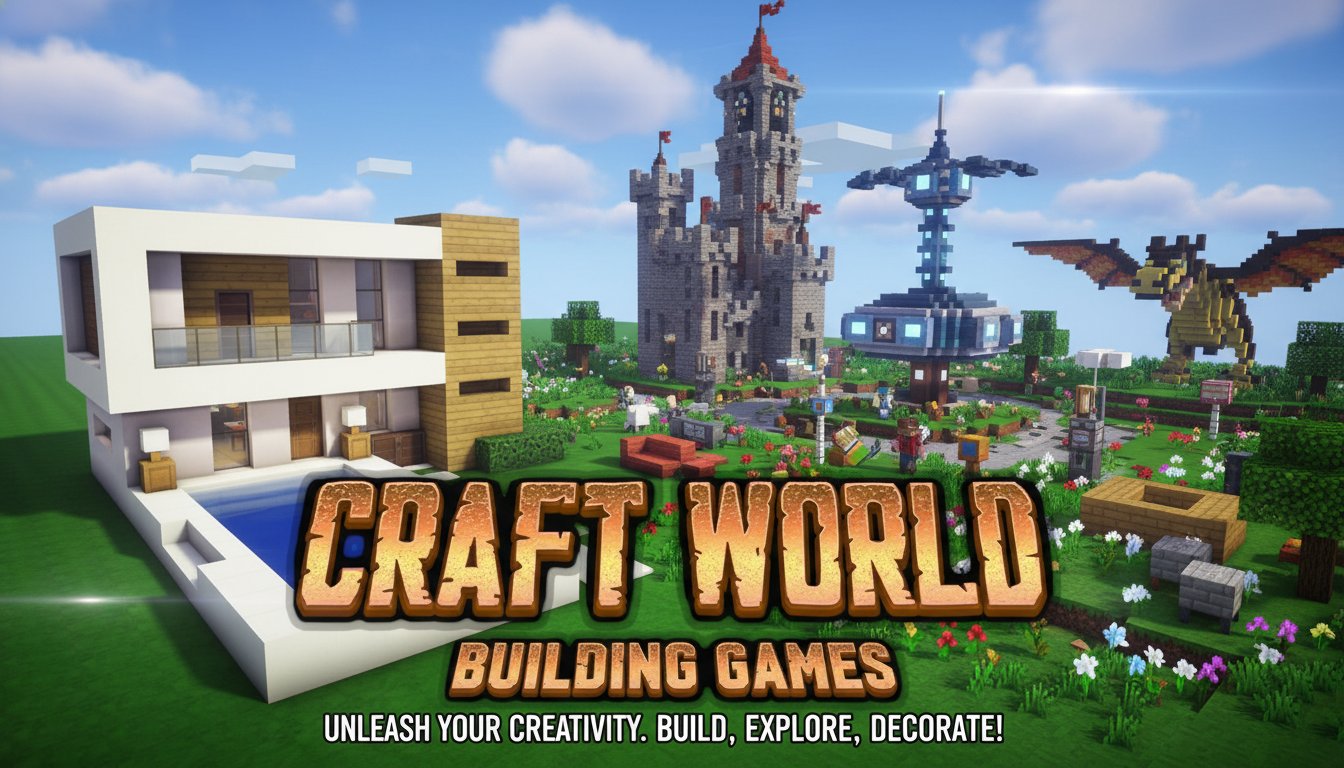
Craft World: Building Games is an exciting 3D building simulator that puts your imagination in the driver's seat. This free-to-play crafting adventure offers unlimited creative possibilities, allowing you to construct elaborate houses, design stunning interiors, and build entire worlds from scratch. With its familiar pixel art style and intuitive gameplay mechanics, Craft World provides an accessible yet deep building experience for players of all ages.
The game features a vast selection of over 300 unique building blocks, giving you the tools to create everything from simple cottages to massive architectural marvels. Whether you're a casual builder or a dedicated architect, Craft World's comprehensive building system ensures that your creative vision can come to life.
Core Features
Unlimited Creative Building
Craft World removes all barriers to creativity. Build towering skyscrapers, cozy homes, elaborate castles, or abstract art installations - the only limit is your imagination. The game's intuitive block placement system makes construction smooth and enjoyable.
Massive Block Collection
With over 300 unique blocks at your disposal, you'll have access to: - Structural blocks : Wood, stone, concrete, and metal varieties - Decorative elements : Colorful tiles, patterns, and textures - Furniture items : Tables, chairs, beds, and storage solutions - Landscape blocks : Grass, dirt, water, and natural elements - Specialized blocks : Glass, stairs, doors, and functional components
Interior Design System
Go beyond exterior construction and create detailed interior spaces. Furnish rooms with realistic furniture, add decorative elements, and design functional living spaces that feel authentic and welcoming.
Multiple Game Modes
Experience different ways to play: - Creative Mode : Unlimited resources for pure building enjoyment - Survival Elements : Gather resources and craft materials - Flight Mode : Soar above your creations for better perspective - Camera Controls : Multiple viewing angles for precise building
Game Mechanics & Gameplay
Building System
The core gameplay revolves around placing and removing blocks to create structures. The system is designed for both precision building and rapid construction, allowing you to work at your preferred pace.
Resource Management
While creativity is unlimited, strategic resource gathering adds depth to the experience. Collect materials, craft new blocks, and manage your inventory to support larger building projects.
World Exploration
Explore vast open worlds where you can establish multiple building sites. The expansive environment provides plenty of space for your architectural ambitions.
Operation Guide
Mastering Craft World's controls is essential for efficient building:
- WASD or Arrow Keys : Move your character around the world
- Left-Click : Remove/mine blocks from structures
- Right-Click : Place selected blocks from inventory
- Q Key : Open inventory to access your block collection
- E Key : Interact with objects and perform actions
- F Key : Toggle flight mode for aerial building
- R Key : Change camera perspective for better angles
- H Key : Hide interface for screenshot-perfect views
- P Key : Pause game when you need a break
Building Tips
- Start with a foundation plan before building upward
- Use flight mode for constructing tall structures
- Experiment with different block combinations for unique textures
- Save your progress regularly to preserve your creations
Why Play Craft World
Perfect for Creative Expression
Craft World serves as a digital canvas for architectural creativity. Whether you want to recreate real-world buildings or design fantastical structures, the game provides all the tools necessary for artistic expression.
Relaxing and Therapeutic
Building in Craft World offers a meditative experience. The peaceful gameplay, combined with the satisfaction of creating something beautiful, makes it perfect for stress relief and relaxation.
Educational Value
The game naturally teaches spatial reasoning, planning, and design principles. It's an excellent tool for developing creative thinking and problem-solving skills.
Community and Sharing
Show off your creations and get inspired by other builders. The game encourages sharing architectural achievements and learning from the creative community.
Completely Free Experience
Enjoy the full Craft World experience without any cost. All blocks, features, and game modes are available from the start, ensuring everyone can participate in the creative fun.
Cross-Platform Accessibility
Play on your preferred device - whether it's a computer browser, smartphone, or tablet. Your creative projects are always within reach.