
DIY Phone Case Shop - Creative Design Studio - Simulation Game
 Puzzle
Box Robot Puzzle
Build crate-pushing puzzles with vehicles and physics timing.
 Voxel
VoxelVoxel Hero Adventure
Build a voxel hero who explores, mines, and builds.
 Shooter
Dead City Shooter
Build a third-person zombie shooter in a ruined city.
 New
NewFirst-Person Horror Survival
Build a first-person horror survival with exploration and enemies.
 New
New3D Block Puzzle
Build a 3D falling-block puzzle with rotations and row clears.
 Subscriber only
Unreal Landscape Tour
Tour photoreal Unreal landscapes with cinematic camera work.
 Voxel
VoxelVoxel Village Explorer
Build a voxel village to roam with jump and camera controls.
 New
NewSolo Racing Game
Build a browser racer with tracks, timing, and a minimap.
 Shooter
Decay Zone Survival
Build a first-person zombie survival with ammo management.
 Unity
UnityCastle Devour Quest
Build a Unity castle quest with risky rooms and a win goal.
PuzzleBox Robot Puzzle
Build crate-pushing puzzles with vehicles and physics timing.
VoxelVoxel Hero Adventure
Build a voxel hero who explores, mines, and builds.
ShooterDead City Shooter
Build a third-person zombie shooter in a ruined city.
NewFirst-Person Horror Survival
Build a first-person horror survival with exploration and enemies.
New3D Block Puzzle
Build a 3D falling-block puzzle with rotations and row clears.
Subscriber onlyUnreal Landscape Tour
Tour photoreal Unreal landscapes with cinematic camera work.
VoxelVoxel Village Explorer
Build a voxel village to roam with jump and camera controls.
NewSolo Racing Game
Build a browser racer with tracks, timing, and a minimap.
ShooterDecay Zone Survival
Build a first-person zombie survival with ammo management.
UnityCastle Devour Quest
Build a Unity castle quest with risky rooms and a win goal.
Prompt

Games are fun. Creating them is even better.
Game Introduction
About the Game
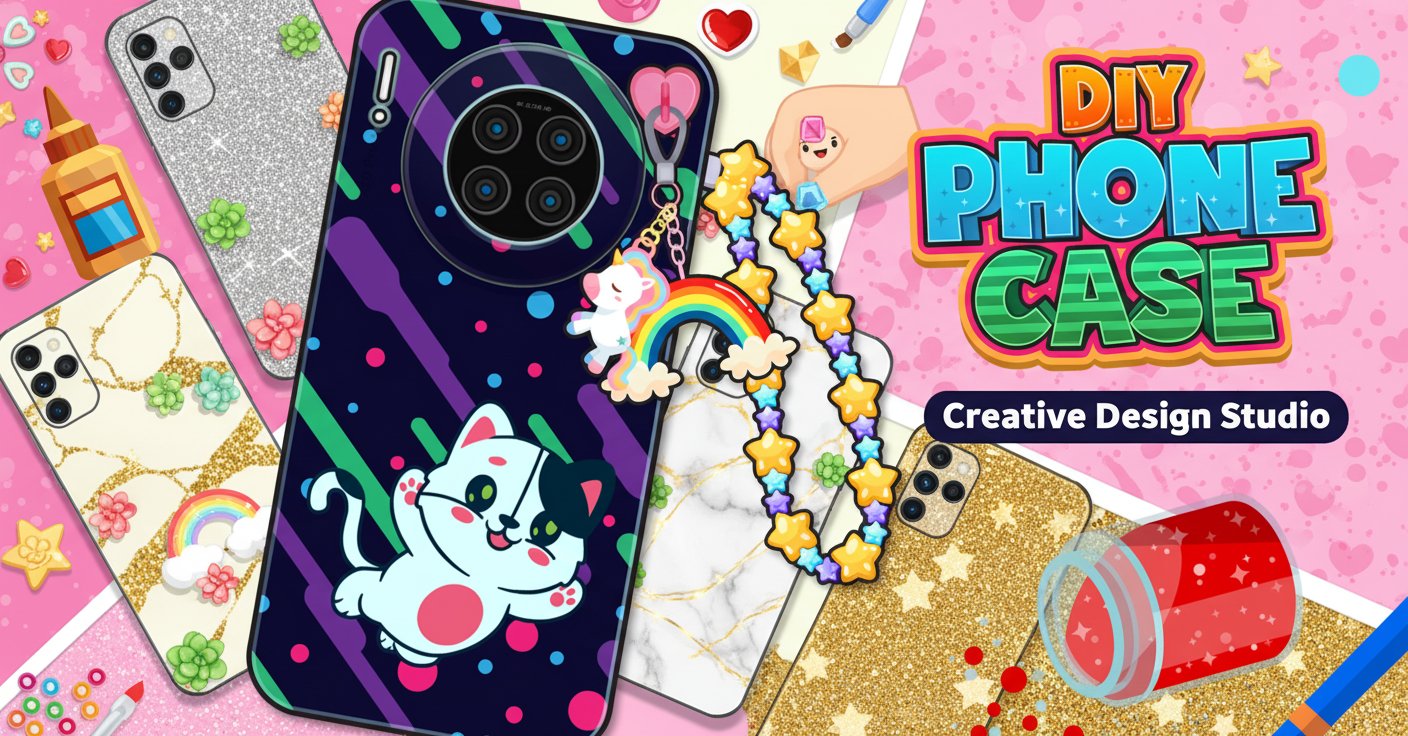
DIY Phone Case Shop is a delightful creative simulation game that lets you step into the role of a phone case design entrepreneur. This colorful 2D game combines artistic expression with business management, offering players an engaging experience where creativity meets commerce. Perfect for players who enjoy crafting, decorating, and fashion design, this browser-based game provides hours of entertainment without any downloads required.
Core Features
Creative Design Studio
The heart of DIY Phone Case Shop lies in its comprehensive design system. Players have access to a wide variety of customization options to create the perfect phone case for each customer:
- Pattern Library : Choose from cute animal designs, abstract patterns, floral motifs, and geometric shapes
- Color Palette : Unlimited color combinations to match any style preference
- Decorative Elements : Add stickers, gems, chains, and special effects to make each case unique
- Theme Categories : From minimalist designs to bold statement pieces
Shop Management System
Running a successful phone case shop requires more than just design skills. The game incorporates business simulation elements that keep gameplay engaging:
- Customer Orders : Each client comes with specific requests and style preferences
- Shop Decoration : Customize your store layout with eye-catching displays and furniture
- Reputation Building : Satisfy customers to earn positive reviews and attract new clients
- Upgrade System : Unlock new design tools and shop improvements as you progress
Interactive Gameplay
The game features intuitive mouse-based controls that make designing feel natural and enjoyable. Simply click and drag to apply colors, patterns, and decorations. The user-friendly interface ensures that players of all ages can jump in and start creating immediately.
Gameplay Mechanics
Order Fulfillment Process
- Customer Consultation : Review each client's specific requirements and style preferences
- Design Creation : Use the available tools to craft the perfect phone case
- Quality Check : Ensure your design meets the customer's expectations
- Delivery : Present the finished product and collect payment
- Shop Enhancement : Use earnings to upgrade your tools and shop appearance
Progression System
As you successfully complete orders and build your reputation, new opportunities unlock:
- Advanced Design Tools : Access to premium patterns and decoration options
- Shop Expansions : Larger workspace and better equipment
- Special Customers : High-value clients with unique design challenges
- Achievement Rewards : Special bonuses for reaching business milestones
Game Controls
Mouse Controls : The entire game is controlled using your mouse or trackpad: - Left Click : Select tools, apply colors, and place decorations - Click and Drag : Paint patterns and move design elements - Menu Navigation : Access different sections of your shop and design studio
The intuitive control scheme makes the game accessible to players of all skill levels, from creative beginners to experienced designers.
Why Play DIY Phone Case Shop
Perfect for Creative Minds
This game is ideal for players who love expressing their artistic side. With countless customization options and the freedom to experiment with different styles, every design session offers new creative possibilities.
Relaxing Gaming Experience
Unlike fast-paced action games, DIY Phone Case Shop offers a calm, meditative gaming experience. The coloring and design mechanics provide a therapeutic outlet that helps players unwind and express their creativity.
Business Simulation Elements
The shop management aspects add depth beyond simple coloring games. Players must balance creativity with customer satisfaction, creating an engaging gameplay loop that combines art with strategy.
Free Browser-Based Fun
No downloads, no installations, and completely free to play. The game runs smoothly in any modern web browser on both desktop and mobile devices, making it accessible anywhere with an internet connection.
Educational Value
While entertaining, the game also teaches valuable skills: - Color Theory : Understanding how different colors work together - Design Principles : Learning about composition and visual appeal - Customer Service : Meeting client expectations and building relationships - Business Management : Resource allocation and shop improvement strategies