
FG Factory 2 - Industrial Automation Game - Simulation Game
 Shooter
Rail Shooter Ride
Build a roller-coaster rail shooter that aims as you ride.
 FPS
FPSNight Mission Survival
Build a first-person night survival with flashlight combat.
 Voxel
VoxelVoxel Hero Adventure
Build a voxel hero who explores, mines, and builds.
 Puzzle
Box Robot Puzzle
Build crate-pushing puzzles with vehicles and physics timing.
 Unity
UnityCrimson Illusion Battle
Build a Unity fantasy battle through a crimson illusion realm.
 Voxel
VoxelVoxel Village Explorer
Build a voxel village to roam with jump and camera controls.
 Subscriber only
Unreal Top-Down Roguelite
Create a complete UE 5.5 top-down arena roguelite with upgrades and a boss finale.
 Unity
UnityFarmstead Shop
Build a Unity farm-shop sim: grow, stock, serve, upgrade.
 New
NewCharacter Physics World
Build a third-person physics world with day-night and props to touch.
 New
NewUnderwater Puzzle
Build an underwater puzzle: restore coral, dodge crabs.
ShooterRail Shooter Ride
Build a roller-coaster rail shooter that aims as you ride.
FPSNight Mission Survival
Build a first-person night survival with flashlight combat.
VoxelVoxel Hero Adventure
Build a voxel hero who explores, mines, and builds.
PuzzleBox Robot Puzzle
Build crate-pushing puzzles with vehicles and physics timing.
UnityCrimson Illusion Battle
Build a Unity fantasy battle through a crimson illusion realm.
VoxelVoxel Village Explorer
Build a voxel village to roam with jump and camera controls.
Subscriber onlyUnreal Top-Down Roguelite
Create a complete UE 5.5 top-down arena roguelite with upgrades and a boss finale.
UnityFarmstead Shop
Build a Unity farm-shop sim: grow, stock, serve, upgrade.
NewCharacter Physics World
Build a third-person physics world with day-night and props to touch.
NewUnderwater Puzzle
Build an underwater puzzle: restore coral, dodge crabs.
Prompt

Games are fun. Creating them is even better.
Game Introduction
About the Game
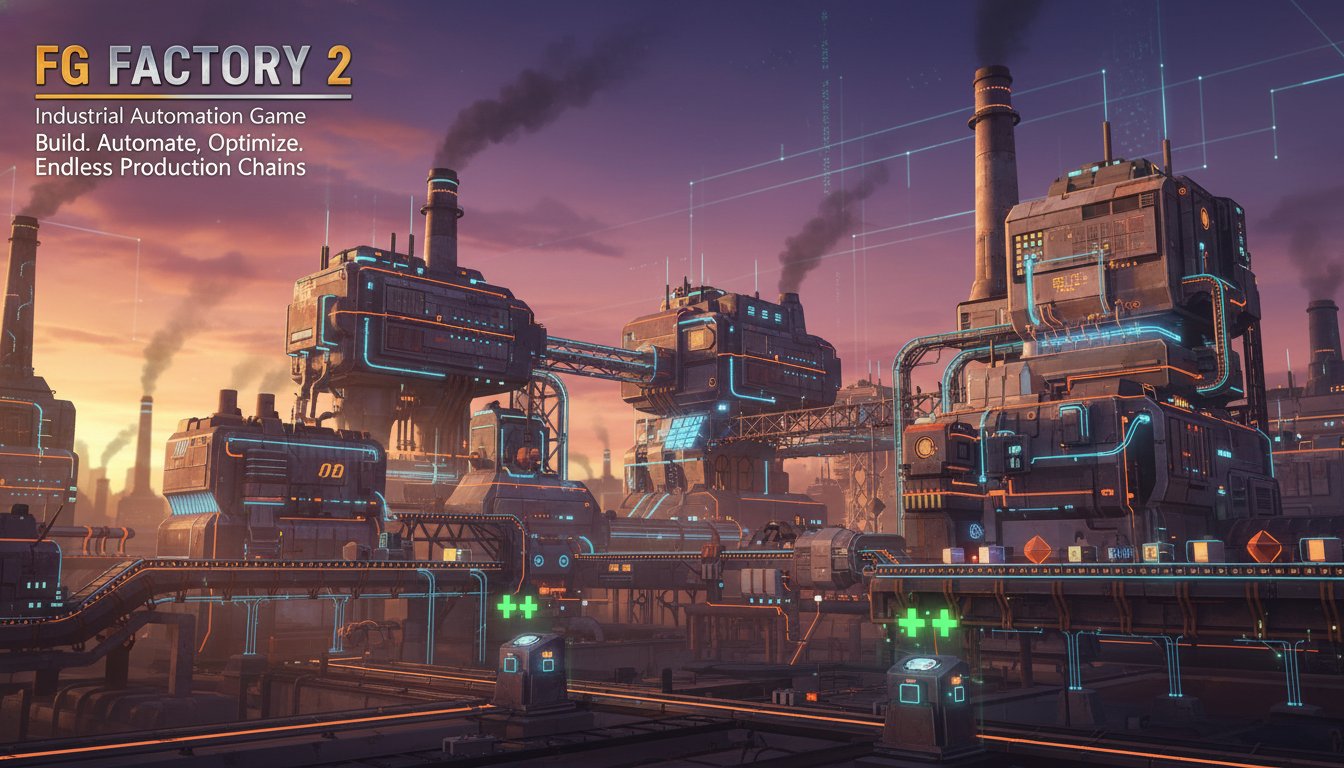
FG Factory 2 is an engaging incremental idle factory simulation that puts you in control of complex industrial operations. This free-to-play browser game combines strategic planning with automated production systems, offering an addictive gameplay experience where efficiency and optimization are key to success.
Inspired by legendary factory-building games, FG Factory 2 delivers multiple challenging scenarios that will test your industrial management skills. Whether you're a seasoned factory tycoon or new to automation games, this title offers depth and accessibility in equal measure.
Core Features
Complete Factory Automation System
Design and build sophisticated production lines with multiple machines working in perfect harmony. The game features various types of equipment including furnaces, assemblers, and specialized machinery that can be configured to create efficient manufacturing workflows.
Multi-Scenario Gameplay
Explore different industrial challenges across multiple scenarios. Each scenario presents unique objectives, resource constraints, and production goals that require different strategic approaches to master.
Resource Management & Crafting
Gather essential materials like coal, iron, and other resources to fuel your industrial empire. The crafting system allows you to transform raw materials into valuable products through sophisticated production chains.
Incremental Progression
Enjoy the satisfying progression of idle gameplay where your factories continue producing even when you're away. Return to find accumulated resources and expanded production capabilities.
Optimization Challenges
Maximize efficiency by fine-tuning machine ratios, managing stockpiles, and balancing production speeds. The game rewards players who can create the most optimized factory layouts.
Gameplay Mechanics
Factory Construction
Start with basic machinery and gradually expand your industrial complex. Place furnaces to smelt raw materials, set up assemblers to craft complex items, and create storage systems to manage your inventory effectively.
Production Chain Management
Create interconnected production lines where the output of one machine becomes the input for another. Balance supply and demand across multiple production stages to maintain optimal efficiency.
Resource Flow Optimization
Monitor resource consumption rates and production speeds to identify bottlenecks. Adjust machine configurations and add additional equipment where needed to maintain smooth operations.
Operation Guide
Mouse Controls : Use the left mouse button for all game interactions including: - Selecting and placing machines - Configuring production settings - Managing inventory and resources - Navigating between different factory areas
Interface Navigation : The game features an intuitive interface with clearly labeled sections for machines, automation settings, and stockpile management. Monitor your production statistics in real-time through comprehensive dashboards.
Why Play FG Factory 2
Perfect for Strategy Enthusiasts
If you enjoy games that reward careful planning and strategic thinking, FG Factory 2 offers endless opportunities to optimize and improve your industrial operations.
Accessible Yet Deep
While easy to learn, the game provides substantial depth for players who want to master complex production systems and achieve maximum efficiency.
Free Browser Experience
Enjoy full-featured factory building without any downloads or installations. The game runs smoothly on both desktop and mobile browsers, making it perfect for gaming sessions anywhere.
Continuous Progression
The idle mechanics ensure your factories keep working even when you're not actively playing, providing a sense of continuous advancement and achievement.
Multiple Replayability
With various scenarios and optimization challenges, FG Factory 2 offers high replay value as you experiment with different strategies and factory designs.