
Internet and Gaming Cafe Simulator - Simulation Game
 Unity
UnityBattle of Balls
Build a Unity arena where rolling balls collide and grow.
 Subscriber only
Unreal Dungeon Crawler
Build a playable Unreal dungeon crawler, combat-ready.
 FPS
FPSZombie Horror Survival
Build a tense zombie horror survival with map progression.
 Unity
UnityEgg on the Car Roof
Build a Unity challenge: keep a fragile egg on a moving roof.
 Subscriber only
Unreal FPS/TPS Shooter
Create a complete UE 5.5 FPS or TPS shooter with combat, UI, and replay.
 Unity
UnityStrawberry Grove Adventure
Build a cozy Unity pixel grove of exploration and collectibles.
 Unity
UnityCupid's Arrow
Build a Unity archery game of timing and matchmaking.
 Puzzle
Box Robot Puzzle
Build crate-pushing puzzles with vehicles and physics timing.
 Shooter
Rail Shooter Ride
Build a roller-coaster rail shooter that aims as you ride.
 New
NewSolo Racing Game
Build a browser racer with tracks, timing, and a minimap.
UnityBattle of Balls
Build a Unity arena where rolling balls collide and grow.
Subscriber onlyUnreal Dungeon Crawler
Build a playable Unreal dungeon crawler, combat-ready.
FPSZombie Horror Survival
Build a tense zombie horror survival with map progression.
UnityEgg on the Car Roof
Build a Unity challenge: keep a fragile egg on a moving roof.
Subscriber onlyUnreal FPS/TPS Shooter
Create a complete UE 5.5 FPS or TPS shooter with combat, UI, and replay.
UnityStrawberry Grove Adventure
Build a cozy Unity pixel grove of exploration and collectibles.
UnityCupid's Arrow
Build a Unity archery game of timing and matchmaking.
PuzzleBox Robot Puzzle
Build crate-pushing puzzles with vehicles and physics timing.
ShooterRail Shooter Ride
Build a roller-coaster rail shooter that aims as you ride.
NewSolo Racing Game
Build a browser racer with tracks, timing, and a minimap.
Prompt

Games are fun. Creating them is even better.
Game Introduction
About the Game
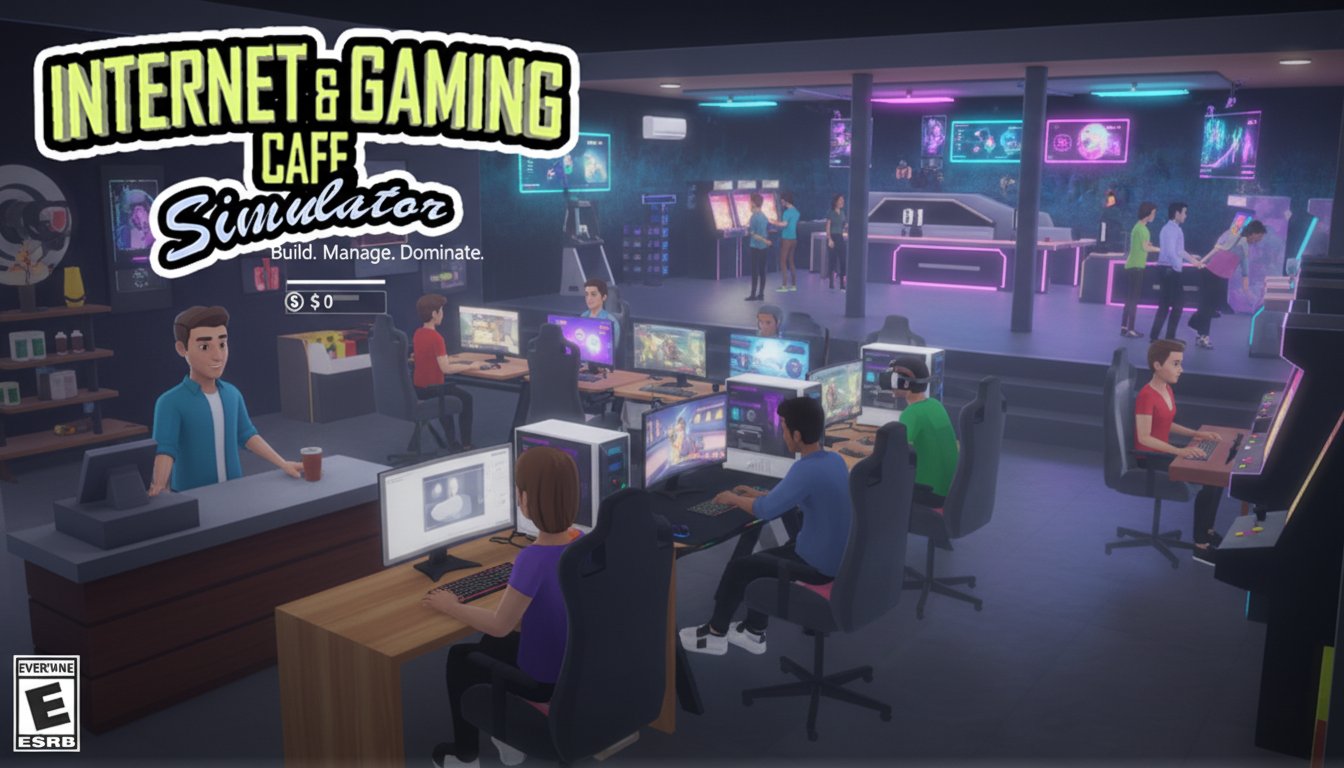
Internet and Gaming Cafe Simulator is an immersive 3D business simulation game that puts you in charge of running your very own internet and gaming cafe. This engaging management simulator combines strategy, creativity, and business acumen as you transform a small startup into a thriving gaming hub. With complete creative freedom to design, furnish, and expand your cafe, you'll experience the challenges and rewards of entrepreneurship in the digital entertainment industry.
Core Features
Complete Business Management Experience
Take control of every aspect of your internet cafe operation. From setting up your first computer to managing daily operations, you'll handle customer service, equipment maintenance, and financial planning. Pay your bills on time, keep customers satisfied, and watch your profits grow as you master the art of cafe management.
Unlimited Customization Options
Design your perfect gaming environment with extensive customization tools. Choose from various wallpapers, flooring, ceiling options, and furniture arrangements to create a unique atmosphere. Position gaming stations strategically, decorate with themed elements, and build a space that reflects your vision of the ideal gaming destination.
Progressive Equipment Upgrades
Start with basic computers and gradually invest in high-end gaming rigs, gaming consoles, and arcade machines. Each equipment upgrade increases your hourly earnings and attracts more customers. Purchase new games from the in-game store to keep your library fresh and extend customer session times.
Environmental Management System
Maintain optimal cafe conditions by managing cleanliness, air quality, and temperature. Install ventilation systems, keep the space clean and odor-free, and ensure comfortable gaming conditions. Poor environmental management directly impacts customer satisfaction and revenue.
Gameplay Mechanics
Starting Your Business
Begin your entrepreneurial journey by unpacking your first computer delivery and setting up your initial gaming station. Learn the basics of customer service, equipment maintenance, and facility management as you serve your first customers and generate initial revenue.
Administrative Operations
Use your admin PC to manage all business operations including user network access, bill payments, and financial tracking. Stay on top of electricity bills to avoid power outages, and process customer requests efficiently to maximize satisfaction and earnings.
Growth and Expansion
Reinvest profits into better equipment, additional gaming stations, and cafe expansion. Unlock new areas, increase seating capacity, and diversify your entertainment offerings to accommodate more customers and higher revenue streams.
Operation Guide
Basic Controls
- WASD keys : Move around your cafe space
- E key : Interact with objects and equipment
- Left-click : Build structures and use objects
- Right-click : Remove or throw objects
- Space bar : Exit admin computer interface
Build Mode Operations
- T key : Sell selected object
- F key : Place object in desired location
- Q/E keys : Rotate objects left and right for optimal positioning
Daily Management Tasks
- Customer Service : Welcome new customers and assign gaming stations
- Equipment Maintenance : Keep all computers and consoles running smoothly
- Financial Management : Monitor income, pay bills, and track expenses
- Facility Upkeep : Clean the space and maintain optimal environmental conditions
- Inventory Management : Stock up on games and upgrade equipment when profitable
Why Play Internet and Gaming Cafe Simulator
Educational Business Experience
Learn real-world business concepts including customer service, financial management, and operational efficiency. The game provides practical insights into running a service-based business while maintaining entertainment value.
Creative Expression
Express your design creativity by building unique gaming spaces. Experiment with different layouts, themes, and equipment arrangements to create the cafe of your dreams.
Progressive Achievement System
Experience satisfying progression as your small startup evolves into a successful gaming empire. Each milestone unlocks new possibilities and challenges, keeping gameplay fresh and engaging.
Stress-Free Gaming Environment
Enjoy a relaxed simulation experience without time pressure or complex combat mechanics. Focus on creativity, strategy, and business building at your own pace.
Accessibility and Convenience
Play instantly through your web browser without downloads or installations. The game runs smoothly on both desktop and mobile devices, making it perfect for gaming sessions anywhere.