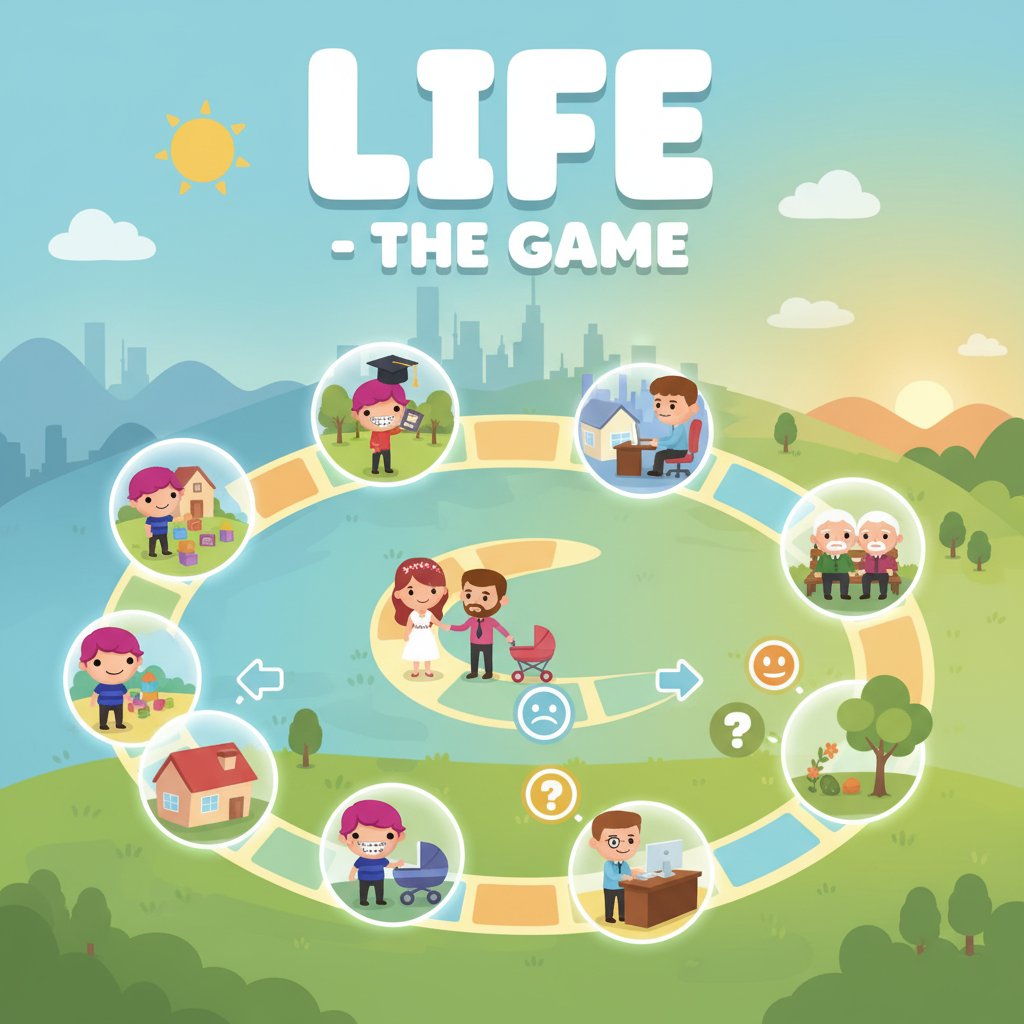
Life - The Game - Simulation Game

Seele01-Flash
By Alexander Smith
Play Life - The Game online for free! Experience an entire life journey from birth to death through fun minigames. Perfect life simulation game for all ages.
New

Arcade Crossing Game

Build a lane-dodging arcade game with traffic and pickups.

Build a lane-dodging arcade game with traffic and pickups.Open in workspace
Voxel

Voxel Village Explorer

Build a voxel village to roam with jump and camera controls.

Build a voxel village to roam with jump and camera controls.Open in workspace
Puzzle

Box Robot Puzzle

Build crate-pushing puzzles with vehicles and physics timing.

Build crate-pushing puzzles with vehicles and physics timing.Open in workspace
Shooter

Rail Shooter Ride

Build a roller-coaster rail shooter that aims as you ride.

Build a roller-coaster rail shooter that aims as you ride.Open in workspace
Unity

Cupid's Arrow

Build a Unity archery game of timing and matchmaking.

Build a Unity archery game of timing and matchmaking.Open in workspace
FPS

Night Mission Survival

Build a first-person night survival with flashlight combat.

Build a first-person night survival with flashlight combat.Open in workspace
Unity

Endless Runner

Build a polished Unity endless runner with lanes and pickups.

Build a polished Unity endless runner with lanes and pickups.Open in workspace
3D

Third Person Explorer

Build a third-person explorer with swappable scenes and a live minimap.

Build a third-person explorer with swappable scenes and a live minimap.Open in workspace
New

Character Physics World

Build a third-person physics world with day-night and props to touch.

Build a third-person physics world with day-night and props to touch.Open in workspace
New

Underwater Puzzle

Build an underwater puzzle: restore coral, dodge crabs.

Build an underwater puzzle: restore coral, dodge crabs.Open in workspace
New

Arcade Crossing Game

Build a lane-dodging arcade game with traffic and pickups.

Build a lane-dodging arcade game with traffic and pickups.Open in workspace
Voxel

Voxel Village Explorer

Build a voxel village to roam with jump and camera controls.

Build a voxel village to roam with jump and camera controls.Open in workspace
Puzzle

Box Robot Puzzle

Build crate-pushing puzzles with vehicles and physics timing.

Build crate-pushing puzzles with vehicles and physics timing.Open in workspace
Shooter

Rail Shooter Ride

Build a roller-coaster rail shooter that aims as you ride.

Build a roller-coaster rail shooter that aims as you ride.Open in workspace
Unity

Cupid's Arrow

Build a Unity archery game of timing and matchmaking.

Build a Unity archery game of timing and matchmaking.Open in workspace
FPS

Night Mission Survival

Build a first-person night survival with flashlight combat.

Build a first-person night survival with flashlight combat.Open in workspace
Unity

Endless Runner

Build a polished Unity endless runner with lanes and pickups.

Build a polished Unity endless runner with lanes and pickups.Open in workspace
3D

Third Person Explorer

Build a third-person explorer with swappable scenes and a live minimap.

Build a third-person explorer with swappable scenes and a live minimap.Open in workspace
New

Character Physics World

Build a third-person physics world with day-night and props to touch.

Build a third-person physics world with day-night and props to touch.Open in workspace
New

Underwater Puzzle

Build an underwater puzzle: restore coral, dodge crabs.

Build an underwater puzzle: restore coral, dodge crabs.Open in workspace

Prompt

MODEL: Seele01-Flash
Please use Three.js to generate a **mobile-first game** with the theme "**Life - The Game: 3D Mini-Game Collection**". Please read the following detailed game design requirements first, and then generate the code accordingly: ### 1. Assets & Environment * **Visual Style:** "WarioWare" aesthetic but in 3D. Use **MeshToonMaterial** (Cel-shading) to mimic the flat, vector-art style of the original 2D game. Colors should be hyper-saturated (Hot Pink #E91E63, Lime Green #76FF03, Cyan #00BCD4). * **Camera:** Use an **OrthographicCamera** to maintain the "flat" cartoon perspective while allowing for 3D depth in object stacking. The camera should be fixed at a slight angle (isometric-like) to show depth. * **Key Assets:** * **The Avatar:** A low-poly, bobble-head style character with **pink hair and braces** (referencing the thumbnail) that reacts to Win/Lose states in the corner of the screen. * **Mini-Game Objects (Burger Madness):** Low-poly Bun Top, Bun Bottom, Patty, Cheese, Lettuce, Tomato. * **Performance:** Optimize for mobile by using a single directional light with castShadows enabled only on key objects. Use primitive geometries (Cylinders, Boxes) scaled to look like food items to save file size. ### 2. Audio Requirements * **BGM:** A fast-paced, quirky, "Game Show" style loop (approx. 140 BPM). The pitch/speed should increase when the timer drops below 5 seconds. * **SFX:** * **Interaction:** A satisfying "Pop" or "Suction" sound when an ingredient snaps into place. * **Success:** A cheerful "Ta-da!" or "Yeah!" voice sample. * **Failure:** A comical "Womp-womp" or a buzzer sound. * **Timer:** A ticking clock sound for the last 3 seconds. ### 3. Gameplay Loop * **Core Structure:** The game operates on a "Rapid Fire" cycle. 1. **Instruction Phase (1.5s):** Screen freezes, large text appears: "STACK IT!" or "POP IT!". 2. **Action Phase (5-10s):** The player plays the mini-game. A visible timer bar shrinks rapidly at the top. 3. **Result Phase:** "SUCCESS" (Green screen) or "FAIL" (Red screen + Screen Shake). * **Specific Mini-Game Logic (Burger Madness):** * A "Recipe" card is shown on the left (e.g., Bun -> Patty -> Cheese -> Bun). * Ingredients spawn loosely on a table. * Player must drag and drop ingredients onto the plate in the exact order. * **Win Condition:** Burger complete before time runs out. * **Lose Condition:** Wrong order or time runs out. ### 4. Mobile Controls & Interaction * **Touch Controls:** Implement a **Raycaster** for touch/mouse interaction. * **Drag & Drop:** User touches an object, it lifts up (y-axis +2), follows the finger/cursor, and drops when released. * **Snap Logic:** If the dropped object is within a certain distance of the target plate/stack, it "snaps" to the grid center. * **Orientation:** **Portrait Mode** (Vertical) is preferred for one-handed play. * **UI Layout:** * Top: Timer Bar (Gradient Green to Red). * Center: 3D Game Area. * Bottom: "Life Stage" indicator (e.g., "Level: Teenager"). * **Feedback:** * **Haptics:** Trigger `navigator.vibrate(50)` when an ingredient snaps correctly. Trigger `navigator.vibrate([100, 50, 100])` on Game Over. * **Visual:** Particle explosion (confetti) on Win. Do not ask for clarification. Do not request confirmation. Directly execute the generation task based on the given instructions.
A game idea becoming a playable world and reaching an audience
MAKE • SHARE • EARN

Games are fun. Creating them is even better.

Game Introduction

About Life - The Game

Life - The Game offers players the extraordinary opportunity to experience an entire human lifetime in an interactive, game-based format. This innovative life simulation game takes you through every major stage of existence, from birth to death, presenting each phase as an engaging minigame challenge. Whether you're navigating childhood adventures, teenage dilemmas, or adult responsibilities, every decision you make influences your virtual life's outcome.

The game has captured the attention of thousands of online players worldwide who enjoy its unique blend of entertainment and life reflection. With its colorful, cartoon-style graphics and intuitive gameplay mechanics, Life - The Game appeals to players of all ages seeking a fun yet meaningful gaming experience.

Core Features

Complete Life Journey Simulation

Experience authentic life stages through carefully designed minigames that represent real-life situations. From school days to career choices, relationships to retirement, each phase presents unique challenges and opportunities that mirror actual life decisions.

Four Exciting New Minigames

The game features four fantastic minigames that add variety and excitement:

  • Burger Madness : Test your restaurant skills by stacking delicious ingredients in perfect order to create mouth-watering burgers
  • Study Session : Master the art of concentration by eliminating distractions and focusing on your studies
  • Travel Puzzles : Exercise your problem-solving abilities by assembling colorful blocks to reveal beautiful travel destinations
  • Rainbow Melody : Challenge your memory by reproducing musical sequences on a vibrant xylophone

Free-to-Play Experience

Enjoy the complete Life - The Game experience without any cost. The game is entirely free to play through your web browser, with no hidden fees or premium content restrictions.

Cross-Platform Compatibility

Play seamlessly across different devices including desktop computers, laptops, tablets, and smartphones. The game runs smoothly in all modern web browsers without requiring downloads or installations.

Gameplay Mechanics

Life - The Game combines strategic decision-making with quick reflexes in its minigame format. Each life stage presents time-limited challenges that test different skills:

  • Decision Making : Choose paths that will influence your character's future
  • Time Management : Complete objectives within strict time limits
  • Skill Development : Master various abilities through practice and repetition
  • Consequence Learning : Experience how choices affect long-term outcomes

Operation Guide

The game features incredibly simple and intuitive controls:

  • Mouse Movement : Navigate through menus and control your character
  • Left Click : Interact with objects, make selections, and confirm actions
  • No Keyboard Required : Enjoy hassle-free gaming with mouse-only controls

The streamlined control scheme ensures that players can focus on the experience rather than complex button combinations. This accessibility makes the game welcoming to casual gamers and experienced players alike.

Why Play Life - The Game

Educational Value

While entertaining, Life - The Game offers subtle educational benefits by presenting realistic life scenarios and their potential consequences. Players gain insights into life planning, decision-making, and the interconnected nature of life choices.

Stress-Free Gaming

The game provides a relaxing yet engaging experience perfect for short gaming sessions or extended play periods. Its non-violent, family-friendly content makes it suitable for players of all backgrounds.

Replay Value

With multiple paths through life and various minigame challenges, Life - The Game offers excellent replay value. Each playthrough can result in different outcomes, encouraging players to explore alternative life choices.

Social Connection

Join a vibrant community of online players who share their Life - The Game experiences and compare their virtual life journeys. The game serves as a conversation starter about real-life goals and aspirations.

Perfect for All Ages

Whether you're a young player curious about adulthood or an adult reflecting on life choices, Life - The Game provides entertainment and perspective for every age group.

Frequently Asked Questions (FAQ)