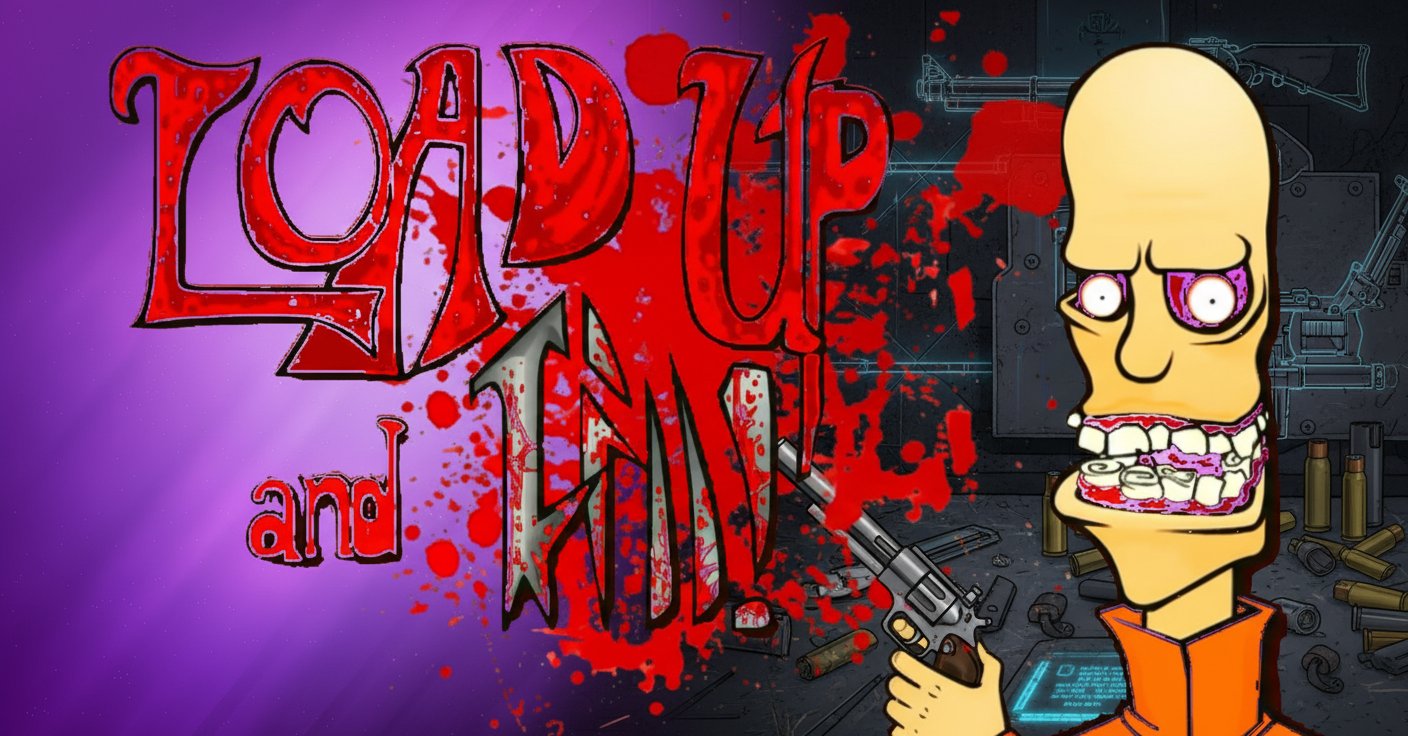
Load Up and Kill

Seele01-Flash
By
Load Up and Kill is an interactive weapon simulation game that challenges players to master various weapon loading mechanisms. Choose from different weapons, learn their unique operation methods, and test your mechanical skills in this educational simulation.

Prompt

MODEL: Seele01-Flash
Please use Three.js to generate a **mobile-first game** with the theme "**Load Up and Kill: 3D Simulation**". Please read the following detailed game design requirements first, and then generate the code accordingly: ### 1. Assets & Environment * **Visual Style**: Use a **Cel-Shaded (Toon) aesthetic** with black outline effects to mimic the original 2D Flash animation style (gritty, comic-book look). * **Color Palette**: Maintain the iconic purple gradient background. Use high-contrast colors: bright orange for the prisoner's jumpsuit, dark metallic greys for weapons, and vibrant red for blood effects. * **Scene Setup**: * **The Workbench (Foreground)**: A metal table where the weapon sits. * **The Cell (Background)**: A concrete room containing the prisoner model. The prisoner should be a low-poly character with exaggerated features (bulging eyes, yellow skin) and simple idle animations (shaking/breathing). * **Weapon Models**: The weapons (Handgun, Shotgun, Chainsaw) must be composed of **separate meshes** for their functional parts (e.g., `Magazine`, `Slide`, `SafetySwitch`, `Trigger`) to allow for individual transformations/animations. * **VFX**: * **Blood Splatter**: A Sprite-based particle system that triggers upon impact, leaving decals on the back wall. * **Muzzle Flash**: Simple billboard sprites for gunshots. * **Mobile Optimization**: Use low-poly models (under 5000 tris per scene), shared materials, and limit real-time shadows. Use baked lighting for the environment. ### 2. Audio Requirements * **BGM**: A dark, gritty, industrial ambient loop (low-fi hip-hop beat or ominous drone) typical of the Flash game era. * **Sound Effects (SFX)**: * **Weapon Mechanics**: High-fidelity, crisp metallic sounds. Distinct sounds for: *Magazine Click*, *Slide Rack*, *Safety Switch Toggle*, *Shell Ejection*. * **Combat**: Loud, punchy gunshot sounds with slightly distorted bass. * **Gore**: Exaggerated squish/splat sounds on impact. * **UI**: Graffiti-style spray can sound for menu selection. ### 3. Gameplay Loop * **Phase 1: Weapon Selection**: A carousel UI to select a weapon (e.g., Pistol, Revolver, Sniper). * **Phase 2: Mechanical Puzzle (Loading)**: * The camera zooms in on the weapon. * The player must interact with weapon parts in the correct order to ready the weapon. * *Example (Pistol)*: 1. Drag Magazine into grip. 2. Tap Slide to chamber a round. 3. Tap Safety to disengage. * If the player tries to fire without loading, play a "dry fire" click sound and show a hint. * **Phase 3: Execution**: * Once loaded, the camera pans up to focus on the prisoner. * The player taps the trigger/screen to fire. * The prisoner reacts (ragdoll physics or death animation) with particle effects. * **Phase 4: Reset**: A "Clean Up" button appears to reset the scene and choose a new weapon. ### 4. Mobile Controls & Interaction * **Orientation**: **Landscape Mode** (essential to view the long axis of weapons). * **Interaction Model**: **Raycasting** on touch. * **Highlighting**: When the user touches a valid interactive part (e.g., the magazine), it should glow or highlight white to indicate it can be manipulated. * **Gestures**: * *Tap*: To press buttons (safety, trigger). * *Swipe*: To rack slides or insert magazines (simulating the physical action). * **Camera Controls**: The camera should be mostly fixed but allow slight parallax movement based on device gyroscope (if available) or slight drag to inspect the weapon. * **Feedback**: * **Screen Shake**: Significant camera shake on firing. * **Haptic Feedback**: Trigger device vibration (using `navigator.vibrate`) when a mechanical part locks into place (e.g., magazine clicks in) and upon firing. * **UI Layout**: Large, thumb-friendly buttons placed at the bottom corners (Reset / Menu) ensuring a minimum touch target size of 48px. Do not ask for clarification. Do not request confirmation. Directly execute the generation task based on the given instructions.

Game Introduction

About the Game

Load Up and Kill is a unique casual simulation game that focuses on weapon mechanics and loading procedures. This browser-based game offers players an educational experience in understanding how different weapons function, from handguns to chainsaws. The game emphasizes learning proper weapon handling techniques through interactive gameplay.

Core Features

Diverse Weapon Arsenal

The game features a comprehensive selection of weapons, each with authentic loading mechanisms:

  • Handguns : Learn magazine release, loading, and chamber preparation
  • Power Tools : Master chainsaw starting procedures and safety mechanisms
  • Various Firearms : Understand different ammunition types and loading processes
  • Realistic Mechanics : Each weapon requires specific interaction sequences

Educational Simulation Experience

  • Authentic Procedures : Learn real-world weapon operation steps
  • Interactive Learning : Hands-on approach to understanding weapon mechanics
  • Multiple Attempts : Practice until you master each weapon type
  • Progressive Difficulty : Start simple and advance to complex mechanisms

Accessible Gaming Platform

  • Free to Play : Complete experience without any payment required
  • Browser Compatible : Works on both desktop and mobile devices
  • No Downloads : Instant access through web browser
  • Cross-Platform : Seamless experience across all devices

Gameplay Mechanics

The core gameplay revolves around weapon preparation and operation. Players select from available weapons and must figure out the correct loading sequence. Each weapon presents unique challenges - handguns require magazine management, while power tools need proper startup procedures.

Learning Process

Success requires attention to detail and understanding of mechanical principles. The game teaches players about safety mechanisms, proper handling techniques, and the importance of following correct procedures.

Operation Guide

The game uses intuitive point-and-click controls:

  • Weapon Selection : Click on your preferred weapon from the available options
  • Interactive Elements : Click on specific weapon parts that need interaction
  • Follow Prompts : Some weapons provide visual or text guidance
  • Sequence Learning : Discover the correct order of operations through trial and error
  • Mobile Friendly : Touch controls work seamlessly on smartphones and tablets

Mastery Tips

  • Study each weapon carefully before attempting to load it
  • Pay attention to visual cues and mechanical details
  • Practice different weapons to broaden your knowledge
  • Take your time to understand each mechanism

Why Play This Game

Load Up and Kill offers a unique educational gaming experience that combines entertainment with learning. It's perfect for players interested in mechanical systems, weapon enthusiasts seeking to understand functionality, and gamers who enjoy puzzle-solving elements.

The game provides safe, virtual environment to explore weapon mechanics without real-world risks. It's an excellent tool for understanding engineering principles and mechanical problem-solving.

Frequently Asked Questions (FAQ)