
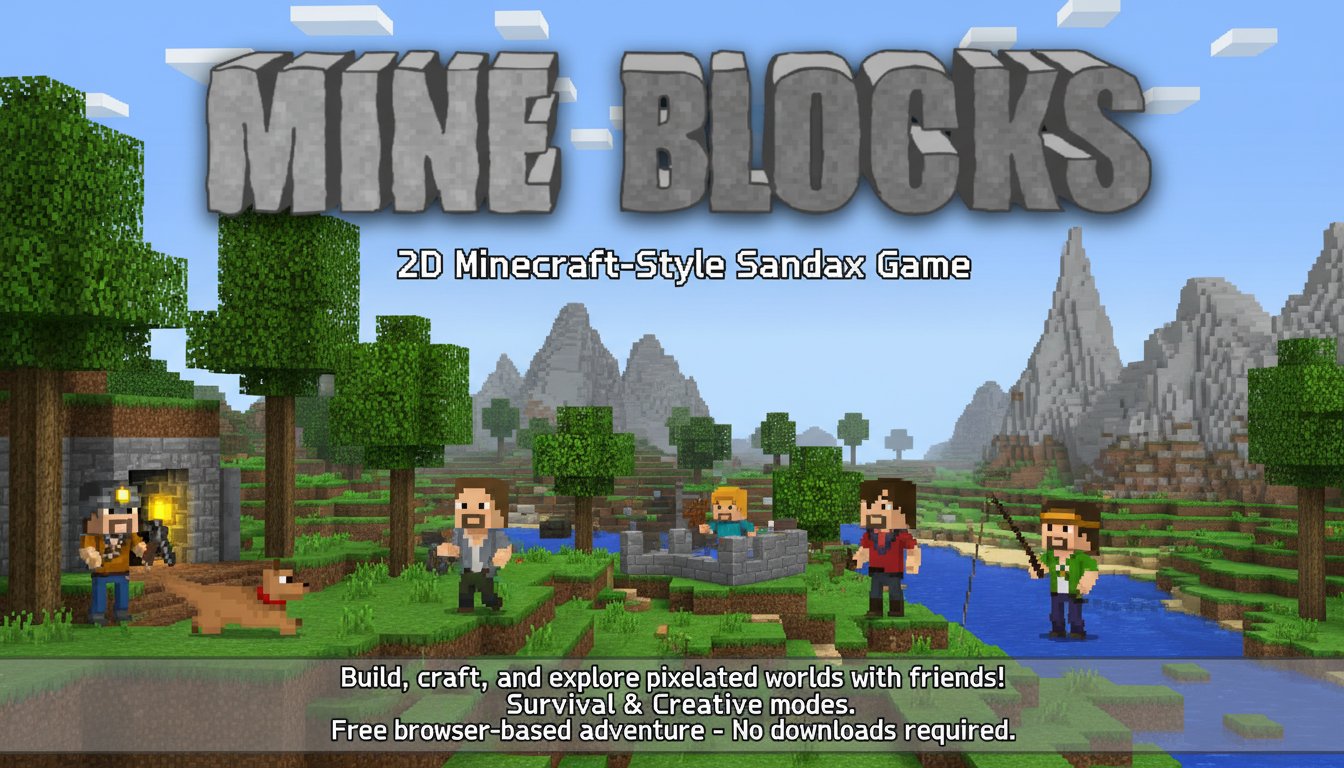
Mine Blocks - 2D Minecraft-Style Sandbox Game - Simulation Game
 Unity
UnityFarmstead Shop
Build a Unity farm-shop sim: grow, stock, serve, upgrade.
 Shooter
Dead City Shooter
Build a third-person zombie shooter in a ruined city.
 Unity
UnityBattle of Balls
Build a Unity arena where rolling balls collide and grow.
 Unity
UnityChaos Train Arcade
Build a chaotic Unity train arcade of hazards and timing.
 Subscriber only
Unreal City Tour
Explore a photoreal Unreal city with terrain and live weather.
 FPS
FPSNight Mission Survival
Build a first-person night survival with flashlight combat.
 Shooter
Decay Zone Survival
Build a first-person zombie survival with ammo management.
 Shooter
Rail Shooter Ride
Build a roller-coaster rail shooter that aims as you ride.
 New
NewDrone Flight Combat
Build a cinematic drone combat run with missiles and a HUD.
 New
NewArcade Crossing Game
Build a lane-dodging arcade game with traffic and pickups.
UnityFarmstead Shop
Build a Unity farm-shop sim: grow, stock, serve, upgrade.
ShooterDead City Shooter
Build a third-person zombie shooter in a ruined city.
UnityBattle of Balls
Build a Unity arena where rolling balls collide and grow.
UnityChaos Train Arcade
Build a chaotic Unity train arcade of hazards and timing.
Subscriber onlyUnreal City Tour
Explore a photoreal Unreal city with terrain and live weather.
FPSNight Mission Survival
Build a first-person night survival with flashlight combat.
ShooterDecay Zone Survival
Build a first-person zombie survival with ammo management.
ShooterRail Shooter Ride
Build a roller-coaster rail shooter that aims as you ride.
NewDrone Flight Combat
Build a cinematic drone combat run with missiles and a HUD.
NewArcade Crossing Game
Build a lane-dodging arcade game with traffic and pickups.
Prompt

Games are fun. Creating them is even better.
Game Introduction
About Mine Blocks
Mine Blocks is an exciting 2D sandbox adventure that brings the beloved Minecraft experience to a side-scrolling format. This free browser game combines classic block-building mechanics with fresh 2D gameplay, offering unlimited creative possibilities in a pixelated world. Whether you're a survival enthusiast or creative builder, Mine Blocks provides hours of engaging gameplay without requiring any downloads or installations.
Originally launched as a Flash game, Mine Blocks has been completely rebuilt in HTML5, ensuring smooth performance across all modern devices. The game maintains the charming pixelated visual style that fans love while introducing unique mechanics that set it apart from traditional 3D sandbox games.
Core Features
Dual Game Modes
Mine Blocks offers two distinct gameplay experiences:
Survival Mode challenges you to gather resources, craft tools, and build shelter while defending against hostile mobs like creepers, spiders, and zombies. Collect wood, stone, and other materials to craft essential items such as wooden axes, pickaxes, and weapons. Resource management and strategic building are crucial for surviving the dangerous nights.
Creative Mode provides unlimited resources and complete freedom to build whatever you can imagine. Fly around the map using double-tap controls, place any blocks or items instantly, and create epic structures without worrying about health or hostile creatures. This mode is perfect for architectural projects and experimenting with game mechanics.
Multiplayer Scavenger Hunt
Join friends online in the exciting scavenger hunt mode, where teams race to find all 10 hidden items within 8 minutes. This competitive multiplayer feature adds a thrilling social element to the traditional sandbox gameplay.
Advanced Building System
The game features a comprehensive crafting system where materials combine to create new items. Use wood and stone to craft tools, combine different resources for advanced equipment, and discover countless crafting recipes. The inventory system allows you to organize materials and equip armor for enhanced survival capabilities.
Gameplay Mechanics
Exploration and Mining
Explore diverse biomes filled with different materials, creatures, and challenges. Mine deep underground to discover rare ores and resources, or stay on the surface to gather wood and build above-ground structures. The 2D perspective offers a unique exploration experience compared to traditional 3D sandbox games.
Creative Building
With limitless building possibilities, you can construct anything from simple shelters to elaborate cities and monuments. The intuitive block-placement system makes it easy to bring your architectural visions to life, whether you're recreating famous landmarks or designing original creations.
Operation Guide
Basic Controls
- WASD Keys : Move your character in all directions
- Double-tap A or D : Sprint for faster movement
- Click and Hold : Collect resources from blocks and creatures
- Right-Click : Place selected blocks in empty spaces
- E Key : Open inventory for crafting and equipment management
- Right-Click and Hold : Use items or consume food
Essential Tips for New Players
- Start with basics : Collect wood first to craft basic tools
- Build shelter early : Protect yourself from nighttime monsters in survival mode
- Use right tools : Different tools work better on specific materials
- Manage inventory : Keep essential items in your hotbar for quick access
- Experiment with crafting : Try combining different materials to discover new recipes
Why Play Mine Blocks
Accessibility and Convenience
- Completely free with no hidden costs or premium content
- No download required - play instantly in your web browser
- Cross-platform support - works on computers, tablets, and smartphones
- Regular updates ensure fresh content and improved features
- Save functionality preserves your creations and progress
Unique 2D Experience
While maintaining the core appeal of block-building games, Mine Blocks offers a fresh perspective with its side-scrolling 2D format. This approach makes the game more accessible to players who might find 3D environments overwhelming while still providing the depth and creativity that sandbox fans expect.
Community and Multiplayer
Connect with friends in multiplayer mode, share creations, and compete in scavenger hunts. The game fosters a creative community where players can showcase their building skills and collaborative projects.
Perfect for All Ages
The simple controls, family-friendly content, and scalable difficulty make Mine Blocks suitable for players of all ages and skill levels. Whether you're introducing children to sandbox games or looking for a relaxing creative outlet, this game delivers an enjoyable experience for everyone.