
Minecraft Classic - Simulation Game
 Unity
UnityStrawberry Grove Adventure
Build a cozy Unity pixel grove of exploration and collectibles.
 Arcade
Pumpkin Night Adventure
Build a Halloween grid-arena survival romp.
 Adventure
Character Adventure Sim
Build a 3D character explorer with traversal and interactive zones.
 3D
3DThird Person Explorer
Build a third-person explorer with swappable scenes and a live minimap.
 Roguelike
Dungeon Survivors
Build a Vampire-Survivors-style dungeon arena with hero picks.
 Voxel
VoxelVoxel Hero Adventure
Build a voxel hero who explores, mines, and builds.
 Puzzle
Box Robot Puzzle
Build crate-pushing puzzles with vehicles and physics timing.
 Subscriber only
Unreal Dungeon Crawler
Build a playable Unreal dungeon crawler, combat-ready.
 FPS
FPSZombie Horror Survival
Build a tense zombie horror survival with map progression.
 Subscriber only
Unreal FPS/TPS Shooter
Create a complete UE 5.5 FPS or TPS shooter with combat, UI, and replay.
UnityStrawberry Grove Adventure
Build a cozy Unity pixel grove of exploration and collectibles.
ArcadePumpkin Night Adventure
Build a Halloween grid-arena survival romp.
AdventureCharacter Adventure Sim
Build a 3D character explorer with traversal and interactive zones.
3DThird Person Explorer
Build a third-person explorer with swappable scenes and a live minimap.
RoguelikeDungeon Survivors
Build a Vampire-Survivors-style dungeon arena with hero picks.
VoxelVoxel Hero Adventure
Build a voxel hero who explores, mines, and builds.
PuzzleBox Robot Puzzle
Build crate-pushing puzzles with vehicles and physics timing.
Subscriber onlyUnreal Dungeon Crawler
Build a playable Unreal dungeon crawler, combat-ready.
FPSZombie Horror Survival
Build a tense zombie horror survival with map progression.
Subscriber onlyUnreal FPS/TPS Shooter
Create a complete UE 5.5 FPS or TPS shooter with combat, UI, and replay.
Prompt

Games are fun. Creating them is even better.
Game Introduction
About the Game
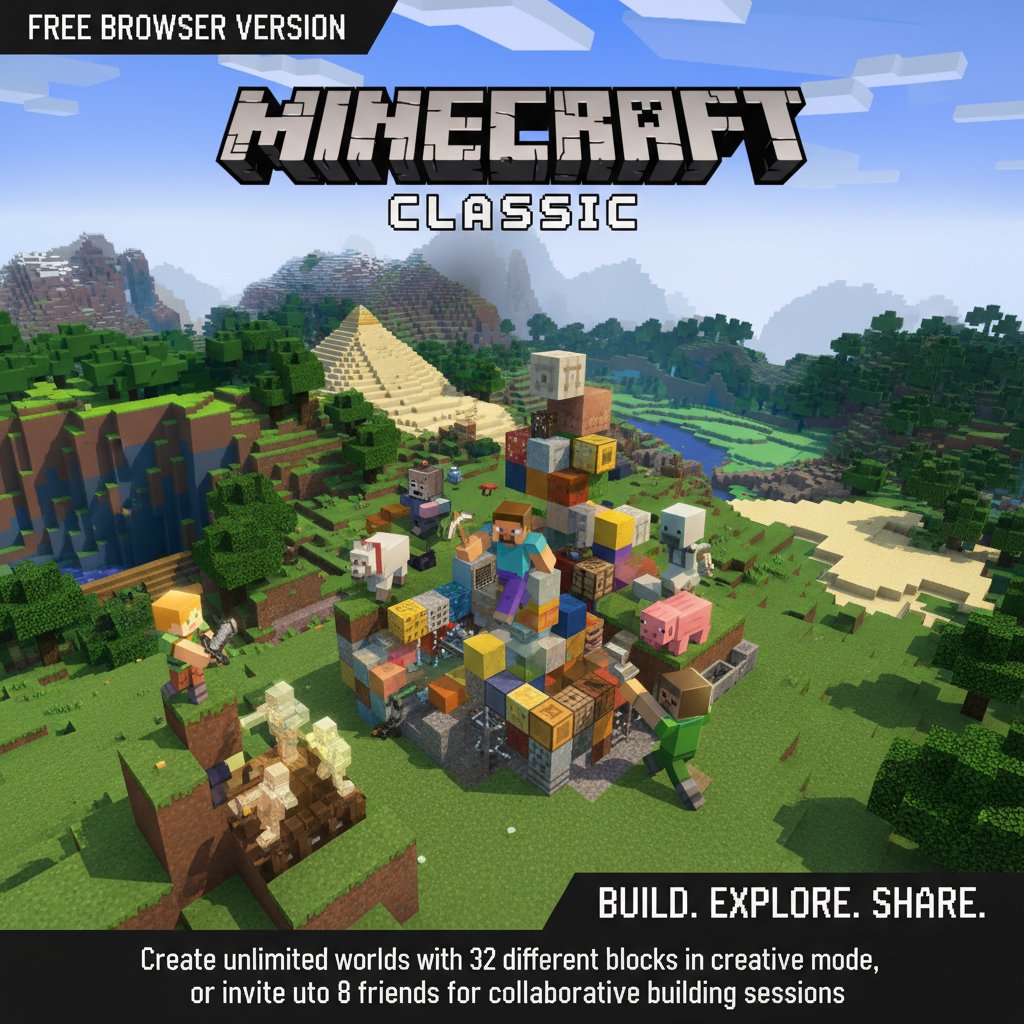
Minecraft Classic brings the iconic block-building experience directly to your browser, completely free of charge. This web-based version captures the essence of the original sandbox adventure that revolutionized creative gaming. With its distinctive pixelated art style and infinite building possibilities, players can construct everything from simple houses to elaborate castles using 32 different block types.
The game offers pure creative freedom in a 3D world where imagination is the only limit. Whether you're building solo or collaborating with friends, Minecraft Classic provides hours of engaging construction gameplay without requiring any downloads or installations.
Core Features
Complete Creative Freedom
Unlike survival-based versions, Minecraft Classic focuses entirely on creative building. You have unlimited access to all 32 block types from the start, allowing you to immediately begin constructing your dream projects without resource gathering or crafting limitations.
Seamless Multiplayer Experience
Invite up to 8 friends to join your server for collaborative building sessions. Work together on massive construction projects, create themed worlds, or simply explore each other's creations in real-time multiplayer mode.
Browser-Based Convenience
Play instantly in any modern web browser without downloads, installations, or system requirements. The game runs smoothly on both desktop and laptop computers, making it accessible anywhere you have internet access.
Classic Minecraft Aesthetics
Experience the authentic retro Minecraft visual style with blocky textures, vibrant colors, and the characteristic voxel-based world design that made the franchise famous.
Gameplay Mechanics
Minecraft Classic operates on simple yet powerful mechanics. Players navigate a 3D world composed entirely of blocks, each representing different materials like dirt, stone, wood, or glass. The core gameplay revolves around placing and removing these blocks to create structures, landscapes, and artistic creations.
The creative mode ensures unlimited resources, allowing players to focus purely on building and designing rather than survival elements. This makes it perfect for architectural projects, pixel art, or experimental construction techniques.
Operation Guide
The game features intuitive controls designed for easy learning:
- WASD Keys : Move your character forward, backward, and sideways
- Space Bar : Jump to reach higher elevations or cross gaps
- B Key : Open the building blocks menu to select materials
- Left Mouse Button (LMB) : Place selected blocks in the world
- Right Mouse Button (RMB) : Remove existing blocks or switch between placing/removing modes
- G Key : Spawn additional characters or NPCs
- T Key : Open chat system for multiplayer communication
- F Key : Toggle fog effects for better visibility
- Enter Key : Save your current world location
- A Key : Load previously saved locations
These simple controls make the game accessible to players of all ages and experience levels.
Why Play This Game
Perfect Introduction to Building Games
Minecraft Classic serves as an excellent entry point for newcomers to sandbox building games. The simplified mechanics and unlimited resources eliminate barriers, allowing players to focus on creativity and construction skills.
Social Building Experience
The multiplayer functionality transforms building from a solitary activity into a collaborative social experience. Friends can work together on ambitious projects, share building techniques, and create shared virtual spaces.
Zero Commitment Gaming
As a browser-based game requiring no downloads or accounts, you can start playing immediately and stop whenever convenient. There's no pressure to maintain progress or invest time in character development.
Nostalgia and Accessibility
For longtime Minecraft fans, Classic offers a nostalgic return to the game's roots with simplified mechanics and the original block selection. New players get to experience the pure essence of what made Minecraft revolutionary.
Cross-Platform Compatibility
The web-based nature ensures the game works on virtually any computer with a modern browser, regardless of operating system or hardware specifications.