
My Cozy Home - Interior Design & Decoration Game - Simulation Game
 Unity
UnityEndless Runner
Build a polished Unity endless runner with lanes and pickups.
 Subscriber only
Unreal Dungeon Crawler
Build a playable Unreal dungeon crawler, combat-ready.
 FPS
FPSZombie Horror Survival
Build a tense zombie horror survival with map progression.
 Subscriber only
Unreal FPS/TPS Shooter
Create a complete UE 5.5 FPS or TPS shooter with combat, UI, and replay.
 Roguelike
Dungeon Survivors
Build a Vampire-Survivors-style dungeon arena with hero picks.
 New
NewSolo Racing Game
Build a browser racer with tracks, timing, and a minimap.
 Arcade
Pumpkin Night Adventure
Build a Halloween grid-arena survival romp.
 Adventure
Character Adventure Sim
Build a 3D character explorer with traversal and interactive zones.
 New
New3D Block Puzzle
Build a 3D falling-block puzzle with rotations and row clears.
 Action
Open World City Action
Build an open-world city romp with driving and police chases.
UnityEndless Runner
Build a polished Unity endless runner with lanes and pickups.
Subscriber onlyUnreal Dungeon Crawler
Build a playable Unreal dungeon crawler, combat-ready.
FPSZombie Horror Survival
Build a tense zombie horror survival with map progression.
Subscriber onlyUnreal FPS/TPS Shooter
Create a complete UE 5.5 FPS or TPS shooter with combat, UI, and replay.
RoguelikeDungeon Survivors
Build a Vampire-Survivors-style dungeon arena with hero picks.
NewSolo Racing Game
Build a browser racer with tracks, timing, and a minimap.
ArcadePumpkin Night Adventure
Build a Halloween grid-arena survival romp.
AdventureCharacter Adventure Sim
Build a 3D character explorer with traversal and interactive zones.
New3D Block Puzzle
Build a 3D falling-block puzzle with rotations and row clears.
ActionOpen World City Action
Build an open-world city romp with driving and police chases.
Prompt

Games are fun. Creating them is even better.
Game Introduction
About My Cozy Home
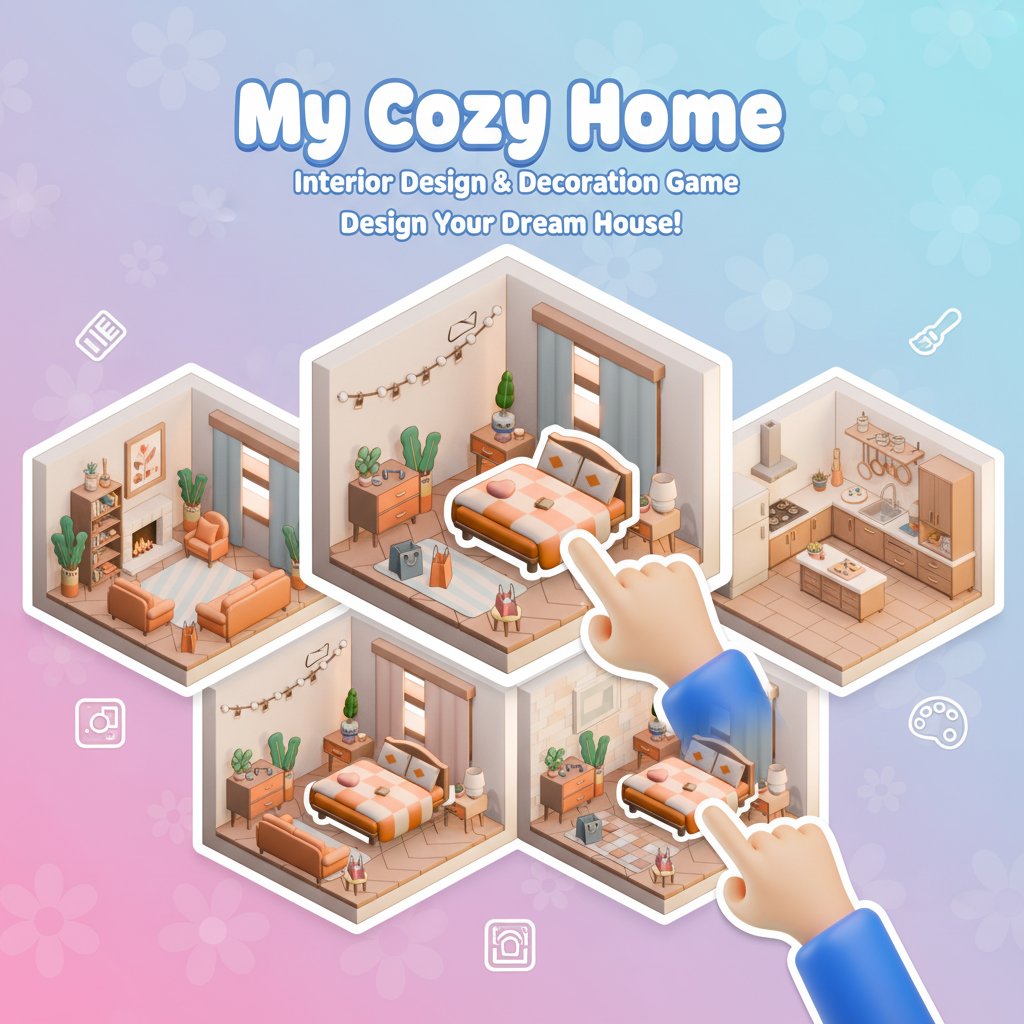
My Cozy Home is an engaging interior design and decoration game that puts you in complete control of creating your perfect living space. This delightful simulation game combines creativity with relaxation, offering players the opportunity to design, decorate, and expand their dream home exactly as they envision it.
The game features an intuitive isometric 3D perspective that showcases your home designs beautifully, with warm, inviting graphics that perfectly capture the "cozy" aesthetic. Whether you're passionate about interior design or simply enjoy creative games, My Cozy Home provides endless possibilities for customization and personalization.
Core Features
Complete Home Design Freedom
Take full control over your home's layout and design. Choose where to place essential rooms like bedrooms, living rooms, bathrooms, and kitchens. The game gives you the flexibility to create unique floor plans that match your personal style and preferences.
Extensive Furniture Collection
Explore a vast catalog of furniture and decorative items. From cozy beds and comfortable sofas to stylish lamps and decorative plants, every piece is carefully designed to help you create the perfect atmosphere in each room.
Room-by-Room Customization
Decorate every corner of your home with precision. Each room can be styled independently, allowing you to experiment with different themes, color schemes, and furniture arrangements until you achieve the perfect look.
Expandable Living Spaces
As your creativity grows, so can your home! The game allows you to expand your living space, adding new rooms and areas to accommodate your evolving design vision.
Cross-Platform Compatibility
Enjoy seamless gameplay across all your devices. Whether you prefer playing on your computer, smartphone, or tablet, My Cozy Home adapts perfectly to different screen sizes and input methods.
Gameplay Mechanics
The game's charm lies in its simplicity and accessibility. Using straightforward point-and-click or tap-and-drag mechanics, players can easily select furniture items and place them exactly where they want them in their virtual home.
Design Process
- Planning Phase : Start by deciding on your overall home layout and room placement
- Furniture Selection : Browse through categories of furniture and decorative items
- Placement and Arrangement : Drag and drop items to create your ideal room setup
- Fine-tuning : Adjust positions and experiment with different combinations
- Expansion : Add new rooms and areas as you progress
Operation Guide
Mastering My Cozy Home is incredibly straightforward:
- Click to Select : Simply click on any furniture item or decorative element you want to use
- Drag to Place : Hold and drag selected items to your desired location within the room
- Rotation and Adjustment : Use available controls to rotate or fine-tune item placement
- Menu Navigation : Browse different furniture categories through the intuitive menu system
- Save Progress : Your designs are automatically saved as you play
The game's user-friendly interface ensures that players of all ages and technical skill levels can enjoy creating beautiful home designs without any learning curve.
Why Play My Cozy Home
Stress-Free Creative Outlet
My Cozy Home offers a peaceful, meditative gaming experience that's perfect for unwinding after a busy day. The relaxing gameplay and soothing visuals create an ideal environment for creative expression without pressure or time constraints.
Perfect for Interior Design Enthusiasts
Whether you're a professional interior designer or someone who loves decorating, this game provides a risk-free platform to experiment with different design ideas, color combinations, and furniture arrangements.
Completely Free Experience
Enjoy full access to all game features without any cost. There are no hidden fees, premium content locks, or pay-to-win mechanics – just pure creative fun accessible to everyone.
Suitable for All Ages
The game's wholesome content and simple mechanics make it perfect for family play. Children can develop spatial awareness and creative skills while adults can enjoy sophisticated design challenges.
Instant Accessibility
No downloads, installations, or account creation required. Simply open your browser and start designing your dream home immediately on any device.