
Office Manager - Business Management Game - Simulation Game
 Unity
UnityCrimson Illusion Battle
Build a Unity fantasy battle through a crimson illusion realm.
 Driving
City Car Driving
Build an open-city free-driving game with car selection.
 3D
3DThird Person Explorer
Build a third-person explorer with swappable scenes and a live minimap.
 New
New3D Block Puzzle
Build a 3D falling-block puzzle with rotations and row clears.
 Subscriber only
Unreal Dungeon Crawler
Build a playable Unreal dungeon crawler, combat-ready.
 FPS
FPSZombie Horror Survival
Build a tense zombie horror survival with map progression.
 New
NewFirst-Person Horror Survival
Build a first-person horror survival with exploration and enemies.
 Subscriber only
Unreal FPS/TPS Shooter
Create a complete UE 5.5 FPS or TPS shooter with combat, UI, and replay.
 Unity
UnityBattle of Balls
Build a Unity arena where rolling balls collide and grow.
 Unity
UnityChaos Train Arcade
Build a chaotic Unity train arcade of hazards and timing.
UnityCrimson Illusion Battle
Build a Unity fantasy battle through a crimson illusion realm.
DrivingCity Car Driving
Build an open-city free-driving game with car selection.
3DThird Person Explorer
Build a third-person explorer with swappable scenes and a live minimap.
New3D Block Puzzle
Build a 3D falling-block puzzle with rotations and row clears.
Subscriber onlyUnreal Dungeon Crawler
Build a playable Unreal dungeon crawler, combat-ready.
FPSZombie Horror Survival
Build a tense zombie horror survival with map progression.
NewFirst-Person Horror Survival
Build a first-person horror survival with exploration and enemies.
Subscriber onlyUnreal FPS/TPS Shooter
Create a complete UE 5.5 FPS or TPS shooter with combat, UI, and replay.
UnityBattle of Balls
Build a Unity arena where rolling balls collide and grow.
UnityChaos Train Arcade
Build a chaotic Unity train arcade of hazards and timing.
Prompt

Games are fun. Creating them is even better.
Game Introduction
About Office Manager
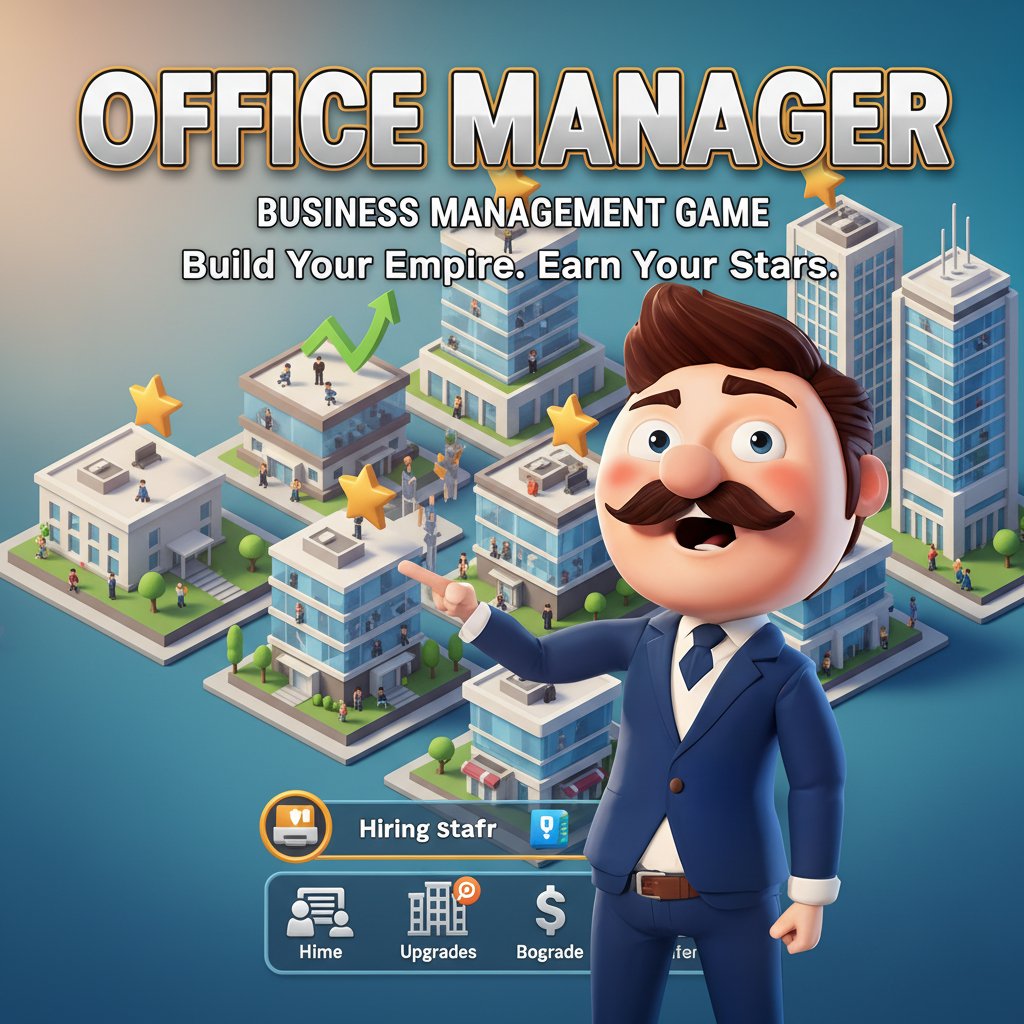
Office Manager is an immersive 3D management simulation game that puts you in charge of building and running your own office business. This engaging tycoon-style game combines strategic planning with hands-on management as you transform a small workspace into a thriving corporate empire.
Core Features
Build Your Office Empire
Start with a modest office space and gradually expand your business empire. Design layouts, manage resources, and create an efficient workplace that attracts top talent and generates maximum revenue.
Complete Management Control
- Staff Management : Hire and manage employees with different skills and specialties
- Office Expansion : Unlock new areas and upgrade your workspace facilities
- Resource Management : Balance budgets, maintain cleanliness, and optimize operations
- Star Rating System : Earn performance stars for exceptional management skills
- Progressive Growth : Continuously upgrade and improve your office environment
3D Visual Experience
Enjoy stunning 3D graphics that bring your office to life. Watch employees work, interact with furniture and equipment, and see your business grow in beautiful detail.
Idle Game Mechanics
The game features idle gameplay elements, allowing your office to generate revenue even when you're not actively playing. Perfect for players who enjoy passive progression combined with active management.
Game Features
Free-to-Play Experience
Office Manager is completely free to play with no hidden costs. Access all core gameplay features without any payment requirements.
Cross-Platform Compatibility
- Play on desktop computers (Windows, Mac, Linux)
- Full mobile support for iOS and Android devices
- Responsive controls optimized for both touch and keyboard input
- Cloud save functionality to continue your progress across devices
Strategic Depth
While easy to learn, Office Manager offers deep strategic gameplay. Balance employee satisfaction, office efficiency, and financial growth to achieve the highest star ratings.
How to Play
Basic Controls
- Movement : Use WASD keys, arrow keys, or on-screen joystick for navigation
- Interaction : Click or tap on objects, employees, and upgrade options
- Menu Navigation : Access management panels through intuitive interface
Getting Started
- Begin with a basic office setup and limited resources
- Welcome your first employees and assign them workstations
- Keep the office clean and organized to maintain employee satisfaction
- Earn revenue from productive work and reinvest in expansion
- Hire additional staff as your business grows
- Unlock new office areas and premium upgrades
- Aim for maximum star ratings through excellent management
Why Play Office Manager
Perfect for Management Game Fans
If you enjoy business simulation, tycoon games, or management challenges, Office Manager delivers an authentic and rewarding experience. The combination of strategic planning and real-time management creates engaging gameplay.
Relaxing Yet Engaging
The game strikes an excellent balance between relaxing idle mechanics and active management tasks. You can play at your own pace while still feeling challenged and accomplished.
Continuous Progression
With multiple upgrade paths, staff types, and expansion options, Office Manager offers long-term gameplay value. There's always a new goal to work toward or improvement to make.
Accessible Gameplay
Whether you're new to management games or a seasoned player, Office Manager's intuitive controls and clear objectives make it easy to jump in and start building your business empire.