
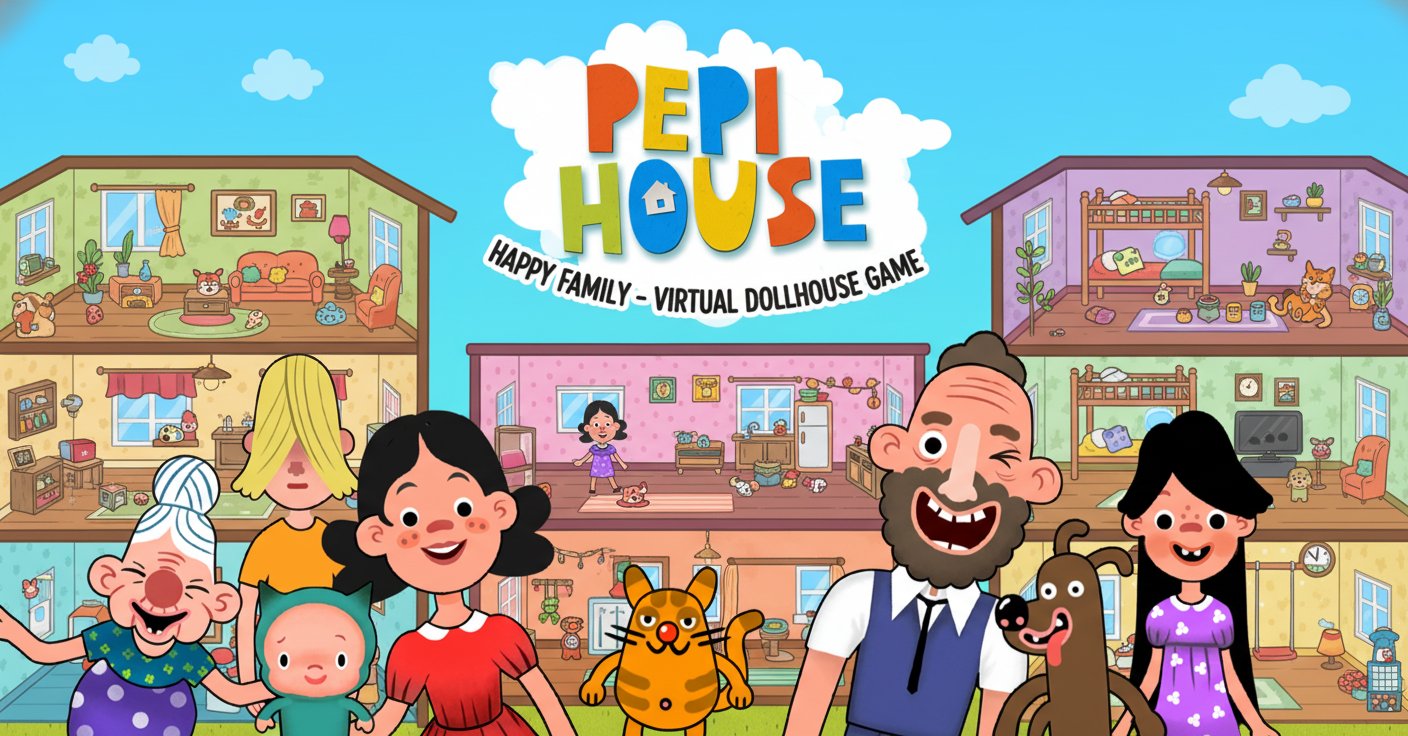
Pepi House: Happy Family - Virtual Dollhouse Game - Simulation Game
 Sports
Basketball Duel
Build a one-on-one basketball game with physics shooting.
 Voxel
VoxelVoxel Hero Adventure
Build a voxel hero who explores, mines, and builds.
 Unity
UnityStrawberry Grove Adventure
Build a cozy Unity pixel grove of exploration and collectibles.
 Unity
UnityCrimson Illusion Battle
Build a Unity fantasy battle through a crimson illusion realm.
 FPS
FPSNight Mission Survival
Build a first-person night survival with flashlight combat.
 Shooter
Dead City Shooter
Build a third-person zombie shooter in a ruined city.
 Unity
UnityFarmstead Shop
Build a Unity farm-shop sim: grow, stock, serve, upgrade.
 3D
3DThird Person Explorer
Build a third-person explorer with swappable scenes and a live minimap.
 Unity
UnityCastle Devour Quest
Build a Unity castle quest with risky rooms and a win goal.
 Shooter
Decay Zone Survival
Build a first-person zombie survival with ammo management.
SportsBasketball Duel
Build a one-on-one basketball game with physics shooting.
VoxelVoxel Hero Adventure
Build a voxel hero who explores, mines, and builds.
UnityStrawberry Grove Adventure
Build a cozy Unity pixel grove of exploration and collectibles.
UnityCrimson Illusion Battle
Build a Unity fantasy battle through a crimson illusion realm.
FPSNight Mission Survival
Build a first-person night survival with flashlight combat.
ShooterDead City Shooter
Build a third-person zombie shooter in a ruined city.
UnityFarmstead Shop
Build a Unity farm-shop sim: grow, stock, serve, upgrade.
3DThird Person Explorer
Build a third-person explorer with swappable scenes and a live minimap.
UnityCastle Devour Quest
Build a Unity castle quest with risky rooms and a win goal.
ShooterDecay Zone Survival
Build a first-person zombie survival with ammo management.
Prompt

Games are fun. Creating them is even better.
Game Introduction
About the Game
Pepi House: Happy Family is an engaging virtual dollhouse simulation that brings family life to your screen in the most delightful way. This colorful 2D game offers endless creative possibilities as you explore a multi-story house filled with interactive rooms, characters, and countless objects to play with. Perfect for children and families, this point-and-click adventure encourages imagination and storytelling through open-ended gameplay.
The game features a beautifully designed house with multiple floors, each offering unique activities and experiences. From cooking delicious meals in the kitchen to fixing cars in the garage, every room tells a different story and provides hours of entertainment for players of all ages.
Core Features
Multi-Floor House Exploration
Navigate through a detailed house structure featuring: - Ground Floor : Kitchen and living room with cooking activities and cozy fireplace - Basement : Workshop area with tools, car maintenance, and pet activities - Upper Floor : Bathroom and bedroom with daily routine activities - Attic : Creative space with art supplies, books, and play areas - Outdoor Patio : Grilling and outdoor family activities
Hundreds of Interactive Items
Every room is packed with clickable objects that respond to your touch: - Kitchen appliances for cooking and food preparation - Tools and equipment for hands-on activities - Toys, games, and entertainment items - Household items that bring realism to the experience - Musical instruments and records for audio fun
Creative Freedom and Storytelling
The game encourages creativity through: - Open-ended gameplay with no strict rules or time limits - Character interaction across different family members - Item manipulation - move objects between rooms using the elevator - Imaginative scenarios limited only by your creativity - Educational value through role-playing and family dynamics
Child-Friendly Design
Designed specifically with young players in mind: - Bright, colorful 2D graphics that appeal to children - Simple point-and-click mechanics - Safe, family-appropriate content - Educational elements woven into gameplay - No violent or inappropriate content
Gameplay Experience
Kitchen and Living Room Adventures
Start your family story in the heart of the home. Cook meals, experiment with condiments, explore the refrigerator for treats, and gather around the fireplace. Change the music, feed the fish, and adjust lighting to create the perfect atmosphere for your virtual family.
Basement Workshop Fun
Get hands-on with tools, spray paint cars, clean up with sponges, and even help pets enjoy pool time. This area offers practical life skills through playful interaction.
Bedroom and Bathroom Routines
Explore daily life activities like bathing, sleeping, and caring for babies. Set alarms, open curtains, play with medical equipment, and create nurturing scenarios.
Attic Creativity Corner
Unleash artistic expression with painting, computer games, book organization, and pet care. This space encourages quiet, creative activities.
Operation Guide
Desktop Controls
- Mouse : Click and drag to interact with objects
- Left Click : Select and activate items
- Drag and Drop : Move objects between locations
- Point and Click : Navigate through rooms and floors
Mobile Controls
- Touch : Tap objects to interact
- Drag : Move items around the screen
- Swipe : Navigate between different areas
- Pinch : Zoom in and out (if supported)
Getting Started
- Choose your starting room (typically the kitchen or living room)
- Click on various objects to see how they respond
- Experiment with combining different items
- Use the elevator to move between floors
- Create your own family stories and scenarios
Why Play Pepi House: Happy Family
This game stands out as an excellent choice for: - Parents looking for safe, educational entertainment for their children - Kids who enjoy creative, open-ended gameplay - Families wanting to play together and share storytelling - Educators seeking tools that promote creativity and life skills - Anyone who appreciates charming, well-designed casual games
The game promotes important developmental skills including creativity, problem-solving, social understanding, and fine motor skills through its intuitive interface and engaging activities. With no time pressure or competitive elements, players can explore at their own pace and create unique experiences every time they play.