
Rush Hour Cafe - Simulation Game
 Action
Open World City Action
Build an open-world city romp with driving and police chases.
 Subscriber only
Unreal Landscape Tour
Tour photoreal Unreal landscapes with cinematic camera work.
 Racing
Track Racing Challenge
Build a closed-circuit racer built around drift corners.
 New
NewUnderwater Puzzle
Build an underwater puzzle: restore coral, dodge crabs.
 Survival
Survival Sandbox Arena
Build a survival arena with enemy waves and turret defense.
 Sports
Basketball Duel
Build a one-on-one basketball game with physics shooting.
 Unity
UnityDesert Quickshot
Build a Unity quickdraw duel with streaks and rising heat.
 3D
3DThird Person Explorer
Build a third-person explorer with swappable scenes and a live minimap.
 Unity
UnityStrawberry Grove Adventure
Build a cozy Unity pixel grove of exploration and collectibles.
 Arcade
Pumpkin Night Adventure
Build a Halloween grid-arena survival romp.
ActionOpen World City Action
Build an open-world city romp with driving and police chases.
Subscriber onlyUnreal Landscape Tour
Tour photoreal Unreal landscapes with cinematic camera work.
RacingTrack Racing Challenge
Build a closed-circuit racer built around drift corners.
NewUnderwater Puzzle
Build an underwater puzzle: restore coral, dodge crabs.
SurvivalSurvival Sandbox Arena
Build a survival arena with enemy waves and turret defense.
SportsBasketball Duel
Build a one-on-one basketball game with physics shooting.
UnityDesert Quickshot
Build a Unity quickdraw duel with streaks and rising heat.
3DThird Person Explorer
Build a third-person explorer with swappable scenes and a live minimap.
UnityStrawberry Grove Adventure
Build a cozy Unity pixel grove of exploration and collectibles.
ArcadePumpkin Night Adventure
Build a Halloween grid-arena survival romp.
Prompt

Games are fun. Creating them is even better.
Game Introduction
About the Game
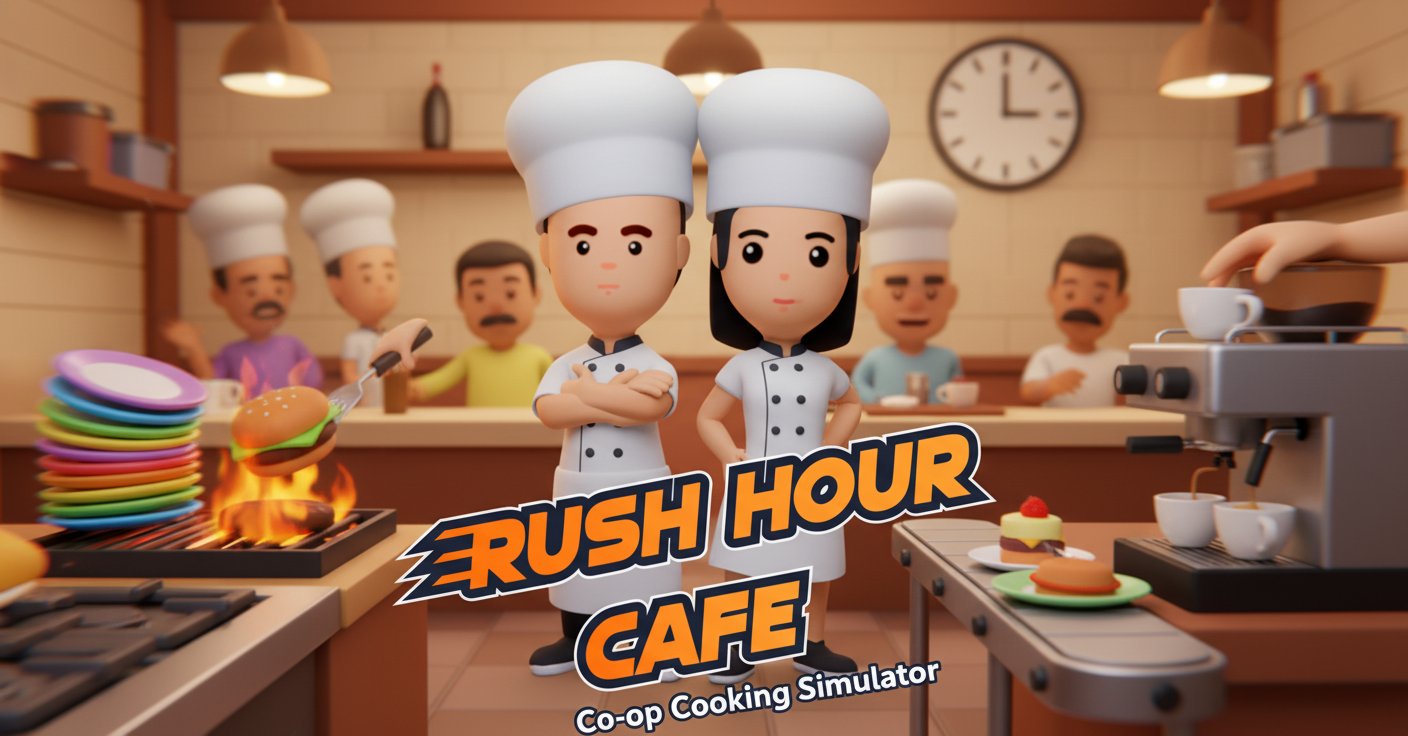
Rush Hour Cafe is an addictive cooking and restaurant management game that throws you into the chaotic world of running a busy cafe. This fast-paced simulator challenges players to cook delicious dishes, serve demanding customers, and maintain a spotless kitchen while working against the clock. Whether you play solo or team up with a friend, every moment counts in this culinary adventure.
Core Features
Cooperative Gameplay Excellence
- Single or Multiplayer : Perfect for both solo players and cooperative teams of two
- Seamless Co-op : Work together with a friend to tackle kitchen chaos and serve customers efficiently
- Controller Support : Full gamepad compatibility alongside keyboard controls for comfortable gameplay
- Cross-Platform Fun : Play instantly in your web browser on any device without downloads
Dynamic Restaurant Management
- Progressive Difficulty : Face increasingly challenging levels that test your time management skills
- Cafe Customization : Expand and personalize your cafe layout to optimize workflow
- Recipe Variety : Master multiple dishes and cooking techniques to satisfy diverse customer preferences
- Kitchen Equipment : Utilize various cooking appliances and tools to prepare meals efficiently
Engaging Time Management Mechanics
- Rush Hour Pressure : Experience the authentic stress and excitement of peak dining hours
- Customer Satisfaction : Keep hungry visitors happy by serving orders quickly and accurately
- Kitchen Organization : Maintain cleanliness and organization to prevent chaos and delays
- Strategic Planning : Balance cooking, serving, and cleaning tasks for maximum efficiency
Gameplay Mechanics
The game revolves around multitasking and coordination. Players must take orders, prepare ingredients, cook dishes, serve customers, and clean up—all while managing limited time and space. Success requires quick decision-making, efficient movement, and seamless teamwork when playing cooperatively.
Controls Guide
Single Player Controls
- Movement : WASD keys for character navigation
- Take/Put Items : E key or left mouse click
- Interact : R key or right mouse click for equipment interaction
- Quick Movement : Shift key for dashing between stations
- Game Management : Tab for cookbook, Space to pause, X to remove items
Two Player Controls
Player 1 uses WASD and E/R keys, while Player 2 uses arrow keys with O/P for actions. Both players share cookbook (Tab) and pause (Space) functions, making coordination seamless.
Why Play Rush Hour Cafe
This game perfectly captures the excitement and challenge of restaurant management without the real-world stress. It's ideal for players who enjoy: - Cooperative Gaming : Strengthen teamwork skills with friends or family - Time Management Challenges : Test and improve your multitasking abilities - Casual Gaming : Quick, engaging sessions that fit any schedule - Skill Development : Enhance coordination, planning, and communication skills
The game offers endless replayability through its progressive difficulty system and customization options. Each level presents new challenges that keep the gameplay fresh and engaging.