
Struckd - 3D Game Creator - Simulation Game
 Unity
UnityBattle of Balls
Build a Unity arena where rolling balls collide and grow.
 New
New3D Block Puzzle
Build a 3D falling-block puzzle with rotations and row clears.
 Subscriber only
Unreal Dungeon Crawler
Build a playable Unreal dungeon crawler, combat-ready.
 FPS
FPSZombie Horror Survival
Build a tense zombie horror survival with map progression.
 SEELE02 CORE
Game Generator
Turn a one-line idea into a playable game demo.
 Unity
UnityCupid's Arrow
Build a Unity archery game of timing and matchmaking.
 Subscriber only
Unreal FPS/TPS Shooter
Create a complete UE 5.5 FPS or TPS shooter with combat, UI, and replay.
 Driving
City Car Driving
Build an open-city free-driving game with car selection.
 Unity
UnityChaos Train Arcade
Build a chaotic Unity train arcade of hazards and timing.
 Roguelike
Dungeon Survivors
Build a Vampire-Survivors-style dungeon arena with hero picks.
UnityBattle of Balls
Build a Unity arena where rolling balls collide and grow.
New3D Block Puzzle
Build a 3D falling-block puzzle with rotations and row clears.
Subscriber onlyUnreal Dungeon Crawler
Build a playable Unreal dungeon crawler, combat-ready.
FPSZombie Horror Survival
Build a tense zombie horror survival with map progression.
SEELE02 COREGame Generator
Turn a one-line idea into a playable game demo.
UnityCupid's Arrow
Build a Unity archery game of timing and matchmaking.
Subscriber onlyUnreal FPS/TPS Shooter
Create a complete UE 5.5 FPS or TPS shooter with combat, UI, and replay.
DrivingCity Car Driving
Build an open-city free-driving game with car selection.
UnityChaos Train Arcade
Build a chaotic Unity train arcade of hazards and timing.
RoguelikeDungeon Survivors
Build a Vampire-Survivors-style dungeon arena with hero picks.
Prompt

Games are fun. Creating them is even better.
Game Introduction
About the Game
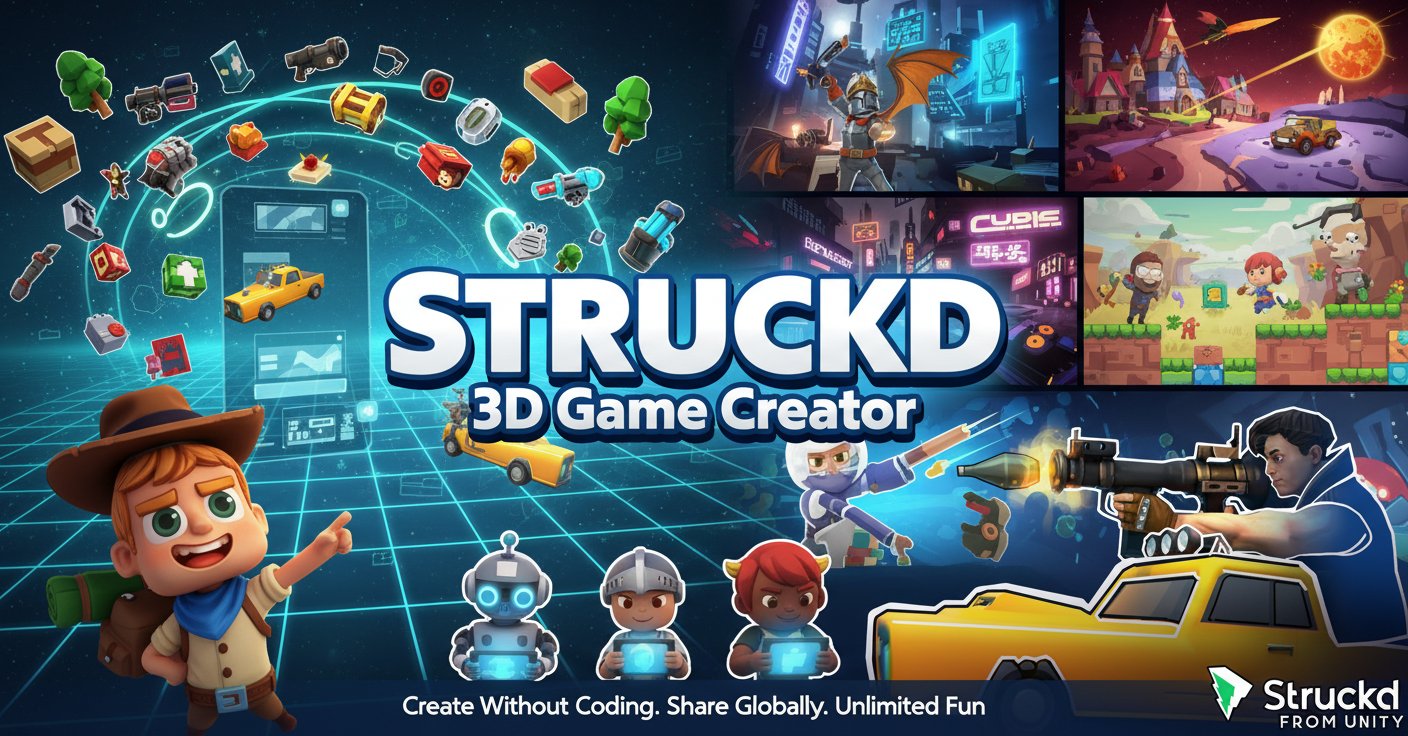
Struckd - 3D Game Creator is a groundbreaking casual game platform that transforms anyone into a game creator. This innovative web-based tool eliminates the complexity of traditional game development by providing an intuitive, no-code environment where creativity flourishes. Join millions of users from over 150 countries who are already crafting and playing incredible 3D games.
Whether you dream of designing high-speed racing adventures, mysterious puzzle challenges, thrilling shooters, or immersive RPG worlds, Struckd provides all the tools you need. The platform serves as both a game creation studio and a vibrant gaming community where your creations can gain recognition and inspire others.
Core Features
Revolutionary Drag-and-Drop Technology
Struckd's game creation system is built for everyone, regardless of technical background. The intuitive drag-and-drop interface allows you to: - Place and arrange game elements effortlessly - Design unique levels and environments without coding - Customize gameplay mechanics with simple controls - Create professional-quality 3D games in minutes
Massive Asset Library
Access over 1,500 free assets to bring your vision to life: - Characters : Heroes, villains, animals, robots, and fantasy creatures - Environments : Cities, dungeons, alien worlds, forests, deserts, prehistoric landscapes - Vehicles : Cars, spaceships, boats, motorcycles, and fantasy transports - Props : Buildings, weapons, decorations, and interactive objects - Special Effects : Lighting, particles, animations, and atmospheric elements
Global Community Integration
Struckd isn't just a creation tool—it's a thriving ecosystem: - Publish Globally : Share your games with players worldwide - Multiplayer Support : Create and join multiplayer gaming sessions - Community Feedback : Receive likes, plays, and constructive feedback - Viral Potential : Watch your creations spread across the platform
Unlimited Creative Possibilities
The platform supports diverse game genres: - Racing Games : High-speed tracks with customizable vehicles - Adventure Games : Story-driven experiences with dialogue systems - Puzzle Games : Mind-bending challenges and physics-based solutions - Shooter Games : Action-packed combat scenarios - RPG Elements : Character progression and stat customization - Sandbox Experiences : Open-world exploration and building
Gameplay Instructions
Editor Controls
- Left Mouse Button : Select objects and interface elements
- Right Mouse Button (Hold) : Look around and navigate the 3D space
- Mouse Wheel : Zoom in and out for detailed work
- WASD Keys : Move through your game world during creation
- Tab Key : Hide/show instructions for cleaner workspace
Player Controls (When Testing Games)
- WASD Keys : Character movement in all directions
- E Key : Interact with objects and NPCs
- B Key : Access inventory system
- Shift Key : Sprint/fast movement
- Number Keys (1-4) : Use items from inventory
- Spacebar : Jump over obstacles
Game Creation Process
- Start Creating : Choose from templates or start with a blank canvas
- Add Assets : Drag and drop from the extensive asset library
- Customize Elements : Adjust stats like health, speed, and attack power
- Create Dialogue : Add storylines and character interactions
- Set Game Rules : Define objectives, win conditions, and challenges
- Test and Refine : Play-test your creation and make improvements
- Publish and Share : Release your game to the global community
Why Play Struckd - 3D Game Creator
Accessibility for Everyone
No programming knowledge required—if you can imagine it, you can create it. The platform democratizes game development, making it accessible to students, hobbyists, and aspiring game creators of all ages (recommended for 12+).
Learning Through Play
Struckd serves as an excellent educational tool, teaching: - Basic game design principles - Creative problem-solving - Digital literacy skills - Project management through game completion - Community collaboration and feedback integration
Endless Entertainment
With thousands of user-generated games available, you'll never run out of new experiences. Explore creations ranging from simple puzzle games to complex adventure worlds, all created by the community.
Platform Flexibility
Enjoy full cross-platform compatibility: - Web Browser : Play directly without downloads - Mobile Devices : iOS and Android app support - Desktop : Optimized for PC and Mac browsers - Cloud Saves : Access your creations from any device
Community Recognition
Build your reputation as a game creator, watch your games gain popularity, and potentially create the next viral 3D gaming sensation. The platform rewards creativity and innovation with community recognition and play statistics.