
Taz Mechanic Simulator - Simulation Game
 Subscriber only
Unreal City Tour
Explore a photoreal Unreal city with terrain and live weather.
 Subscriber only
Unreal Landscape Tour
Tour photoreal Unreal landscapes with cinematic camera work.
 FPS
FPSNight Mission Survival
Build a first-person night survival with flashlight combat.
 Unity
UnityFarmstead Shop
Build a Unity farm-shop sim: grow, stock, serve, upgrade.
 Unity
UnityCity Eater
Build a Unity game where a growing blob devours the city.
 Shooter
Rail Shooter Ride
Build a roller-coaster rail shooter that aims as you ride.
 Unity
UnityCupid's Arrow
Build a Unity archery game of timing and matchmaking.
 New
NewArcade Crossing Game
Build a lane-dodging arcade game with traffic and pickups.
 Puzzle
Magic Cube Puzzle
Build an interactive Rubik's Cube with scramble and reset.
 FPS
FPS3D FPS Game
Build a desert FPS with weapon switching and a retro HUD.
Subscriber onlyUnreal City Tour
Explore a photoreal Unreal city with terrain and live weather.
Subscriber onlyUnreal Landscape Tour
Tour photoreal Unreal landscapes with cinematic camera work.
FPSNight Mission Survival
Build a first-person night survival with flashlight combat.
UnityFarmstead Shop
Build a Unity farm-shop sim: grow, stock, serve, upgrade.
UnityCity Eater
Build a Unity game where a growing blob devours the city.
ShooterRail Shooter Ride
Build a roller-coaster rail shooter that aims as you ride.
UnityCupid's Arrow
Build a Unity archery game of timing and matchmaking.
NewArcade Crossing Game
Build a lane-dodging arcade game with traffic and pickups.
PuzzleMagic Cube Puzzle
Build an interactive Rubik's Cube with scramble and reset.
FPS3D FPS Game
Build a desert FPS with weapon switching and a retro HUD.
Prompt

Games are fun. Creating them is even better.
Game Introduction
About the Game
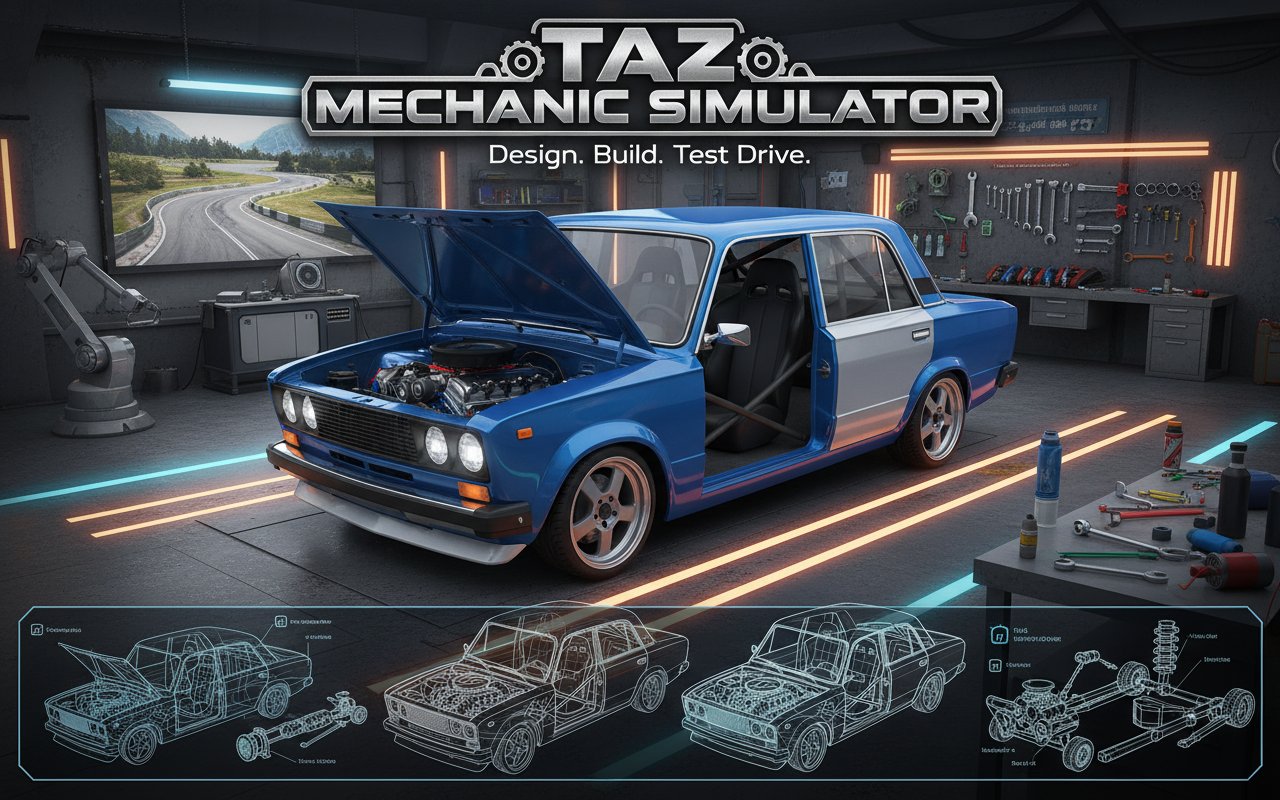
Taz Mechanic Simulator offers an authentic automotive building experience that puts you in the role of a professional car mechanic. This comprehensive 3D simulation game allows you to construct vehicles from the ground up, starting with basic frames and building complete, driveable cars. Whether you're a car enthusiast or someone curious about automotive engineering, this game provides an educational and entertaining platform to explore vehicle construction.
Core Features
Complete Vehicle Customization
The game features an extensive parts system that covers every aspect of car construction:
- Engine Components : Build and customize complete engine systems with proper unit attachments
- Body Panels : Design the exterior appearance with various body parts and color options
- Suspension System : Install and adjust coils, springs, and other suspension components
- Wheels and Tires : Choose from different wheel designs and tire specifications
- Frame Construction : Start from the basic vehicle frame and build outward
Educational Naming System
Every component in the game is properly labeled with its real automotive name, making this simulator an excellent learning tool for understanding car mechanics. This feature helps inexperienced players learn about automotive terminology while having fun.
Dual Car Models
The simulator includes two distinct car models to work with, allowing you to experiment with different vehicle types and construction approaches. Each model offers unique building challenges and customization possibilities.
Gameplay Mechanics
Intuitive Building System
The game employs a simple yet effective attachment system where parts automatically connect when clicked. This user-friendly approach eliminates complex placement mechanics while maintaining the satisfaction of hands-on construction.
Test Track Experience
Once you've completed your vehicle, take it to the dedicated test track to evaluate its performance. This driving simulation allows you to experience how your design choices affect the vehicle's handling, speed, and overall performance.
Iterative Design Process
Not satisfied with your creation? The game encourages experimentation by allowing unlimited returns to the garage for modifications or complete rebuilds. This iterative approach mirrors real automotive development processes.
Operation Guide
Camera and Navigation Controls
- Right Mouse Button : Hold to rotate the camera around your workspace
- Left Click : Interact with parts, menus, and attachments
- Mouse Movement : Navigate the 3D workspace and examine your vehicle from all angles
Driving Controls
- WASD Keys or Arrow Keys : Control your custom vehicle during test drives
- Standard Driving Physics : Experience realistic vehicle handling based on your construction choices
Building Process
- Start with the basic vehicle frame
- Install engine components ensuring proper connections
- Add suspension and wheel assemblies
- Attach body panels and customize appearance
- Apply paint and finishing touches
- Test drive and refine your design
Why Play This Game
Taz Mechanic Simulator stands out as an exceptional blend of entertainment and education. It's perfect for car enthusiasts who want to understand vehicle construction without the cost and complexity of real automotive work. The game's comprehensive part system and realistic assembly process provide genuine insight into automotive engineering.
The simulator is completely free to play through your web browser, requiring no downloads or installations. Whether you're looking to learn about cars, satisfy your mechanical curiosity, or simply enjoy a relaxing building experience, this game delivers on all fronts.
Educational Value : Learn real automotive terminology and construction principles while playing.
Creative Freedom : Build everything from basic economy cars to high-performance custom vehicles.
Accessibility : Simple controls and automatic part attachment make the game approachable for all skill levels.