
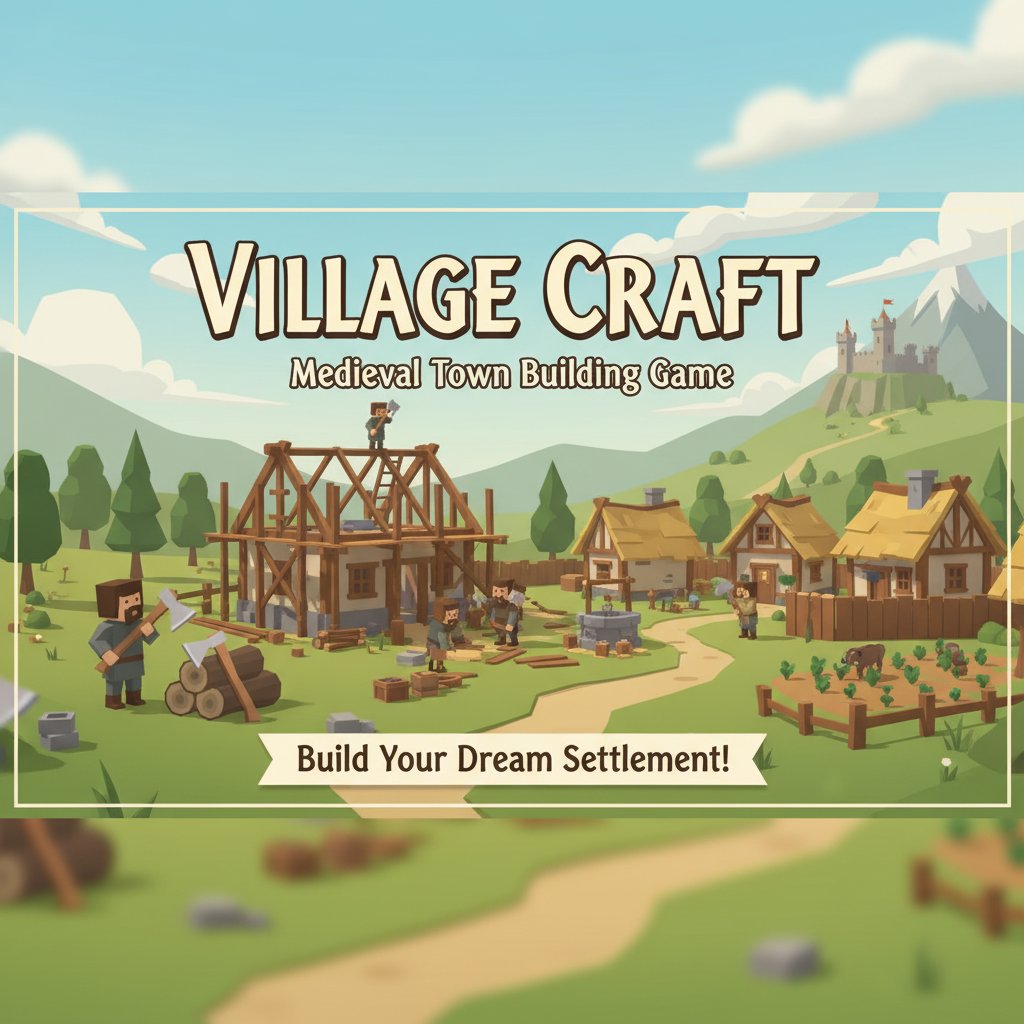
Village Craft - Medieval Town Building Game - Simulation Game
 Action
Open World City Action
Build an open-world city romp with driving and police chases.
 Subscriber only
Unreal Mountain Tour
Tour a third-person Unreal world of mountains and water.
 Puzzle
Box Robot Puzzle
Build crate-pushing puzzles with vehicles and physics timing.

Time-Attack Racer
Build a no-physics finish-gate racer with nitro, minimap guidance, and synthesized audio.
 Unity
UnityCity Eater
Build a Unity game where a growing blob devours the city.
 Racing
Track Racing Challenge
Build a closed-circuit racer built around drift corners.
 Shooter
Decay Zone Survival
Build a first-person zombie survival with ammo management.
 New
NewFirst-Person Horror Survival
Build a first-person horror survival with exploration and enemies.
 Shooter
Rail Shooter Ride
Build a roller-coaster rail shooter that aims as you ride.
 Survival
Survival Sandbox Arena
Build a survival arena with enemy waves and turret defense.
ActionOpen World City Action
Build an open-world city romp with driving and police chases.
Subscriber onlyUnreal Mountain Tour
Tour a third-person Unreal world of mountains and water.
PuzzleBox Robot Puzzle
Build crate-pushing puzzles with vehicles and physics timing.
Time-Attack Racer
Build a no-physics finish-gate racer with nitro, minimap guidance, and synthesized audio.
UnityCity Eater
Build a Unity game where a growing blob devours the city.
RacingTrack Racing Challenge
Build a closed-circuit racer built around drift corners.
ShooterDecay Zone Survival
Build a first-person zombie survival with ammo management.
NewFirst-Person Horror Survival
Build a first-person horror survival with exploration and enemies.
ShooterRail Shooter Ride
Build a roller-coaster rail shooter that aims as you ride.
SurvivalSurvival Sandbox Arena
Build a survival arena with enemy waves and turret defense.
Prompt

Games are fun. Creating them is even better.
Game Introduction
About Village Craft
Village Craft is an engaging idle management and simulation game that challenges you to build a prospering medieval town from the ground up. This free-to-play browser game combines elements of city building, resource management, and crafting in a charming medieval setting. Starting with nothing but your trusty axe in the wilderness, you'll gradually transform a forest into a bustling village filled with helpful villagers and profitable enterprises.
Core Features
From Wilderness to Civilization
Begin your journey in the untamed woods with only basic tools. Your first task is to chop down trees and gather the raw materials needed for your initial buildings. Watch as your efforts slowly transform the natural landscape into the foundation of a medieval settlement.
Idle Management System
The game features an intelligent idle system that allows your village to continue growing even when you're not actively playing. Your villagers will automatically perform tasks, ensuring steady progress toward your goals.
Villager Recruitment and Automation
As your settlement expands, new villagers will join your community. These helpful NPCs will take over various tasks: - Woodcutters turn trees into valuable planks - Farmers process wheat into flour for baking - Craftsmen create specialized items for trade - Merchants help sell goods to visiting travelers
Resource Management and Trading
Develop a complex economy by managing multiple resources and production chains. Create valuable goods that can be sold to travelers, generating income to fund further expansion and improvements.
Game Mechanics
Building and Construction
Construct various medieval buildings, each serving specific purposes in your growing settlement. From basic lumber mills to advanced crafting workshops, every structure contributes to your village's prosperity.
Crafting System
Transform raw materials into valuable finished goods through an intuitive crafting system. Learn to optimize production chains for maximum efficiency and profit.
Visitor Economics
Attract travelers to your village who will purchase your goods, providing essential income for continued growth and development.
Operation Guide
Movement Controls: - Arrow Keys : Navigate around your village - WASD Keys : Alternative movement controls - Mouse Control : Click and drag to explore different areas - Interactive Elements : Click on buildings, resources, and villagers to interact
The game features an intuitive point-and-click interface that makes village management accessible to players of all experience levels.
Why Play Village Craft
Perfect for All Players
Whether you're a casual gamer looking for a relaxing experience or a strategy enthusiast seeking depth, Village Craft offers engaging gameplay for everyone. The idle mechanics make it perfect for busy players, while the management aspects satisfy those who enjoy strategic planning.
No Cost Barrier
Enjoy the complete Village Craft experience absolutely free. No hidden fees, premium currencies, or paywalls - just pure medieval village building fun.
Cross-Platform Accessibility
Play seamlessly across all your devices. Whether you prefer gaming on your computer during breaks or managing your village on your phone while commuting, Village Craft adapts to your lifestyle.
Educational Value
Learn about medieval economics, resource management, and urban planning through engaging gameplay that makes learning fun and interactive.
Stress-Free Gaming
The peaceful medieval setting and gentle gameplay pace make Village Craft an excellent choice for stress relief and relaxation after a busy day.