
3D Bowling - Sports Game
 Unity
UnityCity Eater
Build a Unity game where a growing blob devours the city.
 Arcade
Pumpkin Night Adventure
Build a Halloween grid-arena survival romp.
 Unity
UnityCupid's Arrow
Build a Unity archery game of timing and matchmaking.
 Unity
UnityEndless Runner
Build a polished Unity endless runner with lanes and pickups.
 Adventure
Character Adventure Sim
Build a 3D character explorer with traversal and interactive zones.
 3D
3DThird Person Explorer
Build a third-person explorer with swappable scenes and a live minimap.
 Subscriber only
Unreal Top-Down Roguelite
Create a complete UE 5.5 top-down arena roguelite with upgrades and a boss finale.
 New
New3D Block Puzzle
Build a 3D falling-block puzzle with rotations and row clears.

Time-Attack Racer
Build a no-physics finish-gate racer with nitro, minimap guidance, and synthesized audio.
 Unity
UnityBattle of Balls
Build a Unity arena where rolling balls collide and grow.
UnityCity Eater
Build a Unity game where a growing blob devours the city.
ArcadePumpkin Night Adventure
Build a Halloween grid-arena survival romp.
UnityCupid's Arrow
Build a Unity archery game of timing and matchmaking.
UnityEndless Runner
Build a polished Unity endless runner with lanes and pickups.
AdventureCharacter Adventure Sim
Build a 3D character explorer with traversal and interactive zones.
3DThird Person Explorer
Build a third-person explorer with swappable scenes and a live minimap.
Subscriber onlyUnreal Top-Down Roguelite
Create a complete UE 5.5 top-down arena roguelite with upgrades and a boss finale.
New3D Block Puzzle
Build a 3D falling-block puzzle with rotations and row clears.
Time-Attack Racer
Build a no-physics finish-gate racer with nitro, minimap guidance, and synthesized audio.
UnityBattle of Balls
Build a Unity arena where rolling balls collide and grow.
Prompt

Games are fun. Creating them is even better.
Game Introduction
About the Game
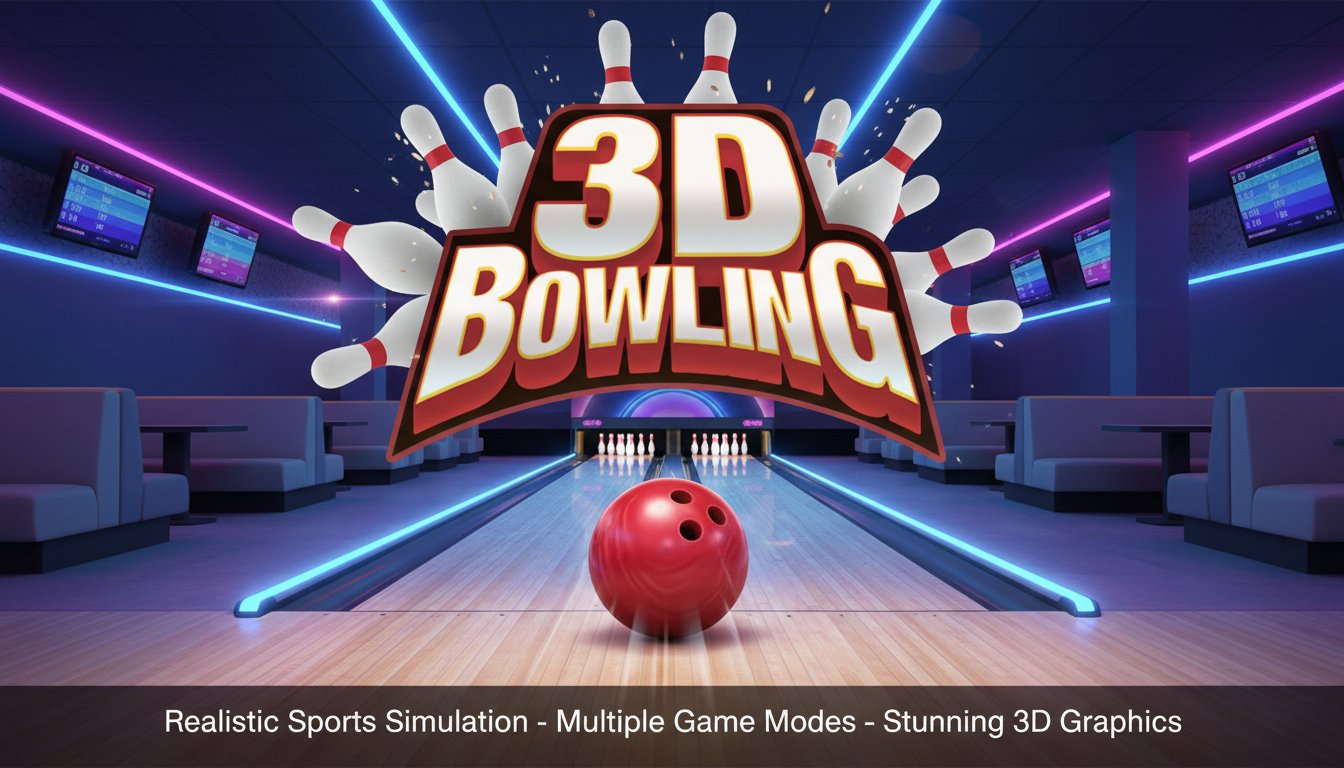
3D Bowling delivers an incredibly realistic bowling experience right in your web browser. This sports simulation game captures all the excitement and tension of a real bowling alley, complete with authentic physics and stunning 3D graphics that make you feel like you're actually there wearing rented shoes and about to order that classic pretzel and soda combo.
The game has earned popularity among bowling enthusiasts for its attention to detail and smooth gameplay mechanics. Whether you're a seasoned bowler looking to practice your technique or a casual player seeking fun entertainment, 3D Bowling offers the perfect virtual lanes for everyone.
Core Features
Multiple Game Modes
3D Bowling offers three distinct playing experiences:
- Single Player Mode : Perfect your technique and aim for that elusive perfect game at your own pace
- 2 Players Mode : Challenge friends locally for head-to-head bowling competition
- Versus AI Mode : Test your skills against computer opponents with varying difficulty levels
Realistic 3D Graphics and Physics
The game features captivating 3D visuals that recreate the authentic atmosphere of a bowling alley. Every detail has been carefully crafted, from the polished wooden lanes to the gleaming pins waiting to be knocked down. The smooth ball physics engine ensures that every roll feels natural and responsive, making strikes and spares genuinely satisfying to achieve.
Strategic Gameplay Elements
What sets 3D Bowling apart from basic bowling games is its strategic depth. Players can slightly control the ball's direction mid-throw, adding a tactical element that rewards skill and precision. This feature allows experienced players to make subtle adjustments for challenging pin configurations and tricky splits.
How to Play
Mastering 3D Bowling is straightforward but rewarding:
- Aim Your Shot : Position yourself and choose your target
- Power Your Throw : Drag the left mouse button to build up power and swing
- Release : Let go of the mouse button to release the ball down the lane
- Mid-Course Correction : Slightly adjust the ball's path during its roll for precision shots
The intuitive controls make it easy for newcomers to start playing immediately, while the physics system provides enough depth to keep experienced players engaged as they work on perfecting their technique.
Platform Compatibility
3D Bowling is designed for maximum accessibility:
- Web Browser : Play instantly on any modern desktop or mobile browser
- Cross-Platform : Seamlessly switch between desktop and mobile devices
- No Downloads Required : Start playing immediately without installations
Why Play 3D Bowling
Perfect Practice Tool
Can't make it to a real bowling alley? 3D Bowling provides an excellent alternative for honing your skills. The realistic physics and authentic feel make it a valuable practice tool for real-world bowling enthusiasts.
Social Gaming Experience
The multiplayer modes make 3D Bowling perfect for social gaming. Challenge friends in 2-player mode or compete against AI opponents when playing solo. The game captures the competitive spirit that makes bowling such an enjoyable social activity.
Free Entertainment
Enjoy all the excitement of bowling without the cost of lane rentals, shoe rentals, or overpriced snacks. 3D Bowling delivers premium bowling entertainment completely free.
Accessible Anytime
Unlike real bowling alleys with operating hours and availability constraints, 3D Bowling is available 24/7. Practice your strikes at midnight or enjoy a quick game during lunch break – the virtual lanes never close.