Mini Putt - Free Online Mini Golf Game

Seele01-Flash
By
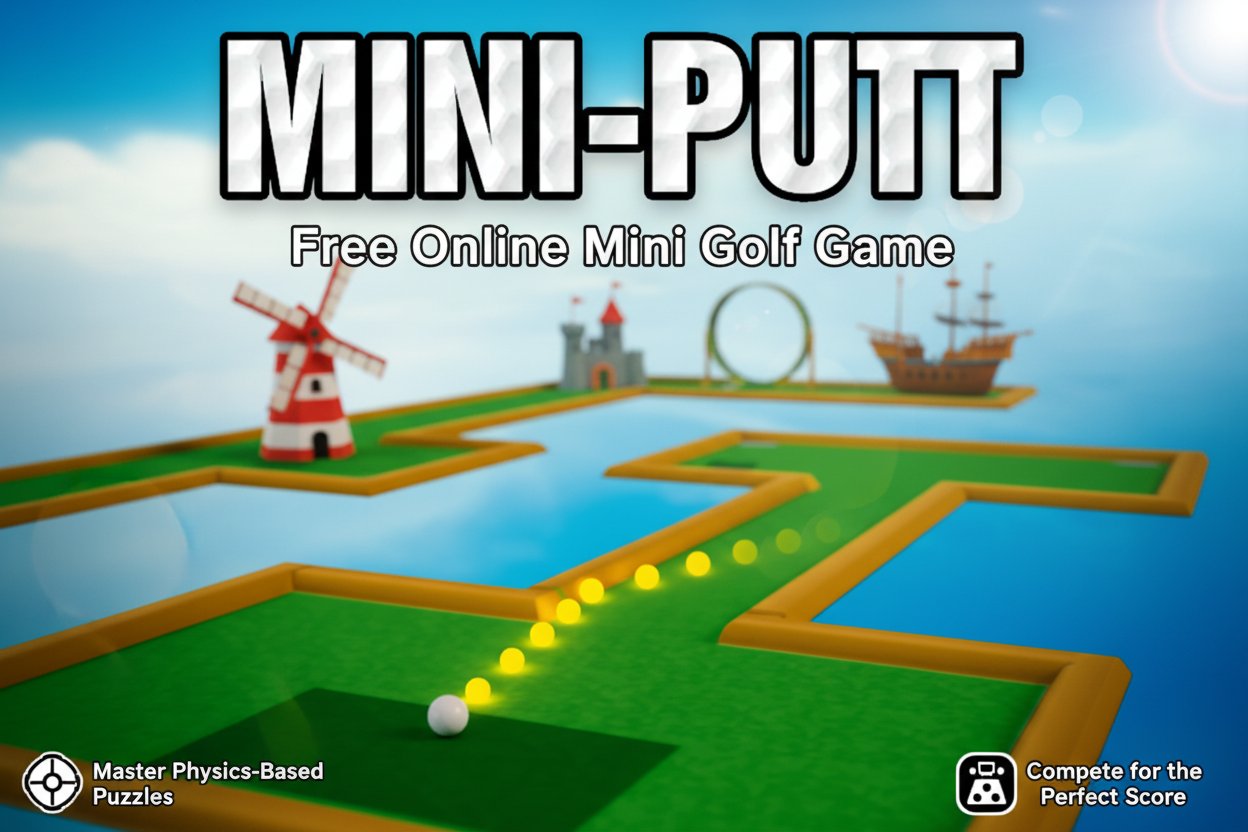
Mini Putt is the ultimate online mini golf simulator that brings classic putting challenges to your browser. Master physics-based puzzles, conquer legendary windmills, and compete for the perfect score in this timeless golf experience.

Prompt

MODEL: Seele01-Flash
Please use Three.js to generate a **mobile-first game** with the theme "Mini Putt". Please read the following detailed game design requirements first, and then generate the code accordingly: ### 1. Assets & Environment * **Visual Style**: Create a stylized, clean 3D aesthetic with a vibrant color palette similar to the screenshot. Use a high-contrast look: bright green "felt" textures for the fairway, dark green for tee-off zones, and distinct yellow/orange raised borders (bumpers) to clearly define play areas. * **Environment**: The courses should be designed as "floating islands" set against a blurred blue sky or calm water background (skybox). The camera should use an **Orthographic projection** (Isometric view) to help players judge angles accurately on small screens. * **Key Assets**: * **The Ball**: A simple white sphere with a standard glossy material. * **The Course**: Modular tile-based geometry (straights, corners, T-junctions). * **Obstacles**: Rotating windmill blades (classic), static wooden crates, and sand traps (areas with different texture/friction). * **Visual Effects**: A dotted line trajectory guide (Raycasting) visible only during aiming. Particle confetti explosion upon sinking the ball. * **Mobile Optimization**: Use simple Lambert or Phong materials to reduce GPU load. Limit dynamic lights to one DirectionalLight (casting shadows) and one AmbientLight. Ensure geometry is low-poly. ### 2. Audio Requirements * **BGM**: A relaxing, looping "Bossa Nova" or "Lo-fi Chill" track to reduce player frustration. * **Sound Effects (SFX)**: * **Putting**: A crisp "thwack" sound varying in volume based on shot power. * **Collision**: Wood/Plastic "knock" sounds when hitting borders or obstacles. * **Success**: A satisfying "rattle and clink" when the ball drops into the cup. * **UI**: Soft clicks for menu interaction. ### 3. Gameplay Loop * **Core Mechanic**: The player must put the golf ball from the tee to the hole in the fewest strokes possible. * **Physics**: Implement arcade-style physics (using a library like Cannon.js or simple custom collision logic). Key factors include **friction** (damping) to slow the ball down gradually and **elasticity** for wall bounces. * **Rules**: * Each level has a "Par" score (e.g., Par 3). * If the ball falls off the edge (water/sky), respawn at the previous shot location with a +1 stroke penalty. * Level Complete triggers when the ball enters the hole detection radius and speed is below a threshold. * **Progression**: A sequence of 3 levels increasing in difficulty (Level 1: Straight shot; Level 2: Dogleg turn; Level 3: Windmill obstacle). ### 4. Mobile Controls & Interaction * **Control Scheme**: **"Slingshot" Mechanic** (Drag-to-Shoot). * **Touch Start**: On the ball or screen. * **Touch Move**: Dragging backward calculates the vector. The visual representation (arrow or dotted line) should point *forward* (opposite to the drag) to show aim direction. The length of the drag determines power. * **Touch End**: Release to apply impulse to the ball. * **Screen Orientation**: Portrait mode preferred for one-handed play, but responsive design to support Landscape. * **UI & Feedback**: * **Haptic Feedback**: Trigger a short vibration (using `navigator.vibrate`) when the ball hits a wall or enters the hole. * **HUD**: Minimalist top bar showing "Hole #", "Par", and "Strokes". * **Touch Targets**: Ensure UI buttons (Pause, Reset) are at least 44x44px and placed away from the bottom edge to avoid conflict with system gestures. Do not ask for clarification. Do not request confirmation. Directly execute the generation task based on the given instructions.

Game Introduction

About Mini Putt

Mini Putt is a captivating online golf simulator that delivers maximum golf excitement in a compact mini-game format. This classic desktop version of everyone's favorite physics and spatial reasoning puzzler brings the beloved mini golf experience directly to your browser. With a stellar 4.4/5 rating from thousands of players, Mini Putt has proven itself as the go-to destination for golf enthusiasts and casual gamers alike.

This isn't just another simple clicking game – it's an insanely detailed and realistic approach to America's favorite pastime. Every shot requires careful consideration of physics, angles, and timing to achieve that perfect hole-in-one.

Core Features

Realistic Physics Engine

Mini Putt features an advanced physics system that makes every shot feel authentic. The ball responds realistically to your putting power, surface friction, and obstacles, creating a truly immersive golf experience.

Challenging Course Design

Navigate through creatively designed holes featuring the legendary windmills and other classic mini golf obstacles. Each course presents unique challenges that test your spatial reasoning and putting precision.

All Ages Entertainment

With content suitable for all ages, Mini Putt provides family-friendly entertainment that everyone can enjoy. Whether you're a seasoned golfer or a complete beginner, the game offers an accessible yet challenging experience.

Cross-Platform Compatibility

Built with HTML5 technology, Mini Putt runs smoothly on desktop computers, tablets, and mobile devices. No downloads required – simply open your browser and start putting!

Gameplay Mechanics

The beauty of Mini Putt lies in its elegant simplicity combined with deep strategic gameplay. Each hole presents a unique puzzle that requires you to:

  • Analyze the course layout and identify the optimal path to the hole
  • Calculate angles and power to navigate around obstacles
  • Master timing for moving obstacles like windmills
  • Adapt your strategy based on surface materials and slopes

Success in Mini Putt demands total control of your mind, body, and soul as you regulate every muscle contraction and movement for that perfect shot.

Controls and Operation

Simple Click Controls

The game uses intuitive mouse controls that anyone can master: - Left Click and Hold : Aim your shot by positioning the cursor - Release : Execute the putt with power determined by how long you held the click - Precision Aiming : Fine-tune your angle for maximum accuracy

Strategic Putting

Mastering Mini Putt requires understanding the relationship between aim, power, and physics. Start with gentle shots to learn how the ball behaves, then gradually increase power as you become more confident.

Why Play Mini Putt

Perfect for Quick Gaming Sessions

Mini Putt is ideal for players seeking engaging entertainment in short bursts. Each hole can be completed in minutes, making it perfect for office breaks, commute entertainment, or whenever you need a quick mental challenge.

Skill Development

The game enhances spatial reasoning, physics understanding, and precision control. These skills transfer to real-world applications, making Mini Putt both entertaining and educational.

Competitive Element

Challenge yourself to achieve holes-in-one and maintain scores under par. The game's scoring system encourages repeated play as you strive for perfection on each course.

Stress Relief

The focused, meditative nature of mini golf provides excellent stress relief. Concentrate on each shot and let the worries of the day fade away as you lose yourself in the pursuit of the perfect putt.

Timeless Appeal

As a classic game that has entertained players for generations, Mini Putt offers timeless gameplay that never goes out of style. Its enduring popularity speaks to the universal appeal of this simple yet challenging sport.

Frequently Asked Questions (FAQ)