
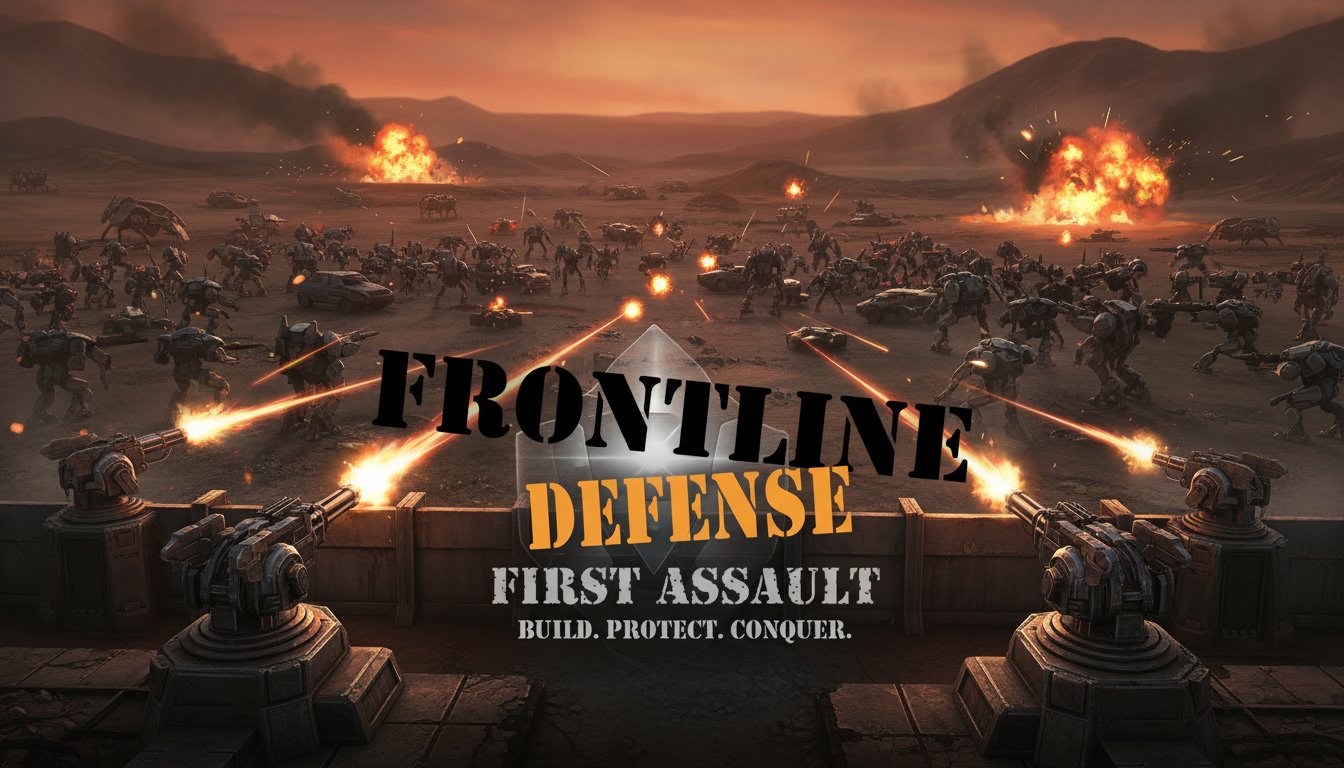
Frontline Defense - First Assault - Strategy Game
 Unity
UnityEgg on the Car Roof
Build a Unity challenge: keep a fragile egg on a moving roof.
 Shooter
Rail Shooter Ride
Build a roller-coaster rail shooter that aims as you ride.
 Unity
UnityCastle Devour Quest
Build a Unity castle quest with risky rooms and a win goal.
 New
NewCharacter Physics World
Build a third-person physics world with day-night and props to touch.
 Subscriber only
Unreal Landscape Tour
Tour photoreal Unreal landscapes with cinematic camera work.
 Subscriber only
Unreal Top-Down Roguelite
Create a complete UE 5.5 top-down arena roguelite with upgrades and a boss finale.
 Voxel
VoxelVoxel Hero Adventure
Build a voxel hero who explores, mines, and builds.
 Unity
UnityCrimson Illusion Battle
Build a Unity fantasy battle through a crimson illusion realm.
 New
NewFirst-Person Horror Survival
Build a first-person horror survival with exploration and enemies.
 New
NewRiver Raid Survival
Build a River Raid-style flight survival run with fuel pressure.
UnityEgg on the Car Roof
Build a Unity challenge: keep a fragile egg on a moving roof.
ShooterRail Shooter Ride
Build a roller-coaster rail shooter that aims as you ride.
UnityCastle Devour Quest
Build a Unity castle quest with risky rooms and a win goal.
NewCharacter Physics World
Build a third-person physics world with day-night and props to touch.
Subscriber onlyUnreal Landscape Tour
Tour photoreal Unreal landscapes with cinematic camera work.
Subscriber onlyUnreal Top-Down Roguelite
Create a complete UE 5.5 top-down arena roguelite with upgrades and a boss finale.
VoxelVoxel Hero Adventure
Build a voxel hero who explores, mines, and builds.
UnityCrimson Illusion Battle
Build a Unity fantasy battle through a crimson illusion realm.
NewFirst-Person Horror Survival
Build a first-person horror survival with exploration and enemies.
NewRiver Raid Survival
Build a River Raid-style flight survival run with fuel pressure.
Prompt

Games are fun. Creating them is even better.
Game Introduction
About the Game
Frontline Defense is a compelling tower defense strategy game that challenges players to defend their territory through tactical thinking and strategic tower placement. This military-themed defense game combines classic tower defense mechanics with engaging gameplay that keeps you on the edge of your seat as you face increasingly difficult enemy waves.
Core Features
Strategic Tower Defense Gameplay
Frontline Defense delivers authentic tower defense experience where every placement decision matters. You'll need to analyze enemy paths, understand different tower capabilities, and make split-second decisions to successfully defend your base.
Multiple Tower Types and Abilities
The game features various defensive structures, each with unique strengths and special abilities. From rapid-fire machine gun towers to devastating explosive units, you'll have access to a diverse arsenal to counter different enemy types.
Progressive Difficulty System
As you advance through levels, enemies become more challenging with increased health, speed, and special abilities. This progressive difficulty ensures that the game remains engaging and provides a satisfying challenge for both newcomers and tower defense veterans.
Free Browser-Based Gaming
- Completely Free : No payment required to access full gameplay
- No Download Needed : Play instantly in your web browser
- Cross-Platform Support : Compatible with desktop and mobile devices
- Flash-Based Technology : Smooth performance across different systems
Gameplay Mechanics
Tower Placement Strategy
Success in Frontline Defense depends on understanding optimal tower positioning. You'll need to consider enemy movement patterns, tower range, and upgrade paths to create the most effective defensive network.
Resource Management
Earn resources by defeating enemies and use them wisely to purchase new towers or upgrade existing ones. Balancing immediate needs with long-term strategy is crucial for success.
Wave-Based Combat
Face multiple waves of enemies, each presenting unique challenges. Early waves help you establish your defense, while later waves test your strategic planning and adaptation skills.
Operation Guide
Basic Controls
- Left Mouse Click : Select and place defensive towers on available positions
- C Key : Cancel your current tower selection to choose a different option
- Mouse Movement : Navigate the battlefield and examine enemy paths
Strategic Tips
- Study enemy paths before placing your first tower
- Prioritize chokepoints where enemies must pass through narrow areas
- Balance different tower types to handle various enemy weaknesses
- Save resources for critical upgrades during intense waves
Why Play Frontline Defense
Perfect for Strategy Enthusiasts
If you enjoy tactical thinking and strategic planning, Frontline Defense offers the perfect blend of real-time decision making and long-term strategic planning that tower defense fans love.
Accessible Yet Challenging
The game is easy to learn but difficult to master, making it suitable for casual players while still providing depth for serious strategy gamers.
No Commitment Required
As a free browser game, you can jump in anytime without downloads, installations, or financial commitments. Perfect for quick gaming sessions or extended strategic battles.
Military Theme Appeal
The military aesthetic and combat scenarios provide an immersive experience that appeals to fans of tactical warfare and defense scenarios.