
Master Chess - Free Online Chess Game - Strategy Game
 Unity
UnityFarmstead Shop
Build a Unity farm-shop sim: grow, stock, serve, upgrade.
 Unity
UnityCastle Devour Quest
Build a Unity castle quest with risky rooms and a win goal.
 Shooter
Platform Shooter Quest
Build a side-scrolling platform shooter with weapon switching.
 Puzzle
Box Robot Puzzle
Build crate-pushing puzzles with vehicles and physics timing.
 Subscriber only
Unreal Mountain Tour
Tour a third-person Unreal world of mountains and water.
 Godot
GodotBaby Bat Climber
Build a compact Godot cave-climbing platformer.
 New
NewHook a Fish Arcade
Build a fishing arcade where catches buy you more time.
 Voxel
VoxelVoxel Village Explorer
Build a voxel village to roam with jump and camera controls.
 New
NewArcade Crossing Game
Build a lane-dodging arcade game with traffic and pickups.
 Unity
UnityStrawberry Grove Adventure
Build a cozy Unity pixel grove of exploration and collectibles.
UnityFarmstead Shop
Build a Unity farm-shop sim: grow, stock, serve, upgrade.
UnityCastle Devour Quest
Build a Unity castle quest with risky rooms and a win goal.
ShooterPlatform Shooter Quest
Build a side-scrolling platform shooter with weapon switching.
PuzzleBox Robot Puzzle
Build crate-pushing puzzles with vehicles and physics timing.
Subscriber onlyUnreal Mountain Tour
Tour a third-person Unreal world of mountains and water.
GodotBaby Bat Climber
Build a compact Godot cave-climbing platformer.
NewHook a Fish Arcade
Build a fishing arcade where catches buy you more time.
VoxelVoxel Village Explorer
Build a voxel village to roam with jump and camera controls.
NewArcade Crossing Game
Build a lane-dodging arcade game with traffic and pickups.
UnityStrawberry Grove Adventure
Build a cozy Unity pixel grove of exploration and collectibles.
Prompt

Games are fun. Creating them is even better.
Game Introduction
About the Game
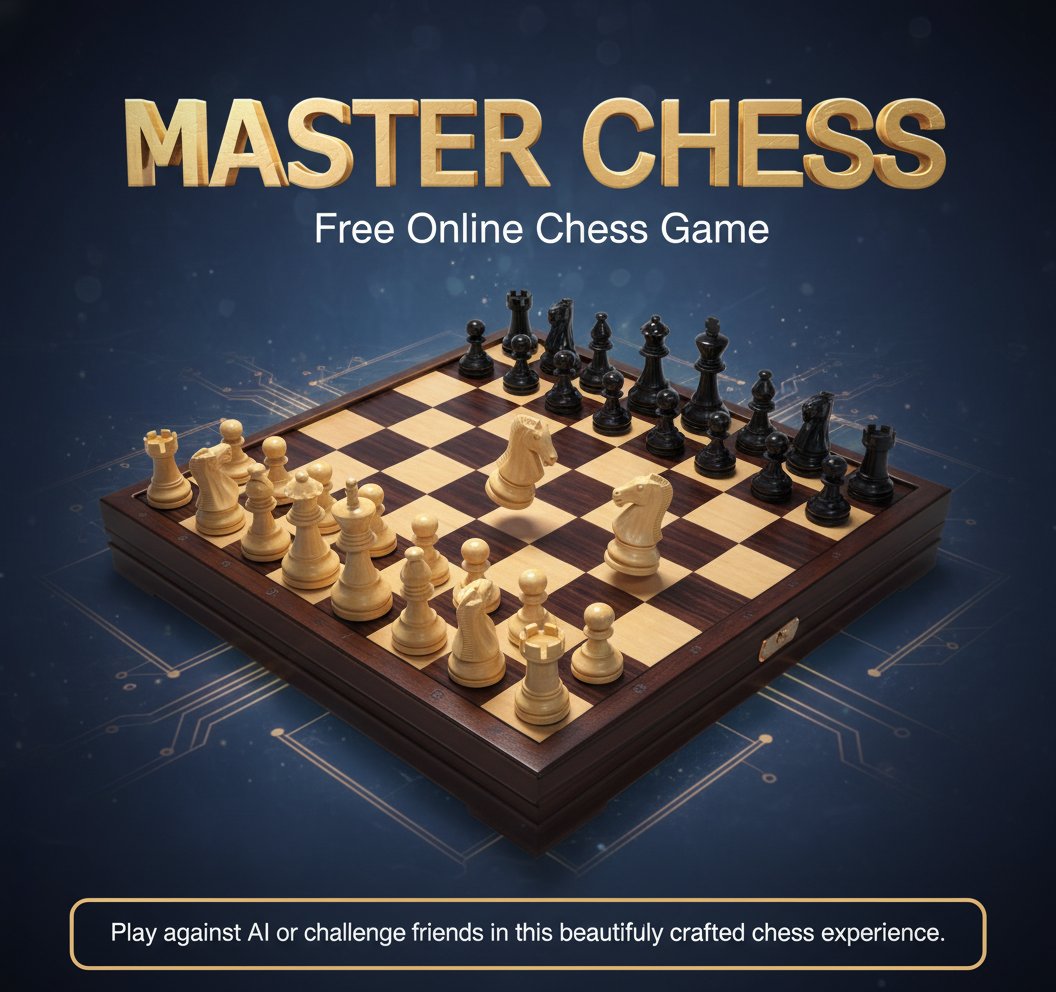
Master Chess is a premium online chess experience that combines classic gameplay with modern convenience. This sophisticated board game offers the perfect platform for chess enthusiasts to test their strategic thinking and tactical skills. Whether you're a beginner learning the ropes or a seasoned player seeking challenging matches, Master Chess delivers an authentic chess experience right in your browser.
The game features stunning 3D graphics with elegantly designed wooden chess pieces and board, creating an immersive playing environment that rivals physical chess sets. Every piece movement is smooth and responsive, making your strategic decisions feel natural and engaging.
Core Features
Multiple Game Modes
Master Chess offers versatile gameplay options to suit every preference:
- Single Player Mode : Challenge the intelligent AI opponent with adjustable difficulty levels
- Two Player Mode : Play against friends locally on the same device
- Cross-Platform Compatibility : Seamlessly switch between desktop and mobile devices
Advanced Chess Engine
The game incorporates a sophisticated chess engine that provides: - Smart AI Opponents : Multiple difficulty levels from beginner to expert - Legal Move Validation : Automatic checking for valid moves and chess rules - Game State Recognition : Automatic detection of check, checkmate, and stalemate situations - Move Highlighting : Visual assistance showing possible moves for selected pieces
Educational Value
Master Chess serves as an excellent educational tool for players of all skill levels: - Learn fundamental chess strategies and tactics - Develop critical thinking and problem-solving skills - Practice pattern recognition and forward planning - Improve concentration and analytical abilities
Gameplay Mechanics
Master Chess follows traditional chess rules with all standard piece movements and special moves including castling, en passant, and pawn promotion. The intuitive interface makes it easy to select and move pieces, while the clear visual feedback helps prevent mistakes.
Strategic Depth
The game offers unlimited strategic possibilities: - Plan multi-move combinations - Control key squares and diagonals - Develop pieces efficiently in the opening - Execute tactical motifs like pins, forks, and skewers - Master endgame techniques
Operation Guide
Basic Controls
- Select Piece : Tap on any of your pieces to see available moves
- Move Piece : Tap on a highlighted square to move your selected piece
- Desktop : Use left mouse button to click and move pieces
- Mobile : Simply tap to select and move pieces
Game Setup
- Choose your preferred game mode (vs AI or vs Player)
- Select difficulty level when playing against computer
- White pieces always move first
- Plan your strategy and make your opening move
Special Moves
- Castling : Click on your king, then on the destination square
- En Passant : Available when opponent's pawn moves two squares
- Pawn Promotion : Choose your preferred piece when pawn reaches the end
Why Play Master Chess
Perfect for All Skill Levels
Whether you're completely new to chess or an experienced player, Master Chess adapts to your skill level. The adjustable AI difficulty ensures you'll always find an appropriate challenge that helps you improve without becoming frustrated.
Convenient Online Access
No downloads, installations, or registrations required. Simply open your browser and start playing immediately. Your games are automatically saved locally, so you can continue where you left off.
Educational Benefits
Chess is renowned for developing critical thinking, pattern recognition, and strategic planning skills. Regular play can improve concentration, memory, and analytical abilities - benefits that extend far beyond the game itself.
Social Gaming Experience
The two-player mode makes Master Chess perfect for family game nights, friendly competitions, or educational settings. Share the same screen and enjoy face-to-face chess battles.
Premium Quality Graphics
The beautifully rendered 3D chess set creates an authentic playing experience that's both visually appealing and functionally excellent. The clear piece designs and intuitive interface ensure you can focus on strategy rather than navigation.