Translate the launch hook
Map the product feature, launch date, and audience promise into a playable reveal.
Product launch playable mini game
Convert a product launch angle into a playable mini game that teaches one feature, one action, and one reward moment.
Mini-game workflow · real playable proof · Workspace handoff
Preview evidence
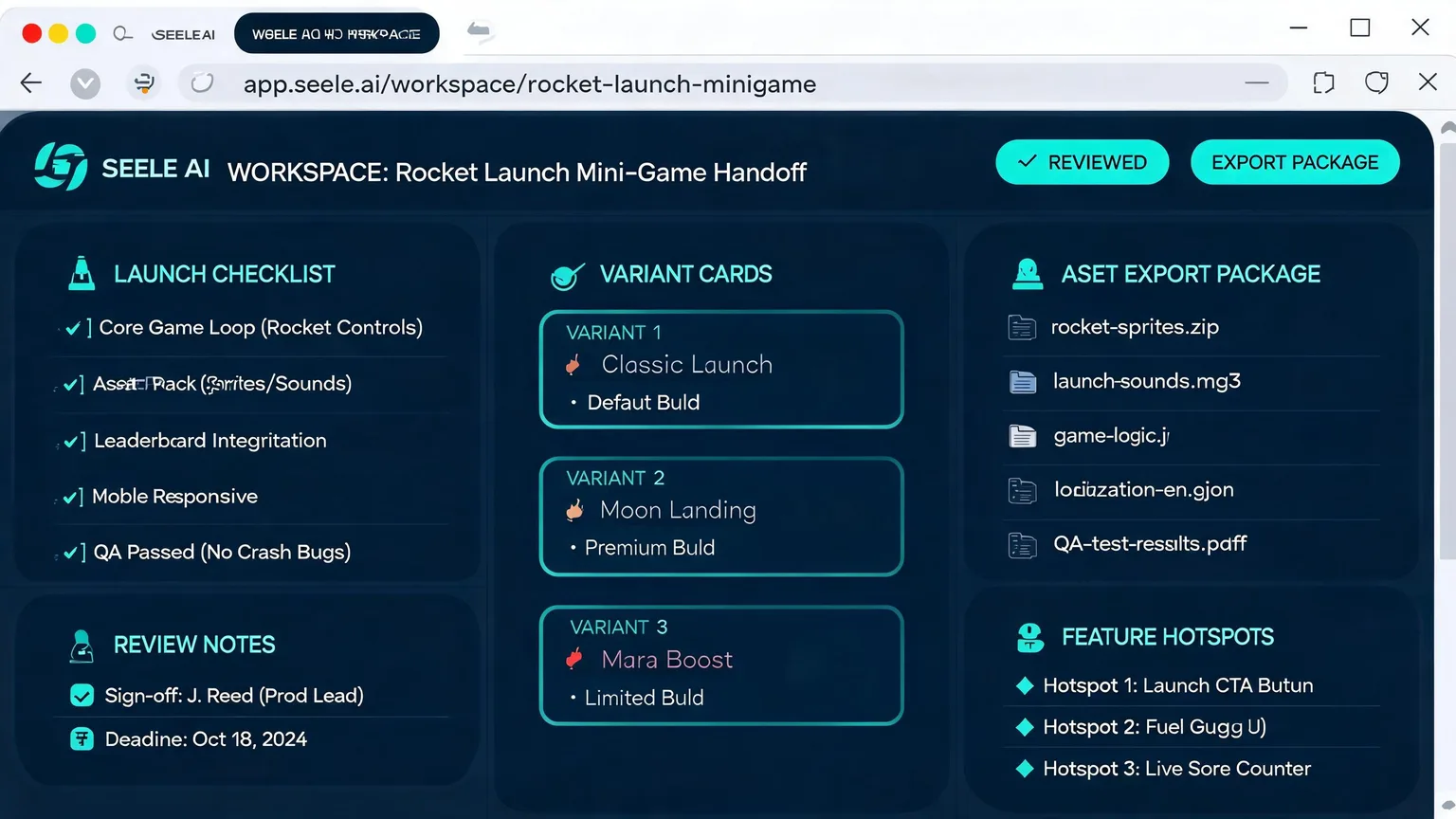
A strong launch preview should make the feature reveal obvious: what the player taps, what unlocks, what proof assets are ready, and what the team still needs before launch.
Workflow
Map the product feature, launch date, and audience promise into a playable reveal.
Create a simple challenge, progress state, and reward screen that explain the product benefit.
Keep feature copy, visual variants, QA notes, and CTA destinations together for review.
Positioning
product marketers validating launch hooks before full creative production
Move from search intent to a reviewable playable concept
Generated visual proof plus workflow notes, not a fake CSS mock
Who it is for
For product marketers who need attention before launch day, this page focuses on turning features, countdowns, and reward moments into a small playable reveal that can be reviewed in Workspace.
Examples
Brief: create a product launch mini game maker for a real campaign or training moment.
Product Launch Mini Game Maker concept with first action, score/reward state, visual assets, and QA checklist.
Review internally, open Workspace, then iterate the playable concept before production.
Need multiple creative directions before spending production budget.
Three playable variants with hook, first action, reward/fail state, and asset notes.
Compare concepts and choose the strongest route for Workspace iteration.
Output
A strong launch preview should make the feature reveal obvious: what the player taps, what unlocks, what proof assets are ready, and what the team still needs before launch.
Open Workspace →FAQ
No. It is designed for fast playable direction, review, and production handoff. Full production can follow after the concept is validated.
No. The final proof images for this batch are generated media assets mapped to the page intent, not CSS or SVG mock gameplay.
Yes. Seele AI Workspace is designed around reviewable, shareable, downloadable, and exportable outputs, so teams can move useful prototypes, playable packages, and assets into testing, creative review, or production handoff.
Seele is strongest at early playable prototypes, 2D browser-playable mini games, playable ad variants, and creative validation. Teams can use the output as a fast starting point before investing in a full production build.