
Dot and Cross - Simple Click Challenge Game - Casual Game
 Godot
GodotBaby Bat Climber
Build a compact Godot cave-climbing platformer.
 SEELE02 CORE
Game Generator
Turn a one-line idea into a playable game demo.
 New
NewFirst-Person Horror Survival
Build a first-person horror survival with exploration and enemies.
 Unity
UnityEndless Runner
Build a polished Unity endless runner with lanes and pickups.
 Unity
UnityCupid's Arrow
Build a Unity archery game of timing and matchmaking.
 Puzzle
Box Robot Puzzle
Build crate-pushing puzzles with vehicles and physics timing.
 Voxel
VoxelVoxel Village Explorer
Build a voxel village to roam with jump and camera controls.
 New
New3D Block Puzzle
Build a 3D falling-block puzzle with rotations and row clears.
 FPS
FPSNight Mission Survival
Build a first-person night survival with flashlight combat.
 3D
3DThird Person Explorer
Build a third-person explorer with swappable scenes and a live minimap.
GodotBaby Bat Climber
Build a compact Godot cave-climbing platformer.
SEELE02 COREGame Generator
Turn a one-line idea into a playable game demo.
NewFirst-Person Horror Survival
Build a first-person horror survival with exploration and enemies.
UnityEndless Runner
Build a polished Unity endless runner with lanes and pickups.
UnityCupid's Arrow
Build a Unity archery game of timing and matchmaking.
PuzzleBox Robot Puzzle
Build crate-pushing puzzles with vehicles and physics timing.
VoxelVoxel Village Explorer
Build a voxel village to roam with jump and camera controls.
New3D Block Puzzle
Build a 3D falling-block puzzle with rotations and row clears.
FPSNight Mission Survival
Build a first-person night survival with flashlight combat.
3DThird Person Explorer
Build a third-person explorer with swappable scenes and a live minimap.
Prompt

Games are fun. Creating them is even better.
Game Introduction
About the Game
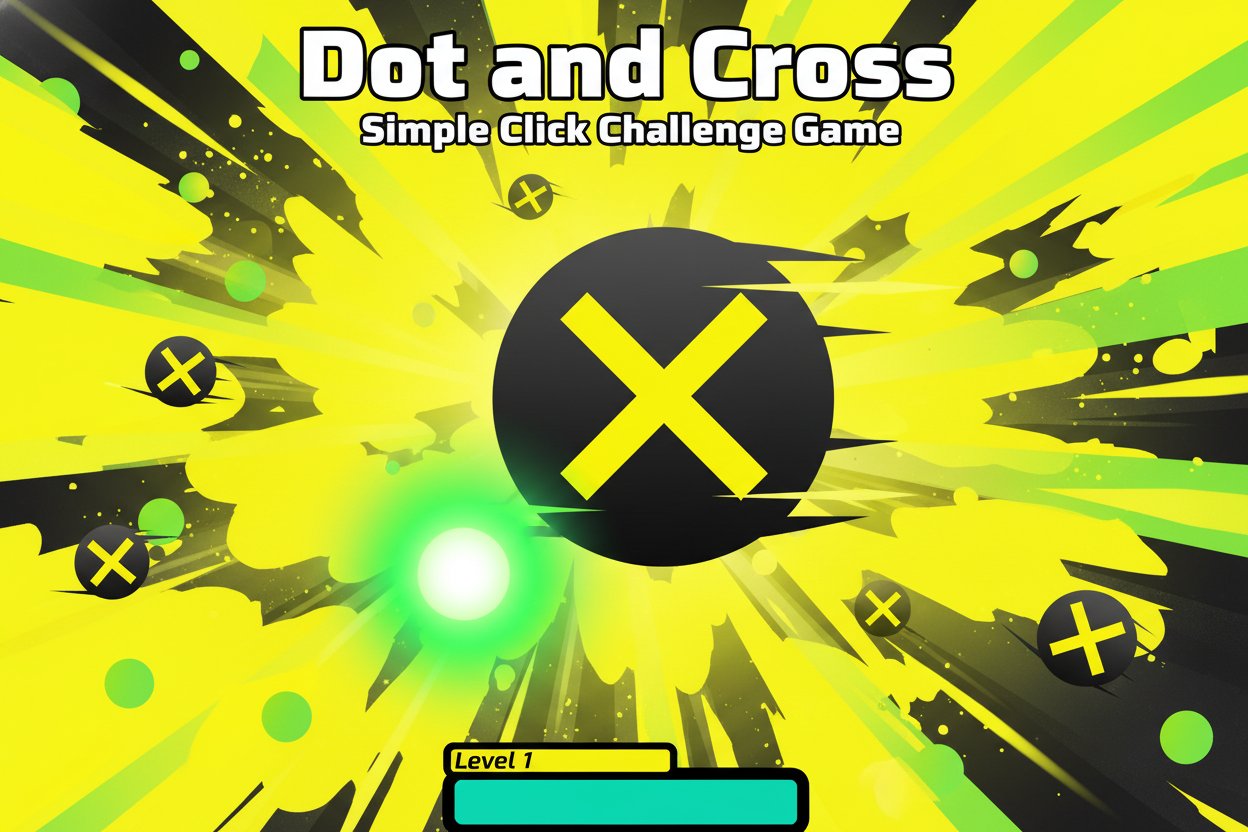
Dot and Cross is a minimalist clicker game that proves sometimes the simplest concepts create the most challenging experiences. With a clean white background and bold, colorful elements, this game presents you with a straightforward task: click the dot, don't click the cross. Despite its apparent simplicity, players quickly discover that maintaining focus and quick reflexes becomes increasingly difficult as the game progresses.
Rated 4.3 out of 5 stars by players, this instant-play browser game has captivated audiences with its "easy to learn, hard to master" gameplay philosophy. The game's minimalist design eliminates distractions, forcing you to rely purely on your reaction speed and concentration skills.
Core Features
Minimalist Design Excellence
The game features a clean, distraction-free interface with bold color contrasts. Green dots signal correct choices, while yellow crosses represent instant failure. This high-contrast design ensures quick visual recognition even during fast-paced gameplay.
Progressive Difficulty System
Each level introduces subtle changes that increase the challenge. The turquoise progress bar at the bottom tracks your advancement, and successfully completing levels unlocks new challenges that test your limits.
Competitive Elements
Built-in leaderboard functionality lets you compete against other players worldwide. Track your best scores, compare recent performances, and strive to climb the global rankings of dot clickers.
Cross-Platform Compatibility
Designed as an instant-play browser game, Dot and Cross works seamlessly on desktop computers, tablets, and mobile devices. No downloads required – simply open your browser and start playing.
Gameplay Mechanics
The core gameplay revolves around a simple binary choice system. Players face a continuous stream of visual elements – green dots (click) and yellow crosses (avoid). The challenge intensifies as:
- Time pressure increases : The turquoise timer bar creates urgency
- Pattern recognition : Learn to quickly identify correct targets
- Mistake consequences : One wrong click ends the game immediately
- Score progression : Each correct choice builds toward level completion
Visual Feedback System
The game provides immediate visual feedback through color coding and progress indicators. The timer bar creates tension while the score counter motivates continued play.
Operation Guide
Basic Controls
- Mouse Click/Tap : Primary interaction method
- Target Selection : Click only on green dots
- Avoidance : Never click yellow crosses
- Menu Navigation : Use on-screen buttons for leaderboards and replay
Winning Strategy
- Focus on Colors : Train your eyes to quickly distinguish green from yellow
- Stay Calm : Rushing leads to mistakes
- Practice Rhythm : Develop consistent clicking patterns
- Learn from Mistakes : Each game failure teaches timing lessons
Mobile Optimization
On mobile devices, the game adapts to touch controls. Tap accuracy becomes crucial, and the larger touch targets accommodate finger-based interaction.
Why Play This Game
Perfect for Quick Sessions : Each game lasts just minutes, making it ideal for short breaks or commute entertainment.
Brain Training Benefits : Regular play improves reaction time, visual processing speed, and concentration abilities. The simple mechanics hide genuine cognitive challenges.
Stress Relief : The minimalist design and straightforward objective provide a meditative gaming experience that helps clear mental clutter.
Universal Appeal : Suitable for all ages and skill levels. Children develop hand-eye coordination while adults enjoy the nostalgic simplicity of classic arcade-style challenges.
No Commitment Required : As a free browser game with no registration requirements, you can play instantly whenever the mood strikes. The game saves your progress automatically for return visits.
Competitive Edge : Global leaderboards add replay value and social competition elements, encouraging skill improvement and regular play sessions.