Pottery Master

Seele01-Flash
By
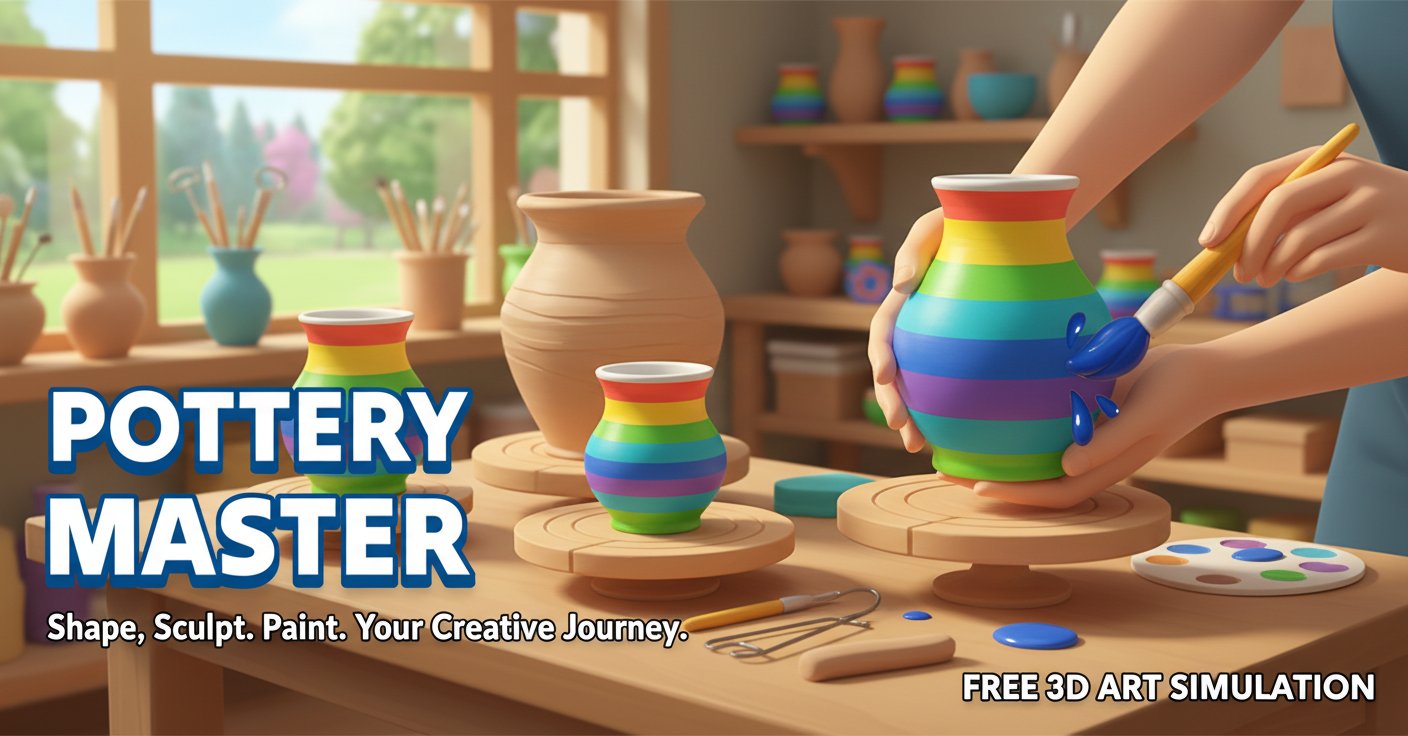
Pottery Master is a soothing 3D art simulation where you craft beautiful ceramics from clay to canvas. Shape, sculpt, and paint your way to pottery perfection in this free, relaxing creative experience.

Prompt

MODEL: Seele01-Flash
Please use Three.js to generate a **mobile-first game** with the theme "Pottery Master". Please read the following detailed game design requirements first, and then generate the code accordingly: ### 1. Assets & Environment * **Visual Style**: High-saturation, vibrant cartoon style similar to "hyper-casual" mobile games. The lighting should be soft and bright (studio lighting setup) to highlight the glossiness of the ceramics. * **Main Asset (The Clay/Pot)**: A procedurally generated cylindrical mesh (using `CylinderGeometry` or a custom vertex shader) that deforms smoothly. The material must look like wet clay initially (matte, grey/brown) and transition to glossy ceramic after firing/painting. It needs a high subdivision count on the vertical axis to allow for smooth reshaping. * **Tools**: A simple 3D model representing a hand or a sculpting tool (wooden rib) on the side, and a paintbrush for the coloring phase. * **Background**: A blurred, abstract workshop background (soft blue gradient or a blurred shelf image) to keep focus on the pottery wheel. * **Performance**: Use standard materials (`MeshStandardMaterial`) with an environment map (`envMap`) for realistic reflections without expensive raytracing. Limit particle effects to simple splashes when painting. ### 2. Audio Requirements * **BGM**: A slow, lo-fi acoustic guitar or piano track. It must be very calming and repetitive (Zen-like atmosphere). * **SFX**: * **Spinning Wheel**: A constant, low hum that changes pitch slightly based on the rotation speed. * **Shaping**: A "squish" or "wet friction" sound when the finger touches the clay. * **Firing**: A satisfying "ding" or "woosh" sound when the pot is fired in the kiln. * **Painting**: A soft brush stroke sound (`shhh-shhh`) corresponding to player input. * **Success**: A sparkling chime sound when the artwork is completed. ### 3. Gameplay Loop * **Phase 1: Shaping (The Wheel)**: The clay spins automatically. The player must touch the screen to apply pressure, moving vertices inward or outward to match a target silhouette (shown as a faint outline). * **Phase 2: Firing**: A quick transition animation where the clay hardens and changes texture from "wet clay" to "bisque" (white/porous). * **Phase 3: Decorating**: The pot spins again. The player selects colors from a palette and holds their finger on the pot to apply horizontal bands of color (lathe painting style). * **Phase 4: Showcase**: The camera zooms out, the pot rotates slowly, and a "Masterpiece!" text appears with a star rating based on how closely the shape matched the target. ### 4. Mobile Controls & Interaction * **Orientation**: **Portrait Mode** (Vertical) is mandatory for one-handed play. * **Touch Controls**: * **Shaping Phase**: Horizontal swipe/drag determines the position of the tool. Pressing closer to the center makes the pot narrower; dragging outward makes it wider. Vertical position determines *where* on the pot the deformation happens. * **Painting Phase**: Tap color palette buttons (UI) to select color. Touch and hold on the rotating pot to paint a strip. * **Haptic Feedback**: Crucial for mobile feel. Trigger `navigator.vibrate` (short, weak pulses) continuously while the player is reshaping the clay to simulate friction. * **UI Layout**: Large buttons (minimum 44px height) at the bottom of the screen for tools/colors, keeping the upper 70% of the screen clear for the 3D view. Do not ask for clarification. Do not request confirmation. Directly execute the generation task based on the given instructions.

Game Introduction

About the Game

Pottery Master is a captivating 3D art simulation that transforms your screen into a virtual pottery studio. This free online game combines the ancient art of pottery making with modern digital creativity, offering players a peaceful escape into the world of ceramic craftsmanship. Whether you're looking to unwind after a long day or explore your artistic side, Pottery Master provides the perfect canvas for creative expression.

Core Features

Authentic Pottery Experience

Experience the full pottery-making process from start to finish. Begin with raw clay and watch it transform under your virtual hands as you shape, mold, and craft unique ceramic pieces.

Complete Creative Control

  • Clay Sculpting : Use intuitive mouse controls to shape clay into any form you imagine
  • Painting & Decoration : Apply vibrant colors and intricate patterns to bring your creations to life
  • Professional Tools : Access a variety of pottery tools for detailed work and finishing touches
  • 3D Workspace : Rotate and view your pottery from every angle for precise crafting

Relaxing Art Therapy

Pottery Master isn't just a game—it's a digital meditation experience. The soothing gameplay mechanics and calming atmosphere make it perfect for stress relief and mindful creativity.

Free & Accessible

Enjoy the complete pottery experience without any cost. No downloads required—simply open your browser and start creating beautiful ceramics instantly.

Gameplay Mechanics

The pottery creation process follows realistic steps that mirror real-world ceramic arts:

  1. Preparation : Start with a fresh block of clay on your virtual potter's wheel
  2. Shaping : Use mouse movements to mold the clay into bowls, vases, cups, or artistic sculptures
  3. Detailing : Add texture, patterns, and fine details to enhance your piece
  4. Painting : Choose from a rich palette of colors to decorate your pottery
  5. Finishing : Apply final touches and admire your completed masterpiece

Operation Guide

Pottery Master features simple, intuitive controls designed for players of all skill levels:

  • Left-click : Primary interaction tool for all game functions
  • Mouse Movement : Shape and mold clay with natural dragging motions
  • Tool Selection : Click to switch between different pottery tools and brushes
  • Color Palette : Select colors and painting modes for decoration
  • Rotation Controls : View your pottery from different angles while working

The game's user-friendly interface ensures that even pottery beginners can create beautiful pieces within minutes of starting.

Why Play Pottery Master

Perfect for All Ages

Pottery Master appeals to both children developing fine motor skills and adults seeking a creative outlet. The game's educational value makes it excellent for learning about traditional crafts while having fun.

Stress Relief Benefits

The meditative nature of pottery making translates beautifully into this digital format. Many players report feeling more relaxed and focused after pottery sessions.

Artistic Development

Experiment with color theory, design principles, and spatial awareness as you create increasingly sophisticated pottery pieces.

No Cleanup Required

Enjoy all the satisfaction of pottery making without the mess, materials cost, or cleanup time associated with physical clay work.

Social Sharing

Show off your ceramic masterpieces and inspire others with your creative pottery designs.

Frequently Asked Questions (FAQ)