
Mini Train - Puzzle Track Building Game - Puzzle Game
 Unity
UnityBattle of Balls
Build a Unity arena where rolling balls collide and grow.
 Unity
UnityStrawberry Grove Adventure
Build a cozy Unity pixel grove of exploration and collectibles.
 New
NewUnderwater Puzzle
Build an underwater puzzle: restore coral, dodge crabs.
 New
NewCharacter Physics World
Build a third-person physics world with day-night and props to touch.
 Unity
UnityEgg on the Car Roof
Build a Unity challenge: keep a fragile egg on a moving roof.
 Unity
UnityEndless Runner
Build a polished Unity endless runner with lanes and pickups.
 Unity
UnityCupid's Arrow
Build a Unity archery game of timing and matchmaking.
 Shooter
Rail Shooter Ride
Build a roller-coaster rail shooter that aims as you ride.
 Subscriber only
Unreal Dungeon Crawler
Build a playable Unreal dungeon crawler, combat-ready.
 New
NewHook a Fish Arcade
Build a fishing arcade where catches buy you more time.
UnityBattle of Balls
Build a Unity arena where rolling balls collide and grow.
UnityStrawberry Grove Adventure
Build a cozy Unity pixel grove of exploration and collectibles.
NewUnderwater Puzzle
Build an underwater puzzle: restore coral, dodge crabs.
NewCharacter Physics World
Build a third-person physics world with day-night and props to touch.
UnityEgg on the Car Roof
Build a Unity challenge: keep a fragile egg on a moving roof.
UnityEndless Runner
Build a polished Unity endless runner with lanes and pickups.
UnityCupid's Arrow
Build a Unity archery game of timing and matchmaking.
ShooterRail Shooter Ride
Build a roller-coaster rail shooter that aims as you ride.
Subscriber onlyUnreal Dungeon Crawler
Build a playable Unreal dungeon crawler, combat-ready.
NewHook a Fish Arcade
Build a fishing arcade where catches buy you more time.
Prompt

Games are fun. Creating them is even better.
Game Introduction
About Mini Train
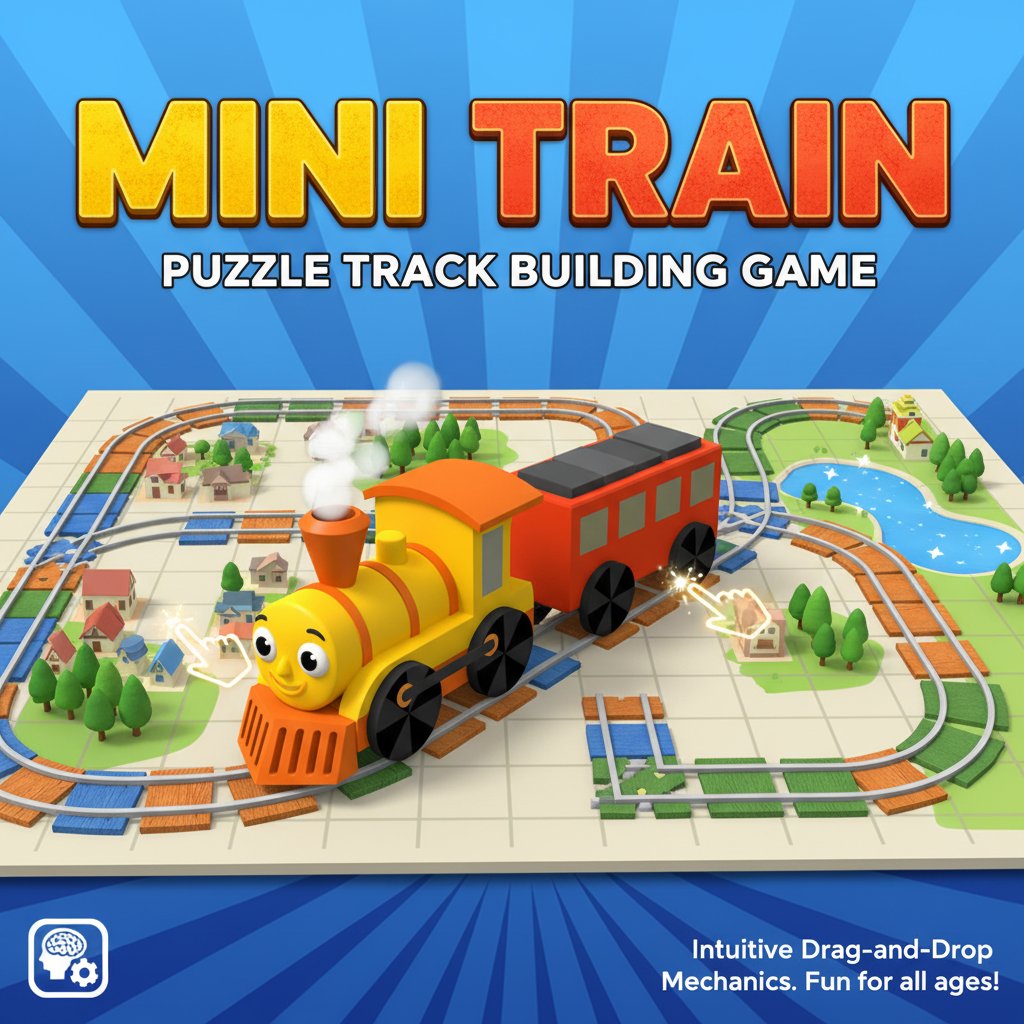
Mini Train is a delightful physics-based puzzle game that challenges your problem-solving skills while providing hours of entertainment. In this charming game, you become the master architect of railway tracks, helping a cheerful train navigate through increasingly complex levels. With its bright, colorful graphics and intuitive gameplay, Mini Train offers the perfect blend of challenge and relaxation.
Core Features
Interactive Track Building
The heart of Mini Train lies in its unique track construction mechanics. You'll find various track pieces scattered around each level, and your mission is to arrange them properly to create a safe path for the oncoming train. Each piece must be placed with precision to ensure the train can travel smoothly from start to finish.
Physics-Based Gameplay
What sets Mini Train apart is its realistic physics engine. The way you hold and rotate each track piece matters significantly. You'll need to consider angles, connections, and stability as you build the perfect railway route. The physics system adds depth to the puzzle-solving experience, making each level feel like a genuine engineering challenge.
Progressive Difficulty
Mini Train features carefully designed levels that gradually increase in complexity. Starting with simple straight tracks, you'll eventually work with curves, bridges, and multi-level constructions. Each new level introduces fresh challenges while building upon the skills you've already mastered.
Cross-Platform Accessibility
Whether you're at home or on the go, Mini Train adapts to your device. The game works seamlessly on desktop computers, tablets, and smartphones, ensuring you can enjoy puzzle-solving anywhere.
Game Mechanics
Mini Train operates on simple yet engaging mechanics that anyone can learn quickly:
- Drag and Drop System : Use your mouse or finger to grab track pieces and move them across the screen
- Rotation Controls : Hold pieces at different points to achieve the perfect angle for connections
- Balance Consideration : Use arrow keys for fine-tuning piece placement and maintaining structural integrity
- Testing Phase : Once you're satisfied with your track layout, hit the play button to test your creation
Operation Guide
Basic Controls
- Mouse/Touch : Click and hold (or long-press on mobile) to grab track pieces
- Drag : Move pieces across the screen to your desired location
- Arrow Keys : Fine-tune placement and maintain balance of building blocks
- Play Button : Start the train once your track is complete
- Rotation : Hold pieces at different points to rotate them naturally
Success Strategy
- Analyze the Level : Before moving pieces, study the starting and ending points
- Plan Your Route : Visualize the path the train needs to take
- Start with Foundation : Place stable, straight pieces first
- Add Complexity : Gradually add curves and elevated sections
- Test and Adjust : Use the play button to test your track and make improvements
Why Play Mini Train
Perfect for All Ages
Mini Train strikes an excellent balance between challenge and accessibility. Children will love the colorful trains and simple mechanics, while adults can appreciate the strategic depth and physics-based puzzles. It's an ideal game for family gaming sessions.
Educational Value
Beyond entertainment, Mini Train offers educational benefits. Players develop spatial reasoning, problem-solving skills, and basic physics understanding. The game encourages logical thinking and planning, making it both fun and intellectually stimulating.
Stress-Free Gaming
Unlike action-packed games, Mini Train provides a relaxing gaming experience. There are no time limits or high-pressure situations – just you, the train, and the puzzle to solve. It's perfect for unwinding after a busy day.
No Barriers to Entry
As a completely free browser game, Mini Train removes all barriers between you and puzzle-solving fun. No downloads, no installations, no payment required – just pure gaming enjoyment accessible instantly through any web browser.