
Untangle - Free Online Puzzle Game - Puzzle Game
 Action
Open World City Action
Build an open-world city romp with driving and police chases.
 Shooter
Decay Zone Survival
Build a first-person zombie survival with ammo management.
 FPS
FPS3D FPS Game
Build a desert FPS with weapon switching and a retro HUD.
 Unity
UnityChaos Train Arcade
Build a chaotic Unity train arcade of hazards and timing.
 Racing
Track Racing Challenge
Build a closed-circuit racer built around drift corners.
 Voxel
VoxelVoxel Hero Adventure
Build a voxel hero who explores, mines, and builds.
 New
NewDrone Flight Combat
Build a cinematic drone combat run with missiles and a HUD.
 Survival
Survival Sandbox Arena
Build a survival arena with enemy waves and turret defense.
 3D
3DThird Person Explorer
Build a third-person explorer with swappable scenes and a live minimap.
 Shooter
Rail Shooter Ride
Build a roller-coaster rail shooter that aims as you ride.
ActionOpen World City Action
Build an open-world city romp with driving and police chases.
ShooterDecay Zone Survival
Build a first-person zombie survival with ammo management.
FPS3D FPS Game
Build a desert FPS with weapon switching and a retro HUD.
UnityChaos Train Arcade
Build a chaotic Unity train arcade of hazards and timing.
RacingTrack Racing Challenge
Build a closed-circuit racer built around drift corners.
VoxelVoxel Hero Adventure
Build a voxel hero who explores, mines, and builds.
NewDrone Flight Combat
Build a cinematic drone combat run with missiles and a HUD.
SurvivalSurvival Sandbox Arena
Build a survival arena with enemy waves and turret defense.
3DThird Person Explorer
Build a third-person explorer with swappable scenes and a live minimap.
ShooterRail Shooter Ride
Build a roller-coaster rail shooter that aims as you ride.
Prompt

Games are fun. Creating them is even better.
Game Introduction
About the Game
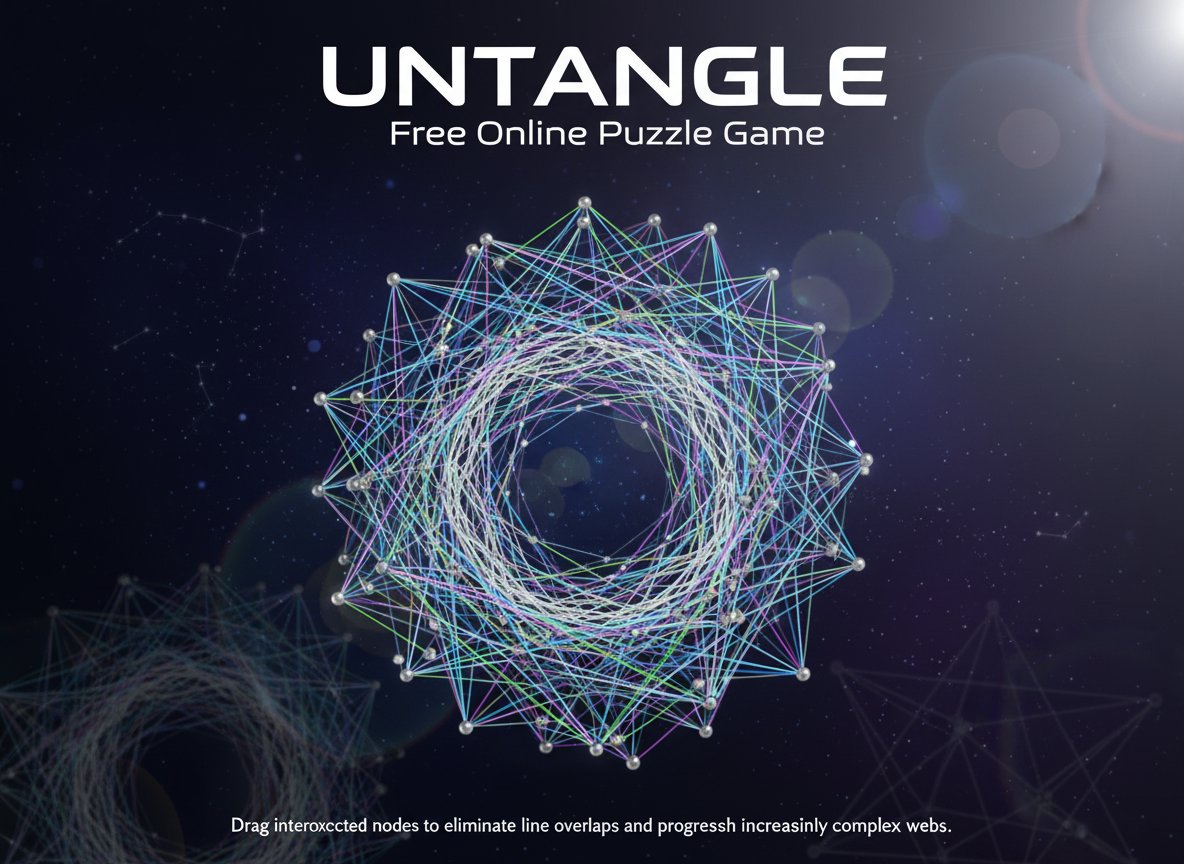
Untangle is a brilliantly simple yet increasingly challenging puzzle game that has captivated millions of players worldwide. With an impressive 3.9/5 rating, this free online brain teaser offers the perfect blend of relaxation and mental stimulation. The concept is elegantly straightforward: untangle a web of interconnected lines by strategically moving nodes until no lines cross each other.
What makes Untangle truly special is its progressive difficulty system. Each level you complete presents a larger, more complex web of tangled lines, ensuring that the challenge grows with your skills. This makes it an ideal game for both casual puzzle enthusiasts and serious brain training devotees.
Core Features
Intuitive Gameplay Mechanics
The beauty of Untangle lies in its simplicity. Using only your mouse, you drag nodes (connection points) around the screen to reposition the web of lines. The goal is elegantly simple: arrange the nodes so that none of the connecting lines overlap or cross each other.
Progressive Difficulty System
Each successfully completed level unlocks a more complex puzzle with additional nodes and connections. This gradual increase in difficulty ensures that players are constantly challenged without becoming overwhelmed, making it perfect for both beginners and puzzle veterans.
Brain Training Benefits
Untangle isn't just entertainment – it's a powerful cognitive exercise that: - Enhances spatial reasoning abilities - Improves problem-solving skills - Develops patience and systematic thinking - Strengthens visual-spatial intelligence - Provides stress-relieving mental focus
Accessibility and Convenience
- Completely Free : No hidden costs or premium features
- Browser-Based : Play instantly without downloads
- All Ages Content : Perfect for family-friendly gaming
- Cross-Platform : Works on desktop, tablet, and mobile devices
- No Time Pressure : Solve puzzles at your own pace
Game Mechanics
Understanding the Puzzle Structure
Each Untangle puzzle consists of a network of nodes connected by straight lines. These nodes can be freely moved around the playing area, and as you drag them, the connecting lines move with them. Your task is to find the perfect arrangement where no two lines intersect.
Strategic Approaches
Successful players often develop systematic approaches: - Start by identifying the most tangled areas - Work on separating major clusters of overlapping lines - Use the edges of the play area strategically - Think several moves ahead before making changes - Sometimes moving a node away from the target position temporarily helps untangle other areas
Operation Guide
Basic Controls
- Mouse Click and Drag : Select any node and drag it to a new position
- Visual Feedback : Lines turn different colors to indicate overlaps
- Level Progression : Complete a puzzle to automatically advance to the next level
- Reset Option : Most versions allow you to restart a level if you get stuck
Tips for Success
- Take Your Time : There's no time limit, so think through your moves
- Work Systematically : Focus on untangling one section at a time
- Use Space Wisely : Spread nodes out to give lines room to avoid crossing
- Experiment Freely : Don't be afraid to try different arrangements
- Think in 3D : Sometimes imagining the puzzle in three dimensions helps find solutions
Why Play Untangle
Perfect Mental Exercise
Untangle serves as an excellent brain training tool that exercises spatial intelligence without the pressure of time limits or complex rules. It's meditation through problem-solving, offering a peaceful yet engaging way to challenge your mind.
Stress Relief Through Focus
Many players find Untangle deeply relaxing. The focused concentration required to solve each puzzle creates a meditative state that helps clear the mind of daily stresses and worries.
Suitable for Everyone
With its all-ages content rating and intuitive controls, Untangle is perfect for: - Students looking to improve spatial reasoning - Adults seeking stress relief during breaks - Seniors wanting to keep their minds sharp - Families looking for shared puzzle-solving activities
Educational Value
Beyond entertainment, Untangle develops crucial cognitive skills including: - Logical thinking and systematic problem-solving - Spatial visualization and geometric understanding - Patience and persistence in facing challenges - Pattern recognition and strategic planning