
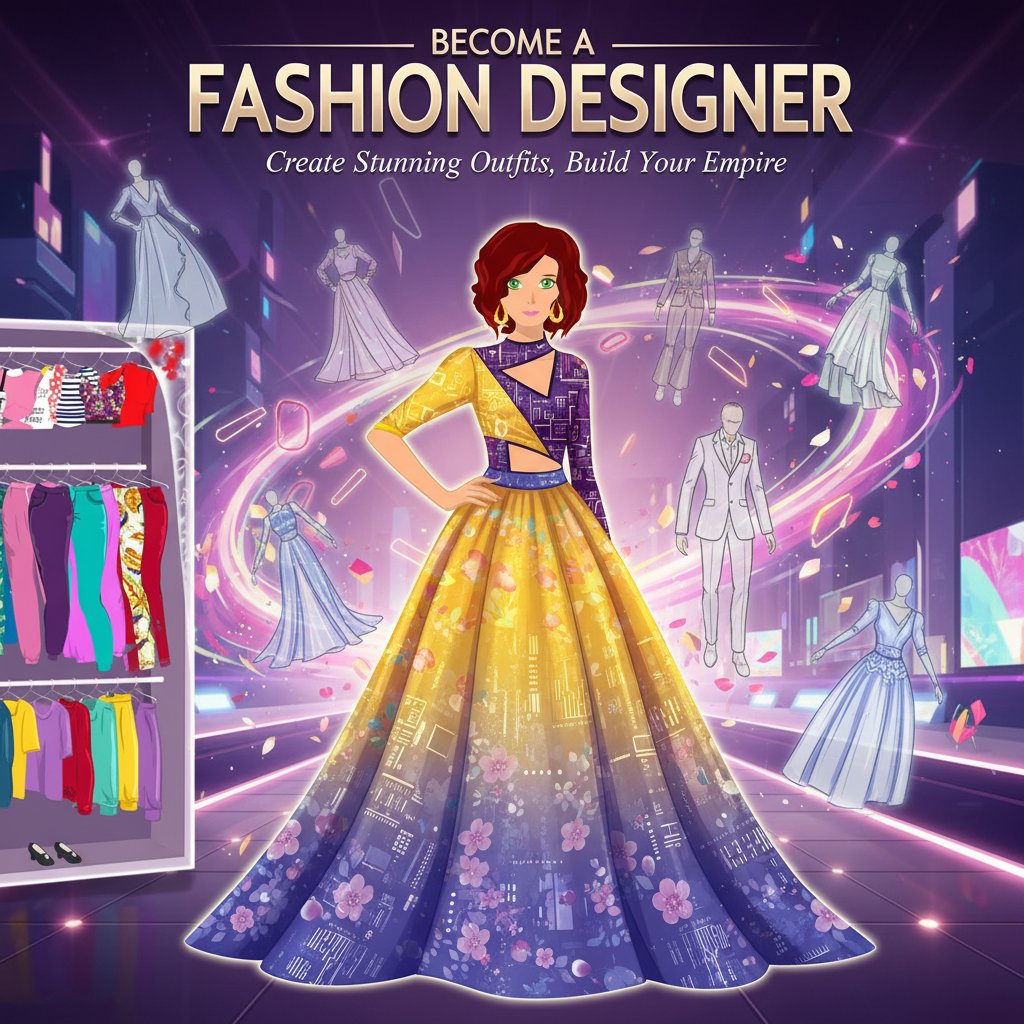
Become a Fashion Designer - Simulation Game
 Survival
Survival Sandbox Arena
Build a survival arena with enemy waves and turret defense.
 Unity
UnityCastle Devour Quest
Build a Unity castle quest with risky rooms and a win goal.
 Unity
UnityDesert Quickshot
Build a Unity quickdraw duel with streaks and rising heat.
 Unity
UnityBattle of Balls
Build a Unity arena where rolling balls collide and grow.
 New
NewArcade Crossing Game
Build a lane-dodging arcade game with traffic and pickups.
 Shooter
Dead City Shooter
Build a third-person zombie shooter in a ruined city.
 Unity
UnityEgg on the Car Roof
Build a Unity challenge: keep a fragile egg on a moving roof.

Time-Attack Racer
Build a no-physics finish-gate racer with nitro, minimap guidance, and synthesized audio.
 Driving
City Car Driving
Build an open-city free-driving game with car selection.
 Shooter
Platform Shooter Quest
Build a side-scrolling platform shooter with weapon switching.
SurvivalSurvival Sandbox Arena
Build a survival arena with enemy waves and turret defense.
UnityCastle Devour Quest
Build a Unity castle quest with risky rooms and a win goal.
UnityDesert Quickshot
Build a Unity quickdraw duel with streaks and rising heat.
UnityBattle of Balls
Build a Unity arena where rolling balls collide and grow.
NewArcade Crossing Game
Build a lane-dodging arcade game with traffic and pickups.
ShooterDead City Shooter
Build a third-person zombie shooter in a ruined city.
UnityEgg on the Car Roof
Build a Unity challenge: keep a fragile egg on a moving roof.
Time-Attack Racer
Build a no-physics finish-gate racer with nitro, minimap guidance, and synthesized audio.
DrivingCity Car Driving
Build an open-city free-driving game with car selection.
ShooterPlatform Shooter Quest
Build a side-scrolling platform shooter with weapon switching.
Prompt

Games are fun. Creating them is even better.
Game Introduction
About the Game
Become a Fashion Designer is the ultimate fashion simulation experience that lets you live your dream of becoming a world-renowned fashion designer. This engaging dress-up game combines creativity with strategic gameplay, allowing you to design stunning outfits for various occasions and clients. Whether you're passionate about haute couture or everyday fashion, this game provides endless opportunities to express your unique style and creativity.
With an intuitive interface and comprehensive design tools, you'll have access to hundreds of clothing pieces, patterns, colors, and accessories to create your signature looks. The game challenges you to think like a real fashion designer, considering client preferences, event themes, and current trends while maintaining your personal artistic vision.
Core Features
Comprehensive Design Studio
Your virtual design studio comes equipped with everything a professional fashion designer needs. Choose from an extensive wardrobe including:
- Dress Styles : Princess gowns, party dresses, everyday wear, and elegant prom dresses
- Skirt Varieties : A-line, mini, layered, bubble, pencil, and mermaid styles
- Top Options : Sleeveless, strapped, strapless, and various sleeve styles
- Materials & Patterns : Dozens of fabrics, prints, and textures to choose from
- Color Palette : Unlimited color combinations to match any vision
- Accessories : Complete your designs with shoes, jewelry, bags, and more
Multiple Game Modes
The game offers diverse gameplay experiences:
- Client Design Mode : Create custom outfits based on specific client requests and preferences
- Style Events : Participate in fashion competitions and showcase your creativity
- Free Design Mode : Experiment with unlimited combinations without constraints
- Challenge Mode : Take on established designers and prove your skills
Career Progression System
Build your reputation in the fashion world by: - Completing client orders successfully - Winning style competitions - Unlocking new materials and accessories - Learning advanced design techniques - Building a portfolio of signature looks
How to Play
Basic Controls
The game features simple, intuitive controls suitable for all ages: - Mouse/Finger : Click or tap to select clothing items and accessories - Drag & Drop : Move items onto your model to try different combinations - Color Wheel : Click to change colors and apply different patterns - Menu Navigation : Use the interface buttons to switch between categories
Design Process
- Choose Your Canvas : Select the type of outfit you want to create
- Build the Foundation : Start with basic pieces like tops and bottoms
- Add Details : Layer on accessories, patterns, and textures
- Color Coordination : Apply your chosen color scheme
- Final Touches : Add jewelry, shoes, and finishing accessories
- Present Your Design : Showcase your creation to clients or in competitions
Game Objectives
Client Satisfaction
Each client comes with specific preferences and requirements. Success depends on: - Understanding the occasion (formal, casual, party, etc.) - Matching color preferences and style requests - Staying within budget constraints - Delivering designs on time - Building long-term client relationships
Competition Success
Style events challenge you to: - Create themed outfits for specific occasions - Compete against other designers worldwide - Adapt to current fashion trends - Showcase originality and creativity - Win prizes and unlock exclusive content
Why Play This Game
Perfect for Fashion Enthusiasts : Whether you're interested in fashion as a hobby or considering it as a career, this game provides a risk-free environment to explore your creativity and learn about design principles.
Educational Value : Learn about color theory, style coordination, fabric selection, and the business side of fashion design while having fun.
Stress Relief : The creative process of designing outfits provides a relaxing, meditative experience that helps reduce stress and anxiety.
Social Features : Share your designs with friends and get feedback on your creations, fostering a sense of community among fashion enthusiasts.
Unlimited Creativity : With hundreds of combinations possible, you'll never run out of new ideas to explore and implement in your designs.