Sandspiel - Creative Pixel Sandbox Simulation Game

Seele01-Flash
By
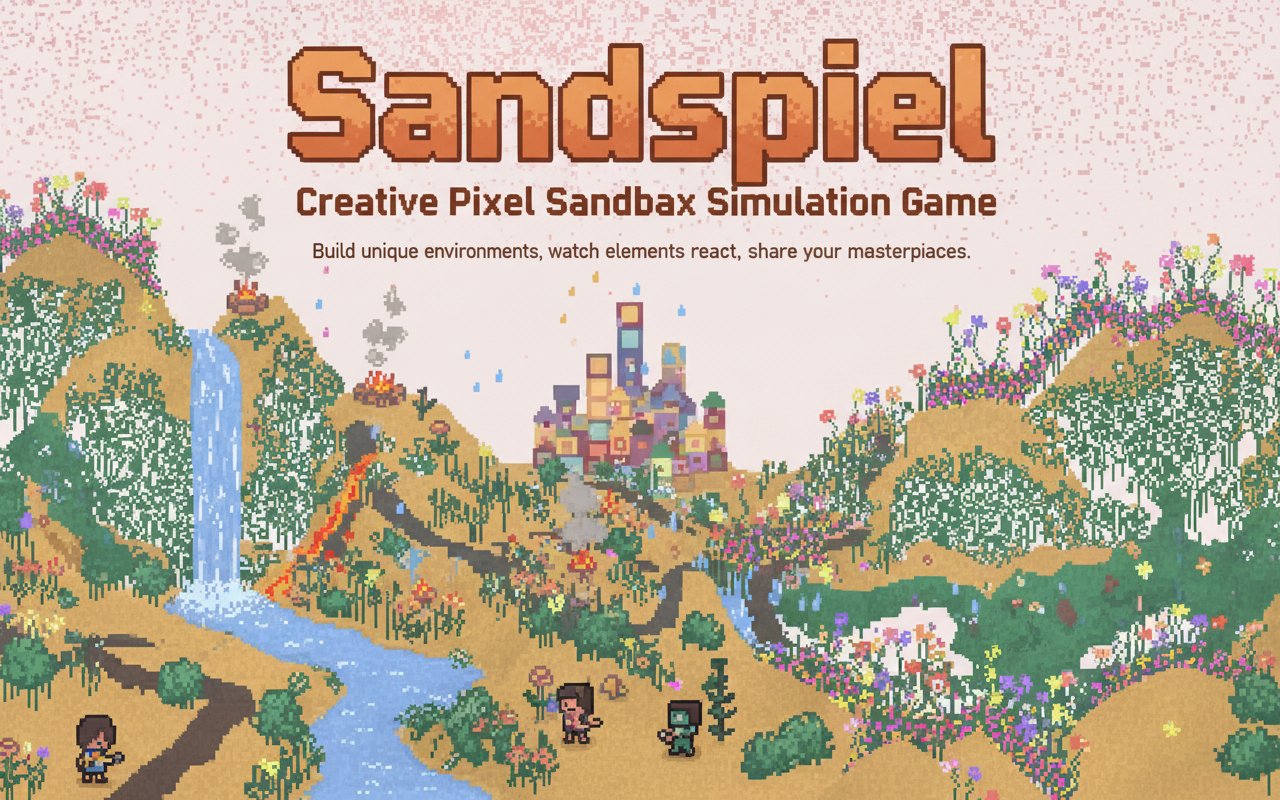
Sandspiel is a creative pixel sandbox simulation where you build unique environments using 20 interactive elements. Create stunning pixel art, watch elements react with each other, and share your masterpieces with the community.

Prompt

MODEL: Seele01-Flash
Please use Three.js to generate a **mobile-first game** with the theme "**Sandspiel - Elemental Cellular Automata Sandbox**". Please read the following detailed game design requirements first, and then generate the code accordingly: ### 1. Assets & Environment * **Visual Style**: 2D Pixel Art aesthetic rendered within a 3D context. The game should consist of a single full-screen `PlaneGeometry` acting as the canvas. Use a custom `ShaderMaterial` or high-performance `DataTexture` manipulation to render the pixel simulation. * **Color Palette**: Use the pastel and vibrant tones seen in the reference: Background (Pale Pink/Cream), Sand (Golden Yellow), Water (Light Blue), Plant (Vibrant Green), Fire (Red/Orange), Stone (Dark Grey), Wood (Brown). * **Performance (Mobile Optimization)**: * The simulation resolution should be lower than the screen resolution (e.g., 128x128 or 256x256 grid) and scaled up using `THREE.NearestFilter` to preserve the sharp pixel look without blurring. * Avoid creating individual meshes for particles. All rendering must happen via texture updates or shader logic to maintain 60 FPS on mobile devices. ### 2. Audio Requirements * **BGM**: A generative, ambient, and relaxing soundtrack. Think "Brian Eno" style—soft synth pads and slow chimes that evolve over time to match the "Relaxing" and "Art" tags. * **Sound Effects (SFX)**: * **Painting**: A subtle, high-pitched "pop" or bubbling sound when the user adds pixels. * **Reactions**: A soft "hiss" when Fire burns Wood/Plants; a "trickle" sound for flowing Water. * **UI**: Soft, wooden "clack" sounds when selecting different elements from the menu. ### 3. Gameplay Loop * **Core Mechanic**: A "Falling Sand" simulation (Cellular Automata). The grid updates every frame based on the state of each pixel and its neighbors. * **Element Behaviors**: * **Sand**: Falls down; slides down diagonally if blocked directly below. * **Water**: Falls down; moves horizontally if blocked below (liquid physics). * **Stone**: Static solid (immovable wall). * **Plant**: Static but grows slowly into empty space if touching Water. * **Fire**: Moves erratically (gas); destroys Plant/Wood pixels; turns into Smoke (which floats up). * **Wood**: Static solid; flammable. * **Eraser**: Removes pixels (turns them to Air). * **Goal**: There is no "win" state. The goal is creative expression, experimentation with chain reactions, and aesthetic satisfaction. ### 4. Mobile Controls & Interaction * **Touch Input**: * **Painting**: Users drag their finger across the screen to "paint" the currently selected element. Use Raycasting to map touch coordinates to the texture/grid coordinates. * **Brush Size**: A simple slider or toggle to change the paint radius (1px to 5px). * **UI Layout (Portrait/Landscape Adaptive)**: * **Element Selector**: A scrollable horizontal bar at the bottom of the screen containing icons/colors for each element (Sand, Water, Plant, Fire, Wall, Eraser). Buttons must be at least 44x44px for touch accessibility. * **Utility Buttons**: "Pause", "Step" (frame-by-frame), and "Reset/Clear" buttons located at the top right. * **Feedback**: * **Haptics**: Trigger `navigator.vibrate(5)` (light impact) when the user is actively painting pixels to provide tactile resistance. * **Visual**: Highlight the currently selected element button with a glowing border. Do not ask for clarification. Do not request confirmation. Directly execute the generation task based on the given instructions.

Game Introduction

About Sandspiel

Sandspiel is an innovative creative sandbox game that transforms your browser into a pixel art laboratory. This free-to-play simulation game lets you experiment with 20 different interactive elements to create stunning visual artworks and complex environmental systems. Whether you're planting seeds, igniting fires, or watching lava turn to stone, every element reacts dynamically to create endless possibilities for creativity.

Core Features

Interactive Element System

Sandspiel features 20 unique elements that interact with each other in realistic ways. Plant seeds and water them to grow beautiful gardens, create fire and watch it spread, or pour water to extinguish flames. The physics-based simulation ensures that every interaction feels natural and satisfying.

Advanced Creative Tools

The game provides sophisticated tools for precise creativity: - Adjustable brush sizes for detailed control over element placement - Undo system that lets you revert to any previous state - Pause function to freeze time and examine your creations - Upload and share feature to showcase your art with the community

Community Art Gallery

Explore an ever-growing collection of user-created artworks. Browse through amazing creations from other players, use them as inspiration, or add your own touches to existing pieces. The community aspect transforms Sandspiel from a simple game into a collaborative art platform.

Pixel Art Canvas

Use Sandspiel as your digital canvas to create dynamic pixel artworks. Unlike traditional static art, your creations come alive when unpaused, with elements flowing, growing, and interacting in beautiful ways.

Gameplay Mechanics

Element Reactions

The heart of Sandspiel lies in its realistic element interactions: - Water + Fire = Steam and extinguished flames - Lava + Water = Solid stone formation - Seeds + Water = Growing plants and flowers - Wind + Fire = Spreading flames - Sand + Water = Wet sand with different properties

Chain Reactions

Create satisfying chain reactions by strategically placing elements. Use solid materials to control the flow of liquids and gases, creating complex systems that evolve over time.

Operation Guide

Mouse Controls: - Left Click and Drag : Place selected elements - Element Menu : Choose from 20 different materials - Brush Size : Adjust for precise or broad strokes - Pause Button : Freeze time to examine your work - Undo Button : Return to previous states - Upload : Share your creations with the community - Browse : Explore community artworks

The intuitive interface makes it easy for anyone to start creating immediately, while advanced tools provide depth for experienced users.

Why Play Sandspiel

Perfect for Creative Expression : Whether you're an artist, student, or just someone who loves to experiment, Sandspiel offers unlimited creative possibilities in a relaxing, stress-free environment.

Educational Value : Learn about physics, chemistry, and natural processes through hands-on experimentation with realistic element interactions.

No Pressure Gaming : There are no objectives, time limits, or ways to lose. Simply create, experiment, and enjoy the meditative process of digital art creation.

Community Connection : Share your creations and discover amazing artworks from players worldwide, fostering a sense of community and inspiration.

Accessible Anywhere : Play instantly in any web browser without downloads, making it perfect for quick creative sessions or extended art projects.

Frequently Asked Questions (FAQ)