
Teacher Simulator - Classroom Management Game - Simulation Game
 Subscriber only
Unreal City Tour
Explore a photoreal Unreal city with terrain and live weather.
 Arcade
Pumpkin Night Adventure
Build a Halloween grid-arena survival romp.
 Adventure
Character Adventure Sim
Build a 3D character explorer with traversal and interactive zones.
 Action
Open World City Action
Build an open-world city romp with driving and police chases.
 Unity
UnityBattle of Balls
Build a Unity arena where rolling balls collide and grow.
 Unity
UnityCity Eater
Build a Unity game where a growing blob devours the city.
 Puzzle
Magic Cube Puzzle
Build an interactive Rubik's Cube with scramble and reset.
 Racing
Track Racing Challenge
Build a closed-circuit racer built around drift corners.
 Survival
Survival Sandbox Arena
Build a survival arena with enemy waves and turret defense.
 New
New3D Block Puzzle
Build a 3D falling-block puzzle with rotations and row clears.
Subscriber onlyUnreal City Tour
Explore a photoreal Unreal city with terrain and live weather.
ArcadePumpkin Night Adventure
Build a Halloween grid-arena survival romp.
AdventureCharacter Adventure Sim
Build a 3D character explorer with traversal and interactive zones.
ActionOpen World City Action
Build an open-world city romp with driving and police chases.
UnityBattle of Balls
Build a Unity arena where rolling balls collide and grow.
UnityCity Eater
Build a Unity game where a growing blob devours the city.
PuzzleMagic Cube Puzzle
Build an interactive Rubik's Cube with scramble and reset.
RacingTrack Racing Challenge
Build a closed-circuit racer built around drift corners.
SurvivalSurvival Sandbox Arena
Build a survival arena with enemy waves and turret defense.
New3D Block Puzzle
Build a 3D falling-block puzzle with rotations and row clears.
Prompt

Games are fun. Creating them is even better.
Game Introduction
About Teacher Simulator
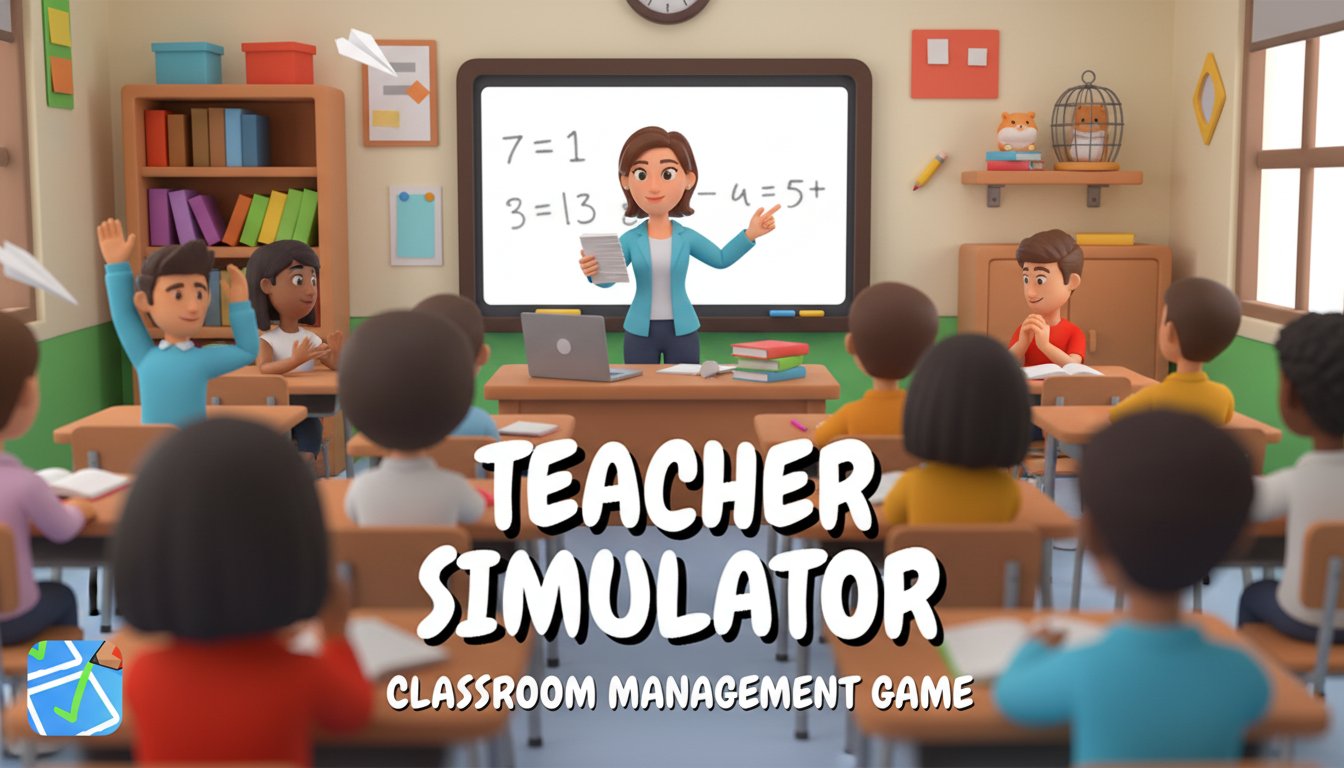
Teacher Simulator is an entertaining 3D simulation game that flips the traditional student-teacher dynamic, putting you in the instructor's shoes. This casual yet engaging game combines classroom management, educational activities, and behavioral discipline into one comprehensive teaching experience. Whether you're a current educator, former student, or simply curious about life on the other side of the desk, this game offers a fun and sometimes chaotic glimpse into the teaching profession.
The game features colorful 3D graphics with a classroom setting that feels both familiar and amusing. You'll navigate through various teaching scenarios that range from academic instruction to disciplinary actions, all while trying to maintain order in your classroom.
Core Features
Multiple Game Modes for Diverse Teaching Experiences
Answer Questions Mode : Guide your students through essential life skills by asking important questions like "What does LOL mean?" Watch as students eagerly raise their hands, then decide whether their answers are correct. This mode tests your knowledge while teaching valuable lessons.
Grading Assignments : Sharpen your pencils to perfection and dive into the classic teacher task of marking exams and homework. You'll need to carefully review each student's work and award appropriate marks with ticks or X's based on their performance.
Behavioral Management : Deal with the inevitable classroom disruptions including cheating, fighting, and general misbehavior. As the authority figure, you must maintain discipline and ensure all students stay focused on their studies.
Classroom and Hall Supervision : Monitor both your classroom and school hallways for troublemakers. The game includes humorous disciplinary tools like fire extinguishers and stun guns to handle the most disruptive students - adding a comedic twist to classroom management.
Career Progression System
Start with basic teaching responsibilities and work your way up to more specialized subjects. Excel in your current role to unlock opportunities to teach film studies, business, general knowledge, and other advanced topics. Each promotion comes with better compensation and new challenges.
Realistic Teaching Scenarios
The game incorporates authentic teaching situations that educators face daily, from managing homework submissions to preventing academic dishonesty. These scenarios provide both entertainment and insight into the teaching profession.
How to Play
Basic Controls
Teacher Simulator uses simple mouse controls for all interactions. Click with the left mouse button to: - Select students to answer questions - Grade assignments and tests - Use disciplinary tools - Navigate through different classroom areas - Access career progression menus
Getting Started
Begin your teaching career by familiarizing yourself with the classroom environment. You'll start with basic responsibilities like asking questions and grading simple assignments. As you demonstrate competency, more complex tasks and teaching opportunities become available.
Success Tips
- Pay close attention to student behavior to catch cheaters early
- Maintain consistent grading standards
- Balance discipline with encouragement
- Focus on career progression by excelling in current duties
- Use the various disciplinary tools strategically for maximum classroom control
Platform Compatibility
Teacher Simulator is designed for maximum accessibility across devices:
- Web Browser : Play directly in any modern browser on desktop or mobile
- Cross-Platform Support : Seamlessly works on Windows, Mac, iOS, and Android devices
- No Download Required : Instant access through your browser without installation
- Mobile Optimized : Touch-friendly interface for smartphone and tablet users
Why Play Teacher Simulator
Educational Value
While primarily entertaining, the game offers insights into teaching challenges and classroom dynamics. It's perfect for: - Students curious about the teaching profession - Current educators looking for light-hearted relief - Anyone interested in management and educational simulations - Players who enjoy career progression games
Stress-Free Gaming
As a casual simulation game, Teacher Simulator provides relaxing gameplay without intense competition or time pressure. You can progress at your own pace while enjoying the humorous situations that arise in your virtual classroom.
Completely Free Experience
Enjoy the full Teacher Simulator experience without any cost. No premium upgrades, in-app purchases, or subscription fees - just pure classroom management fun accessible to everyone.