
Review the scene from the player’s view
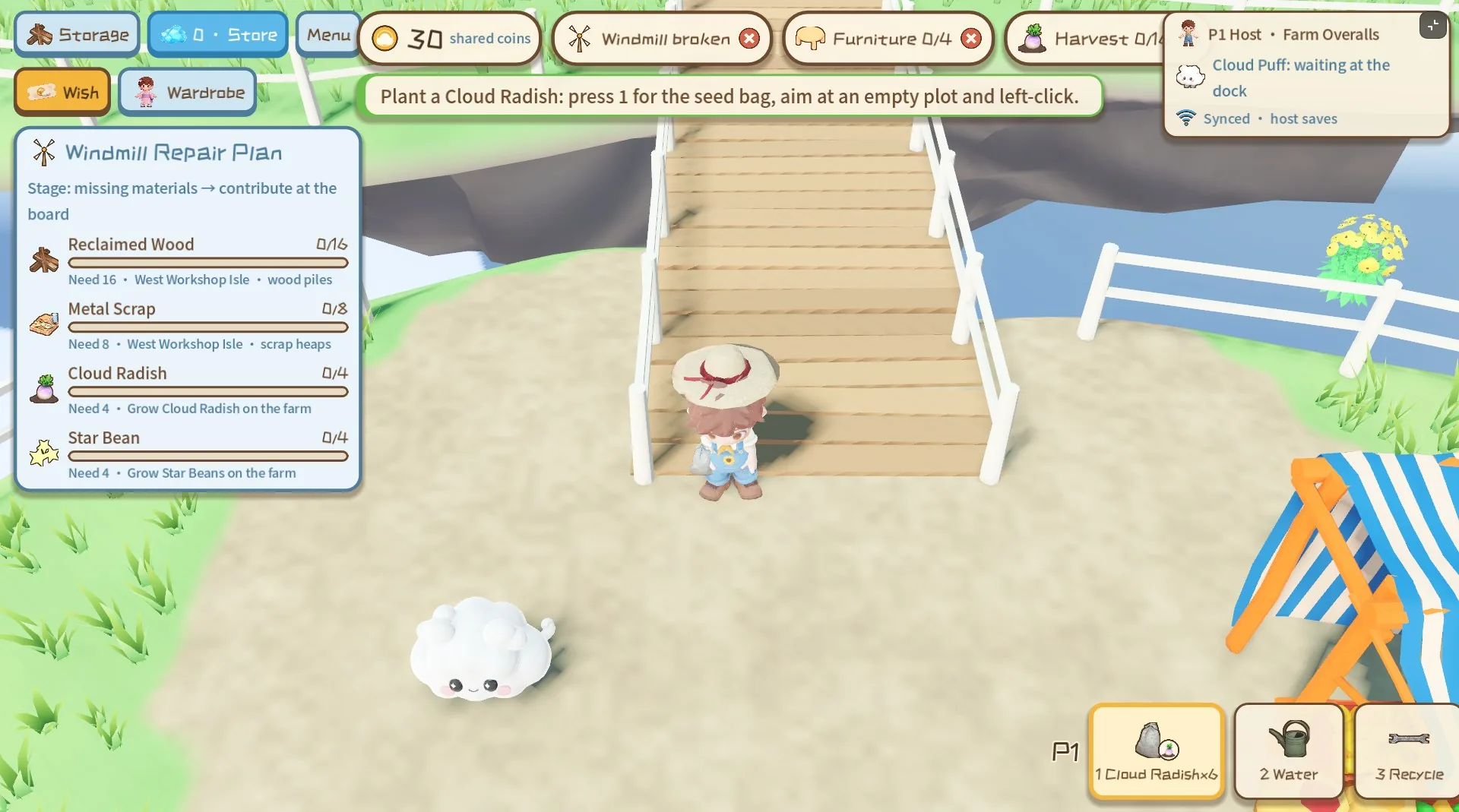
Aero Haven shows a character, a staircase and task information in the same view. Use it as an example of checking how the environment and UI compete for attention, not as evidence of how its assets were made.
If you need to judge how props, scale and camera framing read together, review them in a walkable scene. If you already know what the prop should be and need the model file, use Meshy’s asset workflow.
Partners and teams
















 4.8 / 5
For an art-direction review, make a small playable mockup in SEELE AI and assess the composition at the actual gameplay camera distance. For a prop that can be inspected and handed to an artist on its own, use Meshy and check the downloaded asset in the destination tool.
Decide what should stand out. Use a scene mockup if the question is whether the staircase, sign or doorway reads first. Start with rough shapes so every asset can change.
Review a reusable prop in isolation. Use Meshy if the team needs a model to rotate, inspect or bring into a downstream project. A nice view at one angle is not sufficient sign-off.
Lock proportions before detail. Mark up a gameplay screenshot with the camera angle and size reference. Send that alongside the prop brief so an artist knows how the model will be seen.
| Decision factor | SEELE AI | Meshy |
|---|---|---|
| Input | A scene brief that specifies viewpoint, a path and a few objects with distinct roles. | A text or image reference for one object to generate as a 3D model. |
| Output | A playable mockup for reviewing a layout at gameplay scale. | A standalone 3D model to inspect or export. |
| Approval check | Can a reviewer identify the intended landmark from the starting camera, even with UI visible? | Does the model’s silhouette hold up at the required angles, and does it look right in the receiving tool? |
| Handoff | Share the scene and keep a few annotated frames as art-direction references. | Export the asset and check scale, orientation and materials downstream. |
Imagine a repair station halfway up a short set of stairs. The mockup should tell you whether the station remains visible on approach. It does not need a finished repair animation.
Aero Haven shows a character, a staircase and task information in the same view. Use it as an example of checking how the environment and UI compete for attention, not as evidence of how its assets were made.
Review one sightline before commissioning detailed models.
Yes, if the output is a playable mockup for checking composition, prop placement or visibility at the gameplay camera. Choose Meshy if the team needs a standalone model to inspect or export instead.
Not for the first pass. Give the key landmark an unmistakable shape or contrast, and keep the other surfaces plain. Add materials when the review depends on them.
This comparison does not verify a direct import. Check the supported input, file format and actual result with one test asset before committing to that workflow.
Editorial comparison by SEELE AI. The library example illustrates a scene review, not a test of Meshy imports. We compare Meshy’s documented web app asset workflow with SEELE AI’s playable scene workflow. The example is included to show the kind of framing decision a scene can support.
Describe the start view, the landmark and a short route that lets you check whether the landmark stays in sight.
Mock up a walkable scene