
A pet-shop management game can ask the player to plan both service and care. Staff have limited time, shelves need stock, customers arrive with specific requests, and the animals in the shop should remain part of the daily loop rather than background decoration. Start with one small shop day where every action has a visible cost and result.
The staff, pets, meters, prices, and rules below are fictional game-design examples. The prompt library is unrun; this article does not offer real animal-care advice or claim a playable result.

Define the day and staff actions
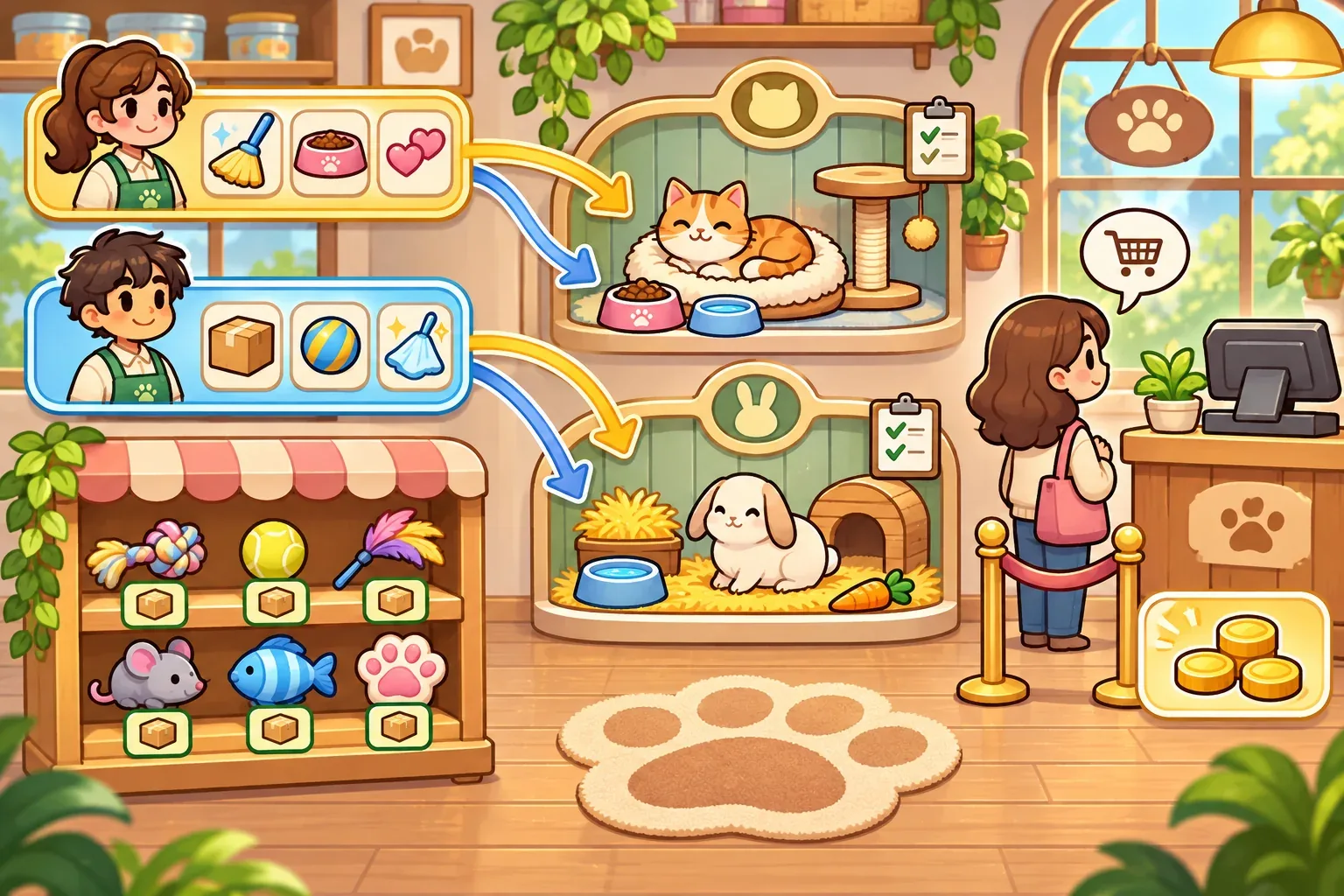
Use a short schedule before adding a full store calendar. In this example, Lio and Mina each receive two action points for the day. One task consumes one point. They can care for a pet, help a customer, or restock an item. Once all four action points are spent, the shop closes and the day summary appears.
Give each part of the loop a different state. The pet-care meters, cash, inventory, and customer queue should not be mixed together. Juniper the cat and Mica the rabbit each have a fictional care meter from 0 to 3; both start at 2. A care action raises one meter by one, up to the limit. These values exist only as game variables; they do not describe appropriate care for real animals.
| State | Example value | Changes when |
|---|---|---|
| Staff actions | Two per staff member | One task consumes one point |
| Juniper care meter | 2/3 | A fictional care action raises it by one |
| Mica care meter | 2/3 | A fictional care action raises it by one |
| Chew-toy stock | 2 units | Checkout or restock |
| Cash | 10 | Sales add; restocking spends |
To make the decisions legible, show the action budget before staff act. A customer can wait in a queue with a requested item, while the inventory panel shows whether it is available. Closing the store should not silently grant unused actions or change a pet meter. Summarize exactly which task affected each number.
Connect care, stock, and checkout
Write the task rules separately. Caring for one pet costs one staff action and adds one point to that pet's fictional meter, capped at 3. Checking out the waiting customer costs one action, adds 3 cash, and removes one chew-toy unit from stock. Restocking costs one action and 2 cash, then adds two units. If the player cannot pay the restock cost, the task stays unavailable without a partial purchase.
A simple planning problem emerges: the customer wants one toy, both pets have care tasks available, and two staff members have four actions total. There are four tasks to choose among, and the daily summary shows what was completed. The player can make a different decision next day by serving another customer or changing stock, but keep this first example small enough to audit.
A checkout record can make the state change explicit:
{
  "task": "checkout",
  "customerRequest": "chew_toy",
  "quantity": 1,
  "cashDelta": 3,
  "stockDelta": -1,
  "staffActionCost": 1
}
Keep the sales result separate from care state. A customer transaction should not increase an animal's care meter, and a care task should not change cash or inventory unless the game has a distinct rule. This keeps the interface and the article's example aligned.
Trace one fictional shop day
Start with cash 10, two chew-toy units, and care meters at 2/3 for Juniper and Mica. Lio first completes Juniper's care task, then checks out the waiting customer. Mina cares for Mica and restocks two units. Each staff member uses two actions.
| Task | Staff actions left | Cash | Stock | Juniper | Mica |
|---|---|---|---|---|---|
| Start | Lio 2 / Mina 2 | 10 | 2 | 2/3 | 2/3 |
| Lio cares for Juniper | Lio 1 / Mina 2 | 10 | 2 | 3/3 | 2/3 |
| Lio checks out customer | Lio 0 / Mina 2 | 13 | 1 | 3/3 | 2/3 |
| Mina cares for Mica | Lio 0 / Mina 1 | 13 | 1 | 3/3 | 3/3 |
| Mina restocks two toys | Lio 0 / Mina 0 | 11 | 3 | 3/3 | 3/3 |
This is a fictional hand calculation, not a tested game or a recommendation for animal care, pricing, or store operations. It gives you acceptance checks: actions decrease once, checkout adds one sale and removes one unit, restocking checks cash before it changes inventory, and care meters stop at the stated maximum.
Stage prompts and check the loop
Build the prompt sequence in layers. First define the staff action budget and shop state. Then add the pet-care meters and customer transaction. Finally request a clear day-end report and tests for stock and cash. If an output implies a real animal-care standard or changes meters during checkout, correct the scope before adding adoption, grooming, or seasonal events.
Create a compact fictional pet-shop management game day. Two staff members, Lio and Mina, each have 2 action points. Juniper and Mica have fictional care meters of 2/3 and 2/3; a care task costs one action and adds one, capped at 3. Start with 10 cash and two chew-toy units. A waiting customer buys one toy for 3 cash; checkout costs one action and removes one unit. Restocking costs one action and 2 cash, then adds two units. Show each staff assignment and each state change. Do not present meters as real animal-care advice. Prevent partial restock when cash is insufficient. Do not add extra customers or hidden actions yet.These templates are unrun drafts. When you use them, record the exact prompt, tool, date, output version, and correction. A static panel can show the intended shop state, but it does not prove that tasks, inventory, or action limits work in a playable build.
SEELE's official AI Game Maker page describes text-based game creation, browser testing, and follow-up iteration. This is general product context only; the prompts here are unrun and no pet-shop result is claimed.
- Action check: a completed task spends exactly one staff action.
- Care check: a care task changes only the chosen fictional meter and respects its cap.
- Checkout check: one sale adds 3 cash and removes one unit.
- Restock check: stock increases by two only after the 2-cash cost is validated.
- Boundary check: fictional game meters are not real animal-care instructions.

After the first day is clear, add one more customer type or a new inventory item. Change one system at a time and keep the same action budget so you can tell whether the new task creates a useful choice or merely adds bookkeeping.
Pet-shop management prompt FAQs
What should a first pet-shop prototype include?
Start with a short staff schedule, a small inventory, one customer request, and a simple fictional care-state loop. Add systems only after the day can be followed.
How can staff actions create meaningful choices?
Give each task a clear cost and state change. A limited action budget makes players decide which needs to handle first.
How do I prevent inventory from going negative?
Validate the requested quantity before checkout. If stock is insufficient, show the missing amount and leave cash and inventory unchanged.
Are the care meters real animal-care guidance?
No. They are fictional game variables. Real animal care requires appropriate expert guidance; this design example is not a care standard.
Are the prompts or shop loop tested?
No. The prompts are unrun drafts and the shop day is a fictional hand calculation. No playable result is claimed.
Make your own pet-shop management game
Begin with one shop day, two staff members, one customer, and a few state variables. Keep the action budget and every cost visible, then add the next system after the baseline is clear. For general game-creation context, explore the SEELE AI Game Maker and adapt this unrun draft sequence to your own fictional project.