
One sentence. A playable game.
Seele is an AI creation tool for making games. Describe an idea in plain language and SeeleAgent plans it, generates a playable result, and helps you iterate — no perfect prompts required. Start from what you want to make, not from a feature list.
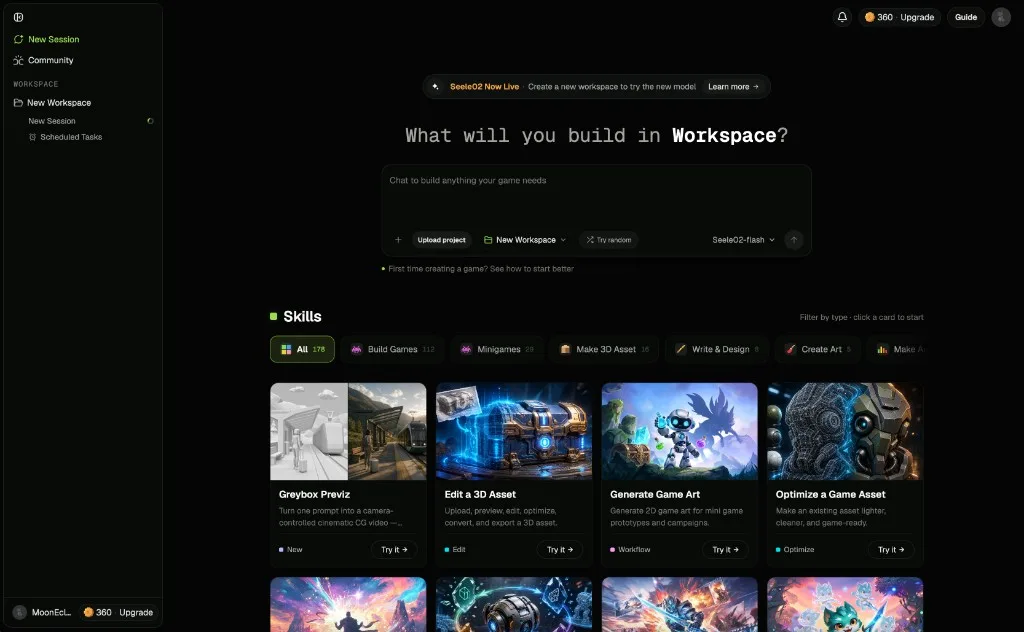
Open a Workspace, describe a game idea, generate the first playable version, and make one focused improvement.
Complex idea or projectPlan before generatingUse Plan mode to turn a complex idea or engineering goal into milestones, a controllable plan, and a clearer generation request.
Need inspirationExplore Seele capabilitiesBrowse the cards under the Workspace input box to see what Seele can create, then start from a card or write your own goal.
Game developerBuild an engine projectTell SeeleAgent the target engine, platform, and project goal when you need files you can download and continue developing.
Ongoing projectUse sessions for different directionsKeep the same Workspace, then use sessions for variants, assets, fixes, or playable ad versions.
Improve a resultIterate with focused requestsSay what should stay, what is wrong, and what to change first.
Ready to continueDownload, share, or publishUse preview links, project downloads, export packages, or community examples to keep moving after the first result.
Open Workspace — read the layout first
Workspace is your project site. It brings the SeeleAgent conversation, the playable preview, files, and follow-up sessions into one place. Here is where each part lives.
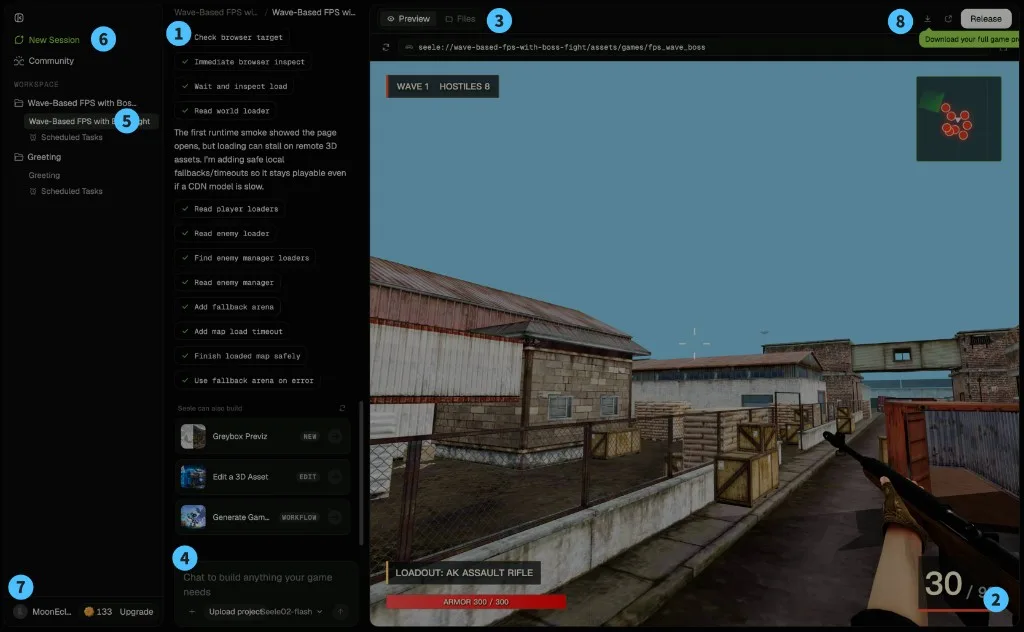
Describe your game, answer follow-ups, and watch the plan and progress unfold.
Run the generated result right here before assigning more systems.
Switch to files to review, download, or export the project.
Write your request; browse the cards under the input box to start faster.
Each session is a relatively independent path — a variant, an asset, or a fix.
Start a fresh direction or a brand-new project.
Check your plan, top up Koins, and open settings.
Project name, share, and publish actions.
Make your first playable game
Your first goal is not to learn every feature. It is to complete one creation loop: describe an idea, generate a playable result, preview it, and make one focused improvement.
Start in Workspace
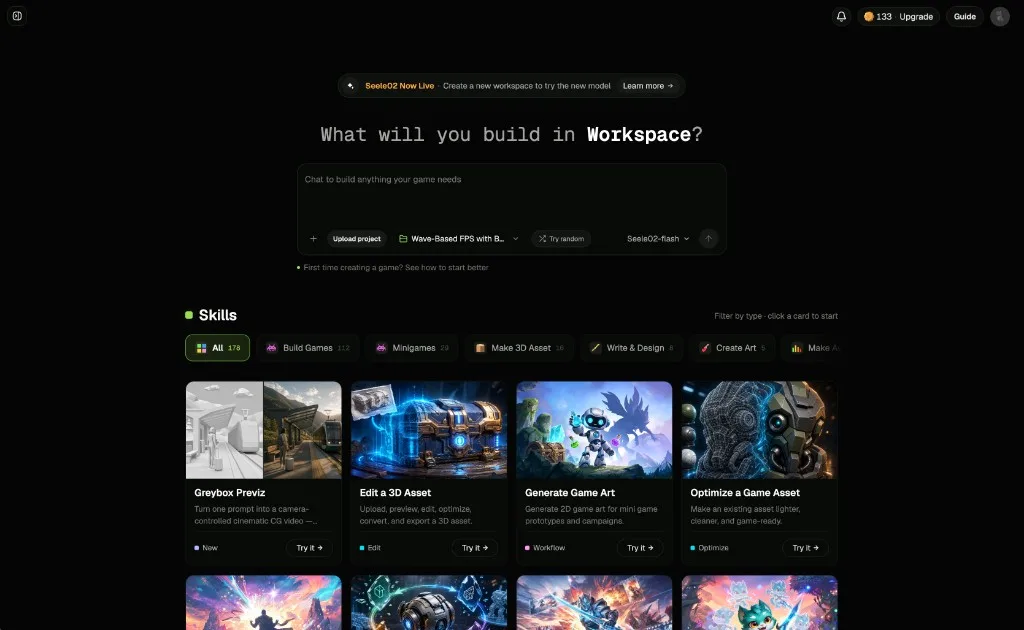
Workspace brings together the conversation, generated preview, files, project outputs, and follow-up iterations. For a faster start, browse the capability cards under the input box and pick one close to your game type or task.
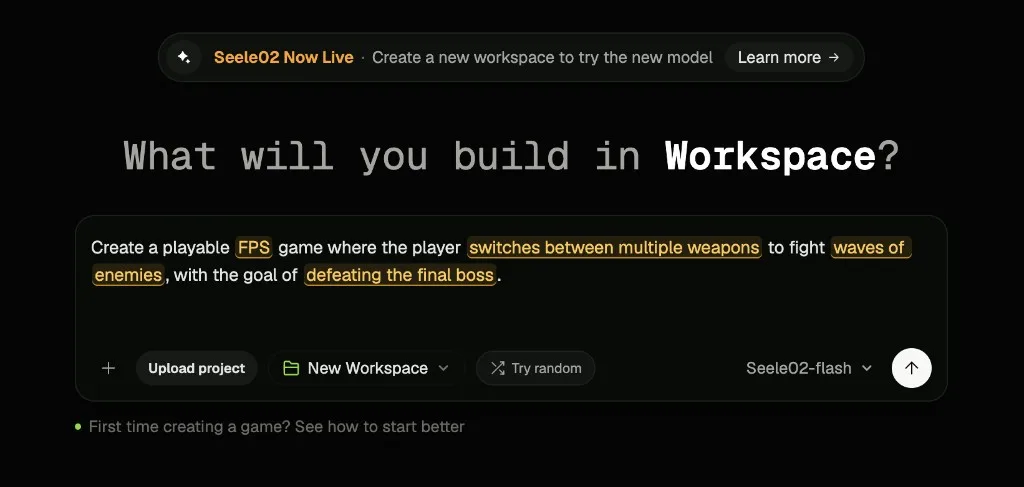
Tell SeeleAgent the outcome you want
A useful first brief explains what the player does, how success works, what the game should feel like, and what SeeleAgent must deliver in the first milestone.
Trigger Plan mode for complex ideas
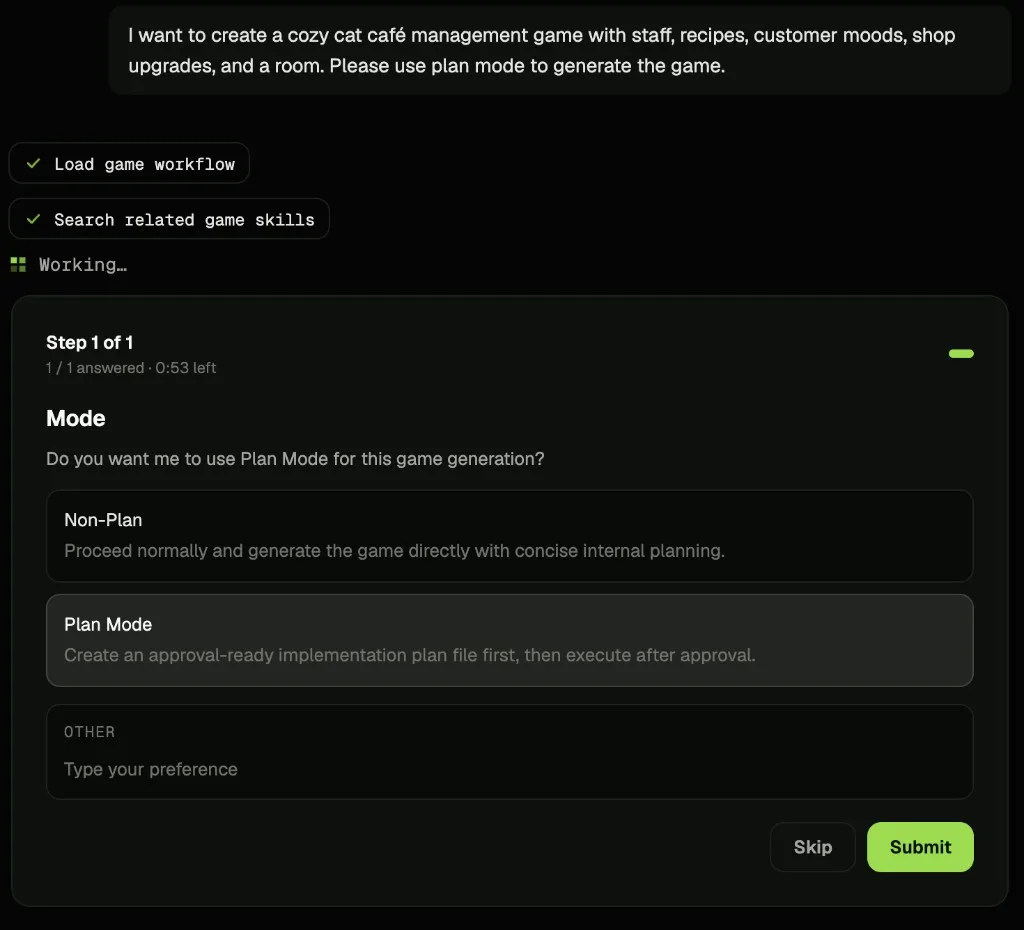
When a request looks complex, SeeleAgent may ask whether to use Plan mode — pick it there. You can also trigger Plan mode yourself by asking for it directly in your prompt.
Generate and preview
Play the result before assigning more systems. Check whether the goal is clear, the core action is visible, and the next revision is obvious.
Iterate with focused requests
Do not restart immediately. Treat the first result as material for the next iteration.
- Say what should stay.
- Say what failed acceptance.
- Say what to revise first.
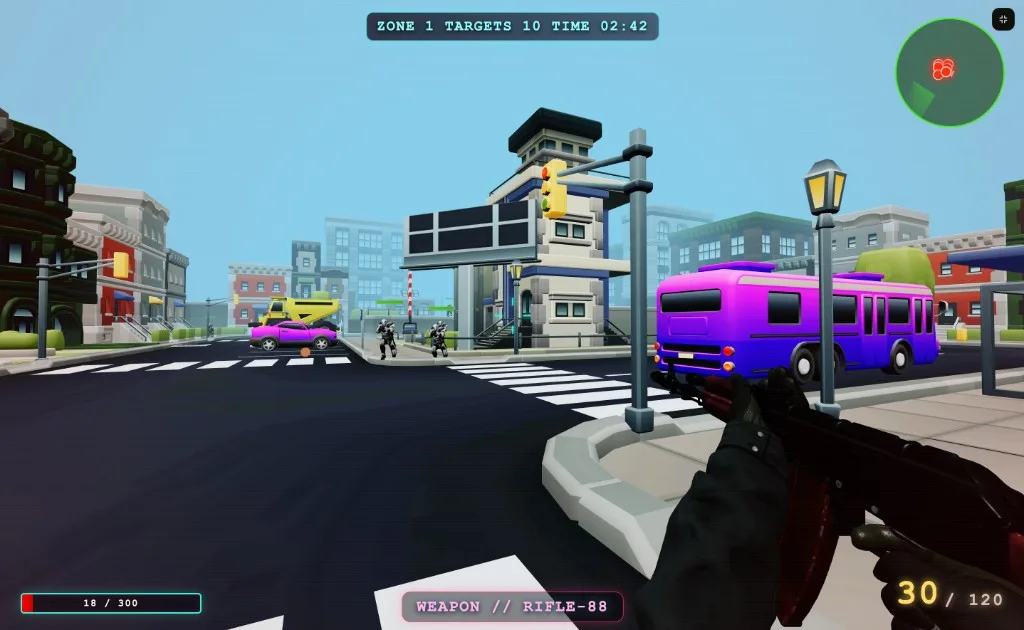
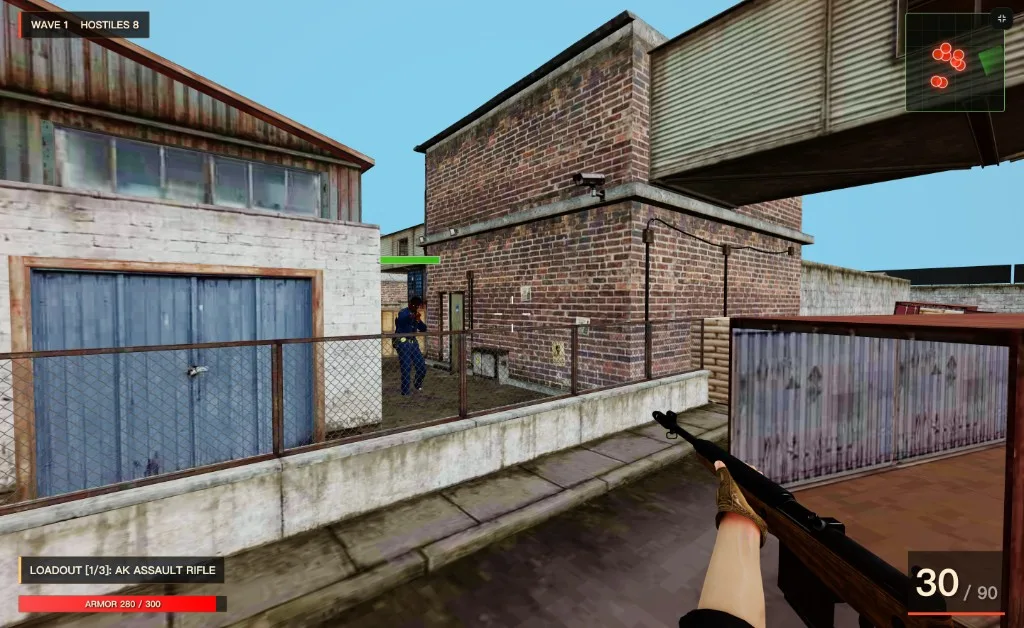
Open Workspace, choose a capability card if useful, or write one clear game request.
Workspace and sessions
Workspace is a persistent creative project space — not just a chat window. Sessions help when one project becomes more complex or needs different outputs, versions, fixes, or follow-up work.
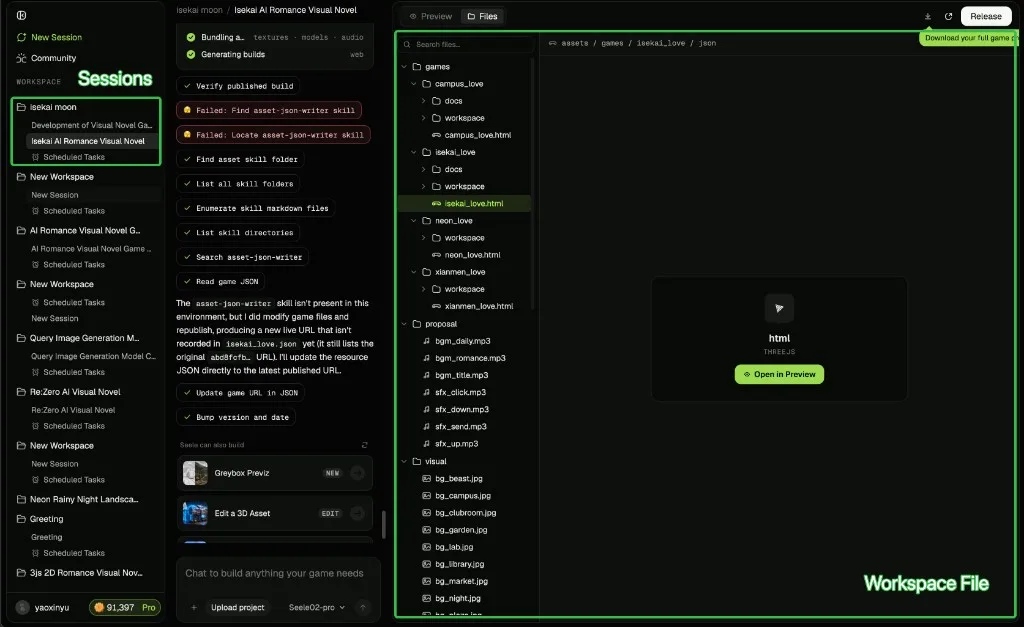
Sessions belong to the same Workspace, but they do not share one full chat context. Think of Workspace as the shared project space; use sessions as relatively independent paths for exploring a version, making a different output, fixing a problem, or refining something in the same project.
Discover what Seele can do from capability cards
If you are unsure what to make, start from inspiration instead of a blank prompt. Browse the cards under the Workspace input box, or explore Community examples. Cards help you understand Seele and start faster — you do not need to learn the underlying skill system before creating.
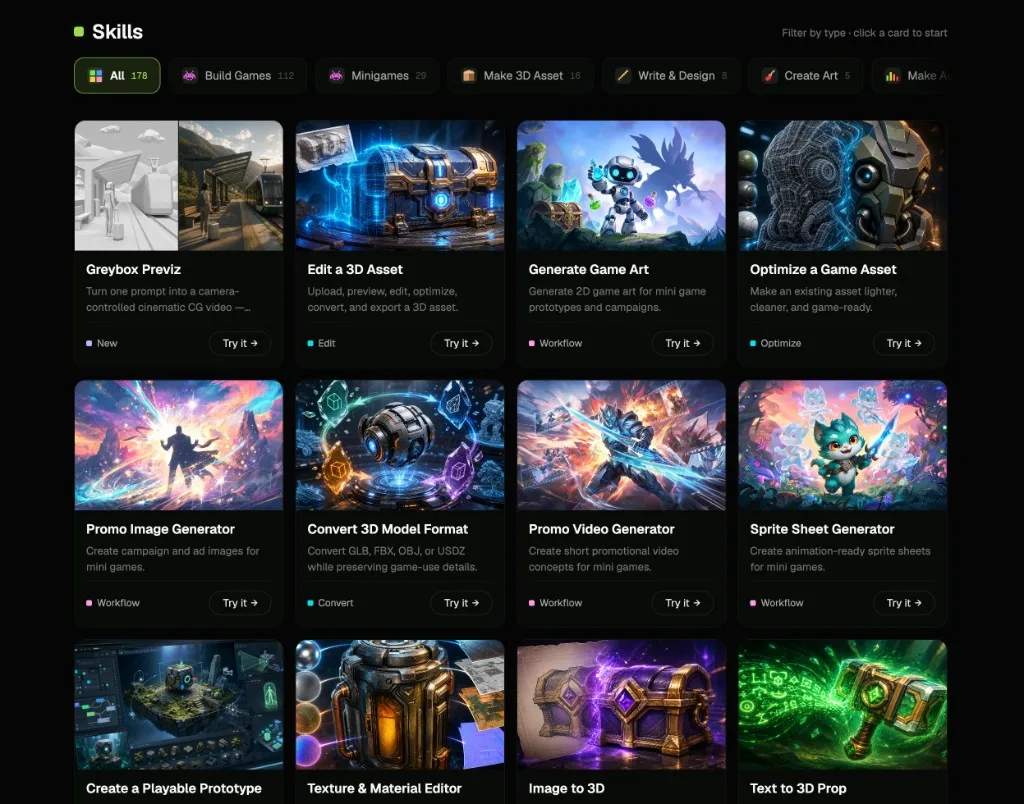
Start from a nearby capability card when it helps, then tell SeeleAgent the specific theme, mechanic, visual style, platform target, and first playable milestone. You can also ignore the cards and describe the job directly.
Two moves that raise your hit rate
Once the basic loop feels natural, these two moves make bigger or messier projects far more controllable.
Trigger Plan mode when it matters
ControlFor projects with many systems, planning first avoids a large generation that misses the core loop.
- Passive: SeeleAgent may ask whether to use Plan mode itself when a request looks complex.
- Active: ask for it directly — say “use plan mode” in your prompt.
- Review and adjust the plan, then let SeeleAgent generate from the agreed milestone.
Split directions across sessions
ParallelizeWhen a project pulls in several directions at once, sessions keep each one clean instead of tangling them in one thread.
- Keep the same Workspace as the shared project space.
- Open a session per direction — a variant, assets, a fix, or a promo cut.
- Bring the winning result back and iterate with focused requests.
Engines, project files, and export
Beginners can start from the outcome. Game developers can be explicit about engine, target platform, source files, project download, and continuation workflow.
Browser-playable games, Web interactions, lightweight 2D / 3D prototypes.
Fuller game projects, physics, systems, WebGL / mobile / cross-platform direction.
Lightweight 2D or simple 3D prototypes, open-source workflow, clean structure.
High-fidelity 3D, complex scenes, stronger visual presentation, professional prototypes.
| Engine | Best for | Typical output |
|---|---|---|
| Three.js | Browser games, web interactions, quick prototypes | Playable web build |
| Unity | Systems-heavy games, physics, cross-platform | Project + WebGL / mobile build |
| Godot | Light 2D / simple 3D, open-source pipeline | Clean project files |
| Unreal | High-fidelity 3D, complex scenes | Online AI Unreal game build |
Start in Workspace and brief SeeleAgent with the engine, platform, and export goal.
Publish, community, and remix
Publish
Share playable demos, prototype milestones, playable ad concepts, or showcase versions for feedback and validation.
Publish from Workspace →Community
Learn what Seele can make, how other creators structure ideas, and which game types work well.
Browse examples →Remix
Start from a proven mechanic, style, or project structure, then turn it into your own version.
Find a project to remix →Koins, pricing, and plans
Koins are Seele’s creation credits — generating and iterating consumes Koins.
| Operation | Koins per action |
|---|---|
| Generate a playable game | ~120–140 (Flash) · ~1,400–1,500 (Pro) |
| Image generation | ~20 |
| Video generation | ~186 |
| 3D asset or scene | ~18 |
| Iterate / revise | ~77–81 (Flash) · ~520–710 (Pro) |
Estimated averages based on real usage data — actual cost may vary by prompt and model.
How to get Koins
Personal & Enterprise
A few words, one line each
Concepts that recur in this guide — align on these first.
- Workspace
- A persistent project space that holds the conversation, preview, files, and sessions.
- Session
- A relatively independent path inside a Workspace — a variant, asset, fix, or output.
- SeeleAgent
- The agent that plans your idea, generates a playable result, and helps you iterate.
- Capability card
- A ready-made starting point shown under the input box; pick one to start faster.
- Plan mode
- Turn a complex idea into milestones and a controllable plan before generating.
- Engine
- The target runtime for a project — Three.js, Unity, Godot, or Unreal.
- Playable
- A result you can run and play, not just a static asset.
- Remix
- Start from a proven project and turn it into your own version.
- Koins
- Seele’s creation credits; generation and iteration consume Koins.
Common questions
SeeleAgent is broader than games — it can also support images, video, 3D, and other creative production. The game workflow is used here because it makes planning, previewing, files, publishing, and remixing easy to understand.
Is Seele only for small demos?
No. SeeleAgent can help with complex game creation and professional engine projects. For first-time users, a focused first milestone is recommended because it makes the workflow easier to understand.
Do I need to write perfect prompts?
No. Start with the outcome. SeeleAgent can ask questions, plan a complex build, or turn a broad production goal into a clearer milestone brief.
Do I need to choose a card?
No. Capability cards and examples help you start faster, but they are not a required step. If you describe the job directly, SeeleAgent can still help.
Should beginners choose an engine?
Usually no. Engine choice matters more when you have a target platform, export requirement, project download need, or professional development plan.