
Seele AI · Story Workspace
Turn a world premise into a choice readers can understand.
Turn an original world premise into a clear character goal, opening pressure, and meaningful story directions with SEELE AI.
TRY IT FREE
See what works before you build the whole thing.
Start with a rough idea above. Starter credits help you test the direction before you spend time on every detail.
Start with a free ideaStart with free starter credits
Try the first version before deciding whether the idea deserves more time.
No coding required
Describe mechanics, visuals, audience, and constraints in plain English.
Review cost before generating
Review the generation path before committing to a larger run.
Trusted by leaders in
AI, gaming & entertainment




EXAMPLES
Start with a playable direction.
Start with a direction that resembles your project, then change the mechanics, look, or audience before you build further.

Premise board
A focused Interactive Story Maker for Opening Scenes direction that gives an Interactive Story Maker for Opening Scenes a concrete first result to review.
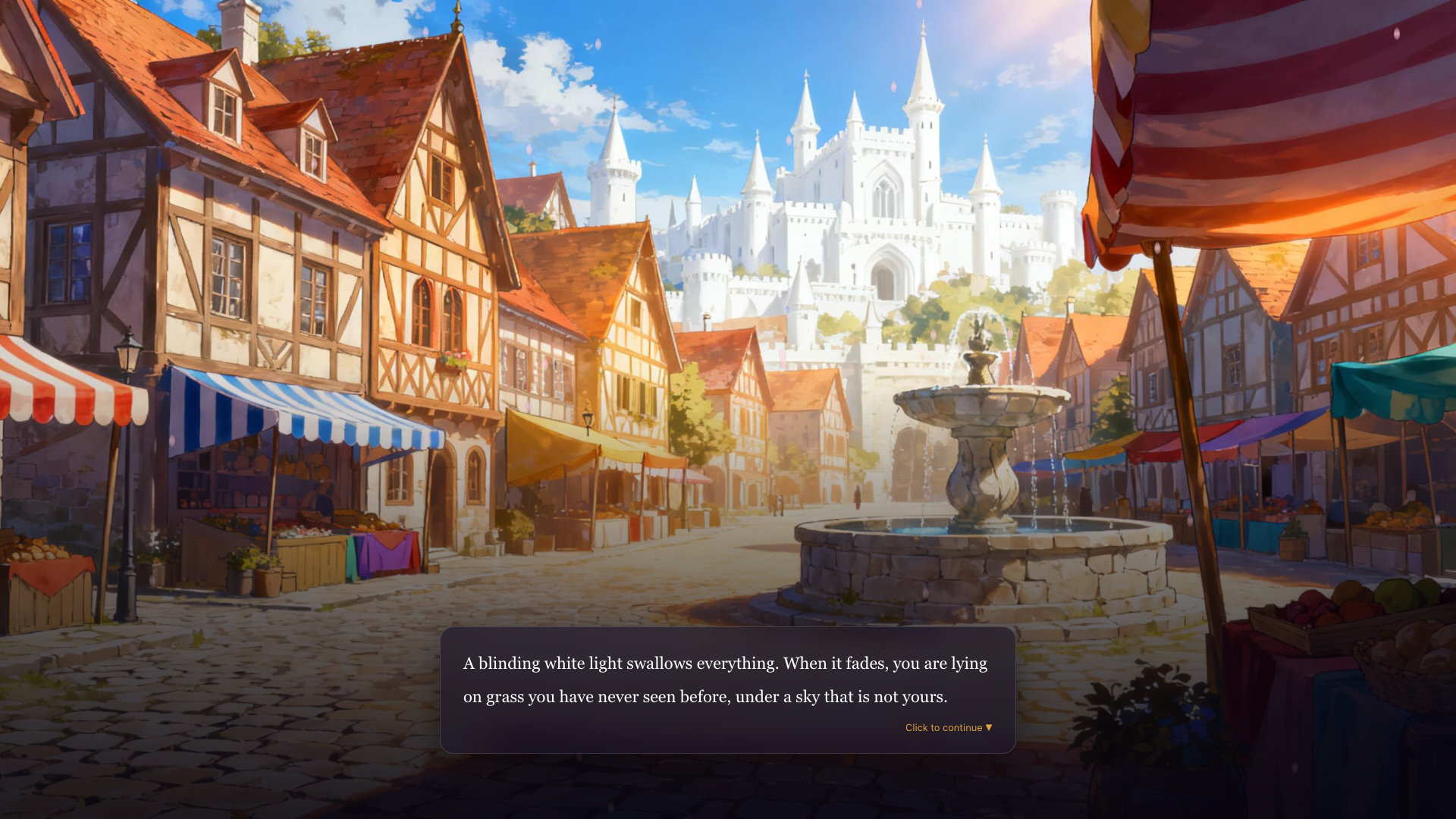
A title image can set tone, not interaction.
A focused Interactive Story Maker for Opening Scenes direction that gives an Interactive Story Maker for Opening Scenes a concrete first result to review.
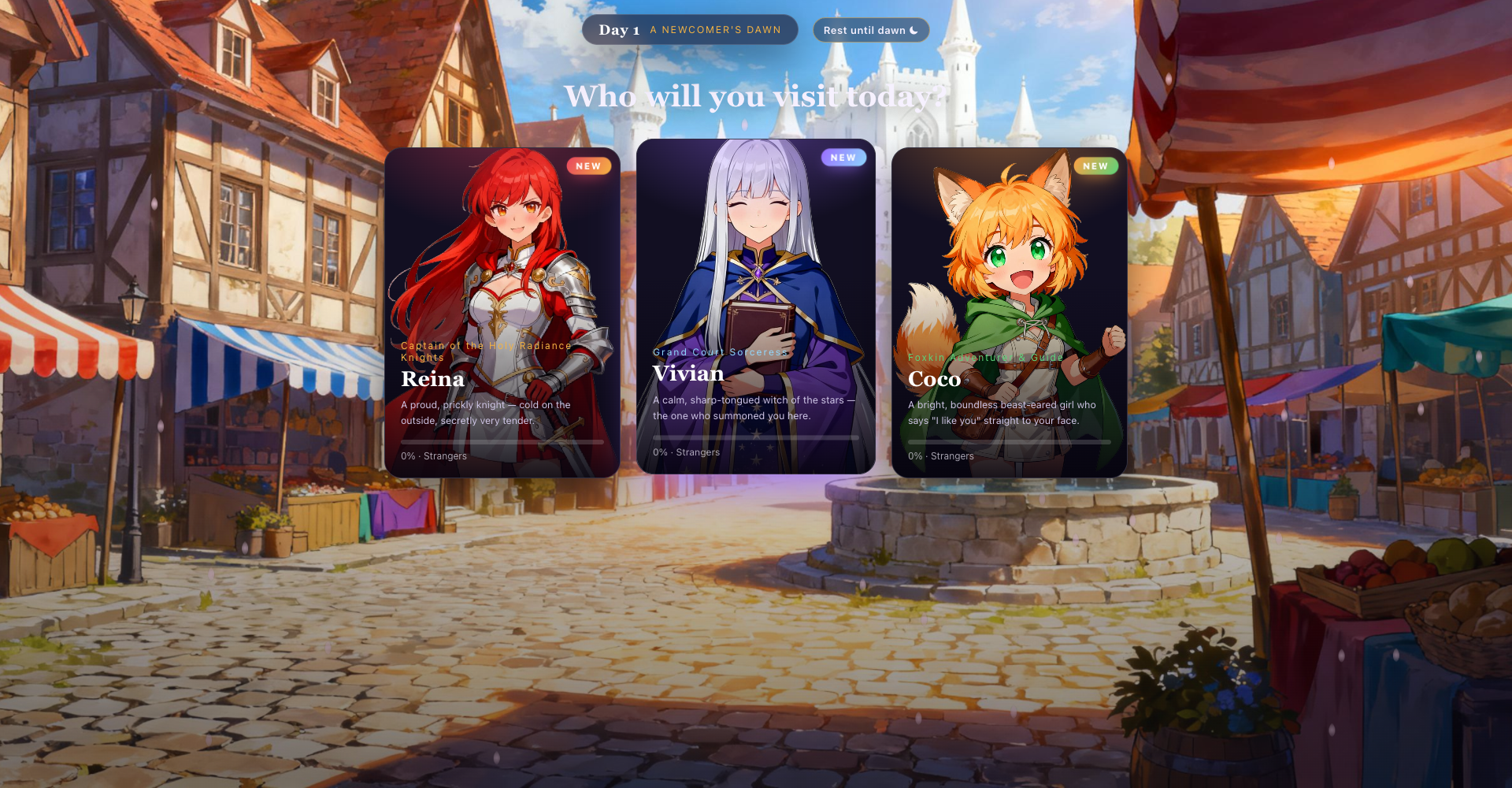
Reveal one changed fact
A focused Interactive Story Maker for Opening Scenes direction that gives an Interactive Story Maker for Opening Scenes a concrete first result to review.
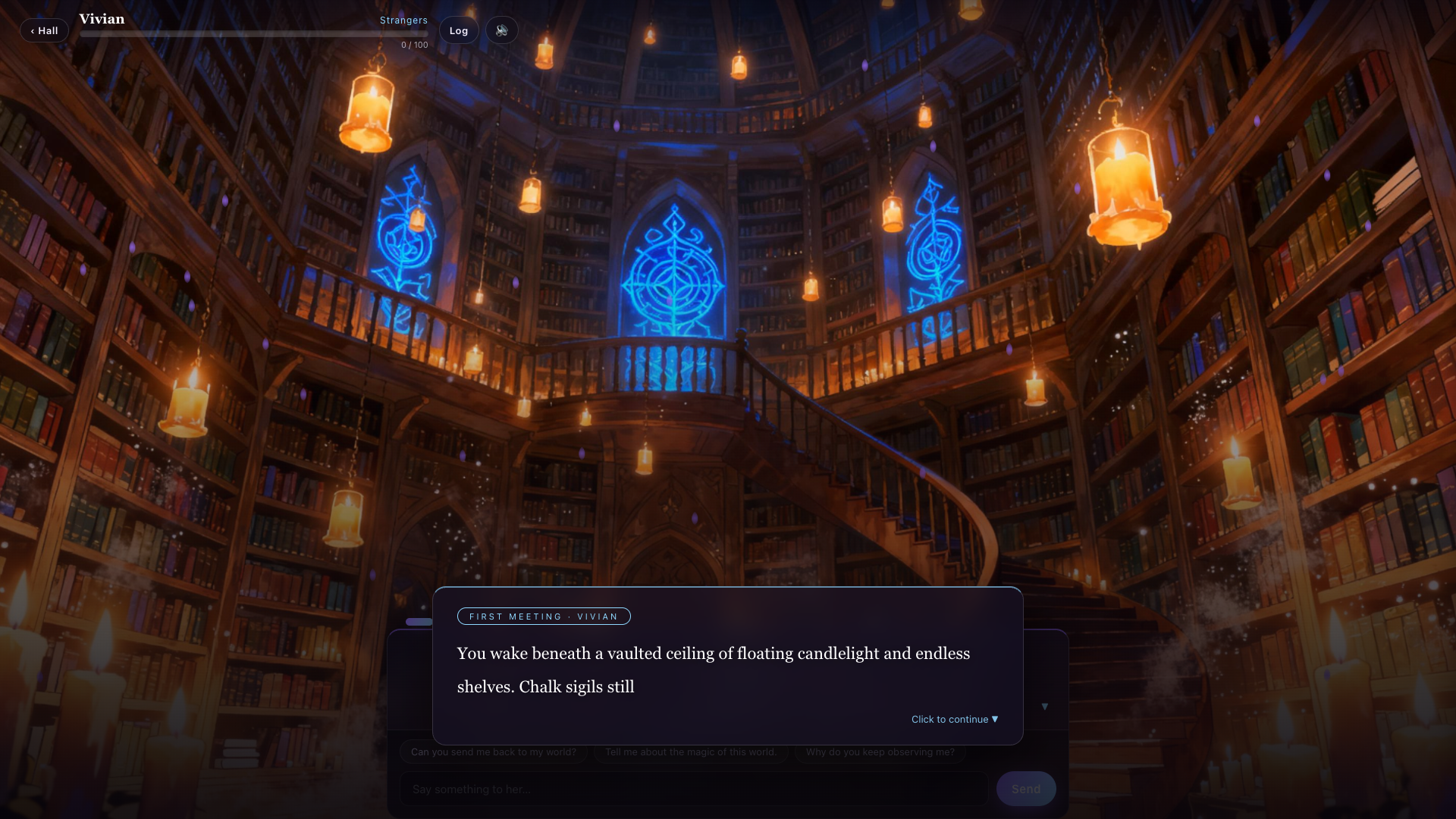
Connect it to the lead's goal
A focused Interactive Story Maker for Opening Scenes direction that gives an Interactive Story Maker for Opening Scenes a concrete first result to review.
Why use it
Make the next decision with something real.
Focus on the parts of the idea that need a concrete result before the next decision.

Increase immediate pressure
Frame options around different approaches, such as warning someone, investigating directly, or trusting an uncertain ally.
Try it now
Offer distinct next directions
The frame establishes the visible starting state. Alone, it does not prove a choice or a later change.
Try it now
An opening premise
The player is offered three visible encounter choices. Vivian is the choice followed in the next frame.
Try it nowWho it is for
Who is an Interactive Story Maker for Opening Scenes for?
writers, narrative designers, and creative teams can use this page to make one project decision easier to test before a larger build or launch.
- Three encounter directions
The town hub changes to Vivian's candlelit library and begins her named First Meeting beat. This proves one local scripted path only.
- Vivian's First Meeting
Can a reader identify the starting premise and the character goal before the choice appears?
- Before is legible
Do at least two options point toward meaningfully different encounters or approaches?
How to use it
How to use Interactive Story Maker for Opening Scenes
Give an Interactive Story Maker for Opening Scenes enough context to make the result specific, then test the part that matters to your project.
Reveal one changed fact
Open on something the lead can see, hear, or discover: a stopped bell, a missing map mark, or a town gate closing at the wrong hour.
Connect it to the lead's goal
Explain why the change matters to this person now. The world detail should create a problem, not remain decoration.
Increase immediate pressure
Add a deadline, witness, rival, or limited resource that prevents the lead from waiting for perfect information.
A CLEARER FIRST MOVE
Interactive Story Maker for Opening Scenes compared with a blank first pass
A useful first result gives the next decision something concrete to react to, without hiding the work that still needs human ownership.
What changes
Interactive Story Maker for Opening Scenes
Starting from scratch
Starting point
A focused Interactive Story Maker for Opening Scenes prompt
A blank project and an open-ended task
First review
A concrete result to inspect
A plan before there is something to try
Scope
One audience, output, and constraint
Many decisions made at once
FAQ
Questions about Interactive Story Maker for Opening Scenes
How do I turn a world idea into an interactive story opening?
Define one world rule, give the lead a concrete goal, add an immediate pressure, and end the opening on a decision the reader can understand.
What should an opening scene plan include?
Include the visible setting, the lead's goal, a reveal, growing pressure, and a few distinct directions for the next beat.
What do the gameplay images prove?
The same-run sequence shows an opening premise, three character-specific encounter choices, and the immediate Vivian First Meeting state after Vivian is selected. It proves this one local path, not a general branching engine or generated outcome.
Start creating
Try Interactive Story Maker for Opening Scenes
Describe the job, test one version, and decide what to do next inside SEELE AI.
Start creatingFree