Start with one puzzle room and rules you can trace
A strong puzzle-platformer prompt defines the room grid, the distance each action moves, what counts as a supported landing, how a movable object changes the environment, and what resets after a fall. Start with one short room and one route that can be followed tile by tile. Specify the success state before you ask for extra rooms, hazards, collectibles, or story.
This guide uses Sunshaft Foundry, an original fictional design for explaining a pressure-plate puzzle. Its rules and routes below are hand-specified expectations, not a prompt run, generated game, or playtest. You can reuse the prompt structure with your own setting, then compare a future result against the rules you wrote.
The useful order is: describe the floor, list movement actions, state the object trigger, trace success and failure, and turn the trace into acceptance checks. That order catches gaps before the prompt grows. If a player can reach a platform only when a bridge is present, the prompt must say exactly which action makes that bridge appear and what happens if the player jumps early.
Define the Sunshaft room with a small state map
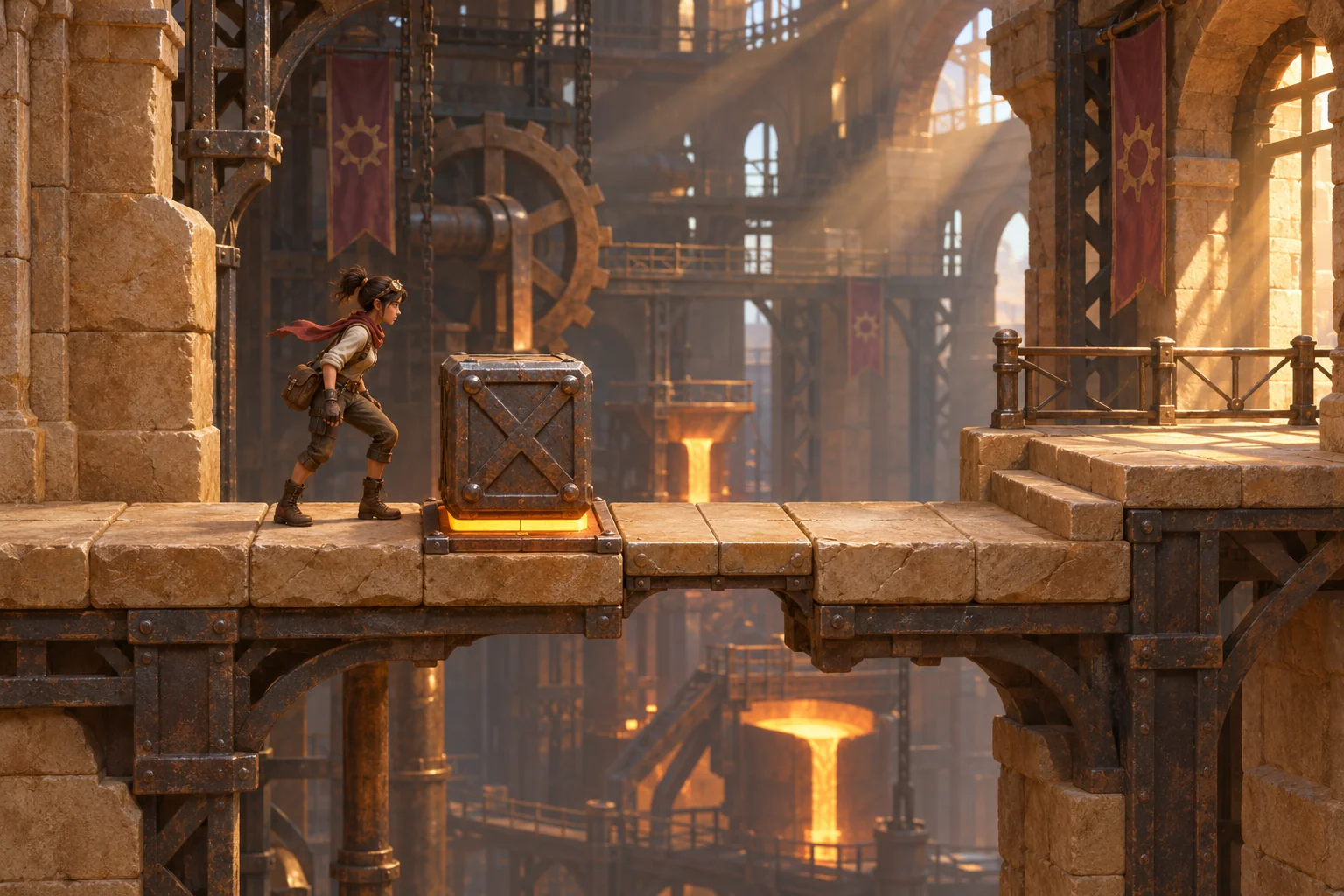
Sunshaft Foundry is a side-view room on tiles x=0–9. The courier starts on a safe stone floor, crosses a one-tile gap, pushes an iron weight block onto a pressure plate, then crosses a second gap on the bridge that the block activates. The exit sits on a separate deck at x=9. The same small map describes both the player’s route and the conditions that change it.
| Tile or object | Initial state | State change and visible result |
|---|---|---|
| x=0–2 | Solid starting floor; courier begins at x=0. | The courier can Run along supported tiles or Jump over the gap at x=3. |
| x=3 | One-tile gap between the starting floor and foundry ledge. | It stays open throughout the room; a supported landing at x=4 is reachable with one Jump. |
| x=4–7 | Raised foundry ledge. Iron block starts at x=5; plate is fixed at x=7. | Push moves the block one tile and moves the courier into the block’s former tile. |
| Pressure plate at x=7 | False; its inset amber band is unlit. | When the block is pushed from x=6 onto the plate at x=7, the block locks, the band lights, and a solid tile appears at x=8. |
| x=8 | Unsupported gap tile; no bridge exists yet. | It becomes supported only after the block activates the plate. The bridge stays on for the attempt. |
| x=9 | Supported exit deck, but the room is not won. | Reaching x=9 after the bridge activates is the win condition. |
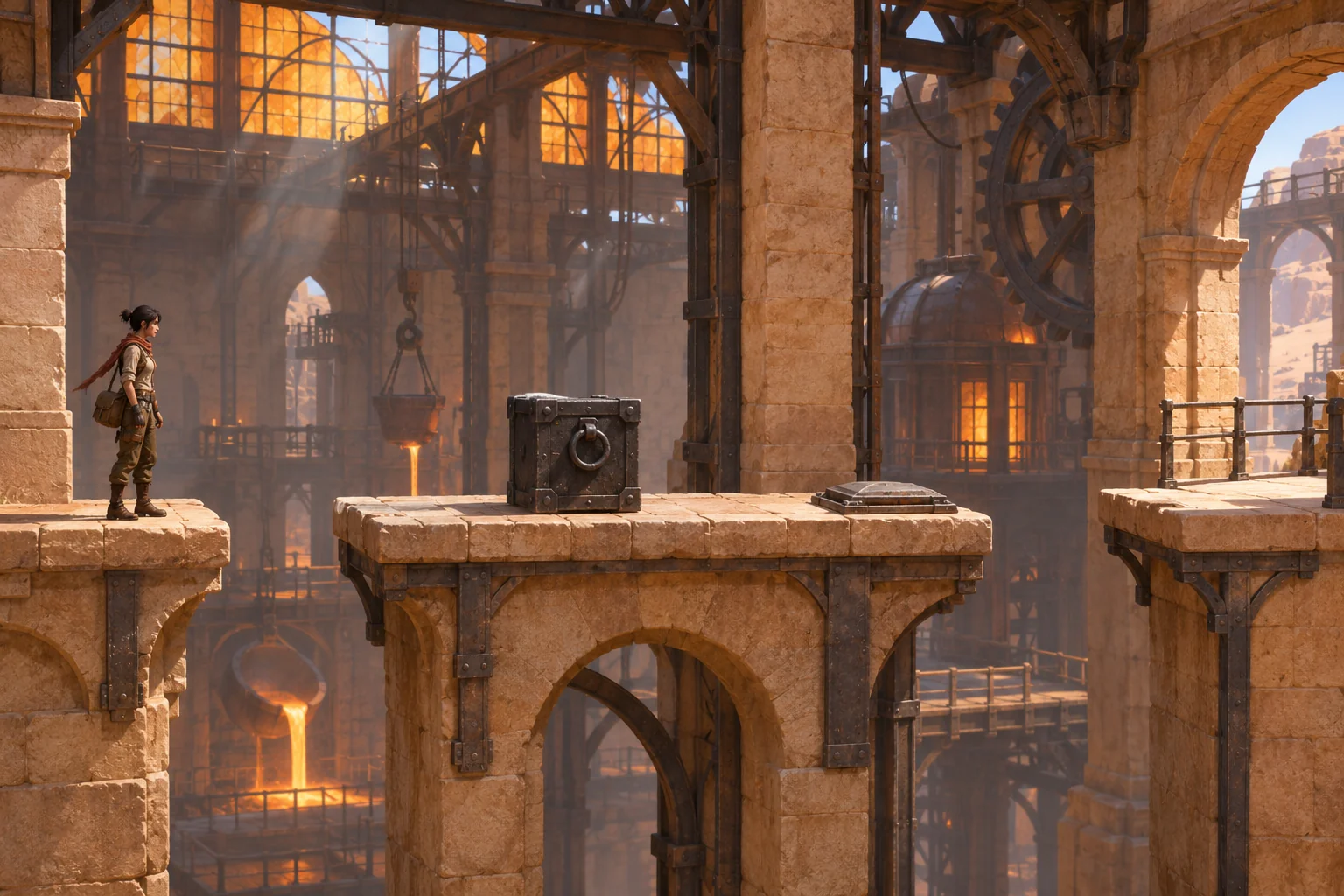
Keep the example’s assumptions explicit. Run Left or Right advances one supported tile. Jump Left or Right advances exactly two horizontal tiles; it clears one gap or one one-tile obstacle only if the landing tile is supported. Push moves an adjacent block one tile into a free supported tile, while the courier steps into the block’s old tile. The block cannot be pulled, thrown, stacked, or pushed over a gap. There is no momentum, variable jump height, enemy, timer, score, health, or hidden physics value.
These constraints do two jobs. They make a route possible to trace by hand, and they prevent a prompt from quietly changing the puzzle when it gets to the bridge. If your intended game needs a larger jump, a falling block, or a timed plate, add that as a deliberate rule rather than expecting an unspecified physics model to supply it.
Prompt the movement, block, and bridge as separate rules
Give every action a trigger, a state transition, and feedback a player can see. “Push the block to open the bridge” leaves several questions: how far does it move, what if the destination is occupied, does the player move too, and does the bridge remain open? A useful prompt answers each one. In this design, pushing from x=6 to x=7 is the only activation action; the plate band and bridge change together.
Prompt 1: establish the room contract
Design one original side-view puzzle-platformer room called Sunshaft Foundry. Use tiles x=0–9. The courier starts at x=0. Solid floor is x=0–2; x=3 is a one-tile gap; the raised foundry ledge is x=4–7; x=8 begins unsupported and x=9 is the exit deck. Place an iron weight block at x=5 and a fixed pressure plate at x=7. Return a tile map and state table before adding art, enemies, or extra rooms. Mark each tile as supported or unsupported in the initial state.The first request should produce a shared spatial vocabulary before it asks for implementation. Review the returned map for a supported start, one clear first landing, a block adjacent to a reachable path, and an exit that is inaccessible until the second bridge exists. If the map adds hidden platforms or changes a gap’s width, revise the map before writing more mechanics.
Prompt 2: define controls and object behavior
Using the approved Sunshaft Foundry map, define only Run, Jump, Push, fall, and Restart. Run moves one tile left or right when supported. Jump moves exactly two horizontal tiles and succeeds only if its landing tile is supported; it may cross one one-tile gap or one one-tile obstacle. Push moves an adjacent iron block exactly one tile in the chosen direction if the destination is free and supported; the courier steps into the block’s old tile. A block cannot be pulled, thrown, stacked, or pushed across a gap. Do not add momentum, variable jump height, timers, enemies, score, health, or inventory. Return each action’s before-state, after-state, and visible feedback.Separating movement from the pressure plate makes it easier to find a control ambiguity. For example, the first push from x=5 to x=6 leaves the courier at x=5. The second push from x=6 to x=7 leaves the courier at x=6. That placement matters: the courier can then jump over the locked block and land on the new bridge tile x=8. State both positions so a future result can be inspected rather than guessed.
Prompt 3: connect the plate to supported space
Add one pressure-plate rule to the current room. The plate is at x=7. Only when the iron block is pushed from x=6 onto x=7, lock the block, set plateActive=true, light the plate’s inset amber band, and create one solid bridge tile at x=8. The bridge remains present for the attempt. The player wins only upon reaching x=9 after activation. Do not make x=8 supported before the block reaches the plate. Return the trigger, ordered state changes, and player-visible feedback without adding another switch, marker, or goal.Ask for the state change and the visible response together. Here, the inset amber band is the one plate indicator, while the newly supported stone tile shows the route has opened. The image is concept art for that authored rule; it does not demonstrate that a game was generated or that the rule works in software.
Hand-check the bridge route before changing the prompt
A route table should show where the courier and block are after every action, plus the two flags that matter: whether the plate is active and whether tile x=8 is supported. The trace below follows the stated one-tile Run, two-tile Jump, and one-tile Push rules. It is a manual design check, not an observed run.
| Step | Action | Courier / block | Plate / bridge | Expected result |
|---|---|---|---|---|
| 1–2 | Run Right twice | Courier x=2; block x=5 | False / absent | Courier reaches the edge before the first gap. |
| 3 | Jump Right | Courier x=4; block x=5 | False / absent | Jump crosses x=3 and lands on supported ledge. |
| 4 | Push Right | Courier x=5; block x=6 | False / absent | Block moves one tile; no plate feedback yet. |
| 5 | Push Right | Courier x=6; block x=7 | True / x=8 present | Block locks, amber plate band lights, and one bridge tile appears. |
| 6 | Jump Right | Courier x=8; block x=7 | True / present | Courier clears the locked block and lands on the newly supported bridge. |
| 7 | Run Right | Courier x=9; block x=7 | True / present | Courier reaches the exit; the room is won. |
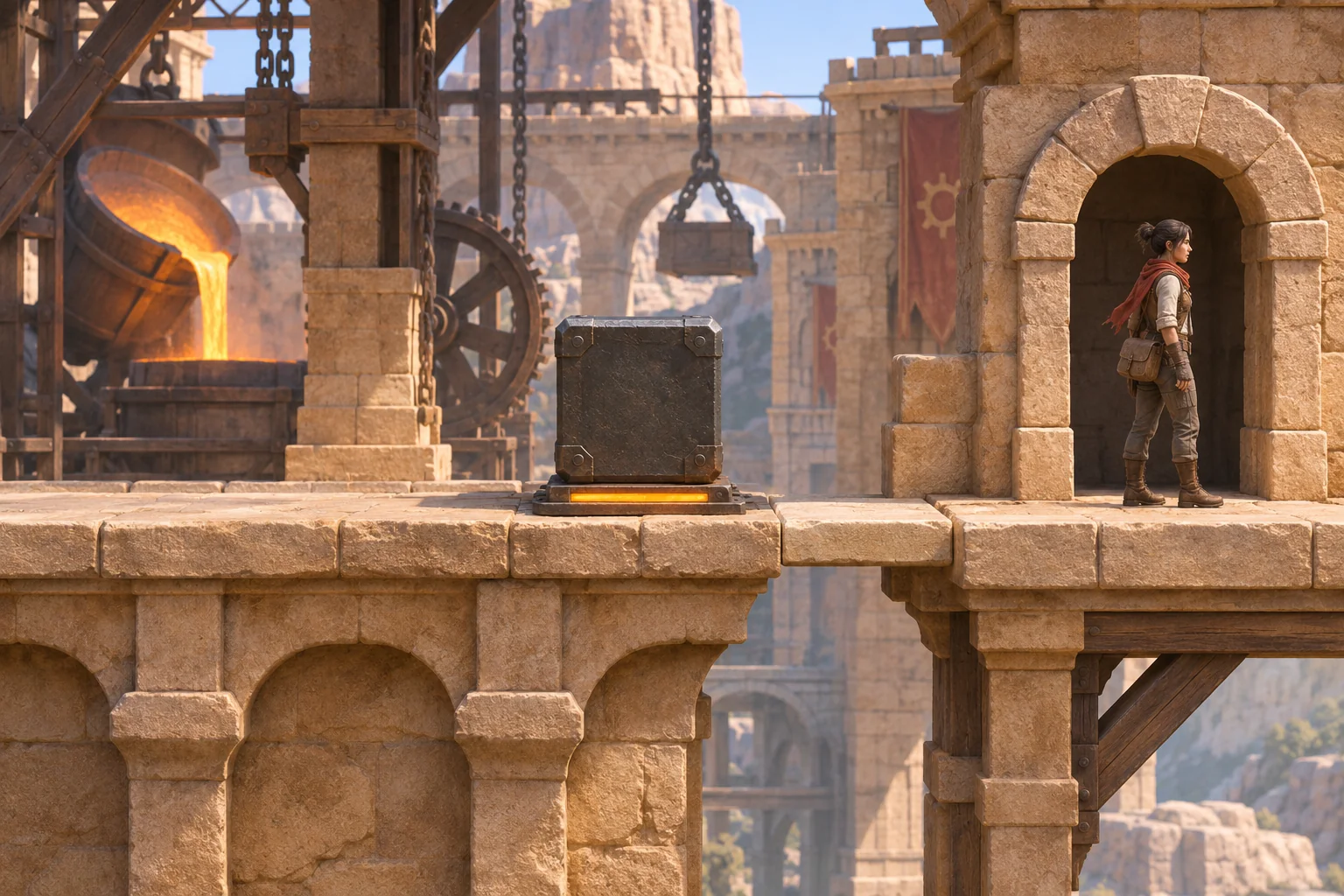
Now compare one reachable failed route. From x=4, Jump Right clears the block and lands at x=6 while the block remains on x=5 and the plate is still false. A second Jump Right tries to land on unsupported x=8. The attempt falls and resets to courier x=0, block x=5, plate false, bridge absent. This route shows why a successful jump distance alone does not make the bridge usable: the tile must be supported first.
A good failure rule makes the next attempt predictable. Restart performs the same full reset from anywhere: courier x=0, block x=5, plate false, and bridge absent. The room has no checkpoint, persistent object, or penalty. If a generated result preserves the plate after restarting or respawns the courier at an unspecified location, record that mismatch and revise only the reset instruction. Do not let a second interpretation creep into the original rules.
Revise one puzzle rule without moving the goalposts
Suppose an early version shows the bridge at x=8 before the block reaches the plate. Change only the activation condition: require the block to be pushed onto x=7, and keep all movement and room geometry fixed. Then replay the same successful route and the premature-jump failure. If another rule changes too, you will not know which instruction caused the difference.
Prompt 4: make the activation boundary explicit
Revise only the bridge activation condition in Sunshaft Foundry. Keep x=8 unsupported until the iron block is pushed from x=6 onto the plate at x=7. At that moment, lock the block, set plateActive=true, light only the plate’s inset amber band, and create the solid bridge tile at x=8. Preserve the current map, Run/Jump/Push distances, win condition, and full reset state. Return the revised condition, a state before activation, the state immediately after activation, and one rejection case where the block has not reached the plate.Write a short change note with the old rule, the new sentence, and the states you will recheck. For this example the before-state has block x=6, plate false, and x=8 unsupported; the after-state has block x=7, plate true, and x=8 supported. The rejection case leaves all three unchanged if the block is still elsewhere. That makes a small revision reviewable even when no build is available yet.
Check the platformer edge cases as observable outcomes
Acceptance cases turn rules into actions someone can try in a future build. Include ordinary movement, invalid placement, the blocked route, the exact activation moment, and restart. For each case say what should change and what should stay the same. A label such as “edge case passed” is less useful than the state and feedback expected afterward.
| Start state or input | Expected visible outcome | State that must remain fixed |
|---|---|---|
| Courier at x=2; Jump Right across gap x=3 | Land on supported tile x=4; do not trigger a fall. | Plate remains false and bridge tile x=8 remains absent. |
| Push the block toward an occupied or unsupported destination | Show that the push cannot happen; keep the block in place. | Courier position, plate, bridge, and block stay unchanged. |
| Jump from x=6 to x=8 before plate activation | The bridge is absent, so the fall and full reset occur. | Do not treat x=8 as supported early. |
| Push the block from x=6 onto x=7 | Block locks, one amber band lights, and one bridge tile appears at x=8. | Jump distance and exit position remain unchanged. |
| Restart after activating the plate | Return to the initial room state. | Courier x=0, block x=5, plate false, and bridge absent. |
| Reach x=9 without bridge activation | Do not grant a win from an invalid route or hidden landing. | Win condition still requires prior bridge activation. |
When you later inspect a playable result, run each case from a fresh start and write down the action sequence. Mark only visible or inspectable behavior as observed. If a result lacks clear plate feedback, ask for one purposeful cue; if it changes tile support, object position, and reset behavior at once, split the next request into separate revisions.
Carry the puzzle brief into a game workflow
Once the rules are compact, summarize the intended player, scene, first action, object interaction, expected state change, and success condition. The current Free AI Game Maker page describes plain-English input, a playable 2D or 3D first version, browser testing, and refinement with follow-up prompts. It advertises free Koins and says to review displayed cost before each generation; its cost FAQ says to check the selected model, Koin balance, and displayed cost in Workspace. These are general workflow facts; they do not establish that this exact pressure-plate puzzle or its movement rules have been generated.
The current product information describes a broad game-creation workflow, not a puzzle-platformer-specific feature. Treat the room contract as input to evaluate rather than a guarantee about output. Review the returned build for tile support, push distance, bridge timing, fall behavior, and reset. Keep a change log for mismatches and request one focused revision at a time.
These prompt templates are unrun, and Sunshaft Foundry is fictional teaching material rather than a real project or online case. When you build your own room, replace the example’s coordinates and names with your map, preserve the same rule structure, and record which acceptance cases you actually inspected. A concept image can help communicate an intended state, but it is not evidence that a generated game contains that state.
When your brief is ready, start with the Free AI game maker. Review the displayed generation cost and any returned result, then check timing, landing support, and reset behavior before describing any outcome as verified.
Start with the first push, not a full campaign
Write one room, one action set, one pressure-plate condition, and one success trace. If you can say which tile the courier and block occupy after every move—and which tile is supported—you have a useful starting specification. Expand only after the first room’s movement, feedback, and reset are clear.
Puzzle-platformer prompt questions
What should an AI prompt include for a puzzle platformer?
Describe the room map, movement distance, movable objects, trigger conditions, supported surfaces, visible feedback, win state, failure response, and restart behavior. Include a short action trace so you can check where the player and objects should end up. A single bounded room is easier to review than a vague request for a complete campaign with unspecified rules.
How do I make a block-and-switch puzzle easier to test?
Name the block’s starting tile, the switch tile, the legal push distance, the activation condition, and the state changes that follow. Then list one successful route and one reachable failure. For each step, record the player position, block position, bridge or door state, and feedback. These details make mismatches easier to locate in a later build.
What should happen when the player jumps to an unsupported tile?
State whether the action is rejected or causes a fall, and define the exact resulting state. In Sunshaft Foundry, jumping to x=8 before the plate activates causes a fall that resets the courier to x=0, restores the block to x=5, turns the plate off, and removes the bridge. A different design is fine if the prompt makes it equally explicit.
How can I revise a puzzle rule without changing the whole level?
Identify the original condition, change one rule, and preserve the room map, movement distances, and other state transitions. Replay the same success and failure traces against the revised wording. Ask for before-and-after states and note any unexpected changes separately. This makes it easier to see whether the revision fixed the issue you intended.
Was Sunshaft Foundry generated or playtested?
No. Sunshaft Foundry is a fictional teaching design, and the routes are manually specified expectations. The prompt templates were not submitted, and no game build, playtest, or online case is claimed. The concept images illustrate authored states; they do not prove a product generated the room or that its rules work in software.