
Introduction
An interactive booth game can give exhibition visitors a short way to explore a product idea, service or event theme. For exhibition teams, the experience should fit the booth goal, work in the real layout and let visitors choose whether to participate. A prototype can organize the interaction; it does not guarantee leads, sales or visitor engagement.
This guide uses Northstar Expo, a fictional design exhibition booth. The product, visitors and event are invented. No exhibition team or playable booth experience was tested.
Choose a booth goal and visitor action
Decide what the booth wants visitors to understand or try. Choose a short action that supports that goal, such as comparing two fictional design options or assembling a concept card. Avoid turning the game into a disguised form or making participation a condition for speaking with staff.
Prompt 1 — exhibition game brief
Plan an interactive booth game for a fictional Northstar Expo design booth. Define the visitor goal, audience, interaction length, booth constraints, staff role, optional participation, offline alternative and what success should mean. Do not claim a business outcome from the prototype.
Write the visitor action in one sentence. If the goal is product education, make the prototype explain the concept; if the goal is a conversation, let visitors speak with staff without first giving contact details.
Fit the game into the booth journey
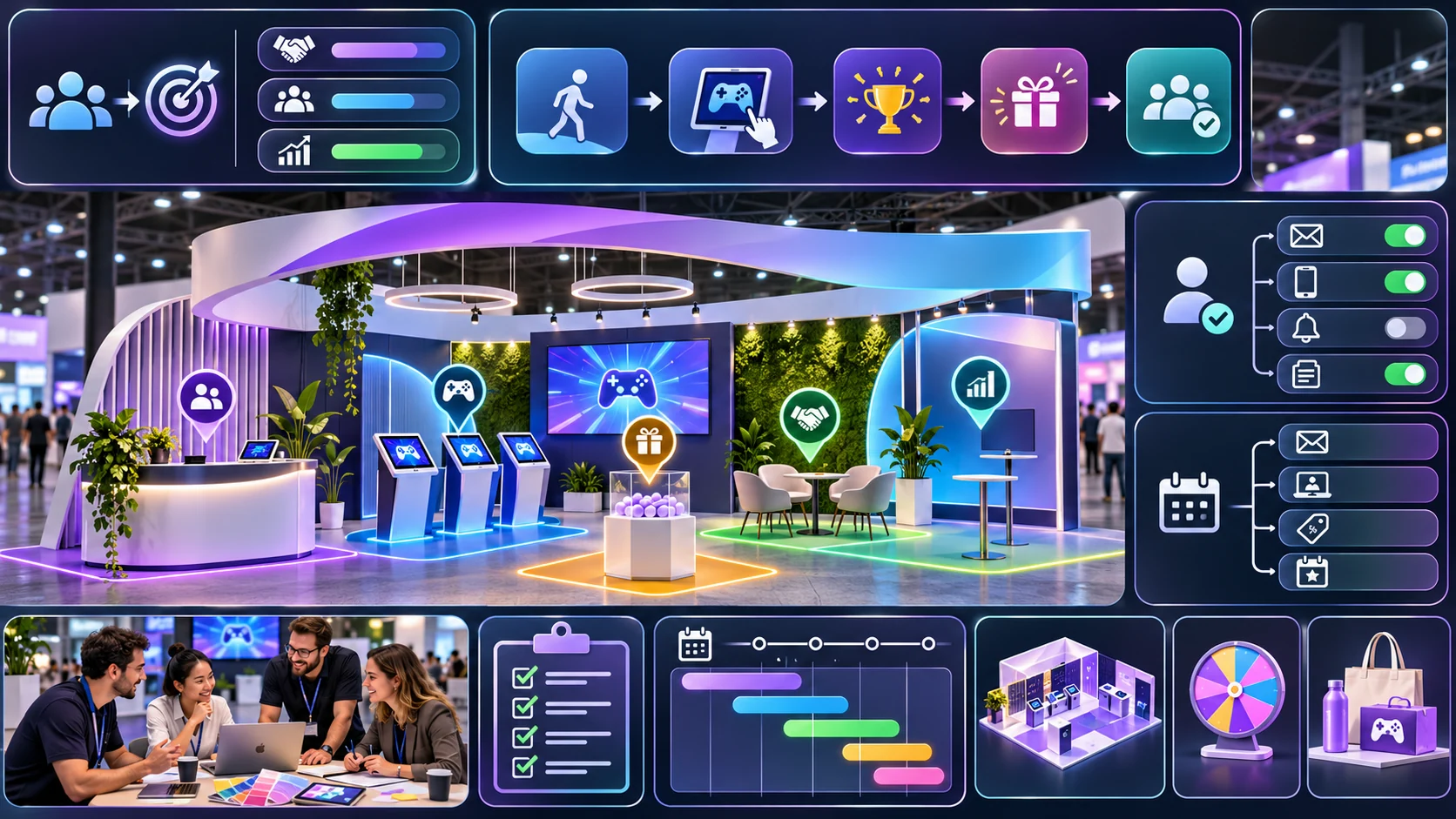
A booth interaction can have an invitation, a short activity, a result and an optional next step. Keep each stage visible so visitors know when the activity begins and ends. Check the actual booth footprint, line management and device placement with the event team before use.
Prompt 2 — visitor journey map
Map a fictional Northstar Expo booth journey: notice the invitation, choose to start or skip, complete a two-step design challenge, view a result and choose whether to talk with staff. Add an offline path, reset and a note for event-team review. Treat all timings as placeholders.
| Stage | Visitor choice | Prototype response |
|---|---|---|
| Invitation | Start, ask staff or pass | Explain the optional activity |
| Challenge | Compare two fictional design options | Show a short result |
| Next step | Continue, restart or leave | No forced contact capture |
The journey is a fictional planning example. Adjust it to the real exhibit, staffing and venue context.
Make the interaction short and recoverable
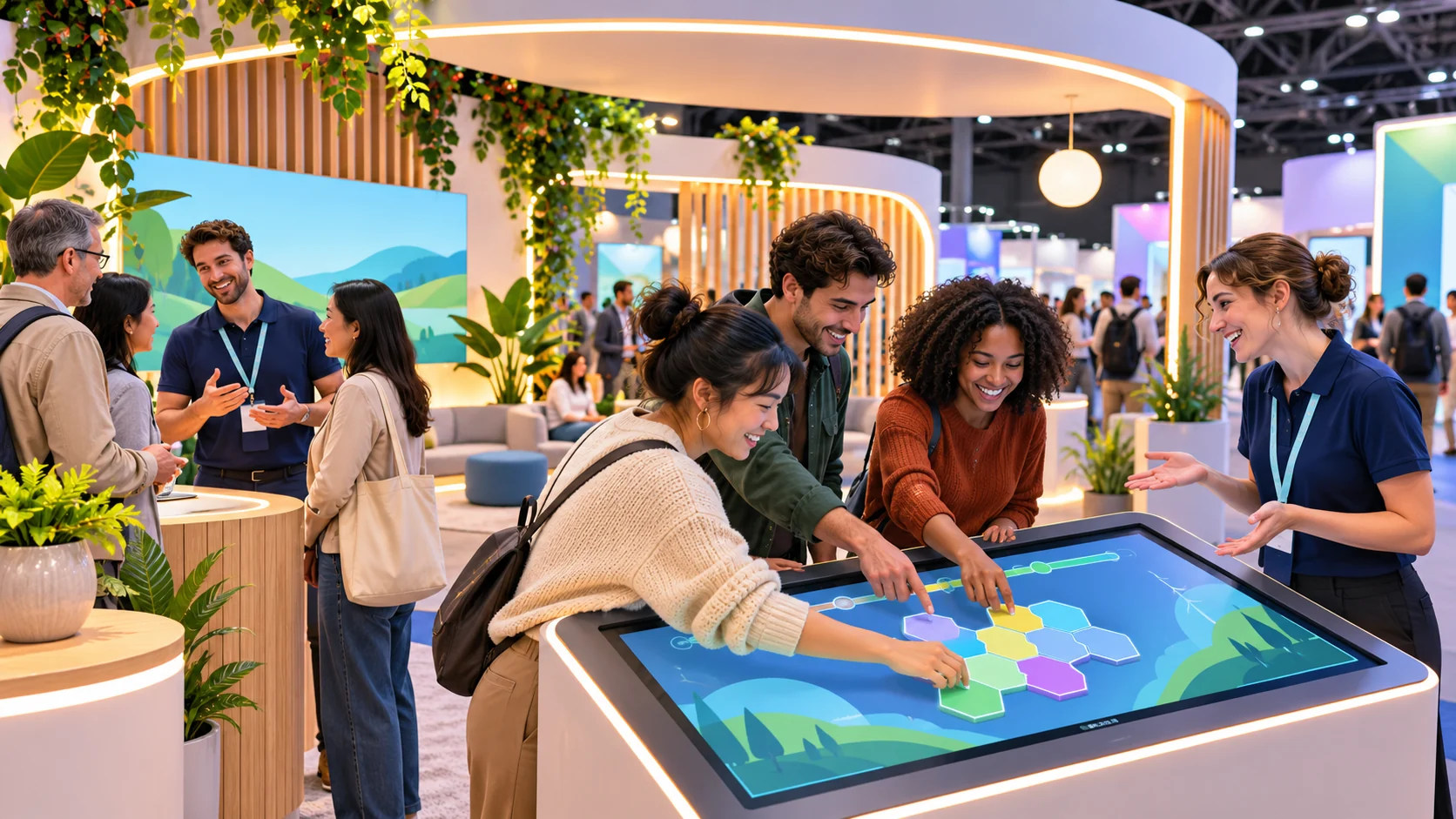
Show progress, feedback and a clear finish. Let visitors stop and reset without losing access to the rest of the booth. If a device is unavailable, provide a simple staff-led or printed alternative rather than promising an interaction that cannot run.
Prompt 3 — booth challenge interaction
Specify a short Northstar Expo challenge with a start state, two visitor choices, visible feedback, finish state, skip, reset and offline alternative. Ensure it can be completed without account creation or providing personal information. Mark timing and staffing assumptions for review.
A booth experience should not rely on visitors understanding a complex control while standing in a busy environment. Use concise prompts and let staff explain the activity without requiring completion.
Keep follow-up optional and transparent
If the exhibition team wants to offer a demo or contact form, make it a separate step from the game. Explain what information is requested and why before a visitor submits it. The local sample collects no personal data and includes no backend or lead-capture integration.
Prompt 4 — privacy and follow-up choices
Design optional Northstar Expo follow-up choices: finish and leave, speak to staff, view a demo or open a separate contact form. State that the game works without contact details. Keep the fictional prototype local-only, show a clear notice before any future form and do not invent data-handling claims.
Keep the booth template editable
The JSON below separates the goal, visitor journey, offline alternative, follow-up options and organizer review. Replace the sample with approved event information. It is a planning schema, not a working booth installation or lead system.
{
  "gameName": "Northstar Expo — fictional booth game",
  "visitorGoal": "explore two fictional design options",
  "estimatedMinutes": "event team to set after review",
  "steps": [
    {"id":"invite","choices":["start","ask staff","pass"],"required":false},
    {"id":"challenge","choices":["design option A","design option B"],"feedback":"show a fictional result"},
    {"id":"finish","choices":["restart","talk to staff","leave"],"required":false}
  ],
  "offlineAlternative": "printed comparison card or staff explanation",
  "contactCapture": "none in this sample; any future form is separate and optional",
  "deviceReset": "clear local activity state before the next visitor",
  "reviewNotes": ["fictional scenario", "no booth test", "confirm layout and staffing with event team"]
}
Keep any future data collection outside the game loop and subject it to the exhibition team’s review. This example does not implement a contact form or store visitor responses.
Plan for device, staff and venue constraints
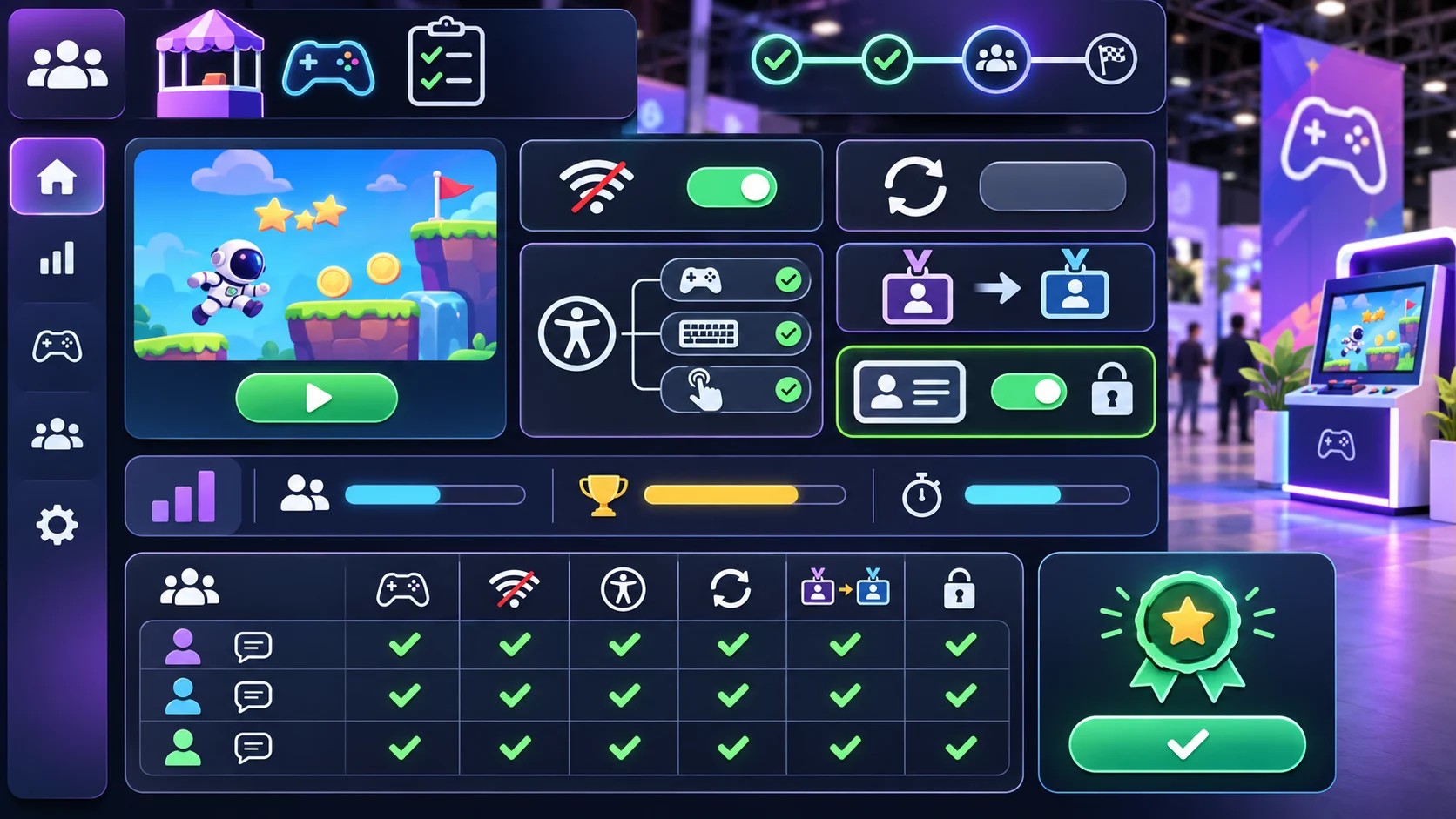
A booth interaction may need to work with intermittent connectivity, limited staff attention and different device sizes. Make loading, restart and unavailable states explicit. Have the event team review the actual setup, accessibility options and visitor flow; a screen mockup cannot validate a venue plan.
Prompt 5 — organizer setup view
Create an editable Northstar Expo organizer view for activity status, device check, offline alternative, staff instructions and reset. Use placeholders for event details and flag items requiring venue review. Show which controls work in the local build and which are static.
Simulate an exhibition customization
For a fictional customization, adapt the structure to Brightline Makers, an invented creative technology booth with a short pattern-building activity. Replace the goal and choices, preserve optional participation and keep follow-up separate. This is a simulated scenario, not a real exhibitor project.
Prompt 6 — fictional exhibitor customization
Adapt Northstar Expo to a fictional Brightline Makers booth. Create a two-step optional challenge, a visible result, an offline alternative, restart and a separate optional staff/demo path. Label all details fictional and untested; do not imply visitor data is collected.
Prompt 7 — local booth review checklist
Review the local prototype for invitation, start-or-skip choice, challenge clarity, finish, reset, offline alternative, optional staff/demo path and absence of personal-data collection. Record only local behavior; mark venue setup, accessibility and visitor response as untested and requiring event-team review.
Fictional booth-flow snapshot
| Moment | Intended action | Evidence boundary |
|---|---|---|
| Approach | Notice the activity and decide whether to start | Fictional invitation |
| Play | Compare two design choices | No visitor trial conducted |
| Finish | See a result and select an optional next step | Simulated flow only |
| Reset | Clear the local screen for the next visitor | No installed booth tested |
The snapshot describes the planned interaction, not a measured exhibition outcome.
Conclusion
An interactive booth game should support a clear visitor goal, fit the booth journey and remain optional. Keep the challenge short, provide an offline alternative and separate follow-up from play. Northstar Expo and Brightline Makers are fictional; no exhibition team or playable booth was tested. Confirm the real layout, staff workflow and accessibility options with event organizers before installation.
You can take a scoped concept into the Free AI game maker, then compare the result with the editable booth checklist.
FAQ
What should an interactive booth game for exhibition teams include?
Include a visitor goal, invitation, short activity, result, skip and reset, offline option and optional next step.
How long should a booth game take?
Set a short target that fits the actual event flow, then validate timing with the exhibition team and visitors.
Should a booth game require contact details?
The activity can work without contact details. Any future contact form should be a separate, optional step with a clear notice.
How can exhibition teams handle a device outage?
Provide an offline activity or staff explanation and show a clear unavailable state in the prototype.
Does a prototype prove a booth game will generate leads?
No. Business outcomes require evidence from the real event; a local prototype cannot establish them.