Key Takeaways: 2D vs 3D Animation: Differences, Cost, and Workflow
- 2D animation creates motion in a flat image plane, while 3D animation moves objects and cameras inside a three-dimensional scene. That difference changes almost every production decision. A 2D project usually invests more directly in drawings, sprites, or cutout rigs; a 3D project invests in models, rigs, materials, lighting, and scene setup before animation can be reused from new angles. Neither medium is inherently easier or cheaper. The better choice is the one whose setup, revision pattern, camera needs, asset reuse, and team skills match the project.
Direct answer: 2D animation creates motion in a flat image plane, while 3D animation moves objects and cameras inside a three-dimensional scene. That difference changes almost every production decision. A 2D project usually invests more directly in drawings, sprites, or cutout rigs; a 3D project invests in models, rigs, materials, lighting, and scene setup before animation can be reused from new angles. Neither medium is inherently easier or cheaper. The better choice is the one whose setup, revision pattern, camera needs, asset reuse, and team skills match the project.
Use the comparison below to choose a pipeline, not to justify a preference after the fact.
The practical difference between 2D and 3D animation
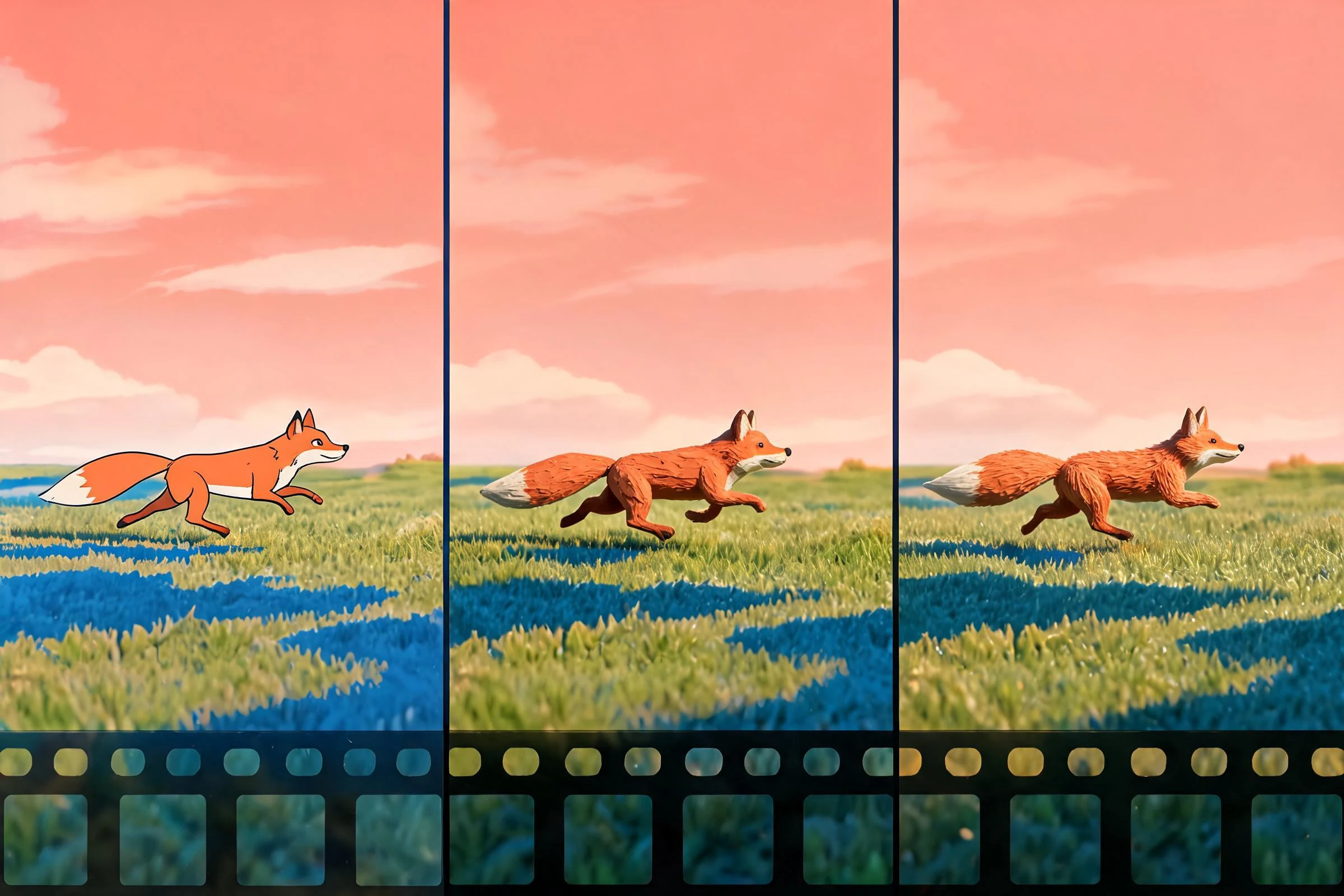
2D animation represents subjects on an x-y plane. Depth can be suggested through scale, overlap, perspective, parallax, shading, and layered compositing, but the underlying artwork remains organized as flat images, vectors, or planes. Motion may be drawn frame by frame, created by transforming layers, or driven by a 2D skeleton.
3D animation represents subjects in a scene with x, y, and z coordinates. A camera observes models, lights, materials, effects, and environments from a chosen viewpoint. Characters often need a skeleton and deformation setup before they can be posed. The animator then works with controls, keyframes, curves, constraints, simulation, or captured motion.
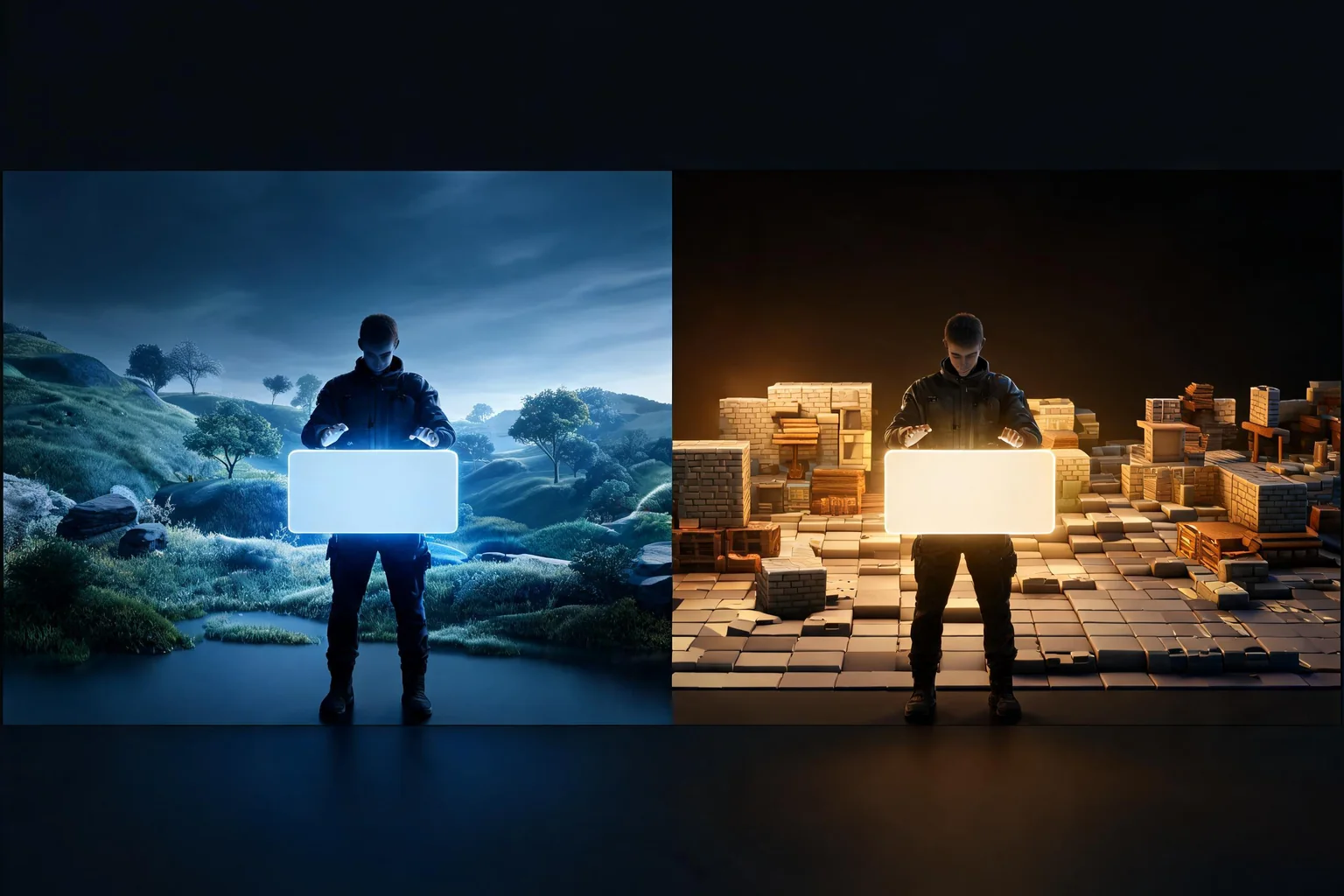
This is the central difference: 2D typically creates or deforms the visible image; 3D typically creates a reusable scene and then renders a view of it. Hybrid projects can combine both—for example, a 3D environment with hand-drawn effects or a 2D character built from rendered 3D reference.
| Decision area | 2D animation | 3D animation |
|---|---|---|
| Core asset | Drawing, sprite, vector shape, or layered cutout | Model, rig, material, scene, and camera |
| Depth | Designed or implied in the image | Present in scene space |
| New camera angle | Often requires new art or a redesigned setup | May reuse the scene, but requires framing, lighting, and visibility work |
| Character setup | None, drawing model sheet, or 2D rig | Model topology, skeleton, skinning, and controls |
| Style control | Direct control over each visible mark | Controlled through geometry, materials, lighting, render style, and compositing |
| Reuse | Strong for rigs, cycles, symbols, and modular sprites | Strong for models, rigs, motions, cameras, and environments when compatible |
| Common bottleneck | Drawing volume, cleanup, consistency, or rig limits | Asset setup, deformation, lighting, rendering, or technical integration |
How the workflows differ
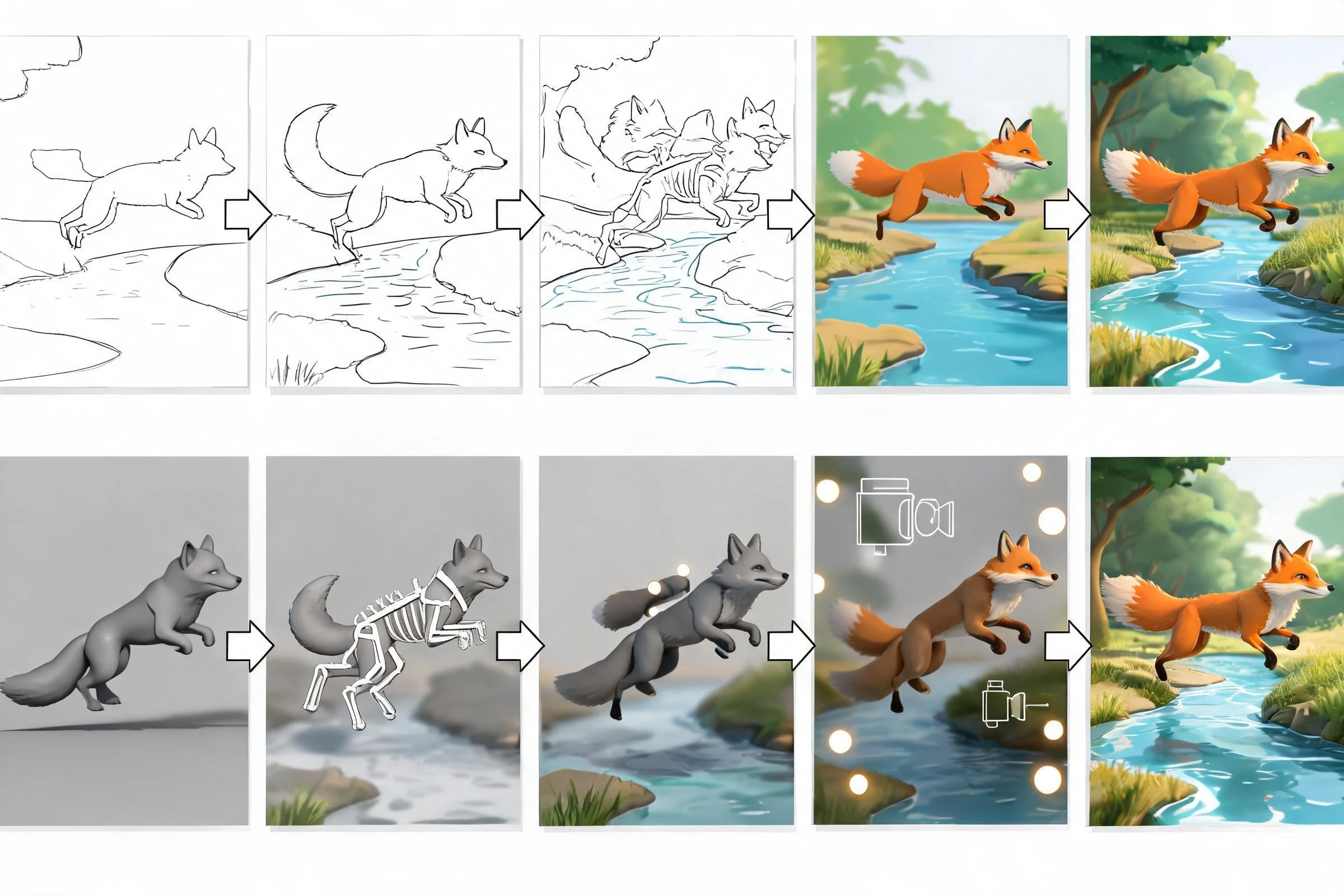
A typical 2D workflow
A frame-by-frame workflow may move from storyboard to layout, rough poses, in-betweens, cleanup, color, effects, and compositing. A cutout workflow adds character breakdown, layer naming, pivot placement, rigging, and deformation testing before animation. A game workflow may also need sprite sheets, atlases, collision alignment, state transitions, and engine import checks.
The advantage is not “less work”; it is directness. An artist can design exactly what the viewer sees. The tradeoff is that a major turn, camera change, costume change, or perspective shift may require substantial new artwork.
A typical 3D workflow
A 3D workflow may move from concept and reference to modeling, UVs, materials, rigging, skinning, layout, animation, lighting, effects, rendering, and compositing. A real-time game adds engine import, scale and pivot checks, material setup, animation state logic, collision, LODs, and performance validation.
The advantage is a persistent scene that can be viewed and reused in multiple ways. The tradeoff is setup and technical dependency: a model that looks finished may still deform poorly, shade incorrectly, or exceed the destination’s performance constraints.
Revision behavior matters more than labels
Ask what changes late. If stakeholders repeatedly change camera angles, a well-built 3D scene can absorb some requests better than redrawing every view. If stakeholders repeatedly change graphic style or silhouette, direct 2D artwork may be faster than rebuilding geometry, materials, and lighting. If a character must support many animations, a robust rig can pay back its setup. If it appears once for a short shot, that setup may not be justified.
Is 2D animation easier than 3D animation?
Neither is easier in the abstract. Beginners can make a simple 2D flipbook or a simple 3D bouncing ball quickly; professional work in either medium requires design judgment, timing, spacing, acting, composition, and revision discipline.
2D may feel easier when the creator already draws confidently, the camera is fixed, the style tolerates limited animation, and the project needs a small number of bespoke shots. It may feel harder when consistent perspective, cleanup, high frame counts, and repeated redraws dominate the work.
3D may feel easier when a prepared rig exists, the camera must move, many angles are needed, or assets and motions can be reused. It may feel harder when the creator must first learn modeling, rigging, materials, lighting, animation curves, rendering, and technical export.
A useful test is to separate learning difficulty, first-asset setup, and per-shot production. A medium can be slower to set up yet faster for repeated output. That is why “is 2D or 3D animation easier?” cannot be answered without the project stage.
Is 2D animation cheaper than 3D animation?
There is no reliable universal answer. Cost follows scope and labor, not dimensionality alone. Compare the actual work packages:
- How many unique characters, environments, props, and shots are required?
- How many angles, costumes, expressions, and animation states must each asset support?
- Is the style frame-by-frame, cutout, painterly, realistic, stylized, or hybrid?
- Are reusable rigs, models, libraries, or approved templates available?
- How many review rounds and late changes are expected?
- Does the output need real-time integration, offline rendering, compositing, localization, or multiple aspect ratios?
- Does the team already know the tools and pipeline?
A small 2D cutout project can be less expensive than a bespoke 3D production. A reusable 3D character system can become efficient across many shots or game states. A high-detail frame-by-frame sequence can require intense drawing labor. A realistic 3D shot can require expensive modeling, simulation, lighting, and rendering work. These are scope examples, not price promises.
Does 2D animation take longer than 3D?
Time depends on where work is front-loaded. 2D frame-by-frame production may begin producing visible shots quickly but continue paying for drawing and cleanup per frame. 3D production may spend longer on models and rigs before a polished shot exists, then gain leverage from reusable assets. Cutout 2D and limited-animation styles can also front-load reusable rigs, so the same logic applies within 2D.
Estimate by phase instead of asking for one total:
- preproduction and art direction;
- asset creation and rigging;
- animation per shot or state;
- lighting, effects, rendering, and compositing;
- engine integration or delivery packaging;
- review and revision reserve.
Prototype one representative shot in each candidate workflow. Record hands-on time and revision friction. That evidence is more useful than a generic industry average.
Camera freedom, visual style, and asset reuse
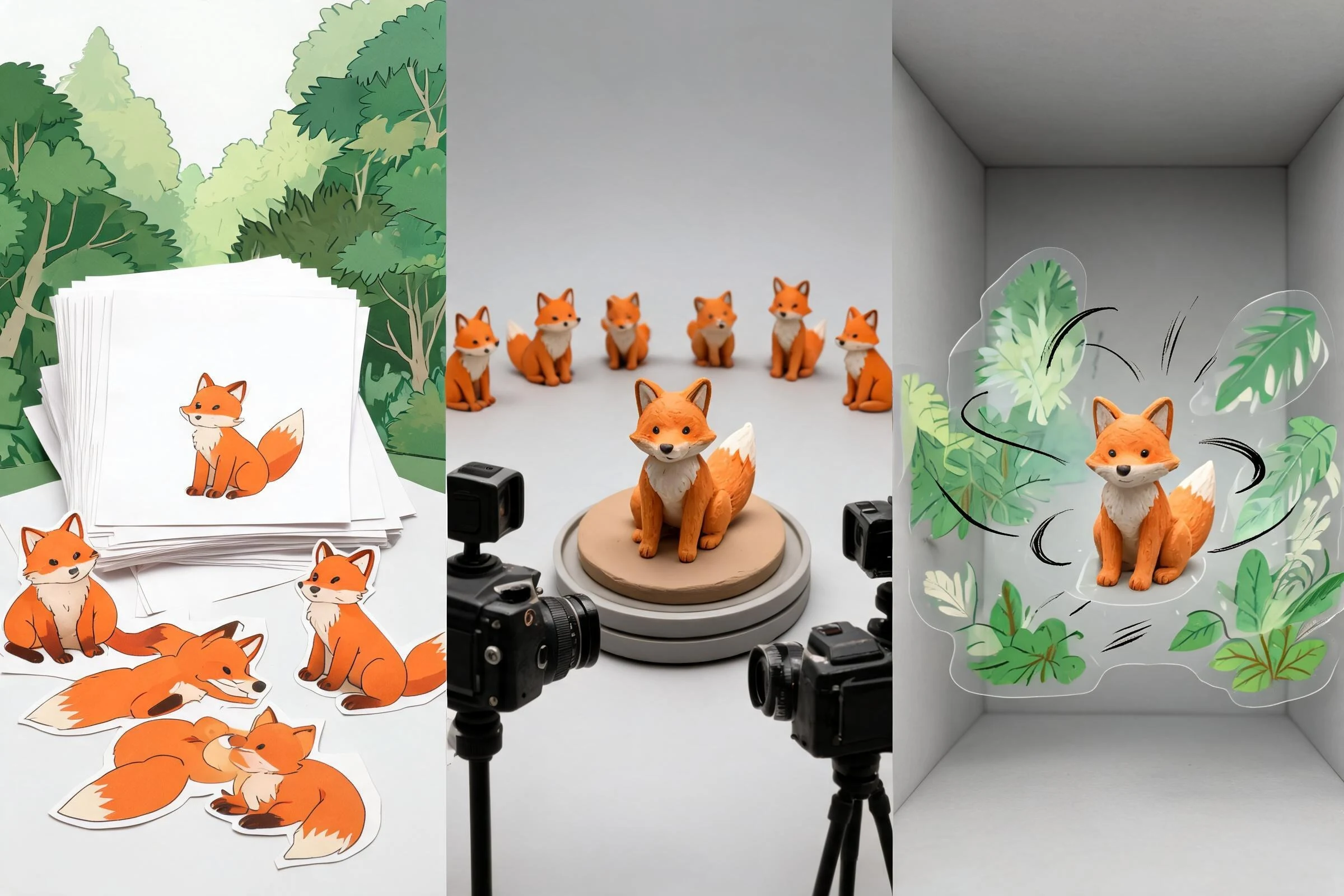
Choose 2D when the visible mark is the product
2D is often a strong fit when line quality, graphic shape, intentional perspective, and hand-authored exaggeration define the identity. It can break physical rules elegantly because each image is designed for the shot. It also works well for fixed-view games, interface animation, motion graphics, and projects built around sprites or illustrated storytelling.
Choose 3D when the scene must persist
3D is often a strong fit when the subject needs many views, camera moves, spatial interaction, dynamic lighting, reusable animation, or integration into a 3D game. It can preserve volume and spatial consistency across angles, but that consistency does not guarantee artistic quality. Modeling, posing, lighting, and composition still determine the result.
Choose hybrid when one medium solves the other’s bottleneck
Hybrid approaches are production strategies, not compromises. A team might animate a 3D camera and use it as reference for 2D drawing, add hand-drawn effects over a 3D render, place 2D characters in a 3D environment, or render 3D characters into sprites. The test is whether the combined pipeline reduces risk without creating a fragile handoff.
Three project examples
Example 1: a fixed-camera tactics game
If characters are small on screen and require a controlled set of directional states, modular 2D sprites may keep style and readability direct. A 3D pipeline may still help generate reference or pre-rendered sprites, but that adds a source-asset workflow. Choose based on animation count, camera changes, and team strengths.
Example 2: a third-person action prototype
The player sees characters from many angles, animation states blend continuously, and equipment may change. A 3D rigged-character pipeline usually matches those needs more naturally, though it introduces topology, skinning, retargeting, and engine-validation work.
Example 3: a short stylized trailer
If every shot is art-directed and unlikely to be reused, either medium can work. Compare the cost of drawing each final frame against building reusable 3D assets. A hybrid may use 3D for layout and camera continuity while preserving a 2D final look.
Decision checklist
Choose 2D, 3D, or hybrid only after answering:
- What must remain editable late: camera, pose, silhouette, materials, or individual marks?
- How many times will each asset or motion be reused?
- Does the destination require spatial collision, lighting, or real-time movement?
- Which pipeline can the current team review and debug?
- What is the representative “hard shot,” and has it been prototyped?
- What source files, naming rules, and validation steps make the handoff recoverable?
The answer should be a short production hypothesis: “We choose X because it reduces Y risk for these deliverables; we will validate it with Z prototype.”
FAQs
What is the difference between 2D and 3D animation?
2D animation creates or deforms images on a flat plane. 3D animation poses objects and cameras in a spatial scene, then displays or renders a chosen view. This changes asset setup, camera flexibility, revision behavior, reuse, and technical requirements.
Is 2D animation easier than 3D?
Not universally. 2D may be easier for a skilled illustrator making fixed-view work; 3D may be easier when prepared rigs, many camera angles, or reusable motion are required. Compare setup and repeated production separately.
Is 2D animation harder than 3D?
It can be harder when drawing consistency, perspective, cleanup, or frame volume dominates. 3D can be harder when modeling, rigging, deformation, lighting, rendering, and engine integration dominate. The project defines the difficult part.
Is 2D animation cheaper than 3D?
Sometimes, but not as a rule. Cost depends on style, asset count, animation volume, reuse, camera changes, team skills, rendering, integration, and revisions. Estimate a representative shot instead of using an unsourced medium-wide average.
Is 2D or 3D animation cheaper for games?
The cheaper pipeline is the one that meets the game’s camera, state, reuse, and performance requirements with less total production and revision work. Fixed-view sprite games and free-camera 3D games create very different cost structures.
Does 2D animation take longer than 3D?
Either can take longer. 2D frame-by-frame work often pays labor per frame; 3D often front-loads models and rigs. Reuse can change the result. Time each phase and prototype the hardest repeated task.