Key takeaways
- A 3D tool turns a prompt or reference into an asset. An AI game platform helps turn a game idea into a connected, playable experience. They overlap at the asset-generation step, but they solve different problems: one is an asset workstation, the other is an experience-building workflow. Many teams use both.
If you are building a game world, it is easy to compare the wrong things. A tool such as Meshy or Tripo can help you create a model, while an AI game platform such as SEELE AI can help you move from an idea toward a playable, connected experience. Both may start with a text prompt, but the unit of work is different.
The short answer is this: 3D tools focus on individual assets and their preparation; an AI game platform focuses on the game experience that those assets belong to. A 3D tool is useful when you already know what object you need and how it will enter your pipeline. A platform is useful when the hard part is exploring a world, testing a loop, coordinating scenes, and iterating on the experience.
This distinction matters for game artists, world builders, and small teams. It helps you decide whether your next bottleneck is a missing prop, a slow handoff, or an untested game concept.
What does a 3D asset tool actually do?
A focused 3D tool generally has an asset as its primary output. You might describe a stylized stone arch, provide a reference image for a creature, or generate a starting mesh for a prop. The workflow then centers on inspecting and refining that result: topology, materials, UVs, textures, scale, naming, and export format may all matter before the asset reaches an engine or DCC application.
Tools in this category can be valuable even when the first output is not production-ready. They shorten the distance to a visual starting point. An artist can reject a direction quickly, use the result as a blockout, or refine it with familiar modeling and texturing tools. The important boundary is that the output remains an asset. It does not, by itself, define player goals, interaction rules, camera behavior, progression, or the relationship between multiple spaces.
Meshy and Tripo are useful examples of this asset-oriented category, but their exact interfaces, models, export options, and capabilities can change. Check each product's current documentation for workflow details. The durable idea is the category: a specialized generator is optimized for making or transforming pieces of a world.
What does an AI game platform add?
An AI game platform starts with a larger object: a game idea, a scenario, or a playable prototype. It may help you express a setting, a player objective, a sequence of interactions, or a world made of several spaces. The output is not only a mesh. It is an experience whose parts need to make sense together.
SEELE AI is designed around this broader exploration workflow, with SEELE AGENT serving as the AI-assisted creation layer. In practice, that means the useful question is not only “Can I get a model?” but also “Can I test whether this world is coherent and fun?” You can use an AI game platform to explore a premise, establish a playable direction, and communicate a concept before committing every detail to a conventional production pipeline.
That does not make the platform a replacement for every specialist tool. Artists still need control over style, topology, materials, rigging, and final delivery when a project requires it. Instead, the platform changes where you get leverage: earlier concept validation, faster cross-discipline iteration, and a shared playable reference.
The difference is the unit of work
The cleanest comparison is to ask what each workflow keeps in context.
- A 3D asset tool keeps one object or asset transformation in context.
- A DCC or engine keeps a scene and production state in context.
- An AI game platform keeps the player-facing experience, its world, and its iteration loop in context.
There is overlap. An asset tool may offer previews, materials, or integrations. A game platform may create or use 3D content. But the center of gravity remains different. If you need ten variations of a lantern, start with an asset workflow. If you need to decide whether a lantern-lit village should be an exploration game, a puzzle space, or a social hub, start with an experience workflow.
This is also why “AI” is not a sufficient category. Two products can both accept natural-language input while producing very different kinds of value. The relevant comparison is input, output, context, and next handoff.
A practical workflow for a game artist or world builder
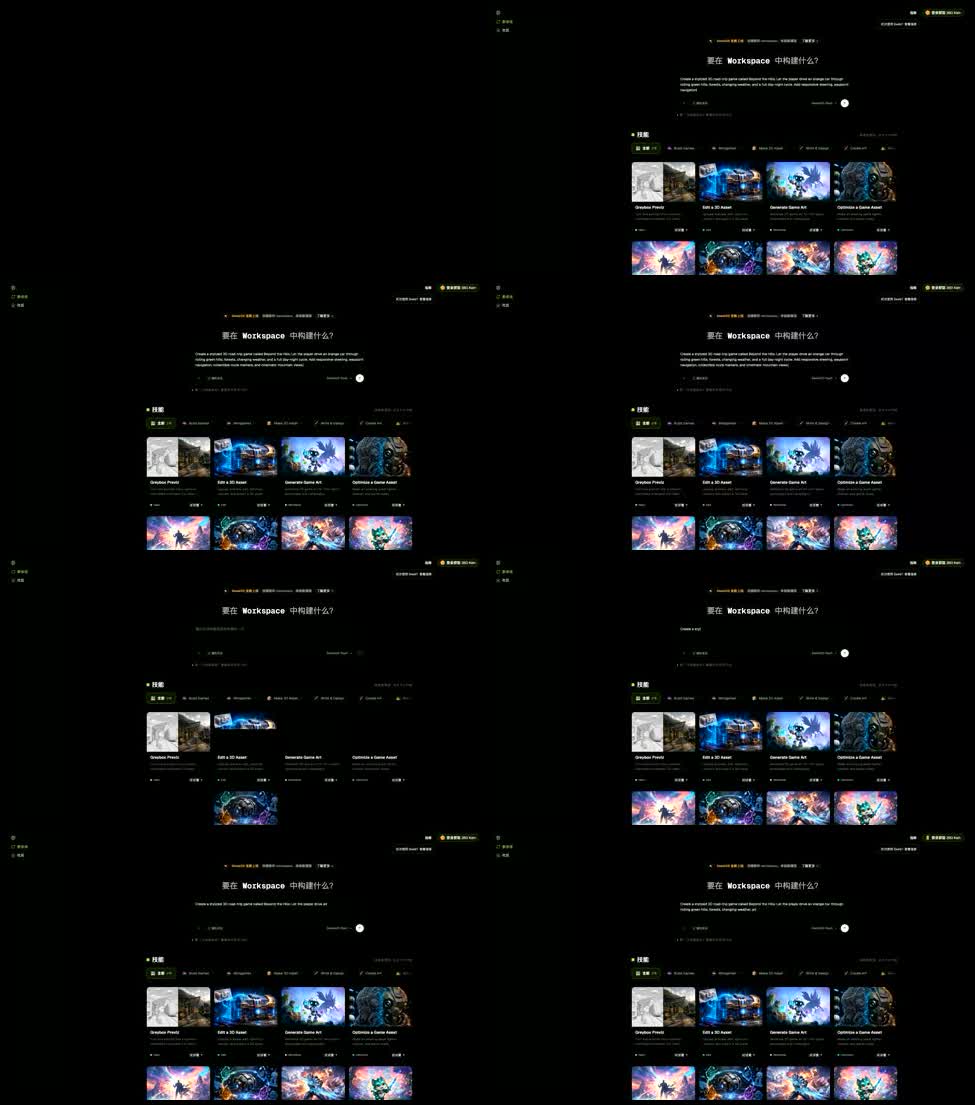
A productive pipeline often combines the categories instead of forcing a winner.
1. Start with the experience question
Write the player-facing premise first. What does the player do, what changes because of that action, and what should the player understand after a few minutes? Use SEELE AI and SEELE AGENT to explore the premise as a playable direction. This is a good stage for discovering that a beautiful environment has no meaningful loop, or that a simple mechanic becomes compelling when placed in the right space.
2. Identify the assets that carry the idea
Once the experience has a direction, list the few assets that communicate it: perhaps a landmark, a readable traversal object, a character silhouette, or a set of props with a strong visual language. Generate or prototype those with a focused 3D tool when it is faster than modeling from nothing. Treat early outputs as candidates, not as unquestioned final art.
3. Bring assets back into a connected scene
Evaluate the assets in context. Does the landmark guide the player? Does the scale read correctly beside the character? Do materials support the lighting and mood? A model that looks excellent in an isolated viewer can fail when it competes with the scene, blocks a route, or says nothing about interaction.
4. Refine according to the next handoff
If the asset is headed to a DCC or engine pipeline, check the requirements that matter there: naming, scale, materials, UV behavior, polygon budget, rigging needs, collision, and licensing or usage terms. If the immediate goal is concept review, prioritize readability and the question the prototype is meant to answer. Do not spend production effort before you know which question the asset needs to solve.
5. Return to the platform when the idea changes
Iteration is not a one-way funnel. A new prop may reveal that the level needs a different objective. A traversal test may show that the world needs fewer decorative spaces and more landmarks. Feed those learnings back into the experience rather than polishing an isolated asset that no longer serves the game.
Where each approach is strongest
Choose a focused 3D tool when the immediate need is a concrete asset: a mesh variation, a texture direction, a reference-based blockout, or a visual exploration that an artist will refine. It is especially useful when your team already has a stable scene and export pipeline.
Choose an AI game platform when the immediate need is an experience decision: testing a premise, comparing world directions, communicating a playable concept, or exploring how spaces and interactions work together. It is especially useful before a team has committed to a large amount of bespoke content.
Use both when the asset and the experience are constraining each other. A platform can reveal which asset deserves attention; a focused tool can supply a fast visual candidate; the platform can then show whether that candidate works for players. This loop is often more informative than asking either tool to cover the entire production process.
Important limitations and questions to ask
AI output is a starting point, not a guarantee of production quality. Ask how much control you have over revisions, whether outputs remain consistent across a set, how you can export or hand off work, and what human review is expected. For a game platform, also ask what is retained as shared context, how you test interactions, and where conventional engine or DCC work begins.
Do not infer identical capabilities from a similar prompt box. Read current product documentation, especially for export formats, commercial terms, privacy, asset ownership, and supported integrations. Avoid evaluating a tool on a single attractive render. Test a small, representative workflow: one asset, one scene, one interaction, and one revision.
Decision checklist

Before choosing a starting point, answer four questions:
- Is the next deliverable an asset, or a playable experience?
- Is the main risk visual quality, or uncertainty about the game loop and world?
- Do you already have a scene and handoff pipeline?
- Will feedback change one object, or change the relationship between several spaces and interactions?
Mostly asset answers point toward a focused 3D tool. Mostly experience answers point toward an AI game platform. Mixed answers point toward a hybrid workflow: explore the experience with SEELE AI and SEELE AGENT, then use specialist tools where precise asset control matters.
Bottom line
Meshy and Tripo represent an asset-first way to accelerate 3D work. SEELE AI represents a broader, experience-first way to explore and build game ideas with AI assistance through SEELE AGENT. The choice is not simply “which generator is better?” It is “what decision am I trying to make next?”
If you are missing a prop, begin with an asset tool. If you are unsure whether a world, mechanic, or game concept works, begin with an AI game platform. If both are true, connect the workflows and let playtests tell you where to invest your art time.
FAQs
Are Meshy and Tripo game engines?
They are best understood as focused 3D asset tools. They can help create or transform assets, while a game engine or AI game platform provides a broader scene and experience context.
Is SEELE AI a replacement for a 3D modeling tool?
Not necessarily. SEELE AI and SEELE AGENT focus on exploring game experiences. A specialist 3D tool can still be the better choice when you need detailed asset control, cleanup, or a specific production handoff.
Can I use a 3D asset tool with an AI game platform?
Yes. A hybrid workflow can use an AI game platform to test a world or game direction and a 3D tool to create visual candidates for important props, characters, or landmarks. Verify current export and usage terms for each product.
Which should a game artist try first?
Start with the tool that matches the next decision. Use a 3D tool for a missing or uncertain asset; use SEELE AI and SEELE AGENT when you need to test a game premise, interaction loop, or connected world.
Are AI-generated 3D assets production-ready?
They may require review and refinement. Check topology, materials, UVs, scale, consistency, licensing, and the requirements of your target pipeline before treating an output as final production art.
What should I verify before exporting AI-generated 3D assets?
Verify topology, UVs, materials, scale, naming, collision or rigging needs, licensing, and compatibility with the target DCC or engine. Test one representative asset through the full handoff before committing the rest of the project.