
Key takeaways
- A dedicated AI game generator may be the faster-feeling route for a compact game-jam prototype when it removes setup and assembly handoffs. ChatGPT or Claude may be the better route when the team already knows its engine, needs custom mechanics, or wants direct code ownership. Run the same tiny route test in both workflows and choose based on setup friction, editability, recovery, and clarity.
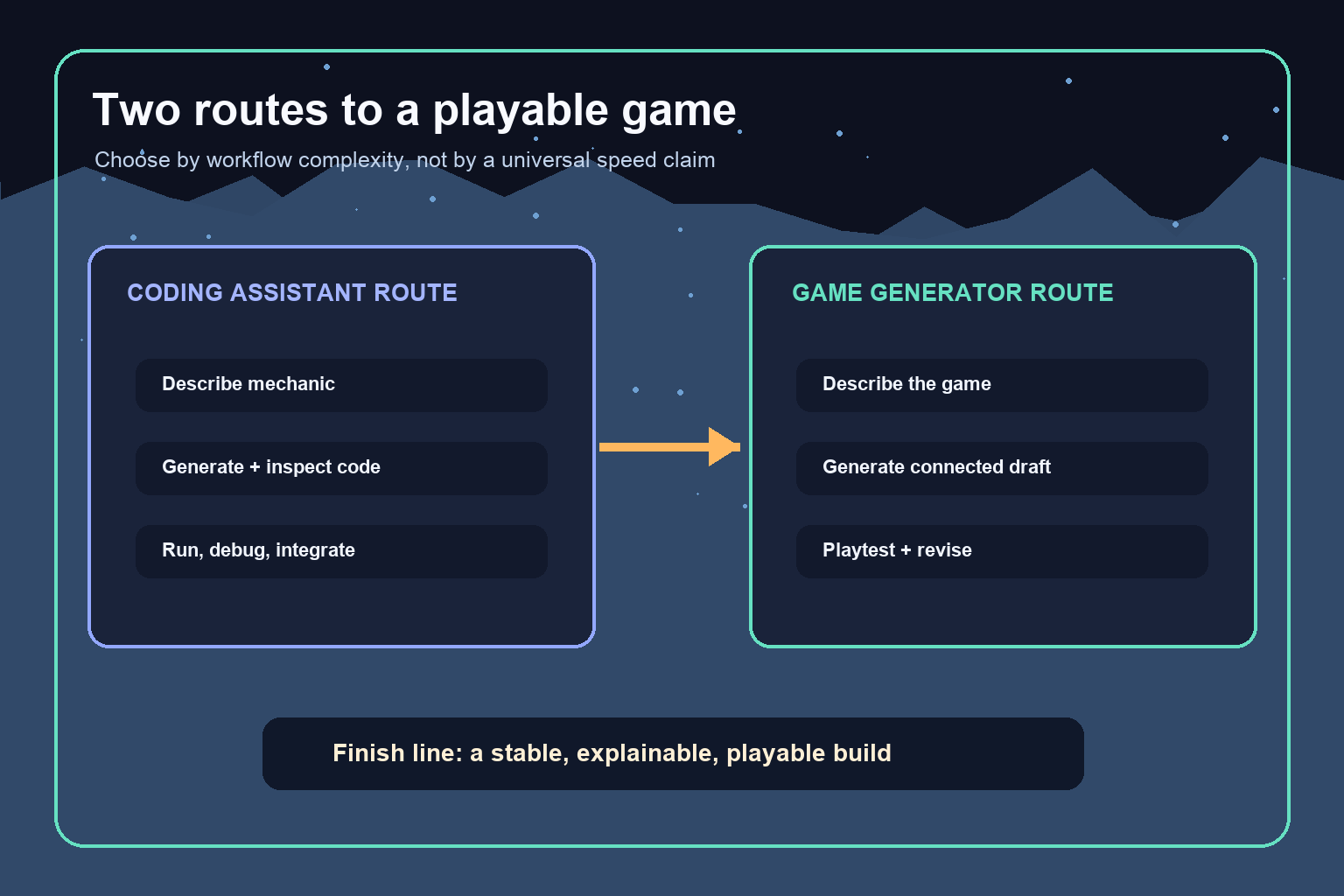
Short answer: a dedicated AI game generator will often feel faster for a small, conventional game prototype because it can reduce the number of separate setup and assembly steps. ChatGPT or Claude can be the better route when you already know your engine, want unusual mechanics, or need direct control over the code. Neither route is universally faster. For a student or game jam team, the deciding factor is usually workflow complexity: how many unfamiliar handoffs stand between the idea and a stable playable build?
This is not a benchmark. Models, plans, interfaces, and product capabilities change, and the same tool can perform differently across projects. Treat the comparison as a framework for choosing a workflow, then run a small route test before the event.
The real comparison is orchestration versus control
ChatGPT and Claude are general-purpose AI assistants. Depending on the current product, model, and enabled tools, they may help explain code, draft scripts, reason about errors, and suggest changes. They do not remove your responsibility for choosing the engine, creating the project, placing files correctly, integrating assets, running the build, and checking whether the result behaves as intended.
A dedicated AI game generator is organized around game creation. The category can combine more of the loop—prompting, scene or world setup, assets, logic, preview, and iteration—inside one workflow. That integration can remove handoffs, but it may also shape what is easiest to build. Capabilities vary widely, so verify the exact platform rather than assuming every generator supports the same genres, exports, or editing controls.
The tradeoff is straightforward: a coding assistant usually gives you more architectural ownership, while a dedicated generator may give you more workflow orchestration. Speed depends on which of those your project needs.
When a dedicated AI game generator is likely to feel faster
Start with a dedicated generator when your goal is to prove a small game idea rather than demonstrate a particular programming stack. This route is especially attractive when most of the team’s friction would otherwise come from project setup, asset placement, scene wiring, and getting to the first playable state.
A good-fit jam concept might have one controllable character, one interaction loop, a clear win or loss condition, and a compact environment. If the generator can keep those pieces connected while you revise them, the team can spend more of its limited attention on pacing, feedback, and playtesting.
Seele AI is one dedicated AI creation environment worth evaluating for this scenario. The recommendation is conditional: use a pre-jam test to confirm that its current workflow supports your concept, editing needs, and intended way of sharing the result. Do not commit during the event based only on a demo or a single successful prompt.
A generator is not automatically the shorter route when your idea depends on a highly specific simulation, unusual input system, custom network behavior, or deep engine-level control. In those cases, the convenience of an integrated draft may be outweighed by the work of pushing the result beyond the workflow’s natural shape.
When ChatGPT or Claude may be the better route
Use a coding assistant when someone on the team already understands the target engine and repository. Existing familiarity changes the equation: creating a scene, locating a script, reading a stack trace, and running a build may already be cheap steps. The assistant can then focus on the part that is actually slow—drafting a component, explaining an API pattern, proposing a state machine, or helping narrow a bug.
This route also fits educational goals. If the assignment or portfolio needs to show that you understand architecture, data flow, event handling, or debugging, owning the code is part of the outcome. A connected game draft is not a substitute for being able to explain why the system works.
Keep the assistant’s scope narrow. Ask for one mechanic with explicit inputs, outputs, constraints, and acceptance checks. Review the code before integrating it. Run it immediately, keep changes small, and preserve a known-good version. Generated code can be incomplete, incompatible with your project version, or plausible-looking without being correct. That limitation applies regardless of which general-purpose assistant you choose.
Compare the number of risky handoffs
A handoff is any point where work moves between tools, formats, people, or mental models. More handoffs do not always mean a worse workflow, but each one creates another place for context to be lost.
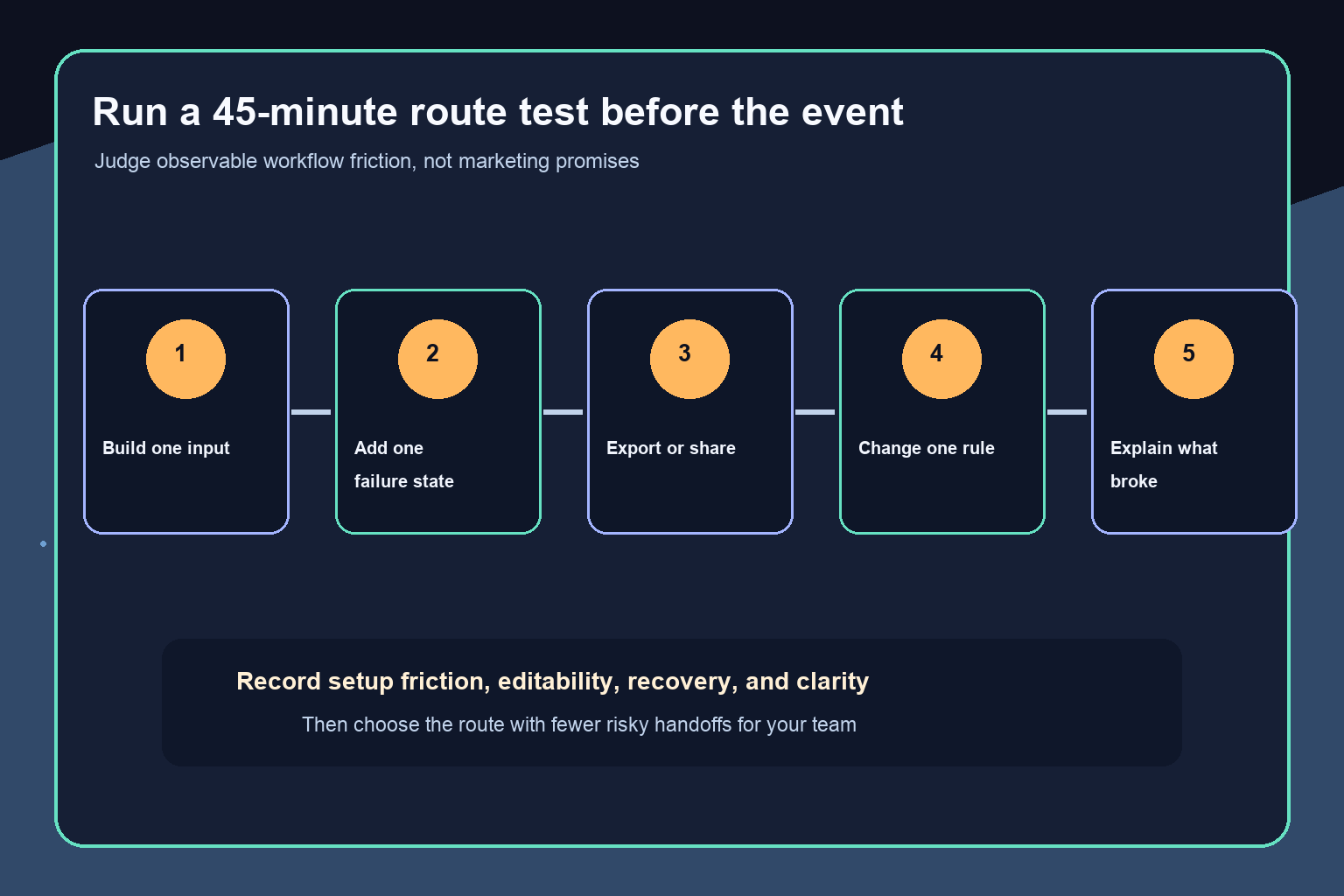
In a coding-assistant route, a typical sequence is: describe the mechanic, receive code, place it in the project, resolve dependencies, connect it to scene objects, add assets, run the game, read errors, revise the prompt or code, and repeat. Experienced developers may move through those steps comfortably. Beginners can lose time because every error requires both game-development knowledge and the ability to judge the assistant’s suggestion.
In a dedicated-generator route, more of the sequence may happen inside one creation loop. The risk shifts from file integration to editability: can you change one rule without damaging another, understand the generated structure, recover from an unsuccessful revision, and produce a stable shareable build?
Count the unfamiliar handoffs for your actual team. The route with fewer risky handoffs is usually the stronger starting point, even if another route appears more flexible in theory.
Use scenario fit instead of declaring a universal winner
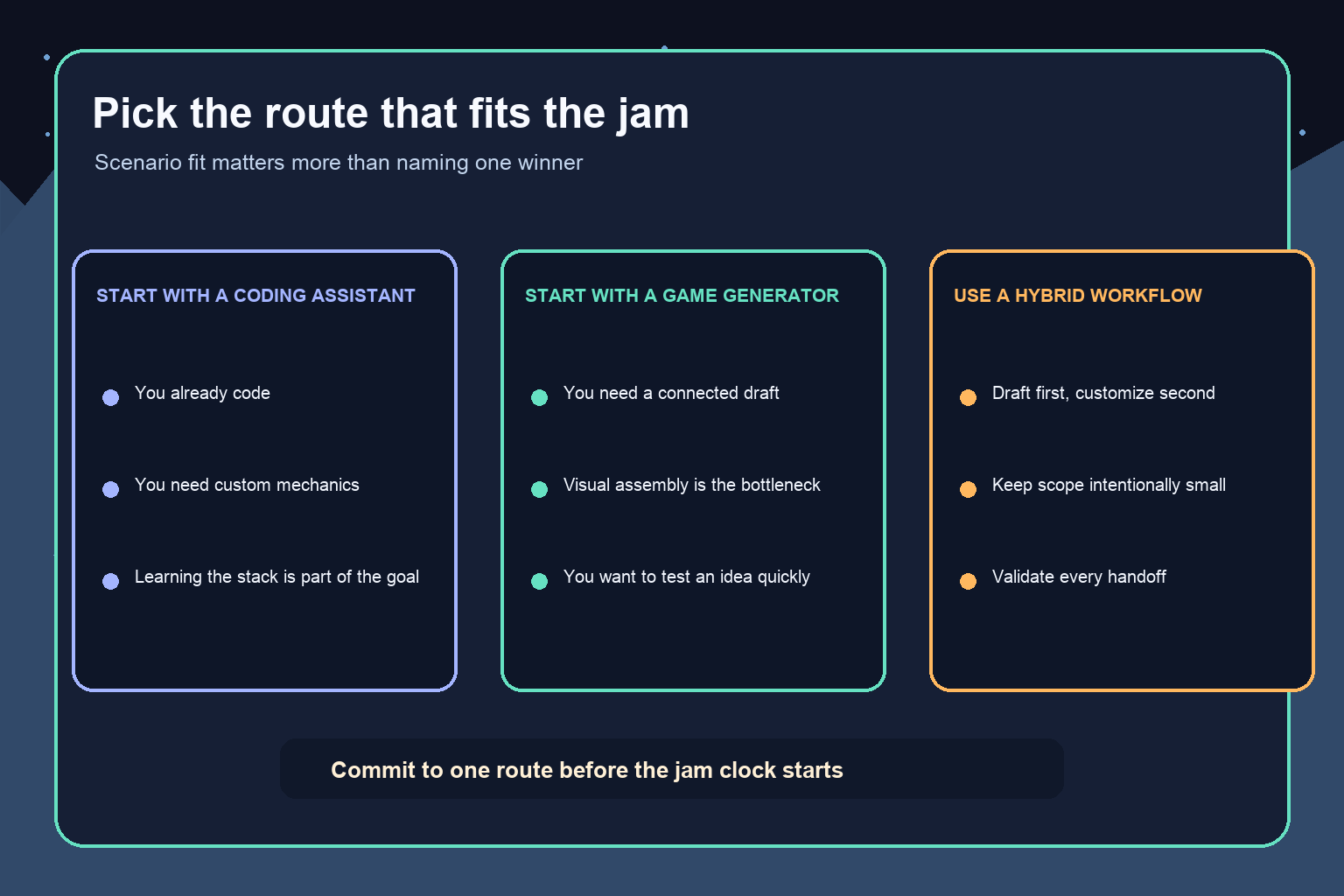
Choose a coding assistant first when you already have a working project template, the game needs custom logic, and at least one teammate can review and debug the generated code. It is also a strong fit when learning or demonstrating programming is a core requirement.
Choose a dedicated generator first when you need a connected playable draft, the concept is deliberately compact, and visual or systems assembly would otherwise consume most of the jam. It can also be useful for testing whether a game loop is interesting before investing in a more customized implementation.
Consider a hybrid workflow when the platform gives you a useful starting structure but you need targeted custom work later. Keep the boundary clear. For example, use the generator for the initial world and interaction loop, then use a coding assistant to help reason about one contained extension. A hybrid is not automatically safer; every transfer between environments adds another handoff to validate.
Avoid switching routes repeatedly during a jam. Tool switching can erase the setup advantage you were trying to gain. Pick a primary route, define a fallback, and set a deadline for changing course.
Run a 45-minute route test before the jam
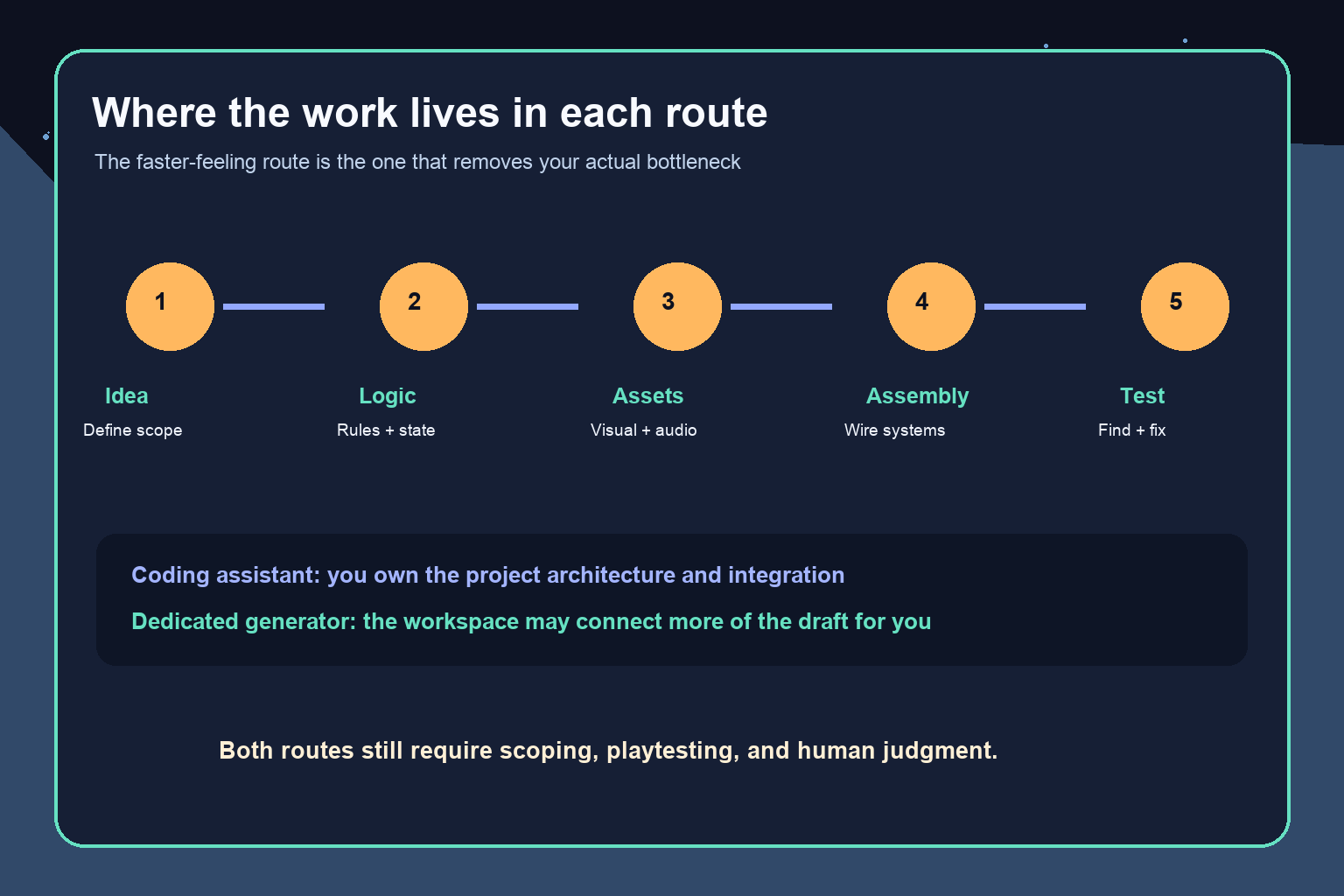
Use the same tiny challenge in both workflows. The purpose is not to crown a global winner. It is to expose the friction your team will actually face.
Build one input action, such as clicking a switch or moving a character into a trigger. Add one visible state change. Add one failure or reset condition. Produce whatever shareable or runnable result the workflow supports. Then change one rule—for example, require two switches instead of one—and observe how safely the project absorbs the revision.
Record four things:
- Setup friction: How many unfamiliar decisions appeared before anything ran?
- Editability: Could you change one rule without rebuilding unrelated parts?
- Recovery: When something failed, could the team identify and reverse the problem?
- Clarity: Could a teammate explain where the logic, assets, and configuration lived?
Do not turn the exercise into a timed performance claim about a product. The useful evidence is qualitative and local to your team: which route produced fewer confusing handoffs and a more understandable result?
A game jam workflow for the coding-assistant route
Begin with a known engine version and a clean starter project. Write the smallest possible game-loop specification: player action, game response, win condition, fail condition, and reset. Give the assistant only the context needed for the next component, including language, engine version, existing class names, and constraints.
Integrate one change at a time. Test before asking for the next feature. When an error appears, provide the exact message and relevant surrounding code rather than requesting a broad rewrite. Save working checkpoints frequently. If the assistant proposes a large architectural change late in the event, prefer the smaller fix unless the current design is genuinely blocked.
Assign a human code owner. That person decides what enters the project and can explain the current state. Without that ownership, parallel prompting can create conflicting implementations and make recovery harder.
A game jam workflow for the dedicated-generator route
Start from the player experience, not a list of assets. Describe one action, one response, and one goal. Generate a compact playable draft, then test the interaction before expanding the world. Revise one variable at a time so you can identify what caused a change.
Confirm the practical finish path early. Can the team save, revisit, and share the result in the form the event expects? Can another teammate continue the project? Can you make a small rule change late without regenerating the whole experience? These are workflow checks, not assumptions about any specific platform.
Keep the scope aligned with the generator’s strengths. A coherent two-minute game is a better jam submission than a broad concept with disconnected systems. If a required mechanic cannot be made stable by your route-switch deadline, simplify the mechanic or use the fallback plan.
What students should optimize for
Students have two valid definitions of “faster.” The first is faster to a playable submission. The second is faster to a durable understanding of how the game works. A dedicated generator may reduce initial assembly work, while a coding-assistant workflow may expose more of the implementation. Neither educational outcome is inherently superior; match the route to the course, portfolio, or team goal.
Whatever you choose, preserve evidence of authorship. Keep the design brief, record important prompts, note major human edits, and be ready to explain the decisions. Follow the event’s current rules and your instructor’s requirements for AI-assisted work. If the rules are unclear, ask the organizer before the jam rather than guessing.
Final recommendation
For a first-time or non-programming-heavy game jam team building a compact, familiar game loop, evaluate a dedicated AI game generator first because an integrated workflow may remove more setup and assembly handoffs. For a team with engine experience, custom mechanics, or a learning goal centered on code, use ChatGPT or Claude as a bounded coding assistant inside a project you control.
Before committing, run the same tiny route test in both approaches. Choose the route that your team can edit, recover, and explain—not the route that produces the most impressive first prompt. That is the most reliable meaning of “faster” for a real game jam.
Frequently Asked Questions
Is an AI game generator faster than ChatGPT or Claude for making a game?
It can feel faster for a small conventional prototype when it removes project setup and assembly handoffs. A coding assistant may be the shorter route when you already know the engine, need custom mechanics, or must control the code. There is no universal winner.
Should a beginner use ChatGPT or Claude to code a game?
A beginner can use either as a bounded assistant, but should work one mechanic at a time, run every change, inspect the code, and keep working checkpoints. The assistant does not replace engine knowledge or testing.
When should I choose a dedicated AI game generator?
Choose one when the goal is a compact playable draft and setup, asset assembly, or scene wiring would be the main bottleneck. Verify the platform’s current editing and sharing workflow with a small pre-jam test.
When is a coding assistant the better choice for a game jam?
Choose a coding assistant when your team already has an engine template, someone can review and debug the code, the mechanic is custom, or understanding the implementation is part of the goal.
Can I use an AI game generator and a coding assistant together?
Yes. A hybrid can use a generator for the initial playable structure and a coding assistant for a contained extension. Define the boundary carefully because every transfer between tools creates another handoff to test.
How can I test which workflow is faster for my team?
Run the same tiny 45-minute challenge in both routes: add one input, one state change, one failure condition, a runnable or shareable result, and one rule revision. Compare setup friction, editability, recovery, and clarity rather than making a product-wide speed claim.


