
Quick answer
Choose FBX when a pipeline needs animation, skeletons, multiple objects, cameras, or richer scene exchange. Choose OBJ for simple static geometry where broad compatibility and inspectable text-based data matter more than rigging or scene structure.
The decision should be based on the destination, evidence from a representative test, and a documented handoff. Generated or downloaded assets still require human review for rights, geometry, materials, scale, performance, and compatibility.
The practical difference
OBJ is an older, straightforward geometry exchange format. It commonly stores vertex positions, texture coordinates, normals, faces, object groups, and a companion MTL material description. It does not provide a standard production path for skeletal animation, constraints, or complex scene data.
FBX is a broader interchange container used by many DCC and engine pipelines. It can carry meshes, object hierarchies, bones, skin weights, animation clips, cameras, lights, and additional metadata, although support varies by exporter and importer.
Stage checkpoint
- Write the intended outcome and owner.
- Record what was inspected and what remains unverified.
- Test one representative asset in the destination before scaling the workflow.
Use OBJ for static, inspectable geometry
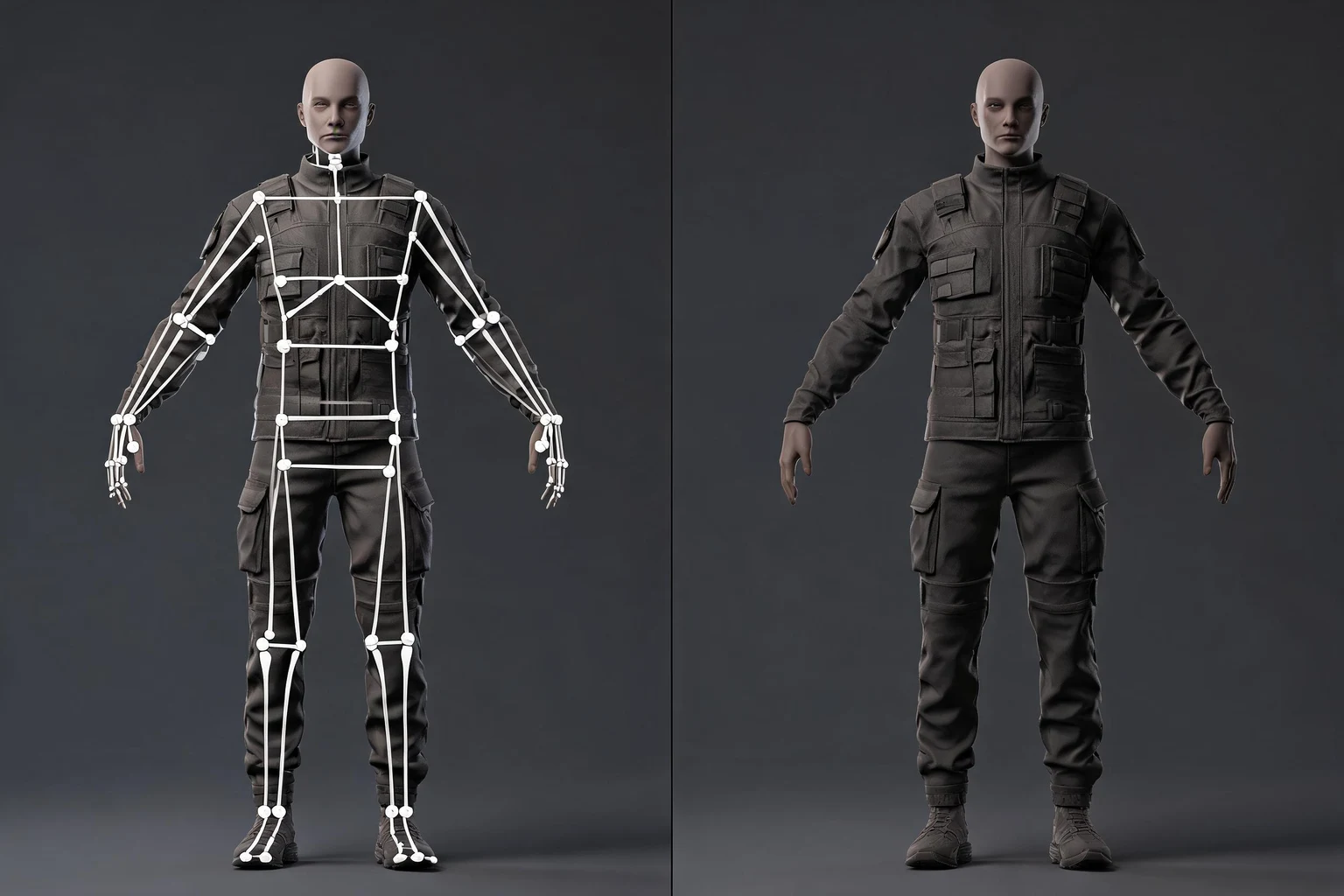
OBJ works well for a single prop, scan cleanup, simple CAD-to-DCC exchange, or a static print-oriented mesh. Because the structure is comparatively simple and widely supported, it is useful when the receiving tool only needs geometry, UVs, normals, and basic material references.
Its simplicity is also the limitation. Materials are modest, texture packaging is separate, hierarchy is shallow, and there is no dependable skeletal animation payload. Large text OBJ files can also be slow and bulky.
Stage checkpoint
- Write the intended outcome and owner.
- Record what was inspected and what remains unverified.
- Test one representative asset in the destination before scaling the workflow.
Use FBX for characters and animation
FBX is usually the stronger choice for a rigged character, an animated prop, or a scene that must preserve multiple moving parts. It can package skeletons, skinning, animation takes, transform hierarchies, and richer material assignments in one exchange path.
Do not assume every FBX feature survives every tool. Exporter versions, proprietary extensions, constraints, custom properties, tangent calculation, and material models can differ. Always test the actual source and destination versions.
Stage checkpoint
- Write the intended outcome and owner.
- Record what was inspected and what remains unverified.
- Test one representative asset in the destination before scaling the workflow.
Compare materials and textures
Neither format guarantees perfect material parity. OBJ typically points to an MTL file and external textures, while FBX may embed or reference textures and carry more material parameters. Procedural shader networks normally need baking or reconstruction either way.
For predictable delivery, define a portable PBR map set, color-space rules, and relative texture paths. Reopen the exported file on a clean machine or in a clean project to expose hidden path dependencies.
Stage checkpoint
- Write the intended outcome and owner.
- Record what was inspected and what remains unverified.
- Test one representative asset in the destination before scaling the workflow.
Compare scale, axes, and normals
Both formats can arrive at the wrong scale or orientation because tools interpret units and axes differently. Record the source unit, target unit, forward axis, up axis, and any export conversion. Include a known measurement or test object.
Normals and smoothing behavior also vary. Inspect hard edges, tangent space, mirrored UVs, and shading after import. A file that opens without an error can still be visually wrong.
Stage checkpoint
- Write the intended outcome and owner.
- Record what was inspected and what remains unverified.
- Test one representative asset in the destination before scaling the workflow.
Make the choice with a small round trip
Export one representative asset, import it into the destination, then send it back or compare it with the source. Test hierarchy, materials, normals, UVs, scale, naming, animation, and file size. The best format is the one that preserves the information your real pipeline needs.
When both formats work, prefer the simpler contract. When animation or hierarchy matters, use FBX and document the exporter preset. When only static geometry matters, OBJ remains a durable fallback.
Stage checkpoint
- Write the intended outcome and owner.
- Record what was inspected and what remains unverified.
- Test one representative asset in the destination before scaling the workflow.
Build a format handoff checklist
Name the source application and version, export preset, unit and axis rules, included maps, animation range, and known omissions. Keep the original editable file beside the exchange file.
The checklist is more valuable than a universal declaration that one format is always better. Format decisions belong to a tested pipeline, not a slogan.
Stage checkpoint
- Write the intended outcome and owner.
- Record what was inspected and what remains unverified.
- Test one representative asset in the destination before scaling the workflow.
How to make the workflow repeatable
Separate source, working, and delivery files
Keep the untouched source beside an editable working file and a clean delivery package. The source preserves provenance, the working file preserves modifiers and construction history, and the delivery package contains only the dependencies the next tool or teammate needs. Version these layers deliberately. Replacing all three with one overwritten file makes defects difficult to trace and rollback nearly impossible.
Use named checks instead of subjective approval
“Looks good” is not a durable gate. Define checks such as correct real-world scale, no unexpected non-manifold geometry, required UV coverage, resolved texture paths, verified material channels, expected animation range, target triangle budget, and successful import into a clean project. Record pass, revise, or blocked beside each check, along with the reviewer and date.
Test the risky assumption first
Every asset has one or two assumptions that can invalidate later work: a character may fail deformation, a prop may lose shading during export, a material may not translate, or a scene may exceed memory. Build a small test around the highest-risk assumption before polishing. Early evidence is cheaper than late confidence.
Preserve measurable evidence
Save wireframe views, face-orientation captures, material previews, profiler numbers, import logs, and before-and-after comparisons when they support a decision. Evidence does not need to be elaborate; it needs to be tied to the asset version and acceptance criterion. This makes optimization and troubleshooting reproducible instead of anecdotal.
Document limitations in the handoff
State missing maps, unsupported shader nodes, untested platforms, excluded animations, known intersections, license constraints, and any manual setup the receiver must perform. A limitation that is written down can be planned around. A limitation discovered after integration becomes schedule risk.
Scale only after one complete vertical slice
Run one representative asset through the entire path before batching dozens of files. The vertical slice should exercise naming, folders, export settings, textures, engine import, review, and rollback. Update the checklist with what the test reveals, then automate only the stable and well-understood steps.
Assign ownership at every transition
Each transition should name the person responsible for accepting the next state. The modeler can verify editable geometry, the technical artist can verify rigs and material translation, and the engine owner can verify runtime behavior. Clear ownership prevents a file from moving forward merely because nobody stopped it. It also makes revision requests specific: the receiving owner can cite a failed criterion, return the correct version, and preserve the rest of the approved work.
Review change impact before regenerating
Regeneration is useful when the concept or large forms are wrong, but it can destroy approved details and invalidate downstream evidence. Before replacing an asset, identify which decisions should remain stable, which stage owns the change, and which checks must be repeated. For a small defect, a targeted edit may be safer than a complete restart. For a wrong silhouette or incompatible structure, returning to an earlier stage is often cheaper than patching every later artifact.
Practical review checklist
- State the asset’s job, camera distance, target runtime, and owner.
- Save provenance, license, source version, and editable originals.
- Inspect geometry, transforms, normals, UVs, materials, and naming.
- Test scale, axes, textures, motion, and dependencies in a clean destination project.
- Measure performance in context instead of relying on file size alone.
- Record known limitations and the next human decision.
FAQs
Do I need coding experience to start?
No coding is required to begin with a structured prompt. Technical review is still needed before treating any generated asset or workflow as production-ready.
Is the first result ready to ship?
No. Treat the first result as a reviewable draft, then check geometry, materials, scale, rights, performance, and destination-specific requirements.
How does this page connect to SEELE AI?
The page carries a concrete brief into SEELE Workspace, where you can continue prompting and iteration. It does not claim a separate one-click browser utility.
What should I include in the first prompt?
Name the intended asset, visual direction, target use, scale, topology or motion needs, material constraints, and the decision you want to review first.
What should I verify before exporting or sharing?
Check rights, geometry, transforms, UVs, materials, scale, naming, performance, and compatibility in the actual destination tool or runtime.
Can this workflow replace a 3D artist or technical review?
No. It can structure a starting brief and iteration plan, while artistic judgment, technical validation, cleanup, and final delivery remain human responsibilities.