Introduction
A rail shooter controls the vehicle and camera for the player, so the key decision happens inside the route: which target must be hit before the next junction? Start with one short segment, a barrier that changes the path, and a beacon that lets a shot choose the next rail. That gives the player a readable loop without adding free steering or a long enemy wave.
This guide turns that idea into a compact specification for a fictional canyon run called Glassline Switch. The pod, targets, timings, and outcomes are invented planning material. The timing revision below is a hand-calculated paper simulation. No game-building prompt was run; Codex ImageGen was used only for the concept illustrations. No playable build, real test, or SEELE game output was observed, and no measured iteration is available for this example.
Map the Segment Before Placing Targets
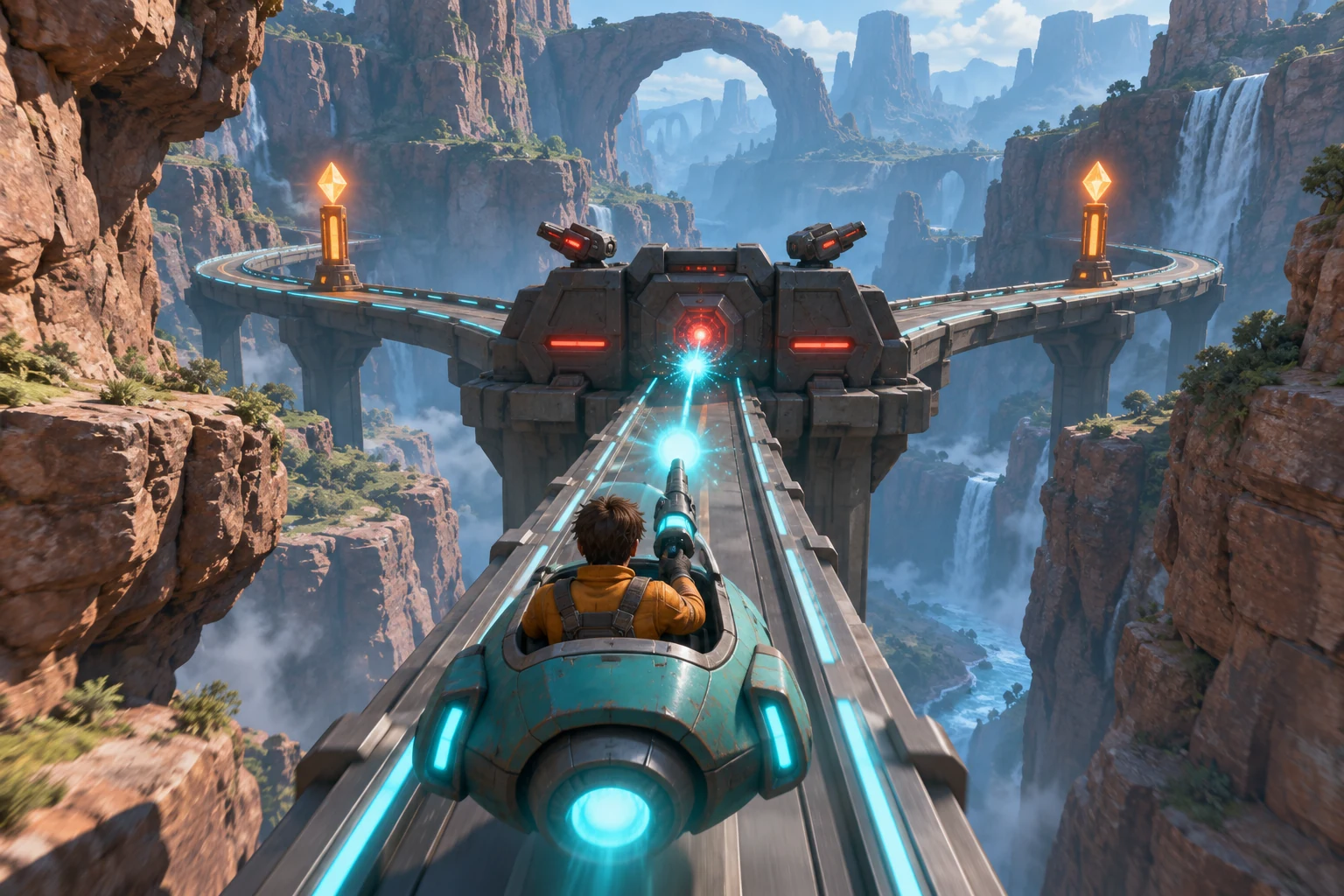
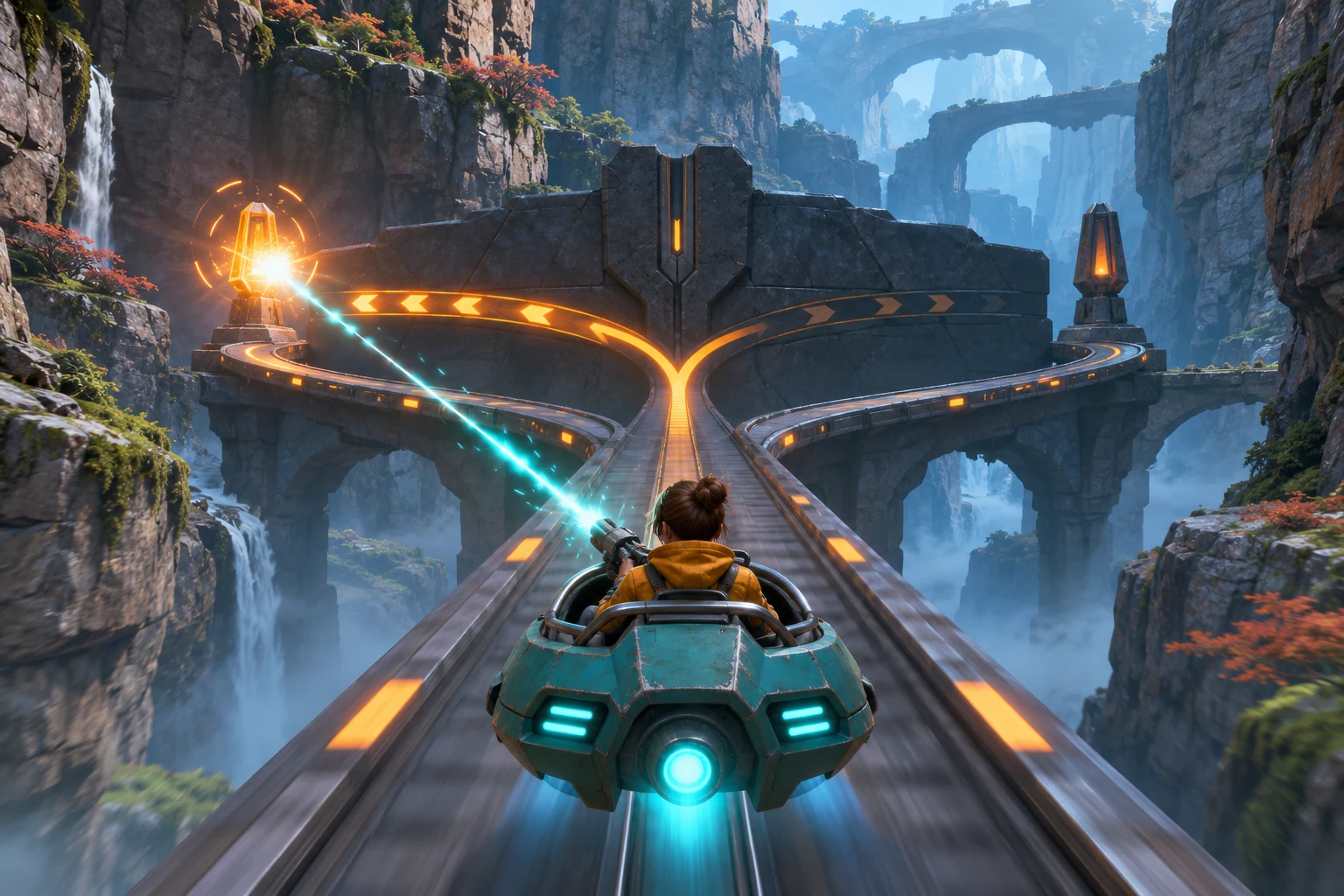
Describe the track before inventing a target pattern. In Glassline Switch, the pod moves forward automatically on a fixed canyon rail. The player aims a reticle and fires a pulse; they cannot steer the pod or rotate the camera freely. A fork beacon appears before a junction. A hit selects its branch, and missing both beacons sends the pod along a safe center rail. The choice changes the next camera path, not the steering controls.
| Element | First-slice rule | What the player should read |
|---|---|---|
| Travel | A scripted 64-second canyon route with an automatic forward camera. | The rail and forward motion make the vehicle path predictable. |
| Priority target | One armored barrier node on the route; it takes two pulse hits. | Two separate hit flashes show progress; the node remains blocking until the second hit. |
| Background threat | One optional drone crosses far behind and does not change gate state. | It adds motion, but should not compete with the barrier needed for route progress. |
| Branch choice | Left or right beacon hit selects that branch. If neither is hit, use the safe center rail. | The hit beacon glows and the next camera track shifts toward the selected route. |
| Retry | A barrier collision or missed fork returns to a checkpoint before the fork and restarts the same 12-second segment. | Reset restores the same approach, target state, beacon timing, and camera start. |
Keep the first encounter to barrier, choice beacon, and branch. That sequence makes each shot matter: hit the barrier twice to clear the route, then fire at the beacon whose path you want. The drone is optional background motion, not a hidden condition for opening the junction. In a first segment, a player should be able to explain which target affects progress and which one does not.
Write the First Rail Segment Prompt
A useful request defines the player’s role, the fixed route, the target rules, and a way to inspect the result. The controls below are examples for a design brief, not verified SEELE conventions. This is a prompt proposal; it has not been submitted to a generator.
Create a short third-person rail-shooter segment called Glassline Switch. A small teal hover pod travels automatically on a fixed canyon track with a forward camera; the player cannot steer or rotate the pod. Let the player aim a reticle and fire one pulse. Place one armored barrier node that takes exactly two hits before the route is clear. Show a distinct hit flash after each pulse. Before a junction, present left and right route beacons. A pulse hitting one beacon selects that branch and shifts the next camera path; if neither beacon is hit, use the safe center rail. Include one optional distant drone that does not affect the gate or route. Put a checkpoint before the fork. A collision with the barrier or a missed fork restarts the same 12-second approach with the original target, beacon, and camera state. Make the route, target state, hit feedback, beacon state, and reset visible. First produce one playable segment for inspection; do not add free steering, extra waves, score loss, or unrelated weapons. Provide a way to test the barrier’s two-hit rule, the left/right branch response, the default route, and a repeatable checkpoint reset. Report differences from these requested rules instead of silently changing them.
Before expanding to a second route, write a small acceptance list. Confirm that the pod follows its rail without player steering; two hits, not one or three, clear the barrier; the hit beacon alone selects a branch; a missed beacon takes the center line; and reset returns to the same approach state. Also check that the optional drone cannot satisfy or block a route condition. These are future checks for a real build. They are not claimed results of the prompt or of an existing game.
Review Target Order and Timing
When a rail segment feels unfair, identify the broken decision before changing the whole encounter. A late beacon, confusing hit cue, unsafe firing lane, and inconsistent reset are different problems. Treat each as a single rule to inspect.
| Possible symptom in a future build | Question to check | One-rule revision to consider |
|---|---|---|
| The barrier is reached before the player understands it is the priority. | Does the route visibly lead toward it, and is it distinct from the optional drone? | Change only the barrier’s reveal distance or visual contrast. |
| The player fires but cannot tell whether a beacon registered. | Does the selected beacon show a unique hit flash before the camera shifts? | Change only the hit cue or selection timing. |
| The branch changes even though no beacon was hit. | Is the center-rail default stated and applied when both beacons are missed? | Clarify only the miss/default rule. |
| A pulse seems to hit a wall beside the intended beacon. | Does the target have an unobstructed firing lane at the moment it appears? | Move only the beacon or clear its line of sight. |
| A retry begins with the wrong target or camera. | Does checkpoint reset restore the same 12-second segment start? | Change only which state is captured at the checkpoint. |
The point is to keep the rail script stable while you diagnose one decision. If a real test later shows that the beacon cannot be acquired before the junction, first record the actual start state, movement rate, beacon appearance, input, and outcome. Only then choose a revision. A plausible explanation is not an observed result.
Paper-Check the Beacon Lead Time
The authored timing model uses track markers as a simple clock. The beacon appears 16 markers before the junction, while the pod covers four markers per second. That gives four seconds before the fork. The design assumes that reticle lock takes one second and a pulse crosses the three-marker gap to the beacon at one marker per second. Lock plus travel is four seconds, so the shot arrives exactly at the junction boundary with no margin.
| Paper action or parameter | Calculation | Available time or result |
|---|---|---|
| Baseline lead to fork | 16 markers ÷ 4 markers/second | 4 seconds |
| Lock and pulse travel | 1-second lock + 3 markers ÷ 1 marker/second | 4 seconds required |
| Baseline margin | 4 seconds available − 4 seconds required | 0 seconds |
| Revised beacon spawn | 24 markers ÷ 4 markers/second | 6 seconds available |
| Revised margin | 6 seconds − the same 4-second lock and pulse | 2 seconds |
Change only the beacon’s spawn position from 16 to 24 markers before the fork. Keep pod speed, camera, lock time, pulse travel, beacon hit rule, and branch behavior fixed. In this hand-calculated fictional scenario, the player gains two seconds of margin. The third image illustrates the authored intended route state after the choice; it is not a screenshot of a measured run.
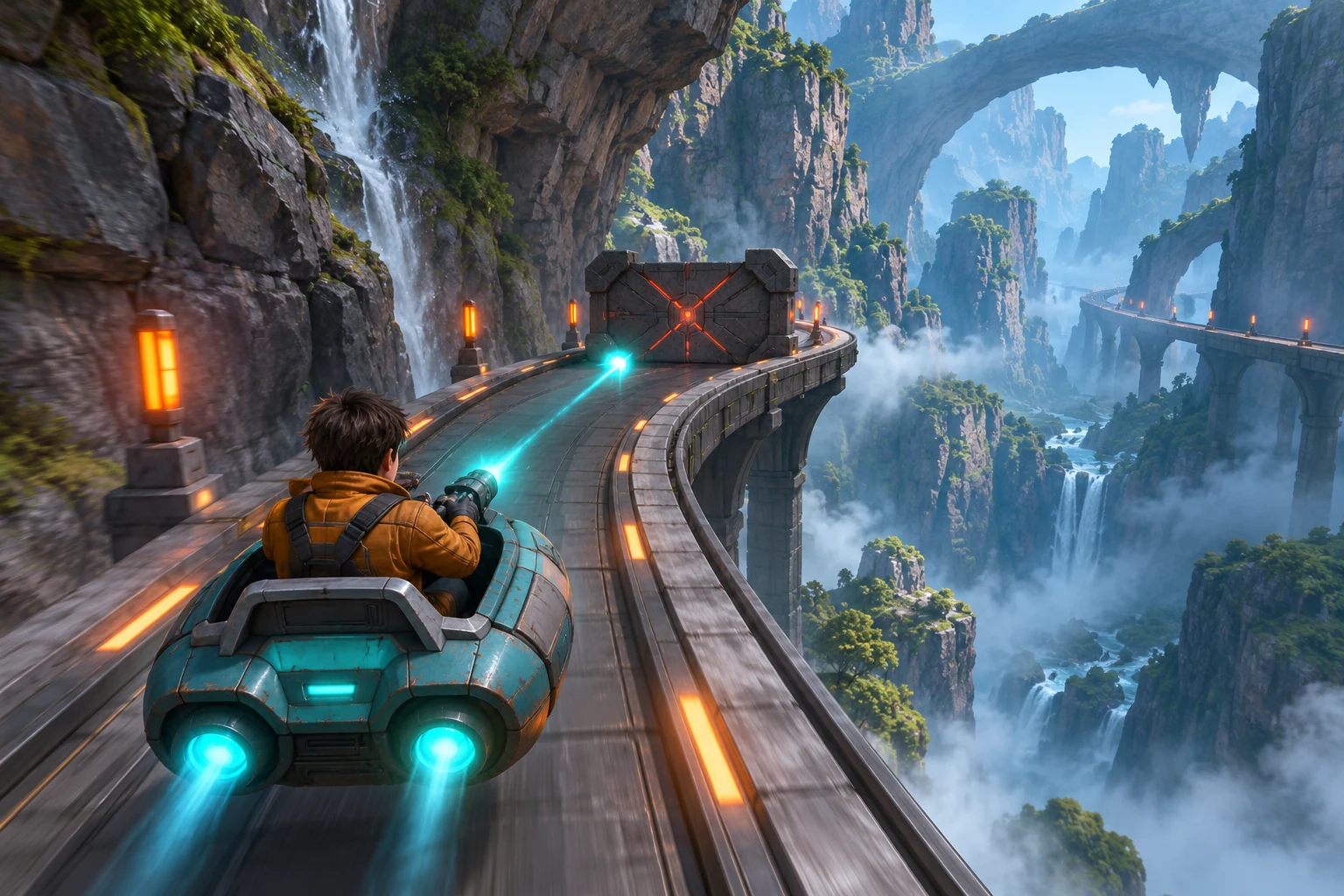
This exercise is only a paper simulation built from invented values and arithmetic. It is not telemetry, an observed player response, or a generated SEELE result. A real iteration would require running a build, recording its identity and inputs, and noting what actually happened before describing the timing as tested.
Use an AI Game Maker for a Focused First Segment
A focused segment brief can give a creator a clearer starting request than a genre label alone. The current Free AI game maker page describes making a plain-English request, reviewing playable 2D or 3D output in a browser, and refining with follow-up prompts. Its catalog also describes broad game creation and shooter categories. Those sources support a general request-review-iterate workflow, not a guarantee that the fixed rail, two-hit barrier, beacon timing, or branch selection will work as specified.
If you use a game-making tool, request one short segment and inspect each condition separately. Check that the pod does not turn freely, the barrier takes two hits, the selected beacon changes the next camera path, a missed beacon follows the center rail, and reset restores the same checkpoint state. Review any displayed generation cost before submitting. The official page does not verify this fictional segment or its paper timing. Its candidate article route and the query parameter above are local attribution only; neither is an accepted or published destination.
Conclusion: Let the Route Create the Decision
A rail shooter can feel interactive even when the vehicle never leaves its scripted path. Give the player one priority target, a visible branch choice, feedback that explains the result, and a repeatable reset. In Glassline Switch’s fictional paper model, moving the beacon from 16 to 24 markers gives the same shot two seconds of margin. That is a design calculation, not a measured iteration. This article does not present a tested build.
What makes a rail shooter different from a free-steering shooter?
The vehicle and camera follow a predetermined route while the player focuses on aiming, firing, and reacting to targets along it. The design problem shifts from steering through space to reading target order and timing. Keep that distinction visible in the first segment so a player knows which actions they control and which motion is scripted.
How many targets should the first rail-shooter segment include?
Use only the targets needed to teach the decision. This fictional slice has one two-hit barrier that affects progress, two route beacons, and one optional background drone that changes no gate state. Extra waves or weapons can wait until players understand the barrier, beacon choice, default route, and reset.
How much time should a player have to hit a route beacon?
There is no universal timing value. State the movement rate, beacon lead, aim or lock delay, projectile travel, and what happens on a miss. In this paper example, 16 markers at four markers per second give four seconds, exactly matching the one-second lock plus three-second pulse travel. Those numbers are invented, not tested.
What should happen if a player misses the beacon?
Choose and communicate a deterministic fallback, such as the safe center rail. A miss should not silently select a random side. The player also needs visible confirmation when a hit is accepted, so the branch and next camera path feel tied to the shot rather than to hidden steering.
Was Glassline Switch built or measured with an AI game maker?
No. Glassline Switch, its pod, barrier, route, timing values, and images are fictional planning material. The lead-time change is a hand-calculated paper simulation. No game-building prompt was run; Codex ImageGen was used only to create the concept illustrations. No playable build, real test, measured result, or SEELE game output is claimed.