A checkout loop works when every action changes the transaction in a predictable way. Model it as a small state machine: a customer joins the lane, presents items, the cashier scans or corrects them, the game calculates a total, the customer pays, and the transaction finalizes once before the customer leaves. This gives your retail simulator tactile work while keeping money, stock, and customer state consistent.

Define the transaction states
Start with a transaction record that belongs to one customer visit. It can hold a transaction ID, customer ID, a list of scanned line items, subtotal, payment method, amount tendered, and a final status. Keep the customer’s shopping basket separate from this record: the basket is what they brought to checkout, while the transaction is the cashier’s current work. That distinction makes it possible to compare the two and catch missing or duplicate items.
A useful first state sequence is Queued → Scanning → AwaitingPayment → Paid → Finalized. Add explicit side states such as Correction, PaymentFailed, or Cancelled only when they change what the player can do. For each state, define allowed actions. Scanning accepts a valid product; AwaitingPayment accepts a tender choice; Paid can move to Finalized; Finalized accepts no further payment or item changes.
Keep transitions narrow. A scan event should identify a product and transaction, check that the transaction is still Scanning, then add one line item and update the displayed subtotal. A payment event should be rejected before AwaitingPayment. A finalize event should be accepted only after a valid payment. If the cashier can press a button twice, the second event must not add money or remove inventory again.
Build feedback around state changes. A successful scan can play a short sound, flash a neutral confirmation, and add the item to a visible list. A mismatch should identify the item that needs attention and preserve the transaction so the player can correct it. The player should not have to infer whether the game registered an action from animation alone.
Implement scanning and corrections
For each item presented, compare its product ID with the item expected from the customer’s basket. In a forgiving design, a wrong item can still be scanned but should create a clear correction path. In a stricter design, the register can reject it and ask the player to choose the correct product. Pick one rule and teach it consistently; mixing silent rejection and accidental acceptance makes checkout feel unreliable.
Represent each scanned line with a product ID, quantity, and price snapshot. The snapshot matters if store prices can change while a transaction is open: the register should use the price the customer is being charged under your game’s chosen rule, rather than silently reading a new value midway. For a simple prototype where prices never change during checkout, document that assumption and calculate from the product catalog.
Corrections need to be explicit actions. A void removes a selected line and recalculates the subtotal. A quantity correction changes the quantity and updates the total. If a physical item returns to the basket or belt, animate that movement; if it remains scanned, show where it went. Treat repeat input carefully: a repeated key event should not create a second line unless the player intentionally scans another unit.
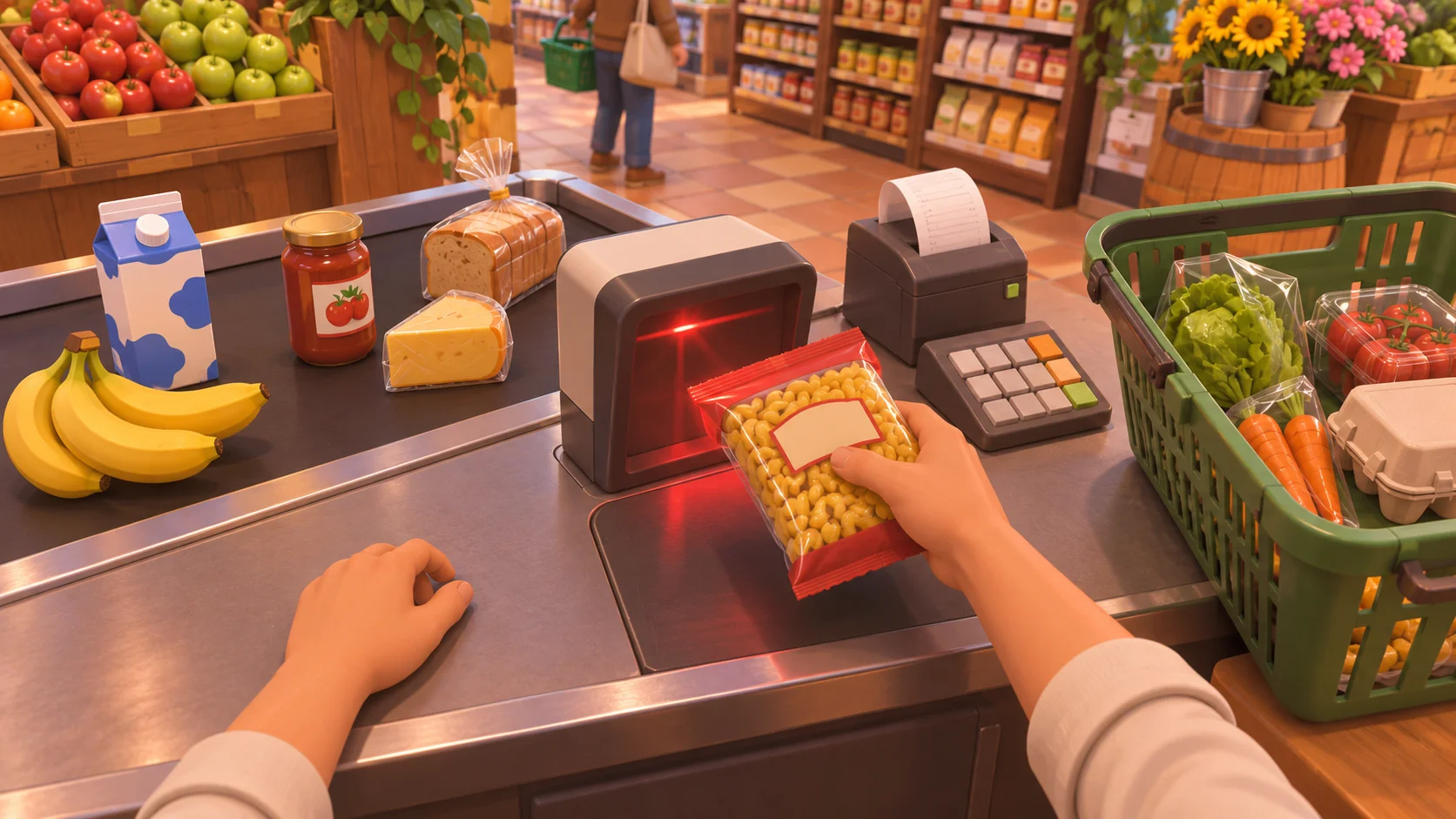
Use stable product data for the price, name, and category. Do not make the visual package itself the source of transaction truth. The item instance can point to a catalog product, while the transaction stores the values it needs to complete consistently. This makes it easier to support multiple identical items without confusing them with duplicate scan events.
Validate tender and finalize once
After the basket is complete, move to AwaitingPayment and show the amount due. A cash path can accept an amount tendered, reject an amount below the total, and calculate change as tendered minus due. A card path can either resolve immediately in the prototype or briefly show authorization pending; if it fails, return to a state where the player can retry or choose another method. These are design options for your game, not claims about a reference title’s internal code.
Money should be represented consistently. Store currency in the smallest whole unit your game uses, such as cents, rather than repeatedly adding floating-point decimals. For example, a total of 12.35 becomes 1,235 units. Validate that the tender and total use the same unit, then calculate change with integer subtraction. This avoids tiny rounding errors that accumulate across many purchases.
Finalization is a single commit point. Once payment succeeds, mark the transaction Paid, apply the inventory and revenue changes, then mark it Finalized. Ideally these changes happen together: if payment is accepted but inventory does not update, or the customer leaves while revenue is added twice, the game state contradicts itself. Use the transaction ID as an idempotency key: if the same finalize request arrives again, return the previous result rather than applying it a second time.
When the transaction finalizes, produce clear result feedback: total paid, change where relevant, a receipt if your design uses one, and the customer’s departure. Then release the register for the next customer. The customer should not leave while payment is pending, and a new customer should not take over a register that still owns an unfinished transaction.

Test the checkout as a small system
Test the normal path first: a customer arrives with three products, each product is scanned once, the subtotal matches the catalog, payment succeeds, inventory decreases once, revenue increases once, and the customer exits. Then test failure paths independently. Try an empty basket, an unknown product ID, a wrong product, a void after scanning, a repeated scan input, insufficient cash, a cancelled card, and a second finalize request.
Write down the expected result for each case before running it. For example, insufficient cash should leave the transaction unpaid, preserve scanned items, and allow another tender attempt. A cancelled card should not change stock or revenue. A repeated finalize request should return the existing receipt or result while leaving totals unchanged. These checks catch state bugs that a successful happy path will miss.
For feel, tune the time spent on each action separately. Scanning can be quick and responsive; payment confirmation can take long enough to read; bagging can be optional or shortened when the queue grows. Add pressure through customer patience or queue length only after the core transaction is reliable. If a timer punishes players while input feedback is unclear, the mechanic feels unfair rather than brisk.
The official Supermarket Simulator listing describes scanning products and taking cash or card payments as part of its supermarket play. Use that high-level loop as inspiration, then make your own decisions about corrections, transaction safety, pacing, and feedback. SEELE’s documented game-creation capability can help you start from a natural-language game concept, but treat any generated prototype as a draft and verify the checkout behavior yourself. Explore an AI game creation starting point for an original retail-sim idea.
Frequently asked questions
What states should a checkout flow have?
A small flow can use Queued, Scanning, AwaitingPayment, Paid, and Finalized. Add correction, payment-failed, or cancelled states when they allow a distinct action. Define which inputs are valid in each state, and reject events that arrive too early or after finalization. This makes the checkout easier to debug and prevents one action from changing unrelated parts of the sale.
How should cash change be calculated?
Represent prices in integer minor units such as cents, add the line totals, and calculate change by subtracting the amount due from the amount tendered. Reject tender below the total. Using integers avoids floating-point rounding drift; keep the displayed currency formatting separate from the stored value so presentation does not alter transaction math.
How do I prevent charging a customer twice?
Give each transaction a stable ID and make finalization idempotent. The first valid request records payment and applies stock and revenue changes; later requests with the same ID return that recorded result without applying the changes again. Also disable payment input after success and reject state transitions from Finalized.
What should happen when a card payment fails?
Keep the transaction unpaid and preserve the scanned items. Show a clear failure message, then let the player retry or choose another tender method if your design allows it. Do not remove inventory, add revenue, or release the customer until payment succeeds and the transaction finalizes. This keeps failure feedback consistent with the game’s underlying state.