A restoration simulation becomes easier to design when the player can see why a room is not ready. Start with one invented gallery, four visible conditions, and a small budget. The example in this guide uses one inspection action plus four work cards: clear the entry lane, patch the skylight, clear the case view, and place an orientation card. Those are fictional game rules, not real repair instructions. A six-point plan leaves one goal unfinished; after a full reset, a seven-point plan completes the same sequence. The numbers are hand-calculated, not tested in a build.
Start with one room and one reopening goal
For a first restoration simulation, avoid a sprawling museum with dozens of rooms, budgets, staff, and visitor schedules. Design one closed room whose condition changes are visible. A player should be able to inspect the space, choose a priority, spend a limited resource, and tell whether the goal was reached.
Our fictional Harbor Archive Gallery has a blocked entry, a leaking skylight, a dim display case, and an empty orientation-card frame. The design loop is record → prioritize → unlock → restore → reopen. “Restore” here names an abstract game-state step, not hands-on conservation or building work. Every action has an invented point cost and a visible marker change.
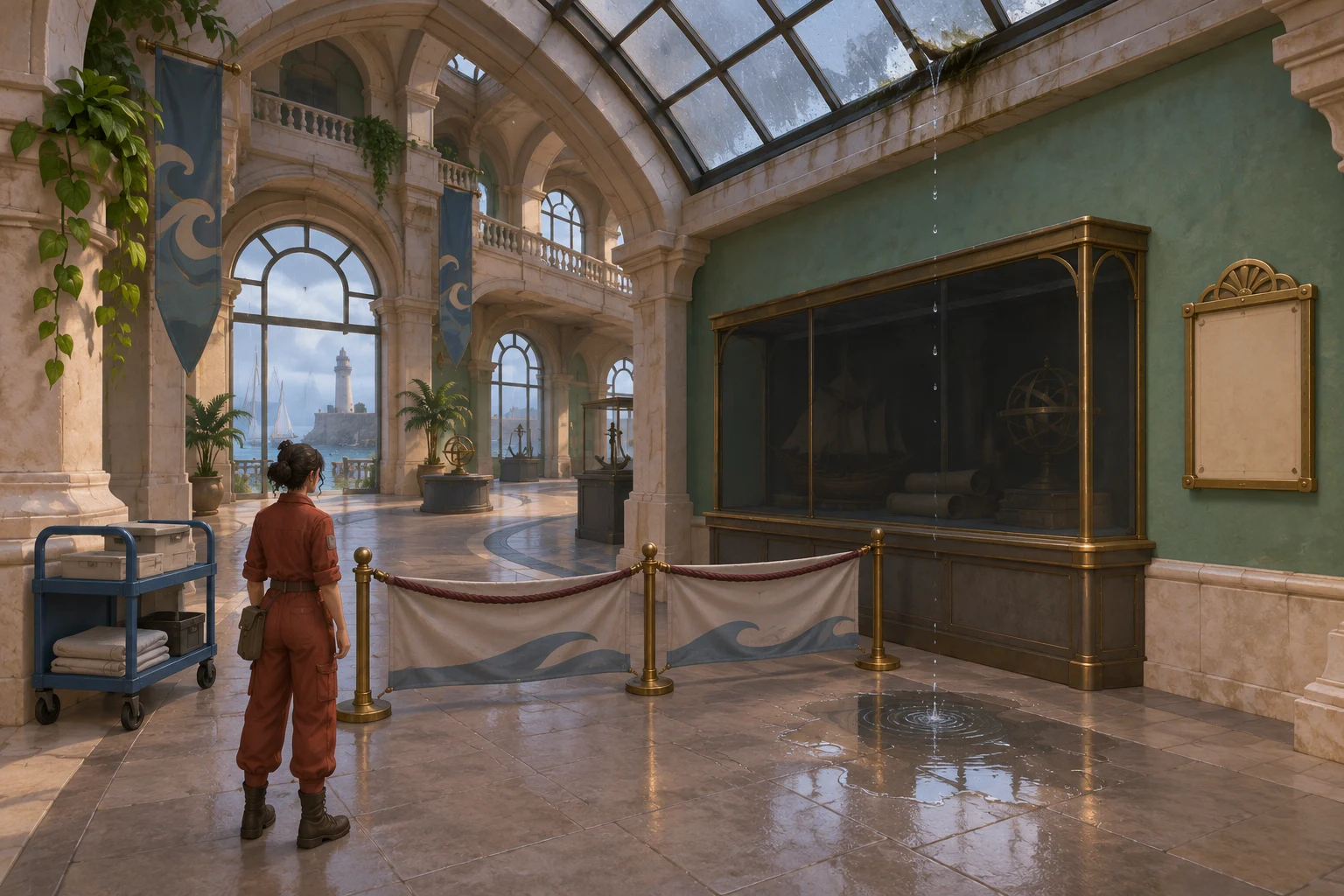
This small scope creates a useful design question: can a player understand which condition to address next and why a six-point proposal cannot finish everything? Answer that before adding collection inventories or a long campaign.
Make conditions visible before work begins
Give the player four binary markers. At the start, all are zero. A one-point Inspect and log action records the room and unlocks the work cards. It does not change the room conditions. Each work card can be selected once, spends its listed cost when confirmed, and changes exactly one marker from zero to one. The prerequisites form a simple chain.
| Action | Cost | Prerequisite | Visible state change |
|---|---|---|---|
| Inspect and log | 1 WP | None; required first | Reveal all four condition tags and unlock the work cards. |
| Clear entry lane | 1 WP | Inspection complete | Access changes from 0 to 1. |
| Patch skylight | 2 WP | Access = 1 | Dryness changes from 0 to 1. |
| Clear case view | 1 WP | Dryness = 1 | Visibility changes from 0 to 1. |
| Place orientation card | 2 WP | Visibility = 1 | Context changes from 0 to 1. |
The complete route costs seven points: 1 + 1 + 2 + 1 + 2 = 7. The inspection action is separate from the four work cards. A card with an unmet prerequisite is unavailable; a card whose cost exceeds the remaining budget is also unavailable. The game should explain which rule blocks it instead of silently discarding the choice.
In this model, the room is ready to reopen only when Access, Dryness, Visibility, and Context all equal 1. Completed cards remain visible after the budget runs out. If even one marker is zero, the room stays labeled “not ready.” That gives the player feedback about the state rather than an unexplained success or failure.
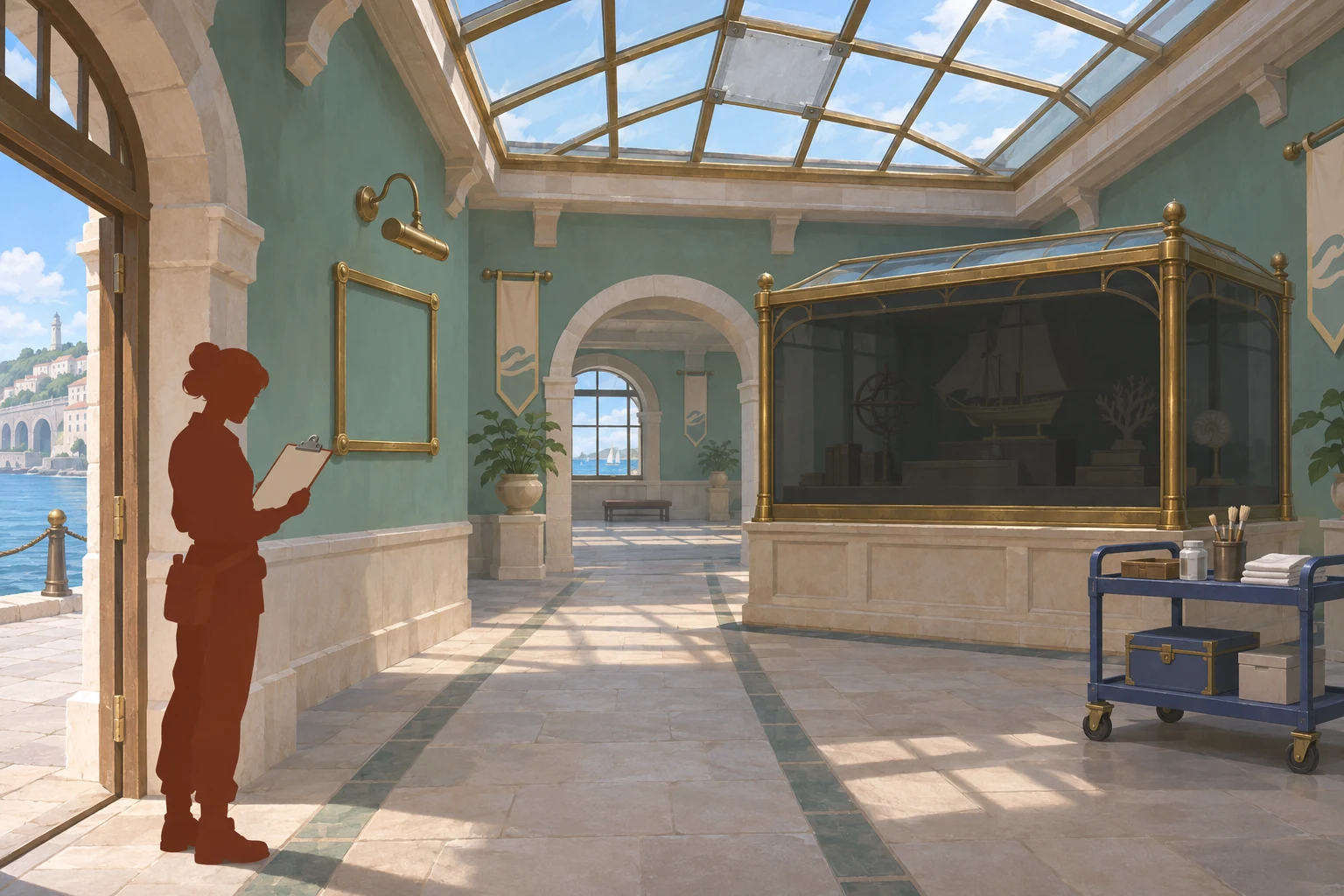
Use the image as a state reference for your own design, not as a real interface. Its useful contrast is between completed conditions and the two unfinished markers. In a playable version, a marker, room lighting, or short status message could reinforce the same difference; keep the feedback legible without inventing extra rules.
Write a prompt that names the rules
A focused prompt tells a generator what the player sees, what actions are available, what they cost, and how to check the result. Keep the example fictional and explicit. Here is a reusable starting prompt:
Create an original, small room-scale restoration simulation prototype called Harbor Archive Gallery. This is a fictional game design, not a real conservation or building-repair guide. Use a readable fixed camera and one closed gallery with four visible conditions: blocked entry, leaking skylight, dim display case, and empty orientation-card frame. Track Access, Dryness, Visibility, and Context as binary markers that begin at 0.

At the start of each planning run, set the work-point budget to the value chosen for that run and restore the original room state. The player must first choose Inspect and log for 1 WP; this reveals all four condition tags and unlocks four work cards. Inspecting does not change a condition. Each card is selectable once, spends its cost only on confirmation, and sets one marker from 0 to 1: Clear entry lane costs 1 WP; Patch skylight costs 2 WP and requires Access=1; Clear case view costs 1 WP and requires Dryness=1; Place orientation card costs 2 WP and requires Visibility=1. A missing prerequisite or insufficient remaining budget leaves the card unavailable and shows a short reason.

The room is ready to reopen only when all four markers equal 1. Keep completed changes visible when the budget ends, and show not ready if any marker is still 0. A full reset restores all four initial markers and the selected budget for that run. Do not add real repair advice, collection treatment instructions, prices, staff systems, or extra resources. Return the action list, current markers, remaining WP after each confirmation, and a checklist for inspection, prerequisites, budget subtraction, incomplete-state messaging, and reset behavior. If any rule is ambiguous, ask for clarification rather than inventing one.
This prompt is a design specification, not a result from an AI tool. It makes the important decisions reviewable: the point cost is paid once, prerequisites gate actions, a partial room stays unfinished, and reset restores the chosen run configuration. If your own game uses different rules, change the prompt and its state table together.
Read why the six-point plan stops
Run the starting budget on paper before adding more rooms. In run A, the player begins with six work points and chooses the actions in prerequisite order. The table shows the balance after each accepted action.
| Run A step | Cost | WP remaining | Markers after action |
|---|---|---|---|
| Start | — | 6 | Access 0, Dryness 0, Visibility 0, Context 0 |
| Inspect and log | 1 | 5 | All condition tags revealed; markers unchanged |
| Clear entry lane | 1 | 4 | Access 1 |
| Patch skylight | 2 | 2 | Access 1, Dryness 1 |
| Clear case view | 1 | 1 | Access 1, Dryness 1, Visibility 1 |
| Place orientation card | 2 | Unavailable | Context remains 0; room is not ready |
The first four actions—the inspection plus the first three work cards—spend five points. One point remains, but the final card costs two and requires Visibility=1. The player has met the prerequisite but cannot afford the card. That distinction matters: a missing prerequisite is a rule-order problem, while one remaining point is a budget problem. The room keeps its completed states and reports the unfinished Context marker.
Paper-check one budget revision
To test the arithmetic, end run A and perform a full reset. Restore the original four markers and the selected run A budget. For run B, change only the chosen budget from six WP to seven. Then repeat the same five-step sequence: one inspection action followed by the same four work cards in the same order.
| Paper run | Starting budget | Total sequence cost | Ending balance | Goal state |
|---|---|---|---|---|
| A: baseline | 6 WP | 7 WP | Stops with 1 WP before the final 2-WP card | Context 0; not ready |
| B: one-variable revision | 7 WP | 7 WP | 0 WP | All four markers 1; ready to reopen |
Run B succeeds in this authored ruleset because 7 − (1 + 1 + 2 + 1 + 2) = 0 and the prerequisites are satisfied in order. It is a hand-calculated paper simulation only, not a tested build or measured result. After B, resetting again restores the original room and run B’s selected seven-point budget. Do not change the budget back to six unless you begin another run with that configuration.
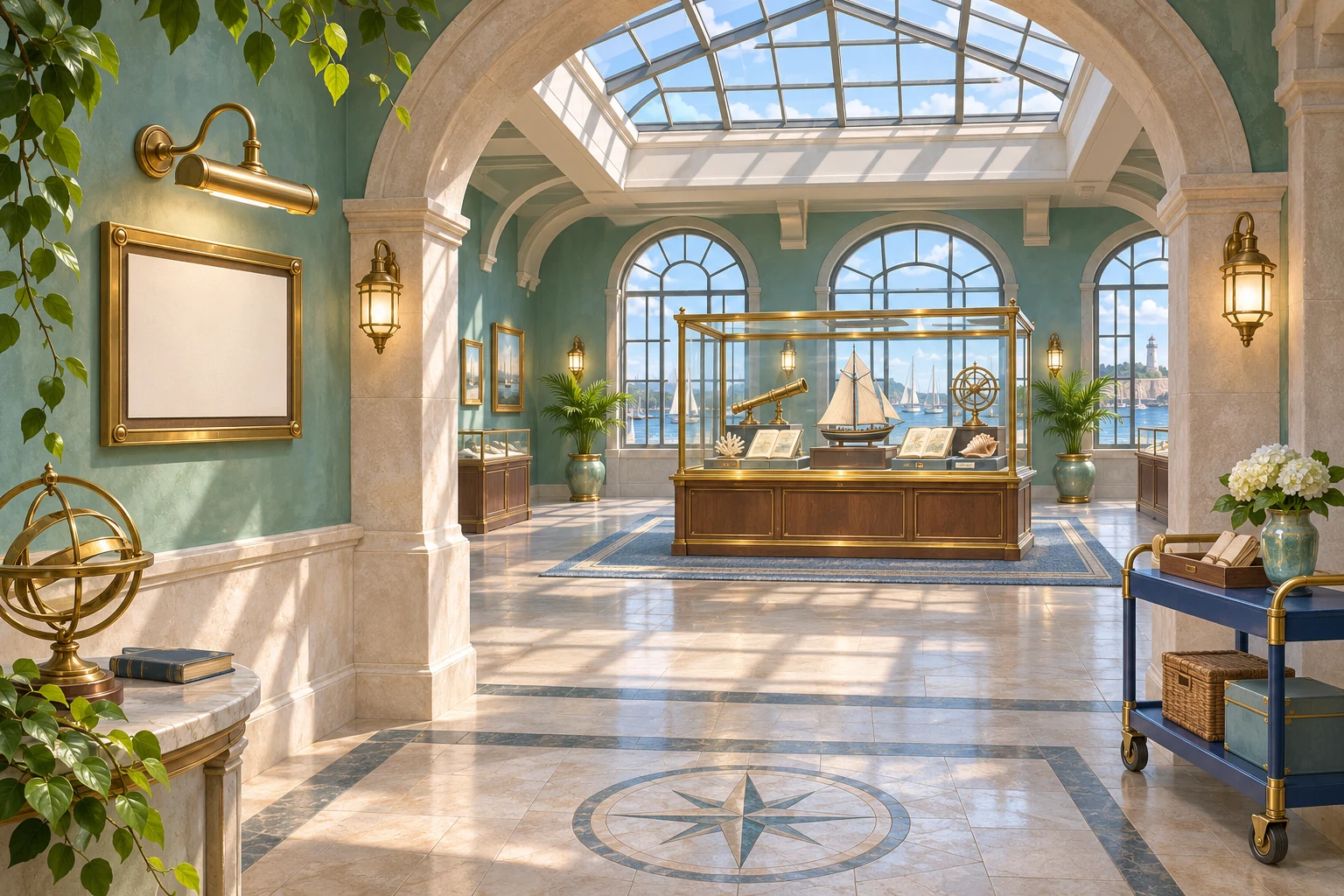
The result image illustrates the designed goal state. It is not a real renovation, a product screenshot, or proof that a game generator implemented the rules. A useful prototype check would compare the action log with the displayed markers and confirm that the reset returns the room and budget exactly as specified.
Plan a real check without inventing results
No prompt run, build, or playtest is supplied for this example. Keep that boundary visible in your own production notes. When you do have a playable prototype, record the exact starting budget, each selected action, costs before and after confirmation, prerequisite messages, marker changes, room visuals, and reset state. Use the same action order for a comparison and change one variable at a time.
- Confirm that inspection unlocks the cards without changing a condition.
- Check that a card is unavailable until its prerequisite is complete.
- Check that a card is unavailable when the remaining balance is too small.
- Compare the four markers with the room after each accepted action.
- Reset after both budgets and confirm that the original room and selected budget return.
These are future checks, not observations. If a build behaves differently, update the rules and the example trace together. Do not present the paper ledger as a successful game test.
Keep conservation and building boundaries clear
The National Park Service’s 2012 Museum Handbook, Part I, Chapter 8: Conservation Treatment concerns museum collections. It says object treatments should be performed by trained conservators experienced with the relevant materials, and discusses documenting conservation treatment. That source does not validate this room’s invented work cards or supply building-repair instructions.
This article teaches game-state design only. A leaking roof, blocked exit, collection object, electrical hazard, or structural concern in a real building needs qualified, context-specific professional attention. Do not use the fictional actions or costs as a real-world scope of work. The point markers are there to make an abstract game loop hand-checkable.
Use an AI game maker without overpromising
SEELE’s official Free AI Game Maker page describes a general workflow: describe an idea in plain English, generate a playable 2D or 3D first version, test it in a browser, and refine it with follow-up prompts. It says Workspace shows the selected AI model, available Koin balance, and displayed generation cost before submission. Those product facts support using a compact brief and inspecting the result; they do not establish that this custom restoration loop will be built correctly or that the example has been tested in SEELE.
If you use a game maker, start with the room, markers, costs, and reset rule. Review the first result against the checklist above, then request one focused change. Test the controls, prerequisites, resource balance, visual feedback, and reset yourself before relying on a mechanic. The concept art in this article is not a SEELE interface or product output.
Build a small loop you can verify
A useful restoration simulation can begin with one room, four visible conditions, and one clear reason a plan succeeds or stops. Here, one inspection action and four cards cost seven points. The six-point run leaves Context incomplete; after a full reset, the seven-point run reaches the stated goal. That is a coherent paper design, not a measured result. Turn the prompt into a small prototype, check each state transition, and revise the rule that causes confusion. When you are ready to shape your own idea into a game brief, start with the Free AI game maker and review the available options before generation.
Frequently asked questions
How many work cards are in the example?
There are four work cards, plus a separate one-point Inspect and log action that must happen first. The complete route is therefore five actions and costs seven points total. Keep that distinction visible in the rules table and action log so readers do not mistake the inspection step for a fifth work card.
Why does the six-point run fail?
The first four steps cost five points: inspection, clearing the entry, patching the skylight, and clearing the case view. One point remains, but placing the orientation card costs two. Context stays at zero, so the fictional room is not ready to reopen even though the other three markers are complete.
What changes in the seven-point revision?
Only the selected budget changes from six to seven points. After run A ends, reset all four markers and the room to the original state; then start run B with seven points and repeat the same five actions. The example spends all seven points and reaches four completed markers. This is a paper calculation, not a tested iteration.
Does this describe real conservation or repair work?
No. The room, actions, costs, and outcomes are fictional game rules. The cited NPS handbook addresses museum-object conservation and the role of trained conservators; it does not endorse the invented actions or teach building repair. Use qualified professionals for real collection treatment or building concerns.
Does SEELE guarantee that it will generate this simulation?
No. The official page describes general game-creation and review capabilities, including plain-English briefs and playable 2D or 3D results. It does not promise this specific rule set or a successful build. Review any output and test the mechanics, resource changes, feedback, and reset before relying on them.