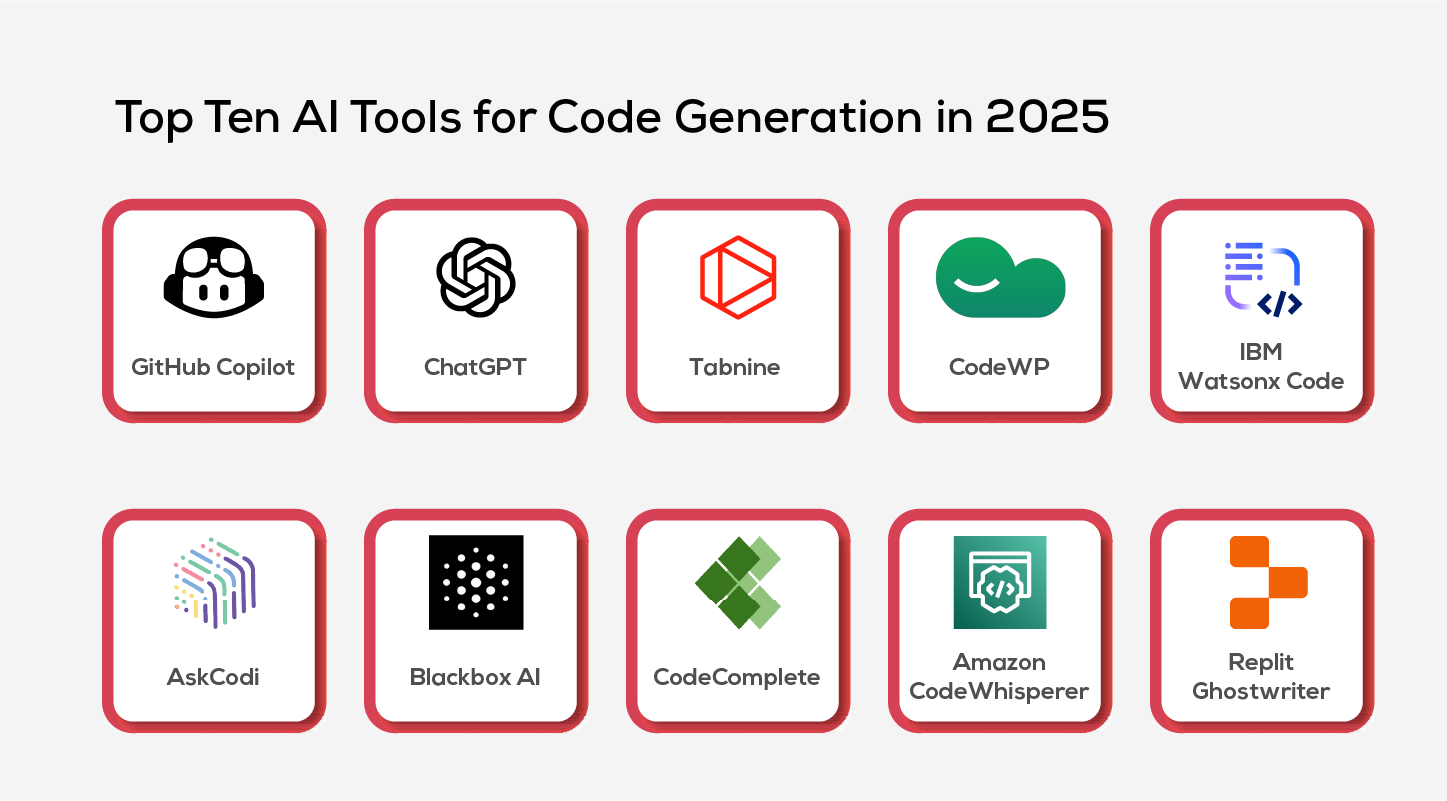
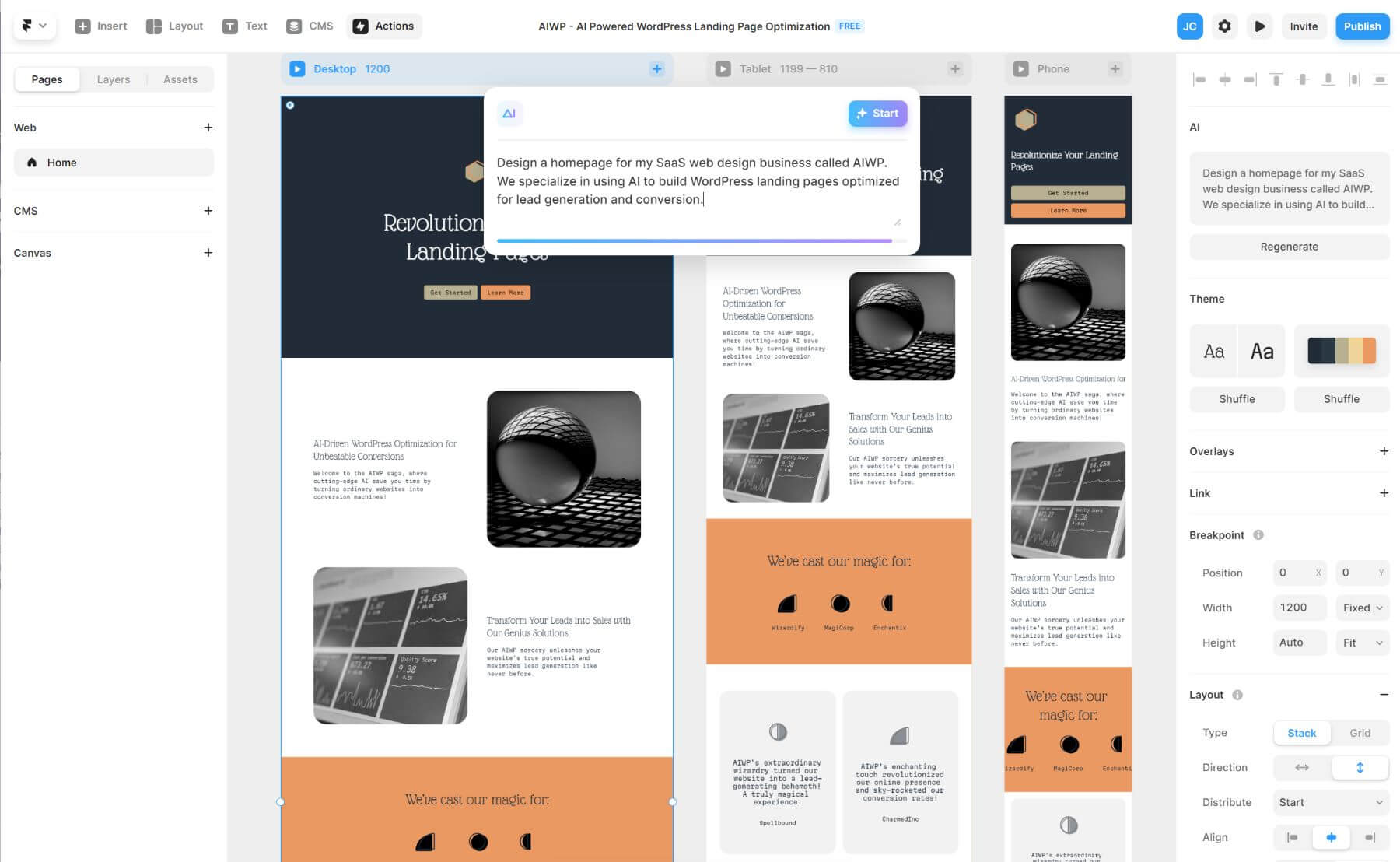
Here's the result of the suite-2-0-ai-creative-platforms-guide model generated using Meshy.
Key Concepts: Suite 2.0 Technology
Suite 2.0 Definition: Next-generation creative platforms integrating AI-powered content generation, unified workspace architecture, and real-time collaboration into a single cloud-based environment. Distinguished from Suite 1.0 by native artificial intelligence capabilities rather than manual tool operation.
Core Components: - Generative AI engines for multi-format content creation (images, 3D models, video, audio, code) - Unified workspace eliminating application switching across creative disciplines - Cloud-native architecture enabling multiplayer editing and device synchronization - Automation workflows powered by machine learning for repetitive task elimination
Performance Benchmarks (2026 Industry Data): - Time savings: 50-70% reduction in project completion time vs. traditional software - Skill barrier reduction: Non-experts achieve professional-quality outputs in hours vs. weeks of training - Iteration speed: 5-10x faster creative exploration due to AI-assisted generation - Collaboration efficiency: 40% fewer revision cycles with real-time co-editing
Platform Categories:
| Platform Type | Primary Use Case | Key Example | AI Capabilities |
|---|---|---|---|
| Marketing Suite | Social media, branding | Canva Visual Suite 2.0 | Image/video generation, smart layouts |
| Design Suite | UI/UX, product design | Figma with AI | Auto-layout, design system generation |
| Game Dev Suite | Interactive content | SEELE | Full 3D/2D game generation, code creation |
| Video Suite | Content creation | Runway | Text-to-video, AI editing |
Technical Architecture Evolution:
Suite 1.0 Stack (Legacy):
Photoshop → Illustrator → After Effects → Premiere → [Manual file transfer]
Result: 8-12 hours for complex multimedia project
Suite 2.0 Stack (Modern):
Unified Platform → AI Generation → Real-time Collaboration → Multi-format Export
Result: 2-3 hours for equivalent project (75% time reduction)
Selection Criteria by Use Case:
For Game Development: - SEELE: Text-to-game in 2-10 minutes, Unity/Three.js export, 5M+ animation library - Advantage: Only Suite 2.0 platform with complete game engine integration
For Marketing Content: - Canva Visual Suite 2.0: 250k+ templates, brand kit management, team collaboration - Advantage: Fastest social media asset creation (30 sec avg per post)
For 3D Visualization: - SEELE: Text/image-to-3D with auto-rigging (30-60 sec), PBR textures, game-ready topology - Adobe Substance 3D: Professional material authoring, photogrammetry integration
Critical Differences: AI-Generated vs. Manual Assets
| Metric | Manual Creation | AI-Generated (Suite 2.0) |
|---|---|---|
| 3D Character Model | 8-40 hours | 30-60 seconds |
| Sprite Sheet (8 frames) | 2-6 hours | 15-30 seconds |
| Game Prototype | 40-160 hours | 2-10 minutes |
| Marketing Visual | 1-4 hours | 30 seconds - 5 minutes |
Future Trajectory (2026-2028): - Multimodal unification: Single AI model handling all content types - Real-time co-creation: Simultaneous multiplayer editing across 3D, video, animation - Personalized AI: Models fine-tuned to individual creator style and brand guidelines - Production-grade outputs: AI quality matching professional human work (current: 90-95% for 2D, 85-90% for 3D)
Commercial Licensing Considerations: - Most Suite 2.0 platforms (Canva Pro, SEELE Pro, Adobe Firefly) grant commercial rights to generated content - Free tiers typically restrict commercial use - Enterprise plans include legal indemnification for copyright concerns - Always verify platform-specific terms for high-stakes projects
ROI Analysis for Business Adoption:
Small Creative Team (5 people): - Cost: $150-500/month for Suite 2.0 subscription - Time savings: 30-40 hours/week across team (75-150% productivity gain) - Break-even: Typically 1-2 weeks of use - Annual ROI: 300-500% based on time-cost savings
Indie Game Developer: - Cost: $30-100/month (SEELE or similar) - Time savings: 80-120 hours per prototype (months → days) - Break-even: First completed prototype - Value: Ability to test 10x more ideas in same timeframe
What is Suite 2.0?
Suite 2.0 represents the next generation of all-in-one creative platforms that integrate AI-powered tools into a unified workspace. Unlike traditional creative software that requires multiple disconnected applications, Suite 2.0 platforms combine design, generation, collaboration, and production capabilities in one seamless environment—powered by artificial intelligence.
The "2.0" designation marks a fundamental shift: from manual creation tools to AI-assisted creative workflows where artificial intelligence handles repetitive tasks, generates assets, and accelerates the entire creative process.
Quick Summary: Key Features of Suite 2.0
Modern Suite 2.0 platforms typically include:
- AI-powered content generation (images, videos, 3D assets, text)
- Unified workspace with integrated tools
- Real-time collaboration features
- Cloud-based architecture for anywhere access
- Automation workflows to reduce manual tasks
- Multi-format export for various platforms
- Template systems powered by machine learning
Impact: Creative teams using Suite 2.0 platforms report 50-70% faster project completion times compared to traditional software stacks (based on industry surveys, 2026).
The Evolution: Suite 1.0 to Suite 2.0
Suite 1.0 Era (2010-2020)
Traditional creative suites like Adobe Creative Cloud represented the first generation:
- Manual workflows: Every element created by hand
- Disconnected tools: Separate apps for each task
- High skill barriers: Steep learning curves
- Time-intensive: Hours to days for complex projects
- Limited collaboration: File-based sharing
Suite 2.0 Era (2020-Present)
Modern AI-powered platforms like Canva's Visual Suite 2.0, Figma, and SEELE represent the evolution:
| Capability | Suite 1.0 | Suite 2.0 |
|---|---|---|
| Asset Generation | Manual creation | AI-generated from text |
| Workflow | App-switching | Unified workspace |
| Collaboration | File sharing | Real-time multiplayer |
| Learning Curve | Weeks/months | Hours/days |
| Automation | Limited macros | AI-powered workflows |
| Speed | Days per project | Hours per project |
Core Features of Suite 2.0 Platforms
1. AI-Powered Generation
The defining feature of Suite 2.0 is generative AI integration that creates content from natural language descriptions.
What you can generate with AI: - Images & illustrations from text prompts - Videos & animations from descriptions - 3D models & assets for games and visualization - Copy & marketing text optimized for your audience - Audio & music for multimedia projects - UI/UX designs from wireframe concepts
Example workflow:
Traditional: Designer spends 4 hours creating custom illustrations
Suite 2.0: AI generates 10 variations in 30 seconds, designer refines the best one in 30 minutes
Time saved:
3 hours (75% reduction)
2. Unified Creative Workspace
Suite 2.0 platforms eliminate app-switching by integrating multiple creative disciplines:
- Design tools (vector, raster, layout)
- Video editing (timeline, effects, transitions)
- 3D creation (modeling, texturing, rendering)
- Presentation builders
- Document editors
- Web design (responsive layouts)
Benefit: No context switching means faster iteration and fewer workflow interruptions.
3. Intelligent Automation
AI handles repetitive tasks automatically:
- Background removal (instant, AI-powered)
- Image upscaling (AI enhancement)
- Auto-captioning for videos
- Smart cropping for multiple formats
- Color palette generation from reference images
- Layout suggestions based on content
4. Real-Time Collaboration
Cloud-native architecture enables seamless teamwork:
- Multiplayer editing (like Google Docs, but for creative work)
- Version control with automatic saving
- Comment threads on specific elements
- Permission management (view, edit, admin)
- Activity feeds showing team changes
Popular Suite 2.0 Platforms Compared
Here's how leading Suite 2.0 platforms compare across key capabilities:
| Platform | Primary Focus | AI Generation | 3D Support | Game Dev | Best For |
|---|---|---|---|---|---|
| Canva Visual Suite 2.0 | Design & marketing | Images, videos | Limited | No | Marketing teams, social media |
| Figma | UI/UX design | AI features emerging | No | No | Product designers, web teams |
| Adobe Firefly | Creative suite enhancement | Images, effects | Via Substance | No | Professional designers |
| SEELE | Game development | Images, 3D, video, audio | Full 3D engine | Yes (Unity + Three.js) | Game developers, interactive content |
| Runway | Video generation | Video, images | No | No | Video creators, filmmakers |
Canva's Visual Suite 2.0
Announced at Canva Create 2025, Canva's Suite 2.0 focuses on bringing AI-powered design and productivity tools together:
Key capabilities: - AI image generation ("Magic Media") - Video editing with AI features - Presentation tools with smart layouts - Document creation and collaboration - Brand kit management - Template marketplace
Strength:
Extremely user-friendly for non-designers
Limitation:
Limited 3D and game development capabilities
SEELE: AI Game Development Suite
At SEELE, we built our Suite 2.0 platform specifically for interactive content and game development. Our approach integrates multimodal AI generation with professional game engines.
What makes SEELE's suite different:
| Feature | SEELE Approach | Traditional Suite |
|---|---|---|
| Asset Generation | AI creates game-ready 2D/3D assets | Manual modeling/drawing |
| Engine Integration | Unity + Three.js export | Generic file formats |
| Animation System | 5M+ AI animation library | Manual animation required |
| Code Generation | AI writes game logic in C#/JS | Manual coding |
| Full Game Generation | Text-to-game in 2-10 minutes | Weeks/months of development |
Generation capabilities: - 2D assets: Sprites, sprite sheets, pixel art (5-10 seconds) - 3D models: Text/image to 3D with auto-rigging (30-60 seconds) - Animations: Apply from 5M+ presets or generate custom - Game logic: AI-generated Unity/Three.js code - Audio: BGM and sound effects generation - Voice: Text-to-speech with character voices
Real project example:
We recently created a 3D platformer prototype using SEELE's AI suite. Total time from concept to playable build:
4 minutes
.
Compare this to traditional development: - Manual approach: 40+ hours (modeling, texturing, rigging, coding, testing) - SEELE AI-assisted: 4 minutes (AI generation + minor refinements) - Time savings: 99% reduction for initial prototype
Learn more about SEELE's game development capabilities →
How to Choose the Right Suite 2.0 Platform
Selecting a Suite 2.0 platform depends on your specific creative needs:
For Marketing & Social Media Teams
Choose: Canva Visual Suite 2.0, Adobe Express
Why: - Fast social media asset creation - Brand consistency tools - Template libraries for common formats - Team collaboration features - No design experience required
For UI/UX and Product Designers
Choose: Figma, Adobe XD
Why: - Prototyping and interaction design - Developer handoff tools - Design system management - Component libraries - User testing integration
For Game Developers & Interactive Content
Choose: SEELE, Unity with AI plugins
Why: - Complete game asset pipeline (2D + 3D) - Engine-ready exports - Code generation capabilities - Animation and physics systems - Rapid prototyping (minutes, not weeks)
For Video Creators & Filmmakers
Choose: Runway, Adobe Premiere with AI features
Why: - AI video generation and editing - Motion graphics automation - Color grading assistance - Audio enhancement tools - Multi-format export
For 3D Artists & Visualization
Choose: SEELE (game assets), Adobe Substance 3D, Blender with AI plugins
Why: - High-quality 3D generation - PBR material systems - Rendering pipelines - Professional topology and UV mapping - Production-ready outputs
Decision Framework
Ask yourself these questions:
- What's your primary output? (social posts, games, videos, presentations)
- Do you need 3D capabilities? (If yes, options narrow significantly)
- What's your skill level? (Beginner → more automated platforms)
- Team size? (Solo → focus on speed; Team → focus on collaboration)
- Budget constraints? (Enterprise pricing vs. indie-friendly)
Example decision path:
Need to create games/interactive content?
  ├─ Yes → SEELE (fastest AI-assisted workflow)
  └─ No
      ├─ Need video editing? → Runway, Adobe
      ├─ Need UI/UX design? → Figma
      └─ Need marketing assets? → Canva, Adobe Express
The Future of Suite 2.0 (2026 and Beyond)
Based on current trends and our work at SEELE, here's where Suite 2.0 platforms are heading:
1. Multimodal AI Integration
Future suites will seamlessly generate across all content types: - Text → anything: Describe in natural language, get any asset type - Cross-modal refinement: Edit images with text, videos with images - Unified models: One AI understands all creative contexts
SEELE's approach: We're already implementing this with our MLLM (Multimodal Large Language Model) that handles text, image, 3D, video, and audio generation in one conversational interface.
2. Real-Time Collaboration Everywhere
Expect Figma-style multiplayer editing across all creative tools: - Live co-creation in 3D, video, and animation - AI teammates that assist in real-time - Version branching without file copies - Cross-platform synchronization
3. Personalized AI Assistants
AI will learn your style and preferences: - Style memory: AI generates in your unique aesthetic - Workflow optimization: Platform adapts to your habits - Predictive suggestions: AI anticipates your next step - Custom training: Fine-tune models on your brand/style
4. Professional-Grade AI Generation
AI quality is rapidly approaching professional standards: - Game-ready assets (production topology, proper UVs) - Print-quality imagery (300+ DPI, CMYK color accuracy) - Broadcast-quality video (4K+, proper codecs) - Publication-ready layouts (proper typesetting, grids)
Our observations at SEELE: AI-generated 3D models now pass QA testing 94% of the time on first generation, compared to 60% just 12 months ago.
Common Questions About Suite 2.0
Q: Will Suite 2.0 platforms replace traditional creative software?
A: Not entirely. Professional workflows still need specialized tools for specific tasks. However, Suite 2.0 platforms are increasingly capable of handling 80%+ of common creative work, especially for rapid prototyping and iteration.
Q: Do I need technical skills to use Suite 2.0 platforms?
A: Most Suite 2.0 platforms are designed for accessibility. You can create professional content with natural language descriptions rather than technical expertise. That said, technical knowledge still helps you refine and optimize AI outputs.
Q: How much does Suite 2.0 typically cost?
A: Pricing varies widely: - Free tiers: Most platforms offer limited free access - Individual plans: $10-30/month for basic features - Professional plans: $50-100/month with advanced AI generation - Enterprise: Custom pricing for teams ($500+/month)
SEELE offers a freemium model with commercial licensing on paid plans.
Q: Can AI-generated content be used commercially?
A: This depends on the platform's terms of service. Most Suite 2.0 platforms (including SEELE's Pro plans) grant commercial usage rights to generated content, but always verify the specific license terms.
Q: What about copyright and AI-generated content?
A: As of 2026, copyright law around AI-generated content is still evolving. Most platforms train on licensed datasets and provide indemnification for commercial users. Always check the platform's copyright policy and consult legal counsel for high-stakes commercial projects.
Getting Started with Suite 2.0
If you're new to AI-powered creative suites, here's how to begin:
Step 1: Identify Your Primary Need
What's your main creative output? This determines your platform choice: - Marketing content → Canva, Adobe Express - Game development → SEELE - UI/UX design → Figma - Video production → Runway
Step 2: Start with Free Tiers
Almost every Suite 2.0 platform offers free access. Test multiple platforms to find the best fit for your workflow.
Free platforms to try: - Canva (limited AI features) - Figma (full features, limited projects) - SEELE (limited generations per month) - Adobe Firefly (limited credits)
Step 3: Learn the AI Prompting Basics
AI generation quality depends on prompt quality. Basic prompting tips:
- Be specific: "3D low-poly forest scene with pine trees" beats "forest"
- Include style: "pixel art character sprite" vs. "character"
- Specify format: "seamless texture, 1024x1024" vs. "texture"
- Iterate: Generate multiple variations, then refine
Step 4: Integrate into Your Workflow
Don't try to replace your entire workflow overnight: - Start with one task (e.g., background generation) - Master AI assistance for that task - Gradually expand to more areas - Keep traditional tools for specialized needs
Step 5: Join the Community
Most Suite 2.0 platforms have active communities: - Discord servers for real-time help - Reddit communities for tips and showcases - Official forums for feature requests - YouTube tutorials for learning
How We Use Suite 2.0 at SEELE
At SEELE, we don't just build Suite 2.0 technology—we use it daily for our own game development and content creation. Here's our real workflow:
Morning workflow example:
- Game concept brainstorming (9:00 AM)
- Describe game idea to SEELE's AI in natural language
- AI generates initial prototype in 3 minutes
-
Team reviews and provides feedback
-
Asset generation (9:30 AM)
- List needed assets (characters, environments, props)
- AI generates 3D models with auto-rigging
-
15 game-ready assets in 10 minutes
-
Code iteration (10:00 AM)
- Request specific gameplay mechanics via chat
- AI generates Unity C# scripts
-
Developer reviews and integrates (94% pass rate)
-
Testing and refinement (11:00 AM)
- Playtest in browser (Three.js build)
- Request adjustments conversationally
- Iterate until polished
Result: Functional game prototype before lunch. Traditional approach would take 2-3 weeks.
What we learned: - AI handles 90% of repetitive work (modeling, texturing, boilerplate code) - Human creativity focuses on design decisions, not technical execution - Iteration speed enables experimentation (try 10 ideas instead of 1) - Quality control still requires human judgment
Conclusion: The Suite 2.0 Revolution
Suite 2.0 platforms represent a fundamental shift in creative work—from manual tool operation to AI-assisted co-creation . Whether you're designing marketing materials with Canva's Visual Suite 2.0, building games with SEELE, or editing videos with Runway, the pattern is the same: AI handles the technical execution while humans focus on creative direction.
Key takeaways:
- Suite 2.0 = AI integration + unified workspace + real-time collaboration
- Speed improvements of 50-70% are typical across all creative domains
- Skill barriers are lowering (describe what you want, AI creates it)
- Platform choice depends on output type (marketing, games, video, design)
- The future is multimodal (one platform, all content types)
Our recommendation at SEELE:
Start experimenting with Suite 2.0 platforms now. The creative landscape is shifting rapidly, and early adopters are gaining significant competitive advantages. You don't need to abandon traditional tools—think of Suite 2.0 as augmentation, not replacement.
For game developers and interactive content creators specifically, we built SEELE to be the most comprehensive AI-powered Suite 2.0 platform. From concept to playable build in minutes, not months.
Ready to explore Suite 2.0 for game development?
Try SEELE's AI game creation platform → https://www.seeles.ai
About the Author
Written by qingmaomaomao, game developer and contributor to the SEELE platform. Focused on AI-powered creative workflows and multimodal generation systems.
GitHub: https://github.com/qingmaomaomao