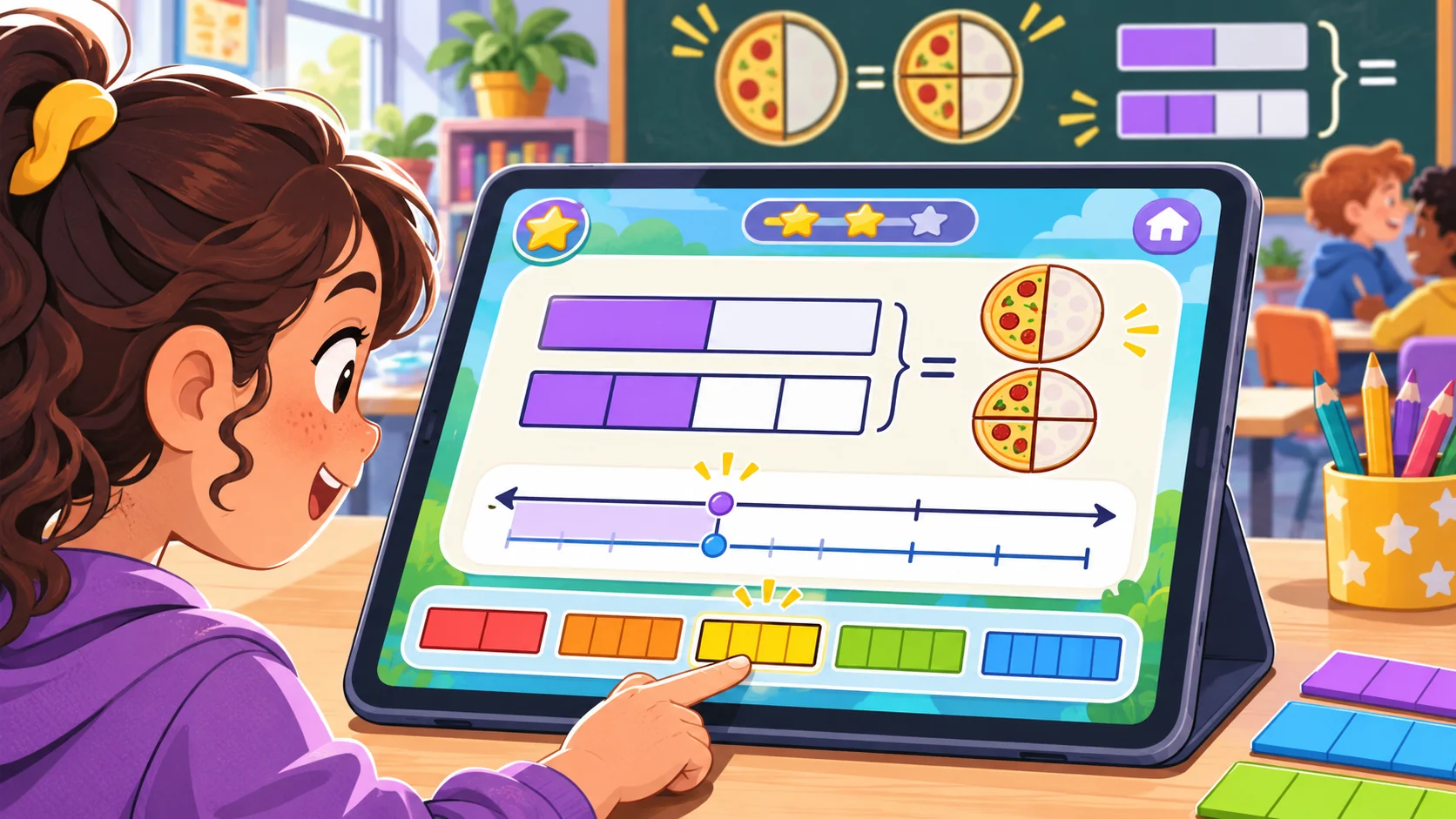
A fraction game is most useful when the interaction makes the quantity visible. If a learner taps the right answer but never sees how the parts relate to the whole, the game may be practicing selection more than fraction reasoning. A practical fraction-learning game template for teachers starts with one mathematical action, keeps the whole consistent, and asks the learner to explain the representation.
This guide shows how to brief an AI-assisted activity, check its math, and rehearse the interface. Fraction Harbor, its classroom, levels, students, and responses are fictional. There is no playable build or learning result represented. Replace the sample with your curriculum and verify every item before using it with students.
Choose one fraction idea to make visible
Pick a single task for the first level: partition a whole into equal parts, place a fraction on a number line, compare two fractions with the same denominator, or explain a simple equivalence. Avoid mixing several new rules into one opening round. Tell the learner what action matters and what sort of reasoning the teacher wants to see.
For one U.S. grade-three reference, the Common Core standard 3.NF.A.1 describes a fraction a/b as a parts of size 1/b when the whole is partitioned into b equal parts. Standard 3.NF.A.3.b asks students to recognize and generate simple equivalent fractions and explain why they are equivalent, for example with a visual fraction model. These are specific U.S. standards and may not match every jurisdiction or class sequence. The standards do not show that a game improves learning.
Keep the whole and the partition clear
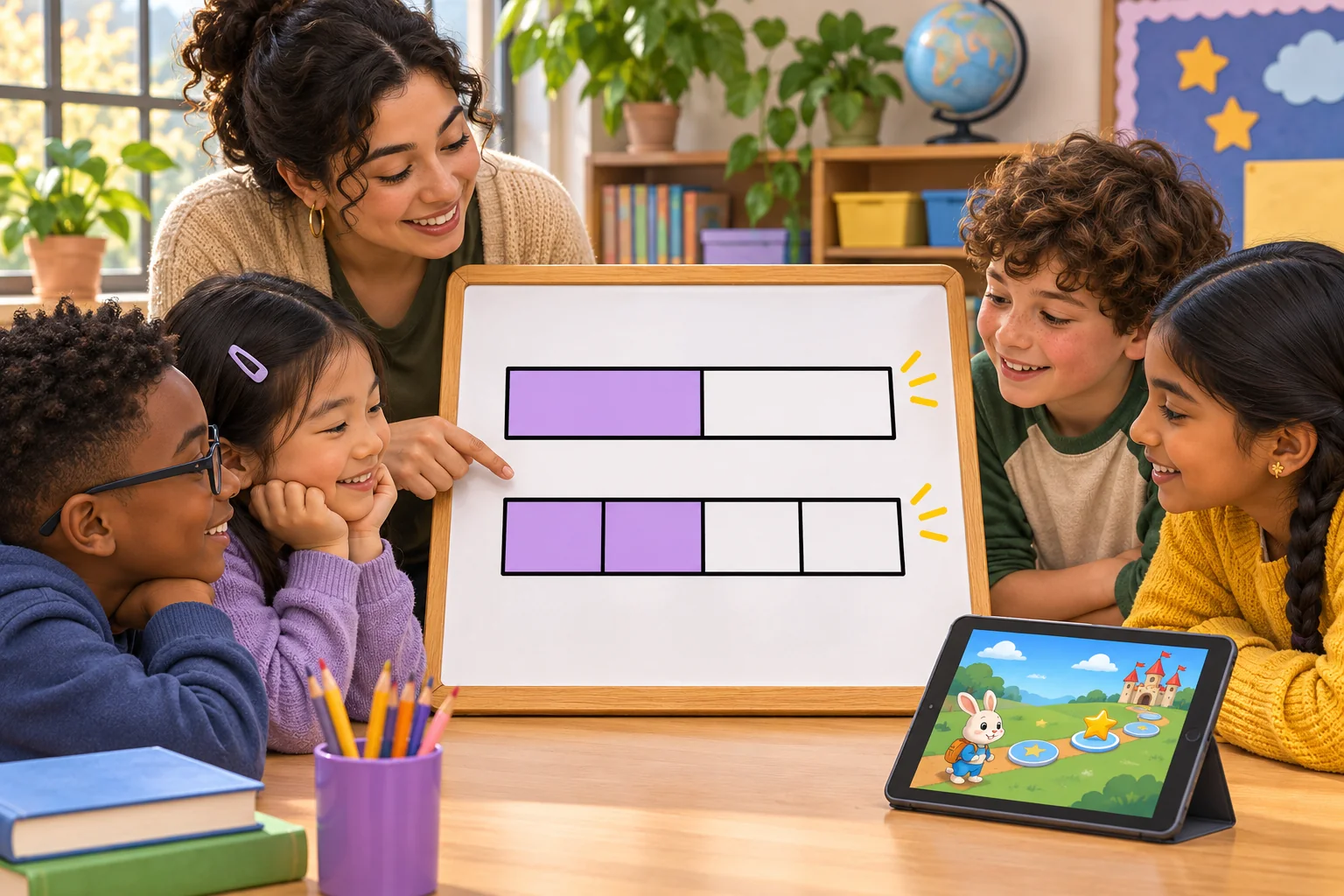
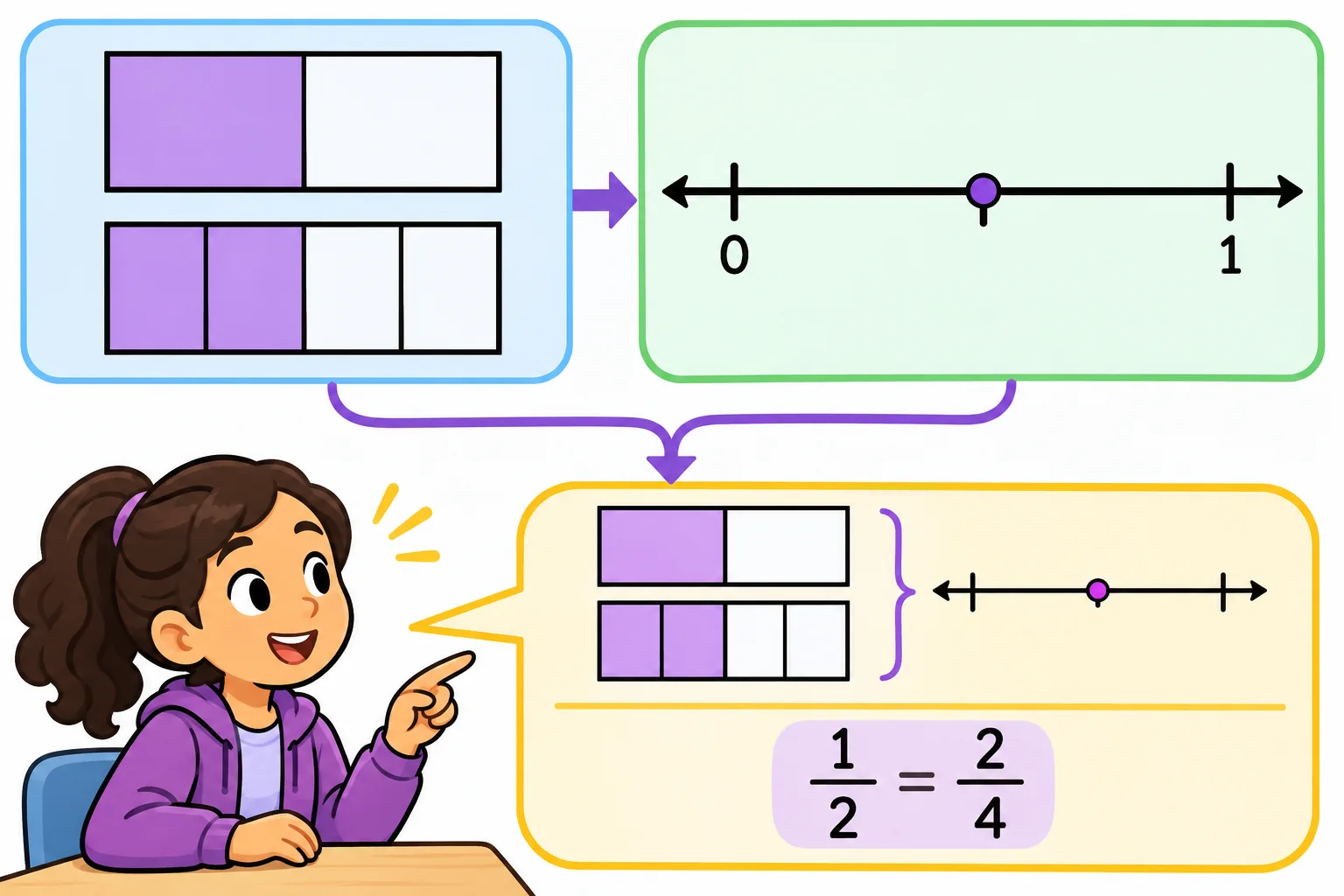
For an equivalence level, show the same-length whole in both models. One half and two fourths can occupy the same distance even though the number and size of the parts differ. If the wholes are different lengths, a visual comparison can become misleading. Label the interval from zero to one when using a number line, and make each partition visibly equal before asking a student to count or compare.
Use a teacher reference sheet for each level: target quantity, whole, denominator, number of parts, correct representation, common misconception, and feedback. Check whether the prompt depends on vocabulary students have already learned. If the activity accepts several valid drawings or explanations, do not key it to one pixel-perfect answer unless that is genuinely part of the objective.
| Level field | Sample value | Teacher check |
|---|---|---|
| Objective | Show 1/2 and 2/4 as equal quantities | Appropriate to the class sequence? |
| Whole | Two bars with the same total length | Is the same whole clear? |
| Partition | Two equal parts; four equal parts | Are parts equal within each model? |
| Action | Match bars and place them on a 0–1 line | Does the action reveal quantity? |
| Explanation | Number and size of parts change; value stays the same | Does feedback support reasoning? |
Ask AI to draft a level without inventing the math
Provide the target standard or local objective, grade band, allowed denominators, representation, expected response, and misconception to address. Ask for editable cards and feedback, then require a teacher answer key. Tell the model to flag assumptions and never invent a standard reference. Keep the math rules separate from the story theme so the teacher can change the setting without changing the quantity.
Objective: show that 1/2 and 2/4 are the same quantity
Whole: same-length bar and same 0-to-1 number line
Action: partition, match, place, explain
Allowed denominators: [teacher supplies]
Feedback: explain equal quantity and different part count/size
Accessibility: keyboard and touch; shapes and labels, not color alone
Output: editable levels, answer key, common-error prompts, test cases
Flag any item whose diagram or answer depends on an unstated assumption.
Review every generated diagram and answer. Test the fractions independently, count each partition, and verify that the number-line interval matches the bar. A neat illustration can still contain unequal parts or a misplaced endpoint. Check that feedback corrects a misunderstanding without giving away the answer before the learner has a chance to reason.
Design feedback for explanation, not only selection
Show the learner what to inspect after a response. If the parts are unequal, prompt them to compare the partition sizes. If the wholes differ, ask them to reset the model so the comparison refers to one whole. If a correct match is selected, invite an explanation: what changed between the diagrams and what stayed equal? Keep retry available without turning every mistake into a penalty.
Points and timers are optional. A speed bonus can reward clicking before inspecting the representation. Consider completion for a well-supported attempt, multiple ways to demonstrate the same idea, or a teacher-controlled hint. A game score is not an assessment result by itself. Teachers should use student explanations and other class evidence to judge understanding.
Make the activity accessible to the actual class
Do not rely on color alone to distinguish shaded parts. Use labels, outlines, patterns, or different shapes, and make controls keyboard-accessible where the platform allows it. Keep text readable on the classroom display and on smaller devices. Provide enough time to examine the diagram. If a motion animation shows a fraction growing or splitting, include a pause control and a static alternative.
Teachers should be able to read prompts aloud, adjust the level, reset a round, and use a paper version if devices fail. Keep student names out of sample content. If the school plans to save responses, check its privacy requirements before adding that feature. An offline or local mockup should use invented responses rather than copied student work.

Rehearse every level before class
Use a teacher checklist to test the full path. Begin with the intended level, try each correct and incorrect response, inspect the feedback, use hints, reset, and move to another item. Test keyboard and touch, screen scaling, color and contrast, and what happens if a student closes or reloads the activity. Ask another educator to solve the problems without seeing the answer key first.
- Does each problem use the intended whole and denominator?
- Are all partitions equal within the representation?
- Does the number line show the same quantity as the visual model?
- Are acceptable explanations and answers represented?
- Does feedback name the mathematical issue clearly?
- Can students use the interface without color-only cues or speed?
- Can the teacher pause, reset, and switch to a paper option?
- Are student data and stored responses handled as intended?
Record the build version, test case, expected result, actual result, and reviewer. Mark unrun cases “not tested.” The list above is a proposed validation plan and does not mean Fraction Harbor has passed a classroom test. A mock screen cannot establish student understanding or learning gain.
Keep the template editable across lessons
Separate the interaction from the fraction content. Mechanics define how a student partitions, matches, receives feedback, and retries. Lesson data define the whole, denominators, quantities, image, prompt, and explanation. That separation lets a teacher change from fraction equivalence to number-line placement without carrying over a mismatched answer key.
Save the source for any real standard or math claim, the teacher review date, accessibility notes, and the tested build version with the package. When a prompt or diagram changes, rerun the affected checks. AI can help draft several variants, but a teacher decides whether the mathematics is correct, the model is clear, and the interaction serves the lesson.
Frequently asked questions
What should a fraction-learning game template practice first?
Choose one visible action, such as partitioning the same whole into equal parts, placing a fraction on a number line, or showing why two simple fractions have the same size. Keep the model and the wording aligned. Ask students to explain their choice with the representation they used instead of rewarding speed alone.
How can AI help teachers make a fraction game?
AI can draft editable prompts, sample levels, feedback text, and test cases from a teacher’s math objective. Teachers still need to verify every fraction, diagram, answer key, and representation. Check that the whole stays consistent when comparing quantities and that every partition shows equal parts. A generated lesson idea is a draft, not evidence of student learning.
How can a game show equivalent fractions visually?
Use the same whole in two representations and partition it into equal-sized parts. For example, one half and two fourths can be shown as the same length or point on a number line. Ask the learner to explain what changed—the number and size of parts—and what stayed the same: the quantity represented.
Should a fraction game use a timer or points?
Use scoring only if it supports the learning goal. A fast timer may reward quick clicking instead of mathematical explanation. Consider feedback for correct partitions, clear representations, and a useful explanation, with time to inspect the model and try again. The right format depends on the students and the purpose of the activity.
How should teachers test an AI-made fraction game?
Check the arithmetic and diagrams, then play each level using the same whole, input method, and expected explanation. Test wrong answers, reset, keyboard and touch, small-screen labels, and accessibility of colors or shapes. Ask a second educator to review the math. Record what was actually tested; a mock screen does not show that students learned from the game.
For editable classroom briefs and more AI-assisted teaching workflows, explore SEELE resources for educators.