Introduction
A fraction-learning game can give students a reason to represent, compare and explain quantities. For teachers, the prototype should make the whole, equal parts and student action visible. A polished score screen is not enough if the visual model and written fraction show different quantities.
This guide uses Fraction Trail, a fictional classroom activity. Its sample numbers are checked examples for planning, not classroom evidence. No teacher, student or playable game was tested.
Choose a learning target and a small activity loop
Choose one target for the first slice, such as matching a fraction strip to a point on a number line or explaining why two fractions are equivalent. State what students see, what they can do and what feedback follows. Keep the activity small enough that the teacher can inspect each representation.
Prompt 1 — teacher brief
Design a fictional fraction-learning game called Fraction Trail for a teacher-customized lesson. Choose one learning target, audience, start state, student action, feedback and reset. Use one clearly defined whole and equal partitions. List assumptions a teacher should review before using it.
A sample target is recognizing that one half and two fourths describe the same quantity when they refer to the same whole. Keep the whole consistent across pictures, strips and number-line positions.
Use a common whole across representations
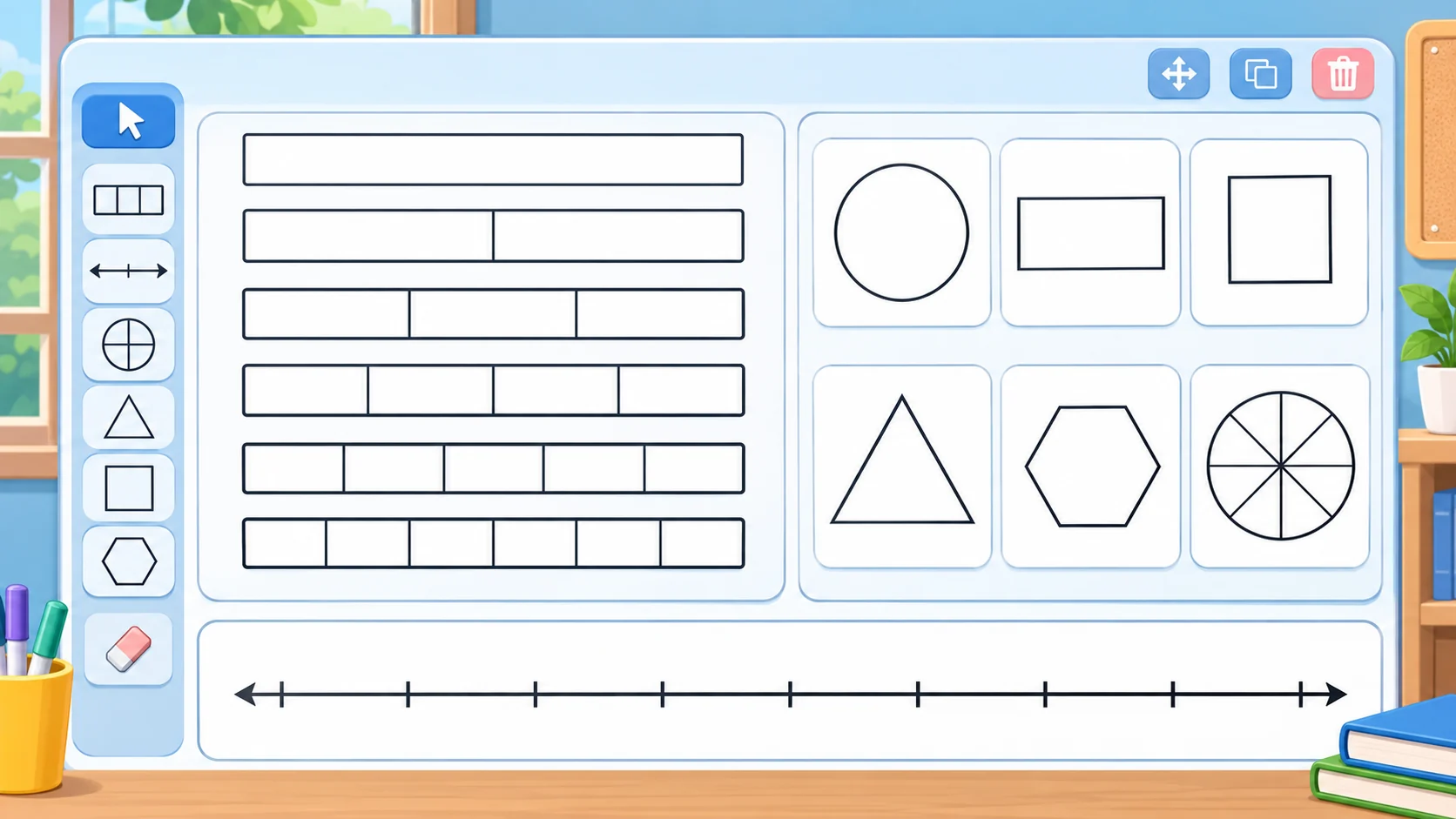
A fraction model should make the whole explicit and divide it into equal parts. A number line, area model and fraction strip can show related ideas, but students need to know what each representation treats as one whole. Avoid decorative images that divide a shape unevenly or use an unclear unit.
Prompt 2 — representation set
Create a Fraction Trail activity using fraction strips, an area model and a number line. Show one half and two fourths as equivalent parts of the same whole. Check that the partitions are equal, the number-line positions match and the explanation does not change the unit. Include an answer key for teacher review.
| Representation | What students inspect | Teacher check |
|---|---|---|
| Fraction strip | Equal-length parts and shaded quantity | The whole strip stays the same length |
| Area model | Equal partitions of one shape | Parts have equal area |
| Number line | Position from zero to one whole | The point matches the represented quantity |
The equality example is mathematical, while the game’s screen and feedback remain a fictional design. Review each visual answer key before teaching from it.
Make students act on the quantity
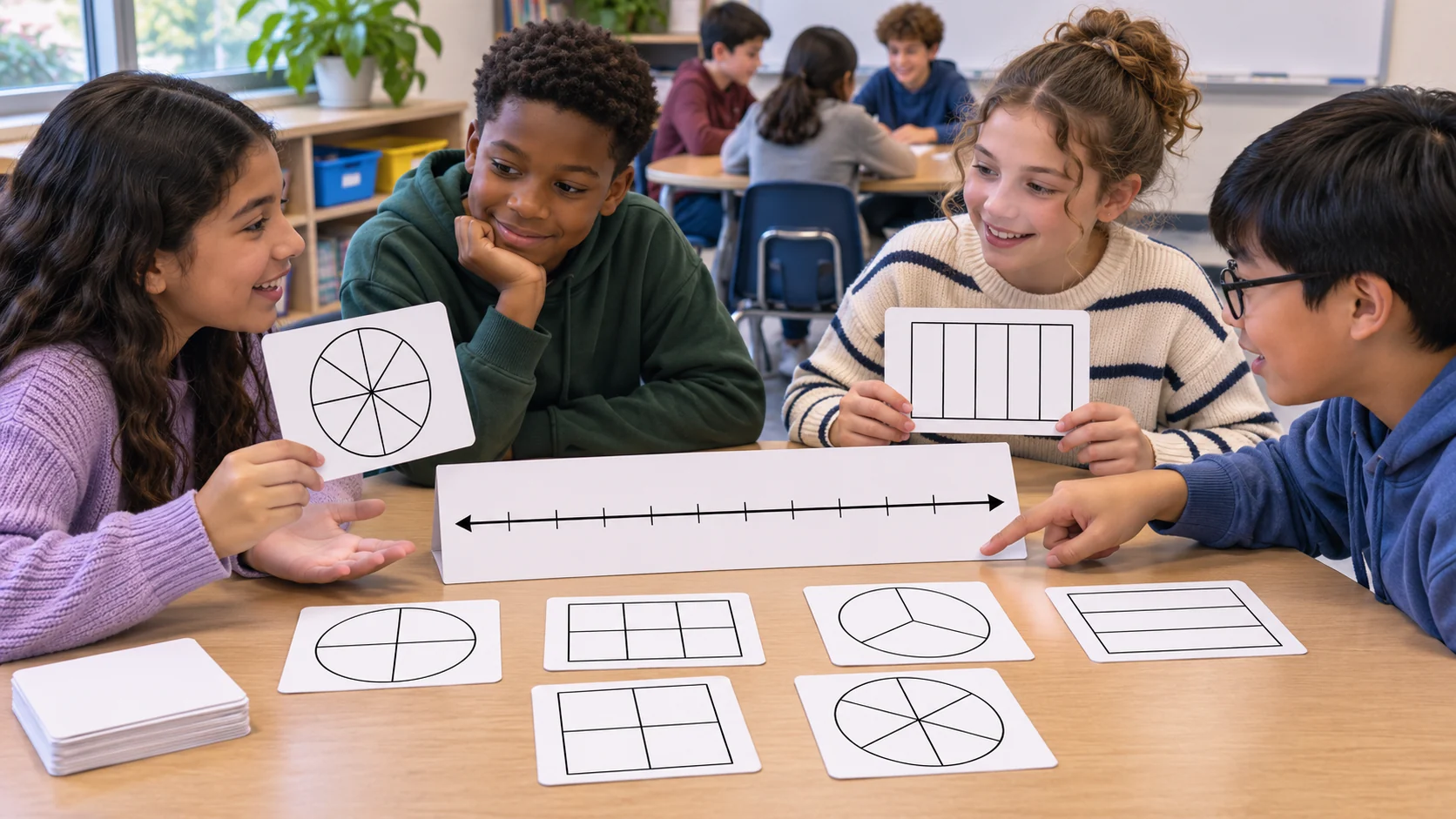
Students might select a model, place a marker, divide a shape into equal parts or explain a match. Feedback should show why a response matches or does not match the target. Avoid treating a correct click as evidence that a student understands the concept.
Prompt 3 — interaction and feedback
Specify a Fraction Trail turn where a student matches one half to a model of two fourths. State the whole, equal partitions, accepted response, feedback explanation, retry path and reset. Add a teacher view of the answer key and mark the interaction as a design example until it is implemented and reviewed.
If the student response is incorrect, show the same whole and invite another comparison. Do not silently change the model or reveal a different answer than the teacher key.
Build a progression without hiding the reasoning
A hint can direct attention to the number of equal parts, the amount selected or the shared endpoint on a number line. Keep hints gradual and let students return to the original question. Include an explanation field so the activity can ask how the student knows two models represent the same amount.
Prompt 4 — hint and explanation ladder
Write three progressive hints for matching one half and two fourths of the same whole. Start by asking students to inspect equal parts, then compare the shaded amount, then explain the matching endpoint. Keep the answer key explicit for teacher review and do not claim the prompt has been student-tested.
Keep the lesson template editable
The JSON below separates target, whole, representations, answer key, hints and teacher review. A teacher can change the fraction set or context while preserving the checks for equal partitions and consistent units. This is a planning template, not an assessment instrument.
{
  "gameName": "Fraction Trail — fictional classroom activity",
  "learningTarget": "match equivalent representations of a fraction",
  "wholeDefinition": "one complete strip or shape; use the same whole across views",
  "example": {
    "fractionA": {"numerator": 1, "denominator": 2},
    "fractionB": {"numerator": 2, "denominator": 4},
    "relationship": "equivalent when both refer to the same whole",
    "answerReview": "teacher verifies equal partitions and matching number-line point"
  },
  "representations": ["fraction strip", "equal-area model", "number line from zero to one whole"],
  "studentActions": ["select a model", "place a point", "explain the match"],
  "hints": ["inspect the equal parts", "compare the amount represented", "check the shared point on the number line"],
  "feedback": "explain the representation; do not infer understanding from a click",
  "reset": "return to the same whole and clear the student response",
  "reviewNotes": ["fictional prototype", "not classroom-tested", "verify every answer key"]
}
Teachers should check the answer key and visual partitions before use. If the lesson changes the whole or context, update all representations and examples together.
Make room for explanation and revision
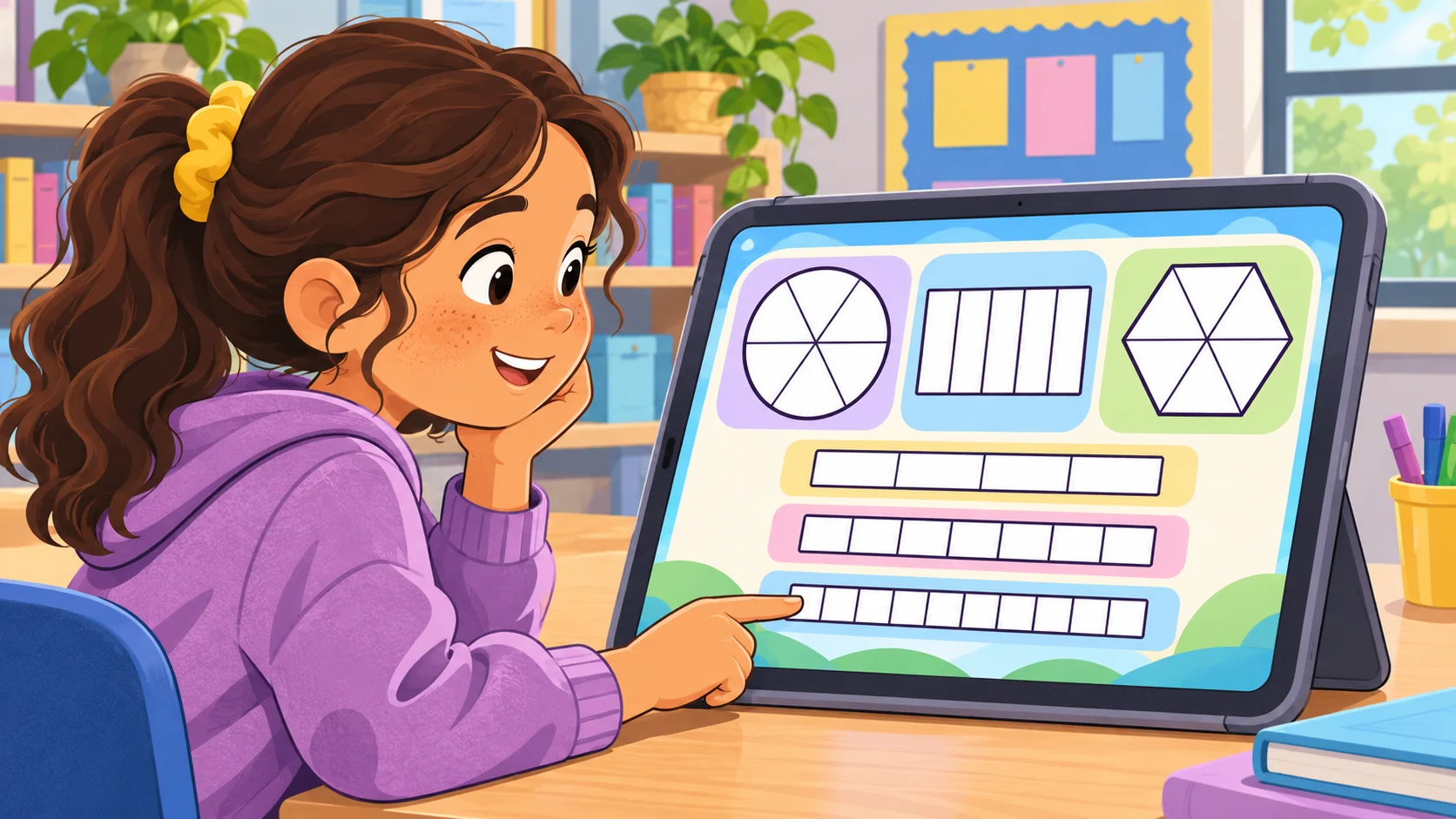
A useful practice loop can ask students to predict, select a representation, compare it with another view and explain the choice. Let the teacher change the examples without changing the underlying check. Include optional prompts for students who are ready to explain a strategy, not only choose an answer.
Prompt 5 — teacher editing and review view
Build a teacher view for Fraction Trail that edits the target fraction, whole, models, answer key, hints and explanation prompt. Flag unequal partitions, inconsistent units or missing answer keys for review. Show which controls work in the local prototype and which are static; do not claim classroom validation.
Simulate a teacher customization
For a fictional customization, adapt the template to Garden Grid, an invented garden-planning activity where students compare equal sections of one planting bed. Change the story and visuals while keeping the unit and equal-part checks. This is a simulated example, not a real teacher collaboration.
Prompt 6 — fictional lesson customization
Adapt Fraction Trail to a fictional Garden Grid activity. Create a new context for comparing equal parts of one whole, preserve consistent units across strip, area and number-line models, and provide a teacher-reviewed answer key. Label the customization fictional and untested.
Prompt 7 — local math-content review
Check the local prototype’s whole definition, equal partitions, fraction labels, answer key, feedback, hints, explanation prompt and reset. Verify each displayed example mathematically and record what was actually observed. Mark static screens and untested student responses separately. Do not infer learning gains.
Fictional practice snapshot
| Step | Student action | Review boundary |
|---|---|---|
| Notice | Identify the whole and equal parts | Designed example only |
| Match | Compare one half with two fourths | Answer key requires teacher review |
| Explain | Describe why both show the same amount | No student response collected |
| Retry | Use a hint or reset the same example | No classroom test performed |
The snapshot describes a proposed activity loop. It does not establish student understanding or learning outcomes.
Conclusion
A fraction-learning game for teachers should keep the whole, equal parts, models and feedback consistent. Start with one target, make students act on a quantity and provide an editable answer key for review. Fraction Trail and Garden Grid are fictional; no teacher, student or playable game was tested. Review the mathematics and assess learning appropriately before making classroom claims.
You can take a scoped concept into the Free AI game maker, then compare the result with the editable fraction checklist.
FAQ
What should a fraction-learning game for teachers include?
Include a learning target, defined whole, equal partitions, student actions, explanatory feedback, hints and reset.
How can a game teach equivalent fractions?
Use consistent models of the same whole and ask students to compare the represented quantities, then explain the match.
Why should fraction models use equal parts?
The denominator describes the number of equal parts in the whole for the model being used; unequal partitions can misrepresent the fraction.
Can teachers customize an AI fraction game?
An editable template can let teachers change examples, context, models, prompts and answer keys, which should be reviewed before use.
Does a correct game response prove a student understands fractions?
No. A selected answer alone does not show the student’s reasoning or establish learning gains.