Introduction
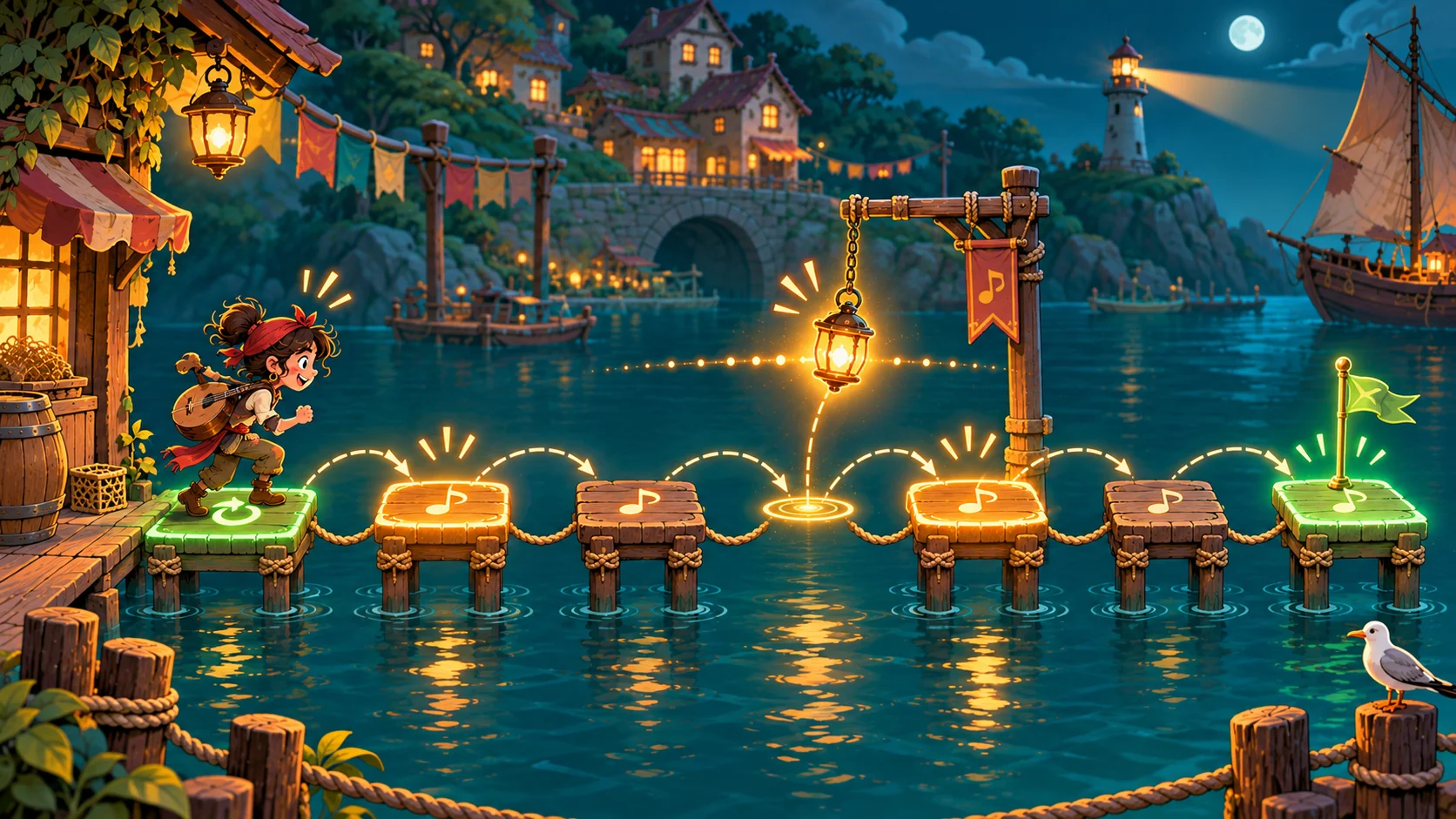
A rhythm-learning game for music teachers works best when it practices one observable action at a time. Start with a cue, ask the player to respond on a beat, and show what happened before inviting another attempt. The game should make practice repeatable without pretending that a score proves musical understanding. This guide uses Pulse Harbor, a fictional classroom game where a player taps a lantern as a boat crosses four marked beats. The example is a design exercise, not a tested lesson or a claim about learning outcomes. You can adapt the same loop to clapping, note reading or a short call-and-response activity.
Choose one practice objective
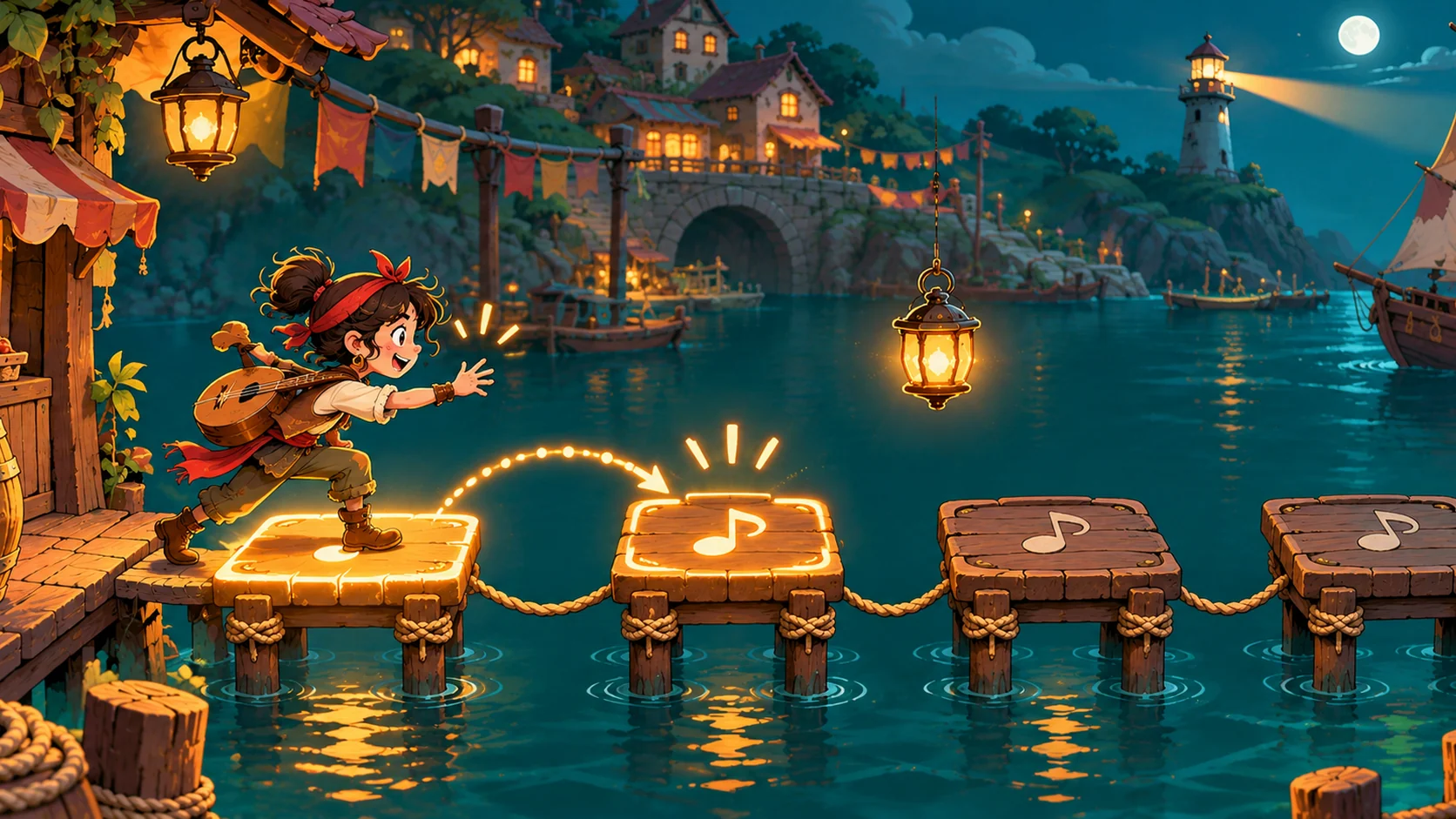
Write the lesson objective as something a learner can do in the game. “Understand rhythm” is too broad to guide interaction. “Tap once when the highlighted beat reaches the marker” points to a cue, an input and a result. Decide what the game should reveal: whether the learner noticed the cue, acted at the intended point or can repeat the pattern. Those are different observations, so keep the first prototype focused on one.
Prompt 1 — lesson-to-game brief
Design a fictional rhythm-learning game for a music teacher. Ask for learner age range, practice objective, prior knowledge, session length, input method, cue mode, feedback and accessibility needs. Keep all learner outcomes untested and list questions for the teacher to decide.
For Pulse Harbor, the first activity uses four evenly spaced visual markers and one tap action. Sound is optional; the visual cue carries the instruction so the example does not assume every learner can hear the device. The game is not meant to assess music ability. It is a small interaction to help a teacher inspect whether the instructions and feedback are clear.
| Loop stage | Player sees or does | Design question |
|---|---|---|
| Cue | A lantern moves toward a beat marker | Is the next action obvious before the moment arrives? |
| Input | Tap, key press or accessible button | Can the learner use the input comfortably? |
| Feedback | The marker lights and the pattern continues | Does feedback describe the action without judging the learner? |
| Retry | The short phrase restarts | Can the learner practice again without a penalty spiral? |
The loop table helps scope the build. If a feature does not clarify the cue, action or feedback, leave it out of the first slice.
Make cues and feedback teach the same idea
Choose one cue family for the first round. A moving marker, a count-in or a short spoken prompt can all signal an upcoming action, but mixing several at once makes it harder to know what the game is asking. Let the cue arrive early enough to be noticed, and keep its relationship to the target beat consistent. If the activity later changes that relationship, introduce the change deliberately and explain it.
Feedback should connect the response to the practice objective. A calm visual response can say that the input registered; a replay can let the learner compare a pattern with its cue. Avoid red/green judgments or a “perfect rhythm” label unless the lesson has a clear, teacher-approved basis for that judgment. A prototype can log which cue and input occurred, but that record is not a diagnosis of musical skill.
Prompt 2 — cue and response map
For the fictional Pulse Harbor activity, define one cue, one input and one immediate response for a four-beat phrase. State what the game can observe, what it cannot infer about musical understanding, and how a learner can replay the phrase.
Choose the input and adjustment options
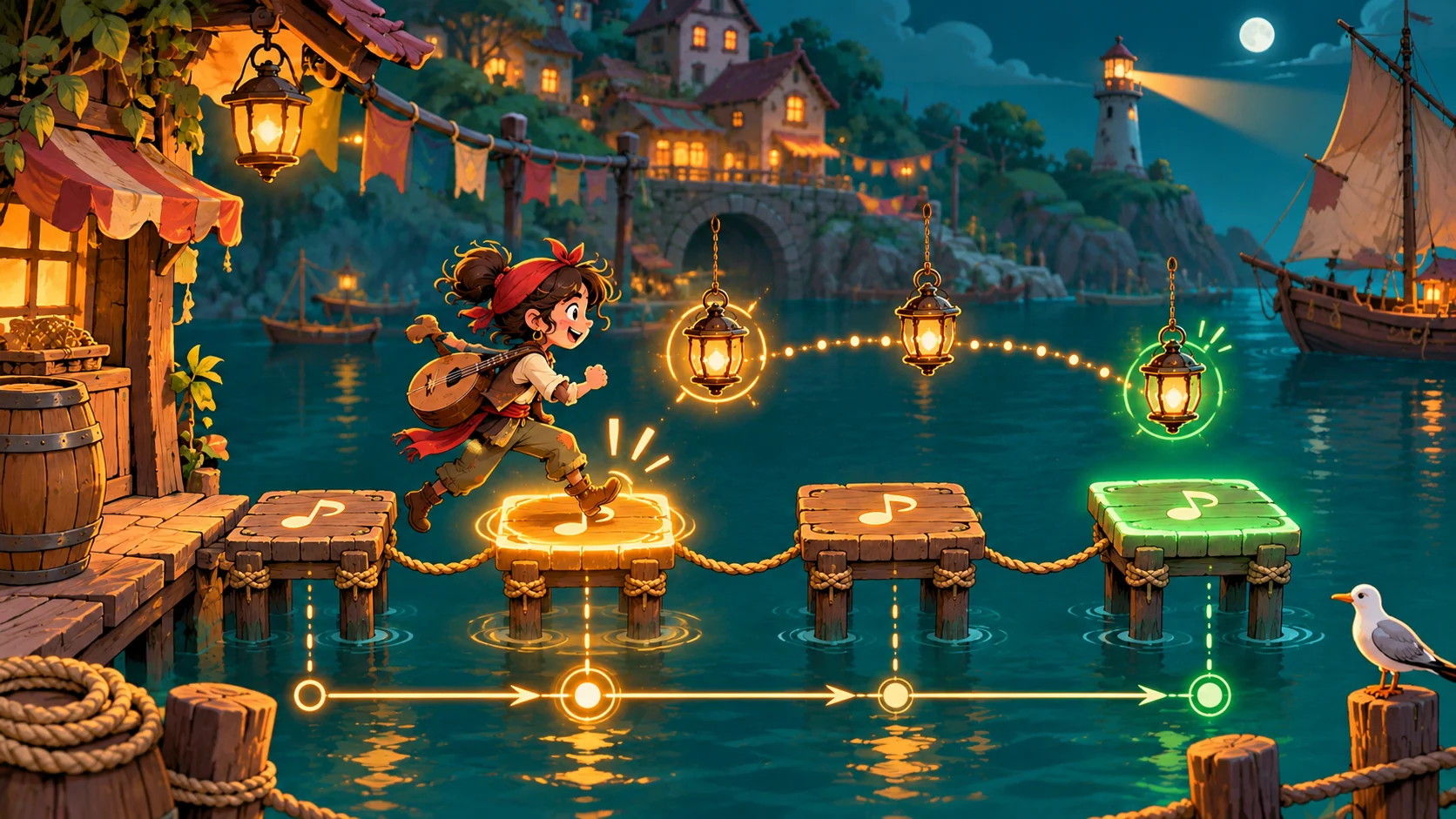
A music teacher may use a touchscreen, keyboard or another classroom setup. Keep the first prototype explicit about which one it supports. If the input is a tap, define what counts as a tap and how the screen responds. If the activity uses a keyboard, state which key and how the player can restart. Do not call a control accessible simply because it is large; ask whether learners can perceive, reach and operate it in the intended setting.
A few adjustments can make a practice activity easier to tailor. Treat them as design choices rather than claims about the ideal way to learn. Offer a slower or faster pace only if the teacher can set it for the lesson, and provide a visual-only option when audio is unnecessary. Give the learner a retry path and a way to pause. The table lists options to consider before implementation.
| Option | Possible choice | Check before use |
|---|---|---|
| Cue | Visual, audio or both | Does the cue communicate the same target in each mode? |
| Input | Touch, keyboard or teacher-led | Can the device and classroom support this input? |
| Pace | Teacher-selected setting | Is the instruction still clear after the setting changes? |
| Retry | Replay the same phrase | Does a retry preserve the intended practice objective? |
| Feedback | Pattern replay or neutral visual state | Does it show what happened without overstating what was learned? |
Do not add every option at once. Build the simplest supported version, then ask a teacher whether an adjustment solves a real classroom constraint.
Keep the game specification editable
Write down the cue, pattern, input, response and reset behavior before asking for a prototype. This makes it easier to spot missing rules and revise one decision at a time. The JSON below is an editable planning template for a fictional activity; it does not run a game or represent a tested lesson.
Prompt 3 — playable-loop specification
Turn the Pulse Harbor brief into a small playable specification. Include the start screen, four-beat phrase, cue timing as a configurable setting rather than a validated threshold, tap input, visible response, replay and end state. Label any unavailable, simulated or untested behavior.
{
  "gameName": "Pulse Harbor — fictional rhythm practice",
  "status": "concept; no classroom test",
  "objective": "respond to a visible beat cue",
  "pattern": ["beat-1", "beat-2", "beat-3", "beat-4"],
  "cueMode": "visual; teacher may choose an audio variation later",
  "input": "single tap or configured key",
  "feedback": "show that input registered; do not infer musical mastery",
  "retry": "replay the same short phrase",
  "teacherSettings": ["pace", "cue mode", "input method"],
  "evidenceStatus": "fictional and untested"
}
Keep the editable specification separate from player instructions. For a learner, a short line such as “Tap when the lantern reaches the next marker” is more useful than an explanation of the internal pattern list.
Customize the same loop for a second rhythm
A fictional customization can change the lesson while preserving the interface. Suppose a teacher wants to introduce a syncopated pattern after the four-beat activity. The teacher selects a new pattern, decides how the cue will make the change visible, and checks whether the player can replay it at a chosen pace. The game should not label a response correct or incorrect unless the activity has a defined rule and the teacher intends that feedback.
Prompt 4 — adapt a practice pattern
Adapt Pulse Harbor from a four-beat steady pattern to a fictional syncopated phrase. Specify what changes in the cue, input sequence and feedback. Preserve replay and teacher control. Do not invent a learning result or claim that the adaptation was tested.
A real customization exercise should change a specific lesson element, not just the theme. Compare the original and adapted versions: which cue changed, what input is expected, and what can the game report? If the only difference is the background art, the exercise has not yet adapted the rhythm practice.
Build and review a small prototype
A first playable slice needs a start state, one short phrase, a cue, an input, feedback and a reset. A story, score screen and multiple lessons can wait. A game creation tool can help explore a starting point from a concise idea; SEELE’s current capability catalog describes one-line game creation and playable-game categories. After generating or assembling a prototype, inspect the actual interaction against your specification. This does not establish that the activity teaches rhythm or works for a particular class.
Prompt 5 — prototype review
Review a fictional rhythm-game prototype against its written specification. Check start, cue order, input response, pause, replay, visual-only path and end state. Mark each item observed, missing or not tested; do not infer student learning.
If a control is missing, revise the instruction or the prototype and record which changed. If the cue feels confusing, ask what the player must notice and adjust that cue rather than adding more effects. The goal of this review is to find a concrete mismatch between the intended activity and what the build does.
Plan a classroom review without overstating results
Before trying an activity with learners, a teacher should decide what question the session is meant to answer and how to collect observations appropriately. A brief review might examine whether instructions are visible or whether the replay control is easy to find. It should not convert a few observations into a claim about learning effectiveness.
| Review question | Record | Keep the conclusion within scope |
|---|---|---|
| Did the learner identify the next action? | Words or actions observed before tapping | One attempt does not establish general comprehension |
| Did the input register? | Device, input and visible response | A registered tap does not prove beat understanding |
| Could the learner replay? | Whether the control was found and used | One device does not establish classroom compatibility |
| What should change next? | One specific issue tied to the build version | Do not claim improvement until it is observed again |
Prompt 6 — review plan
Draft a teacher review plan for a rhythm-game prototype. Include the objective, build version, device, cue mode, observation notes, privacy and consent considerations, accessibility questions and limits. Leave learner findings blank until a review actually occurs.
Conclusion
Start a rhythm-learning game with one practice objective and a loop the teacher can inspect: cue, response, feedback and retry. Keep input and cue choices visible, make the specification editable, and review the actual prototype before using it as a classroom activity. Pulse Harbor is fictional and has no learning or classroom evidence. Use the Free AI game maker to explore a small game concept, then compare its behavior with the lesson requirements.
FAQ
What makes a game useful for rhythm practice?
A useful practice game makes one objective visible through a cue, an action and feedback the learner can understand. Keep the first activity short enough to repeat and ensure that a teacher can explain what it is meant to practice. A score alone does not show whether a learner understood the rhythm or met a broader musical goal.
Should a rhythm-learning game use audio?
Not always. A visual cue can carry the instruction when the activity does not require listening, while audio may be a deliberate part of a lesson. Decide what the learner is practicing and offer modes only when they preserve that objective. Check the actual device and classroom conditions rather than assuming every learner can hear or use sound.
How can teachers adapt the game for different learners?
Begin with the intended objective, then consider adjustable pace, cue mode, input and replay. These are design options, not guaranteed accommodations. Ask what learners need in the specific classroom and test the controls with the devices and settings that will actually be used. Avoid adding changes that make the cue less clear or alter the learning objective without intention.
Can a game score measure musical understanding?
A game can record defined interactions, such as whether an input registered after a cue. That observation is narrower than musical understanding, which depends on the learning goal and suitable assessment. State exactly what the game records, keep teacher judgment separate, and avoid presenting a score as proof of learning unless an appropriate assessment supports that interpretation.
Does this example show a tested teaching method?
No. Pulse Harbor is a fictional planning example, not a classroom trial or evidence of learning outcomes. It shows how to structure a cue, response, feedback and retry for a prototype. A teacher should inspect the actual game, decide whether it fits the lesson and gather appropriate evidence before making claims about its effectiveness.