A gravity-flipping platformer works when the switch changes a predictable movement state. Players need to know which direction will pull them, whether their current motion carries through the flip, what surface they can land on, and when horizontal control returns. Prompts that state those rules before adding level art make the mechanic easier to reason about.
The route and rules in this guide are fictional design examples. The prompts are unrun drafts; no playable build or tested result is claimed.
Define the gravity state
Start with two named states: Down and Up. A flip changes which direction accelerates the character. Decide what happens to vertical velocity at that moment; carrying the old velocity can produce a very different arc from resetting it. For this first design, the flip sets vertical velocity to zero, changes gravity immediately, and keeps left/right input available.
Keep jumping separate from flipping. A jump applies a short impulse away from the surface the player currently stands on. A flip changes the direction gravity pulls. Neither action teleports the character through a platform. When gravity pulls the player into a valid solid surface, collision stops vertical movement and the player can move along that surface.
| State | Gravity and input | Transition |
|---|---|---|
| Grounded Down | Gravity pulls toward the floor; left, right, jump, and flip are available | Jump or flip |
| Airborne Up | Gravity pulls upward; horizontal input remains active | Attach to a valid overhead surface, or flip again |
| Attached Up | Gravity presses the player against the underside; left and right remain active | Move to an edge, jump away, or flip Down |
| Airborne Down | Gravity pulls toward the floor; horizontal input remains active | Land on a valid platform or reach a hazard |
A state table is useful because “gravity reverses” by itself leaves important questions open. Does a switch preserve momentum? Can the player still steer? Does the character attach to the first surface or pass through it? State the answers in the prompt so the visual effect and collision rule agree.
Flip gravity with collision and control
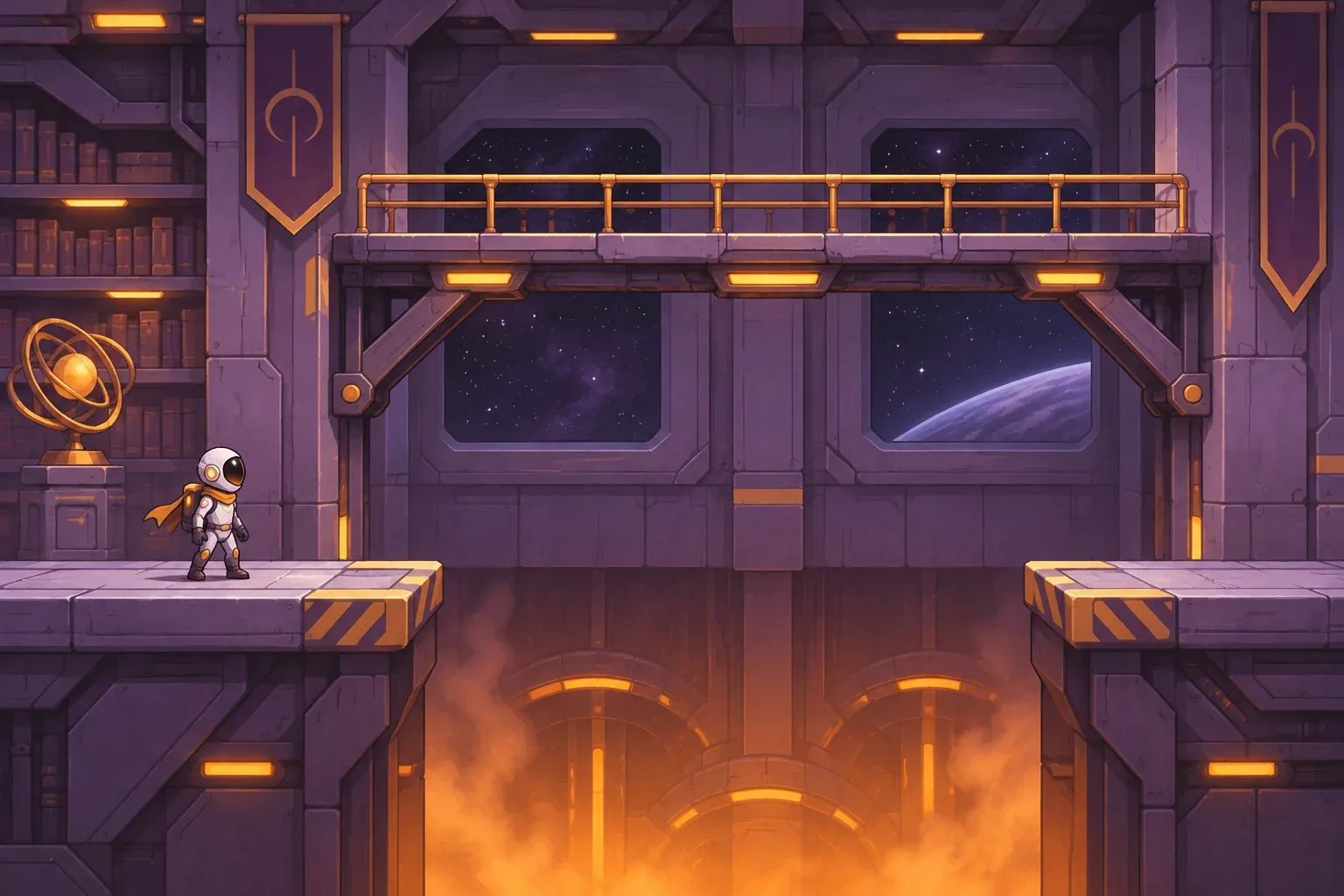
Use one route to teach the change. The fictional room begins on a safe west-side floor. A floor hazard fills the gap ahead; an overhead walkway spans it. On the other side, a stable platform leads to the exit. The player jumps over the gap, flips Up beneath the walkway, attaches to its underside, moves across, then flips Down over the east landing.
The flip should not ignore geometry. When direction changes, the character accelerates toward the first valid solid surface. If a beam or platform is in the way, collision should stop movement there. If the player touches the hazard, the level uses its checkpoint reset rule. Keeping those conditions separate prevents an input that was intended to change gravity from becoming an unexplained escape from the level layout.
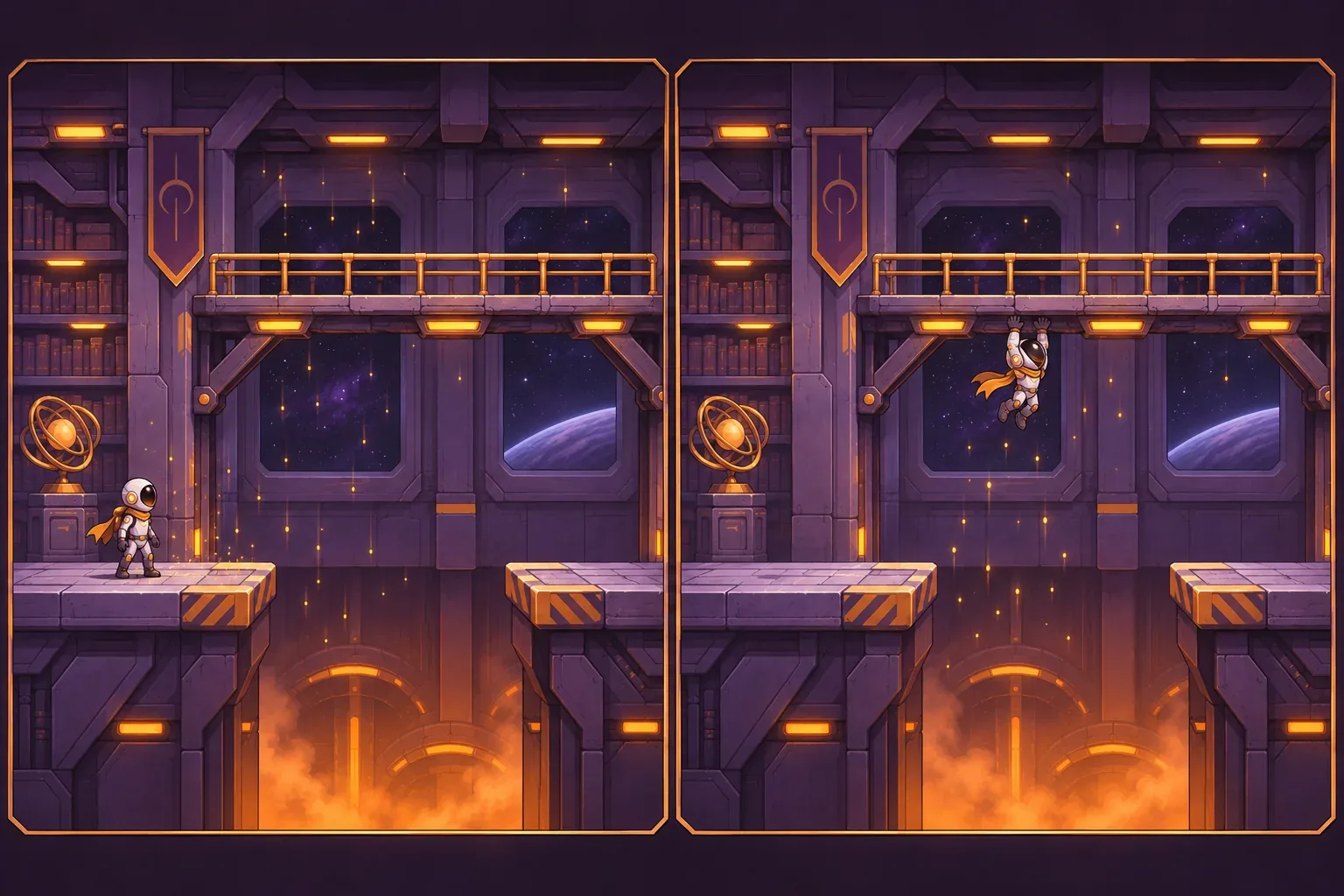
Give the state change a visual cue that does not hide the collision. A brief particle drift toward the active surface or a change in the character's pose can communicate direction without a text-heavy HUD. Keep that cue secondary to the platform edges; the reader should still be able to see where the character will attach.
One design choice is whether attachment locks the player to the surface or simply lets gravity keep them there. Either can work, but describe the effect you want. Here, gravity presses the character against the underside, and horizontal movement continues until the player reaches an edge or chooses another action. There is no magnetic tether, dash, or extra jump in this first version.
Trace a fictional route
Walk through the route in distinct states before adding collectibles or enemies. The following sequence is a design trace, not a playtest:
| Beat | Player action | Expected state |
|---|---|---|
| 1. Start | Move along the west floor | Grounded Down; safe surface and gap are visible |
| 2. Approach | Jump over the edge of the gap | Airborne Down; jump remains distinct from the flip |
| 3. Reverse | Flip Up beneath the overhead walkway | Vertical velocity resets; player accelerates toward the walkway |
| 4. Traverse | Move horizontally along its underside | Attached Up; collision prevents passing through the platform |
| 5. Land | Flip Down above the east platform | Airborne Down, then a safe landing and exit route |
This route helps diagnose failures. If the character passes through the walkway, collision is not connected to the gravity transition. If the player cannot move while attached, horizontal input was disabled in the Up state. If a flip leaves the character moving quickly in the old direction, the velocity rule was not applied. Each problem points to a rule to clarify rather than a reason to add more level content.
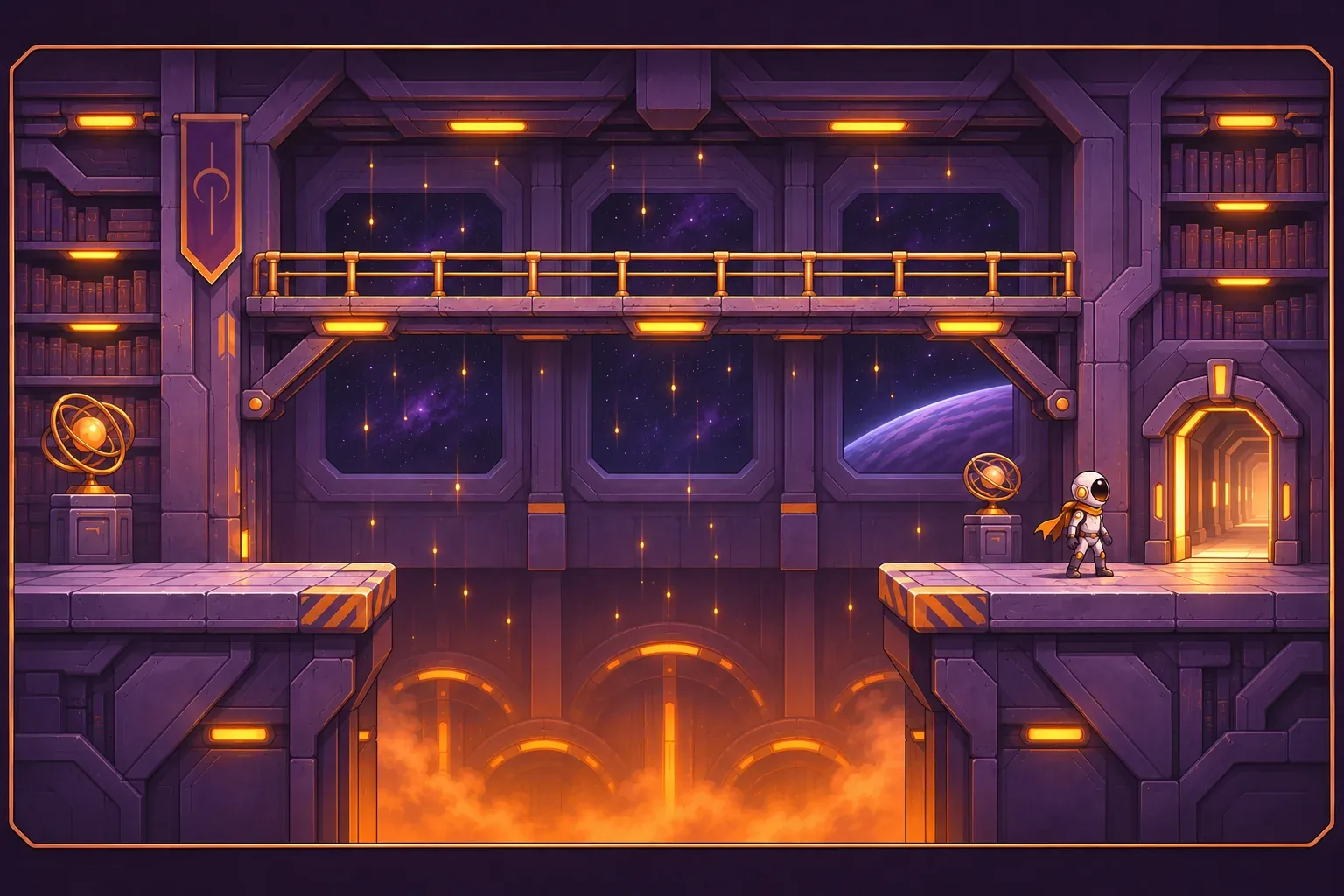
Before extending the room, check the recovery path too. Touching the hazard should return the player to the stated checkpoint with the intended gravity direction and position. A restart should not leave the character inverted or trapped against an unintended surface.
Stage prompts and acceptance checks
Separate the prompt work into state, route, and feedback. Ask for movement and collision first; then introduce the overhead path; then polish the transition cue. This makes it easier to see whether a new visual effect changed the control contract.
Prompt 1: define the movement contract
Create a compact side-view 2D platformer with left/right movement, jump, and a gravity-flip input. Gravity has two states: Down and Up. A flip changes direction immediately and sets vertical velocity to zero; the player then accelerates toward the first valid solid surface in the new direction. Keep horizontal input active. Jump applies an impulse opposite current gravity. Do not teleport or phase through solids. State the movement and collision transitions before adding extra mechanics.Prompt 2: build the teaching route
Keep those rules unchanged. Build one room with a safe west floor, a floor hazard gap, an overhead walkway spanning the gap, an east landing platform, and an exit. The player jumps over the gap, flips Up under the walkway, attaches to its underside, moves across, then flips Down above the east landing. Keep the route visible and add a checkpoint before the hazard. Do not add timed platforms or a second jump.Prompt 3: prepare checks, not claimed results
Keep the same controls and room. Prepare expected and observed columns for: Down-to-Up sets vertical velocity to zero; the player accelerates toward the overhead walkway; collision attaches without passing through it; horizontal movement works while attached; Up-to-Down over the east platform leads to a safe landing; touching the hazard returns the player to the checkpoint; reset restores Down gravity and the starting location. Do not mark a check passed unless it was run in a playable build.These are unrun drafts. When you adapt them, preserve the exact prompt, tool, date, and resulting revision. Then verify each transition in a playable build. Keep expected behavior separate from observed behavior; a design trace can expose ambiguous rules, but it cannot prove the implementation works.
- Flip check: gravity changes direction and vertical velocity follows the stated rule.
- Collision check: the player attaches to a solid surface without passing through it.
- Control check: left and right remain available while attached.
- Landing check: flipping down above the east platform produces a safe landing.
- Reset check: hazard recovery restores the checkpoint and intended starting gravity.
SEELE's official AI Game Maker page describes prompt-based 2D and 3D game creation, browser testing of a playable first version, and refinement with follow-up prompts. That is general product context only; the gravity mechanic and prompts in this article have not been generated or tested.
Gravity-flipping platformer prompt FAQs
What should a gravity flip change?
State the direction change, vertical-velocity rule, collision behavior, and landing condition. In this fictional example, a flip resets vertical velocity and moves the player toward the first valid surface in the new direction.
Can the player move while attached to a ceiling?
Yes, if horizontal control remains active while gravity presses the character against the surface. State this explicitly and check that movement ends at platform edges.
How can a level teach gravity reversal?
Use a safe starting floor, one gap, a reachable overhead walkway, and a clear landing. That route isolates the gravity switch before adding more hazards.
What should happen when the player flips into a hazard?
Use a declared collision and recovery rule. The example returns the player to a checkpoint; it does not let a gravity change phase through hazards or platforms.
Are these prompts or route tested?
No. The prompts are unrun drafts and the route is a fictional design example. No playable result or test pass is claimed.
Make your own gravity-flipping platformer
Start with one safe floor, one overhead route, and one landing. Write down the direction change, velocity rule, collision, and reset before adding hazards or collectibles. For general game-creation context, explore the SEELE AI Game Maker, then adapt these draft prompts and verify each gravity transition in your own playable prototype.