A physics platformer prompt needs more than “make movement feel realistic.” State the units, timestep, update order, collision rules, and force behind each interaction. Then calculate a short expected trace before testing the mechanic. That gives you something concrete to compare with the playable build.
The movement and crate values below are fictional design calculations. The prompts are unrun drafts; no playable result or tested behavior is claimed.

Define the physics contract
Before adding moving platforms or breakable floors, state how one frame updates. In this example, time advances in 0.1-second steps. Vertical velocity is updated first, then position:
velocityY = velocityY + gravity * deltaTime
positionY = positionY + velocityY * deltaTime
That order matters. If position is updated before velocity, the character's trace changes. Name the order in the prompt instead of leaving the model to infer it. Also state which surfaces block movement and what happens at the edge of a platform; otherwise the rendered jump and the collision response may disagree.
| Rule | Fictional example value | Why state it |
|---|---|---|
| Fixed step | 0.1 seconds | Makes each expected update easy to inspect |
| Gravity | −10 design units per second squared | Sets downward acceleration |
| Jump launch | +8 design units per second | Sets the initial upward velocity |
| Update order | Velocity first, position second | Defines the trace for every step |
| Collision | Solid floors and platforms stop the player | Prevents movement through geometry |
These values are a compact teaching setup, not universal settings. A different game can use another gravity, step size, or jump impulse. The useful part is declaring the assumptions and using the same ones in the prompt, example, and later acceptance check.
Trace a jump with a fixed step
For the vertical jump, start at height 0 with velocity +8. Each 0.1-second update subtracts 1 from velocity because gravity is −10 units per second squared. Position then moves using the updated velocity.
| Step | Time | Velocity after gravity | Height after position update |
|---|---|---|---|
| 1 | 0.1 s | +7 units/s | 0.7 units |
| 2 | 0.2 s | +6 units/s | 1.3 units |
| 3 | 0.3 s | +5 units/s | 1.8 units |
| 4 | 0.4 s | +4 units/s | 2.2 units |
| 5 | 0.5 s | +3 units/s | 2.5 units |
| 6 | 0.6 s | +2 units/s | 2.7 units |
| 7 | 0.7 s | +1 unit/s | 2.8 units |
| 8 | 0.8 s | 0 units/s | 2.8 units |
The top of the jump appears around steps 7–8 in this discrete trace. At step 7, the player is still moving upward; at step 8, vertical velocity reaches zero for that update. This is a hand calculation for the stated update, not a measured game result. If the playable build differs, compare its actual step size and order before changing the numbers.
Work through a crate interaction
Now add one object with a declared mass. In the fictional setup, the crate has mass 3 design units and the player pushes with force 6. While contact is maintained, acceleration is force divided by mass, or 2 units per second squared. There is no friction during this short push example. The pressure plate activates when the crate center reaches 0.5 units.
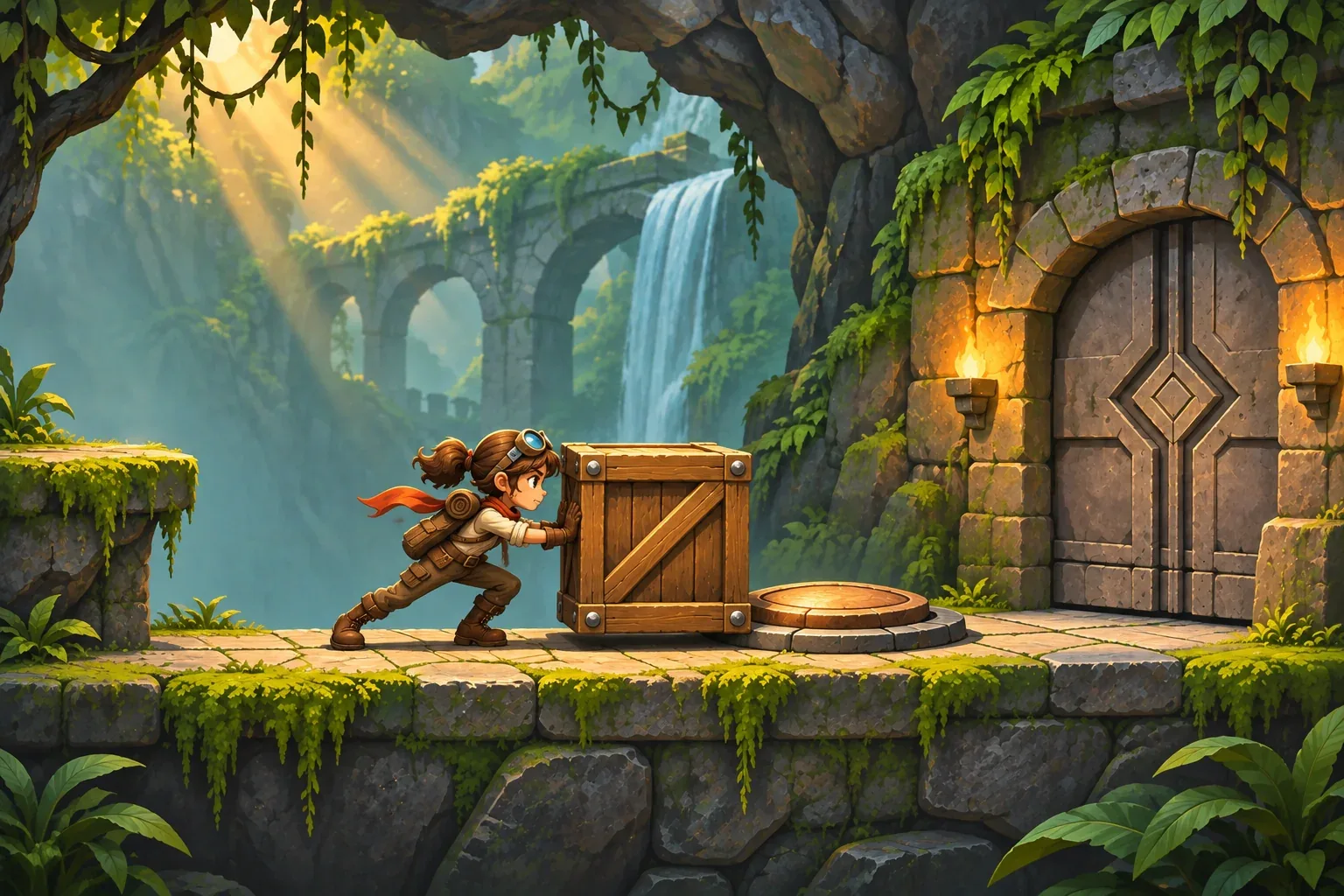
Using the same 0.1-second step, velocity increases by 0.2 each update. Position uses the new velocity. Starting from rest at position 0, the trace is:
| Push time | Velocity | Crate position | Plate and gate |
|---|---|---|---|
| 0.5 s, 5 steps | 1.0 unit/s | 0.30 units | Below 0.5; plate off, gate closed |
| 0.7 s, 7 steps | 1.4 units/s | 0.56 units | At or beyond 0.5; plate on, gate open |
The interaction now has a testable transition. Before the seventh step, the crate has not reached the plate. After that update, its center is past the threshold and the gate opens. This shows why position, update order, and activation condition belong in the prompt together. A plate that activates on contact with any part of the crate would be a different rule; choose one and keep it consistent.

When you test a real build, record the expected and observed positions separately. If the gate opens after five steps, check whether the trigger uses the crate's edge rather than its center. If the position is 0.52 instead of 0.56, inspect whether position was updated before velocity. Do not adjust the expected trace to hide the difference; first identify which rule the implementation follows.
Stage prompts and acceptance checks
Build the prompt in stages. First establish player motion and solid collision, then add the crate and pressure plate. Keep the gate response as a separate condition so you can tell whether a discrepancy comes from movement or from the trigger.
Prompt 1: define the jump update
Create a small side-view 2D platformer with left/right movement and jump. Use a 0.1-second fixed step in this design example. Apply semi-implicit vertical motion in this order: velocityY += gravity * deltaTime, then positionY += velocityY * deltaTime. Use gravity -10 design units per second squared and initial jump velocity +8 units per second. Solid floors and platforms stop the player. State the movement and collision rules before adding objects.Prompt 2: add the pushable crate
Keep the movement rules unchanged. Add a crate of mass 3 design units. While the player pushes it, apply force 6 design units, with no friction during this short example push. Use the same 0.1-second step and update velocity before position. Put a pressure plate at crate-center position 0.5; activate it when the crate center reaches or exceeds 0.5, then open the exit gate. Show position and velocity each step.Prompt 3: separate expected and observed checks
Starting at rest at crate position 0, calculate five and seven push steps with acceleration equal to force divided by mass. Expected after five steps: position 0.30 and velocity 1.0. Expected after seven steps: position 0.56 and velocity 1.4. Check that the plate is off below 0.5 and the gate opens at or above 0.5. Return separate expected and observed columns. Do not say a check passed unless it was run in a playable build.These are unrun drafts. Save the exact prompt, tool, date, output, and revision when you use them. Then check the jump trace, platform collision, crate position, plate threshold, gate opening, and restart behavior in the playable build. A hand calculation gives you an expected result; only the observed build can show whether the implementation matches it.
- Jump check: apply gravity before position and compare the first eight steps.
- Collision check: the player and crate stop at solid platform edges.
- Push check: mass and force produce the stated acceleration while contact is maintained.
- Plate check: the gate remains closed below 0.5 and opens at or above the crate-center threshold.
- Reset check: crate returns to position 0 with zero velocity; plate turns off and gate closes.
SEELE's official AI Game Maker page describes prompt-based 2D and 3D game creation, browser testing of an initial playable version, and follow-up refinement. That is general product context only; the physics examples and prompts in this article have not been generated or tested.
Physics-platformer prompt FAQs
What should a physics-platformer prompt specify first?
State units, timestep, update order, gravity, jump input, and collision behavior. Add interactive objects after the movement rules are clear.
Why state the physics update order?
Updating velocity before position produces a different trace from updating position first. Naming the order gives you a consistent expected result to compare with a build.
How should a pushable object activate a plate?
Define the object's mass and push force, track its position, and choose a clear threshold. In the fictional example, the gate opens when the crate center reaches 0.5 design units.
Does a hand calculation prove a physics mechanic works?
No. It is an expected trace for the stated rules. Run the prompts in a playable build and record observed positions separately.
Are these prompts or platformer mechanics tested?
No. The prompts are unrun drafts and the movement and crate values are fictional design calculations. No playable result or test pass is claimed.
Make your own physics platformer
Begin with one jump rule, one pushable object, and one threshold. Write the update order and calculate a few steps before you add more forces or interactions. For general game-creation context, explore the SEELE AI Game Maker, then adapt these draft prompts and compare your expected trace with a playable prototype.