Introduction
A restaurant-management game connects several moving parts: guests arrive, orders reach the kitchen, staff complete tasks and the player sees how the shift went. Without clear state changes, a polished dining room can feel like a static menu. Begin with one fictional service period, a few tables, a small menu and a short list of decisions that the player can inspect.
This guide uses Juniper Table, an invented neighborhood restaurant with fictional guests, dishes and game resources. Any ingredients, ratings, time values or outcomes are placeholders for a game. This article is not restaurant, food-safety, nutrition, employment or business advice. No playable prototype or service simulation was run.
Define the service loop
Explain what happens during a single service period before requesting a large menu or multiple locations. A compact loop might seat a guest group, record an order, assign a kitchen station, serve the order, update an abstract resource and review the shift. State whether time advances continuously or in discrete steps, and tell the builder when a guest group leaves or waits.
Prompt 1 — first-slice brief
Design a fictional restaurant-management game called Juniper Table. The first slice covers one short dinner service with four tables, three original menu items and two staff roles. Define the player objective, guest-arrival loop, order lifecycle, kitchen tasks, staffing choices, abstract game resources, shift end and reset. Use invented guests, dishes and placeholder values. Do not give food-safety, nutrition, employment, pricing or real business advice. List assumptions and untested mechanics.
Keep the scope focused on the connection between an order and the visible result. A first build does not need a real recipe system, supplier contracts, payroll, licensing or a full accounting model. If the game has an abstract “stock” or “service” meter, explain what it means inside the fictional rules.
Make orders and table states visible
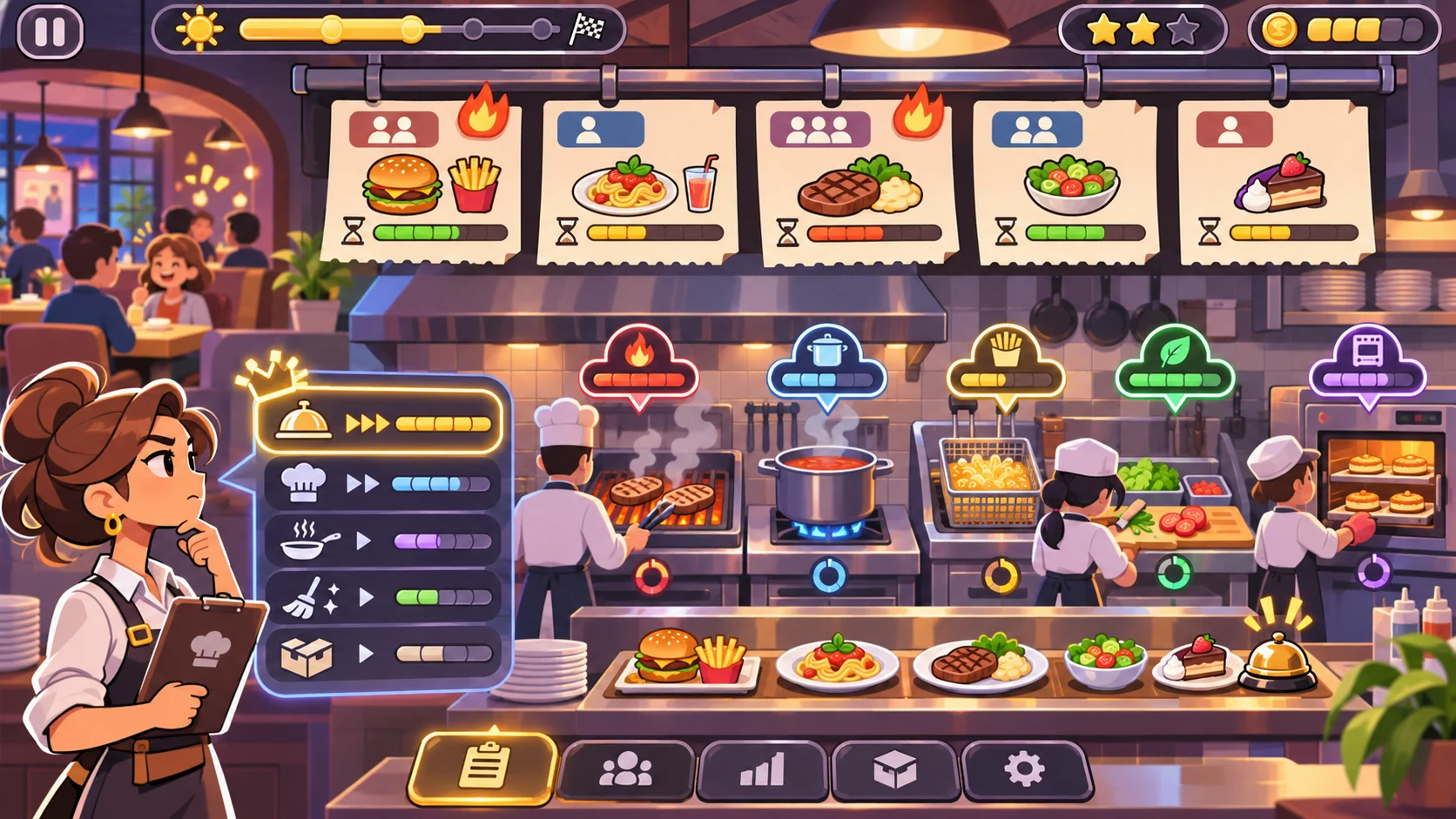
The player needs to distinguish a newly seated group, an order awaiting preparation, an order in progress and a completed service. Each state should have a clear label or icon and a next action. Use fictional guest names only if they add to the game; do not simulate personal data or suggest that a sentiment meter predicts real customers.
Prompt 2 — guest and order board
Create four fictional Juniper Table table cards with original guest groups and invented menu selections. Show table state, order state, assigned kitchen station, elapsed game turns and the next available action. Include one order waiting for a game-only ingredient token and show the player a choice before the token is confirmed. Avoid real guest data, dietary guidance, nutrition claims or restaurant procedures.
| Game card | Visible state | Player choice | Feedback |
|---|---|---|---|
| Table Cedar | Seated; order not sent | Review a fictional menu choice | Card changes to “order sent” |
| Table Lantern | Order waiting at the game kitchen | Assign an available station | Station and turn state update |
| Table Fern | One abstract stock token unavailable | Wait or choose another fictional item | Consequence appears before confirmation |
| Table Pebble | Order marked ready in the game | Complete service action | Table moves to a finished state |
These cards are fictional interface examples. Their time labels and menu items do not represent restaurant standards or real service expectations.
Connect layout, stations and staff
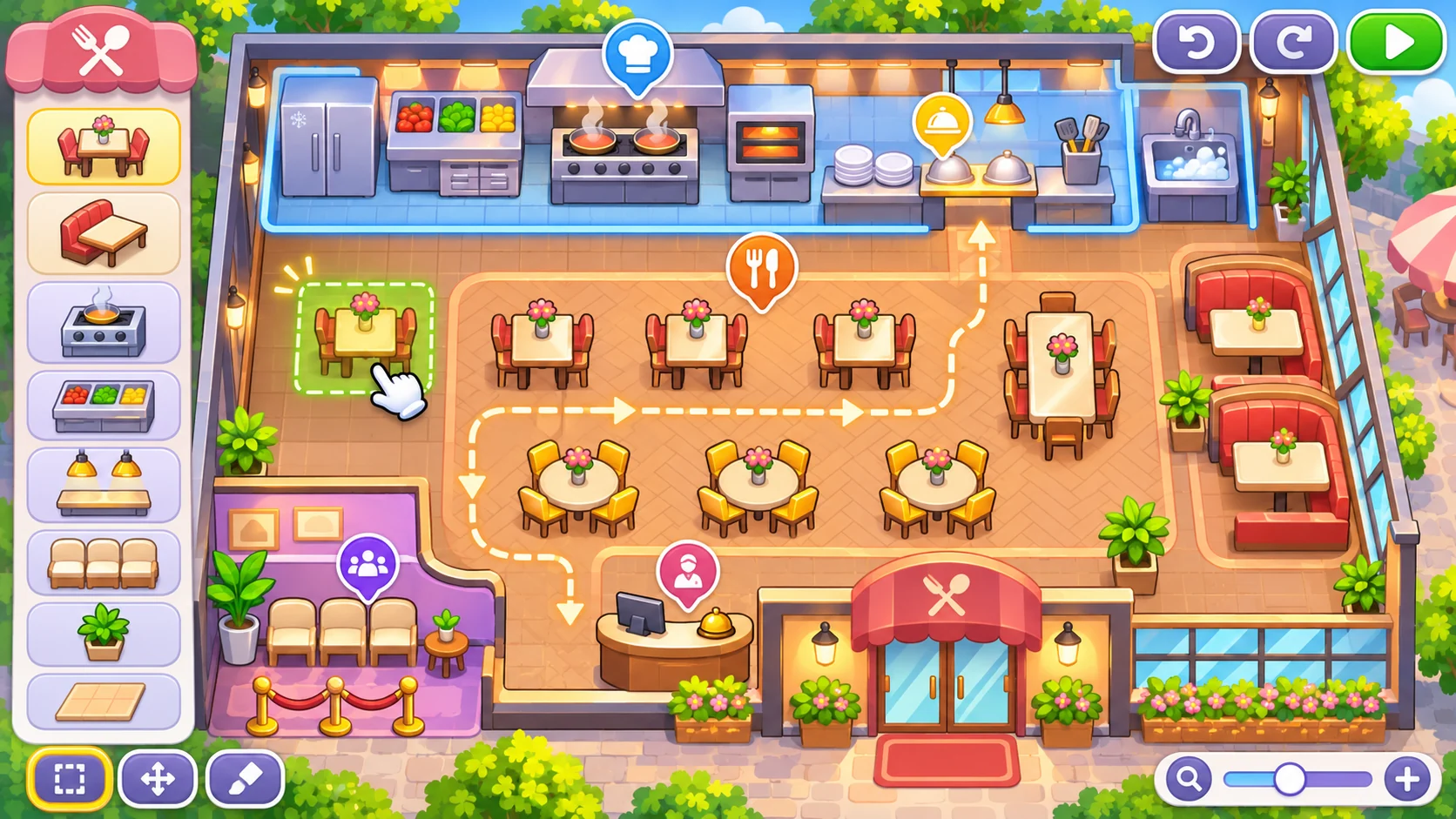
A small restaurant map can show dining tables, a front counter and a few game-only kitchen stations. Staff roles should have clear assignments and limits, so a player can tell why a task is waiting. Use paths and icons that remain readable on a small screen. A generated layout is concept art, not an operational kitchen plan.
Prompt 3 — restaurant layout
Create a top-down layout for the fictional Juniper Table game: four guest tables, a host point, a service path and three stylized kitchen stations. Mark game interaction zones and show a simple legend. Keep the layout decorative and non-technical; do not present it as a real kitchen, accessibility plan, fire plan or food-safety document.
Prompt 4 — staff roles and task rules
Define two fictional staff roles for Juniper Table: a floor host and a kitchen coordinator. Give each one game action, one assignment limit and a visible availability state. Explain how a task moves from waiting to assigned to complete, what happens when both roles are occupied and how the player can reprioritize. Use invented game rules; do not include real staffing, labor or service recommendations.
A useful task board shows what is waiting, what is assigned and what changed after an action. If a task cannot proceed because a role is busy or a game token is missing, identify the blocker and offer a different choice rather than leaving the player to guess.
Show the shift’s tradeoffs
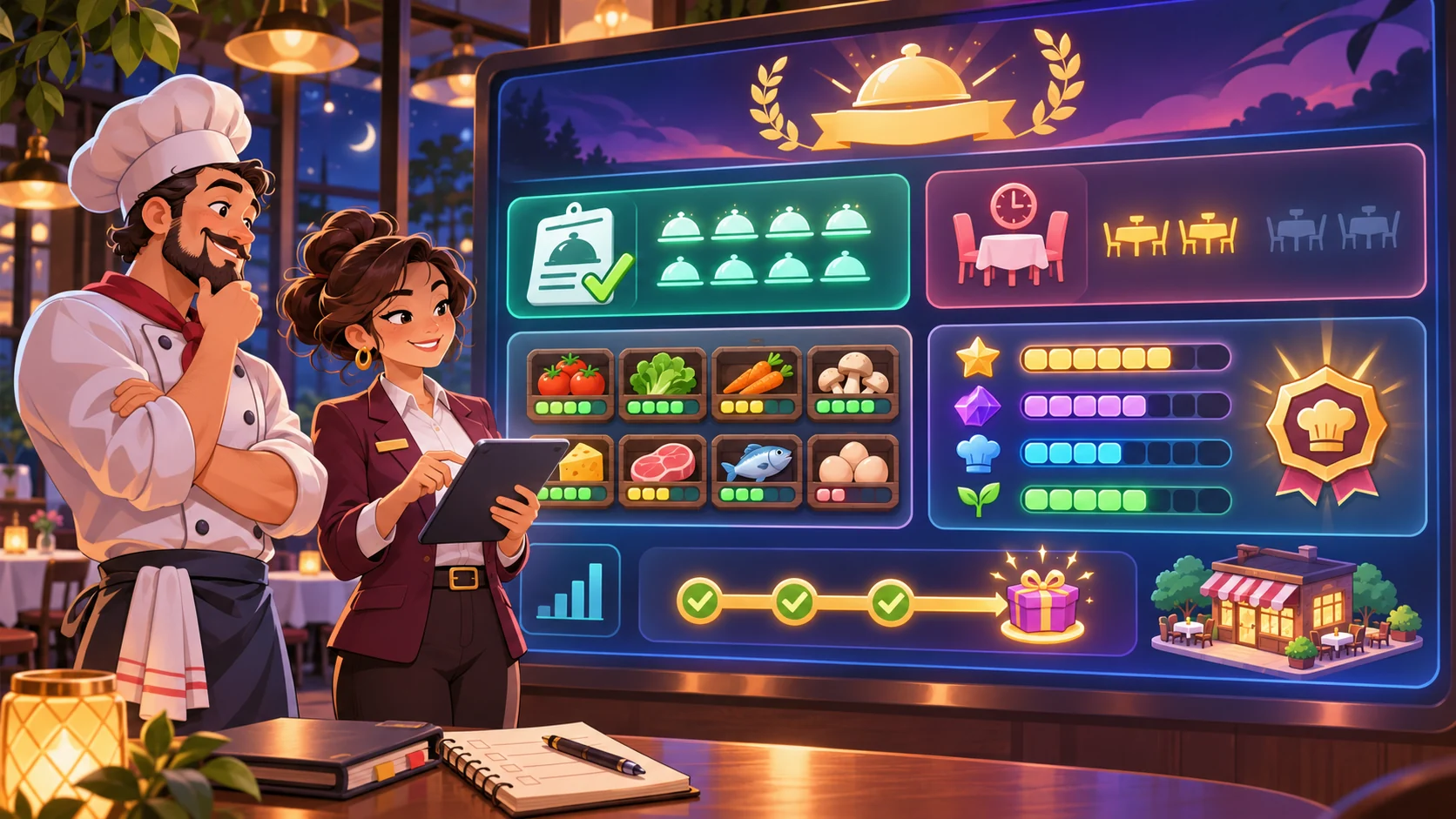
The player should be able to see how choices affect the fictional service state. A summary might show completed orders, open tables, assigned tasks and abstract tokens used. Keep “reputation,” “stock” or “shift score” clearly labeled as game values. Avoid claims about real revenue, restaurant quality or customer satisfaction.
Prompt 5 — shift dashboard and debrief
Design a Juniper Table shift dashboard with completed and open fictional orders, table states, staff assignments, abstract ingredient tokens and a short event log. At shift end, summarize the objective and show one next-shift choice. Label all scores and resources as invented game values. Make the summary follow from recorded in-game actions; do not infer real sales, food safety, guest satisfaction or business performance.
A good summary should answer what changed, what remains open and which choice carries into the next shift. If an action consumes a resource or advances time, show that change before the player confirms it.
Request a playable first build
Keep the first build to one dinner service, four tables, three menu items, two staff roles, a small set of kitchen tasks, an event log, a shift summary and reset. Specify the interactions that must work: seat a group, send an order, assign or reprioritize a task, complete the game action and review the result. Ask the builder to list placeholders separately from working interactions.
Prompt 6 — first playable slice
Build a small fictional Juniper Table restaurant-management prototype with four table cards, three original menu items, two assignable staff roles, a visible order lifecycle, three game-only kitchen stations, abstract stock tokens, task reprioritization, an event log, a shift summary and reset. Make each choice update visible state and explain blocked tasks. Use original placeholder art and invented values. At handoff, list tested interactions, mockups, known gaps and unverified items. Do not present static screens as playable or imply real business or food-safety guidance.
To say the prototype is playable, open the running result and test seating, orders, task assignment, reprioritization, resource changes, shift completion and reset. No such prototype was run for this article.
Fictional dinner-service snapshot
| Field | Juniper Table planning example |
|---|---|
| Service | One short fictional dinner shift |
| Tables | Four guest-group cards |
| Menu | Three invented items |
| Staff | Host and kitchen coordinator roles |
| Resources | Abstract game-only stock tokens |
| First milestone | Complete the order loop and view a shift summary |
| Excluded | Real recipes, food safety, labor, pricing and business forecasts |
| Evidence status | Fictional concept only; not built or tested |
This snapshot sets a manageable design boundary. It does not establish that the game is balanced or that the model represents an operating restaurant.
Review the running game and refine one gap
Review actual interactions instead of inferring behavior from the interface. If an order card says “ready” but the task board still shows it in progress, record that state mismatch. If an ingredient token is unavailable, verify the player sees the tradeoff before confirming. Recommend one small correction before adding another location or a larger menu.
Prompt 7 — implementation review
Review the running Juniper Table prototype for guest seating, order submission, table and order states, staff assignment, task reprioritization, missing-token feedback, event-log consistency, shift summary and reset. Mark each present, missing or unclear based on observed interactions. Record concise evidence and one smallest next change. Label static screens and placeholders. Do not claim playtesting, business accuracy, food safety or real-world usefulness unless actually verified.
Conclusion
Restaurant-management prompts should connect guest tables, orders, staff tasks and visible shift results in one compact loop. Juniper Table is fictional; its resources and outcomes are untested, and this article makes no real restaurant claims. Request a bounded build, check the running interactions and describe only what the output demonstrates.
You can take a scoped concept into the Free AI game maker, then compare the result with the review checklist.
FAQ
What should AI prompts for a restaurant-management game include?
Define the shift objective, guest and order states, staff roles, task assignments, game resources, visible feedback, end-of-shift summary and first-build boundary.
How can a restaurant game make orders easy to follow?
Give each table and order a visible state, identify the assigned station and show the next available action and any blocker.
How do I keep a restaurant simulator from becoming a set of menus?
Connect each choice to a visible game-state change such as an order moving forward, a task being assigned or a shift summary updating.
Can a generated restaurant layout be used as a real kitchen plan?
No. A game layout is illustrative concept art and is not an operational, safety or compliance plan.
What should I test before calling a restaurant prototype playable?
Verify seating, order submission, task assignment, reprioritization, resource changes, shift completion and reset in the running output.