A useful prompt sequence for an aquarium-management game starts with the operating loop, then adds exhibits, resources, and visitor flow one piece at a time. If the first request asks for every tank, creature, staff role, upgrade, and attraction at once, it becomes difficult to tell which rule is missing when the prototype feels confusing.
The prompts below are draft templates. They were not run against a game builder for this package, and no playable build is claimed. All species, care values, and business outcomes are fictional game-design examples, not real aquarium or animal-care guidance.

Write the one-page design brief
Before asking an AI tool to build anything, define the management decision the game is about. For this fictional example, the player opens a small aquarium gallery, chooses which exhibits to maintain, and balances abstract operating costs against visitor demand. The core loop is: plan an exhibit, allocate a limited care budget, open the gallery, review visitor response, then decide what to improve next.
Keep the brief specific enough to guide a prototype but short enough to change. Name the audience, player role, day loop, first objective, constraints, and what is deliberately out of scope. Use fictional creatures or generic display tokens while testing systems. Real aquatic species have different care requirements; a game-design placeholder is not a husbandry recommendation.
| Brief element | Example for the fictional prototype | Why it belongs in the prompt |
|---|---|---|
| Player role | Manager of a compact public aquarium gallery | Sets the point of view |
| Core decision | Which exhibit is worth its daily cost and space? | Creates a reason to interact |
| Day loop | Plan → operate → review visitors and costs → improve | Connects screens and systems |
| First objective | Keep one gallery open for three in-game days | Gives the prototype a finish line |
| Scope limit | One room, one tank, one fictional creature token | Prevents the first build from spreading |
Include numeric assumptions only when they help make the loop testable. In this example, a starting budget of 120 coins, one tank capacity of six exhibit tokens, a fixed daily operating cost, and a visitor cap are invented design values. They do not describe real operating costs or real animal needs.
Stage prompts in dependency order
Split the work into prompts that depend on one another. First establish the room and day transition. Then add the exhibit record. After that, connect fictional care resources and ticket demand. Only once the ledger is visible should you ask for a polish pass. This makes each output easier to inspect.
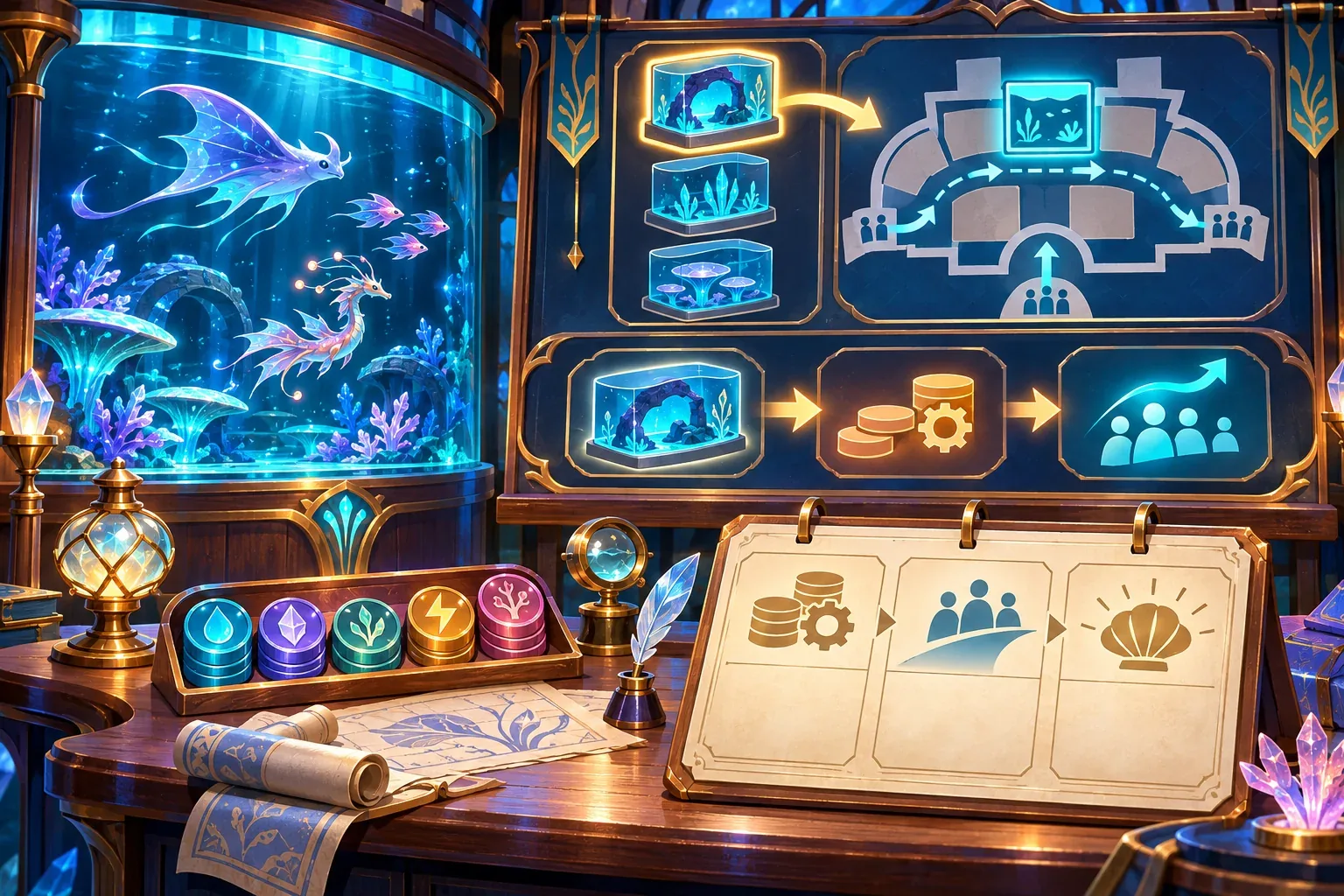
Prompt 1: establish the room and daily loop
Create a small fictional aquarium-management game prototype. The player manages one gallery room with one display tank and a visitor entrance. Each in-game day follows this order: choose exhibit settings, pay the fixed operating cost, open the gallery, count visitors up to the room capacity, show ticket income and costs, then advance to the next day. Add a three-day objective and a clear end-of-day ledger. Use fictional aquatic creatures or abstract exhibit tokens only. Do not add real animal-care instructions, multiple rooms, staff trees, or decorative expansion yet.Prompt 2: add one exhibit with abstract care resources
Extend the same prototype with one fictional exhibit token called Glimmerfin. It occupies one of six tank spaces and uses 2 abstract care-supply coins per day. These values are fictional game rules, not real animal-care guidance. Show tank capacity, daily care cost, and whether the exhibit is ready to open. Keep the day order, room layout, and existing objective unchanged. Do not add breeding, illness, or species-specific real-world requirements.Prompt 3: connect visitor demand and a review screen
Add a simple visitor loop to the existing gallery. The themed exhibit attracts a fictional 24 visitors per day when the room is open, capped by a room capacity of 30. Each ticket costs 1 coin. At day end, show visitor count, ticket income, fixed operating cost, abstract care cost, and net change. Visitors should follow one readable path and stop at the display tank. Preserve the three-day objective and all previous values. Do not label this as a real aquarium business forecast.Prompt 4: request one interface polish pass
Improve the readability of the existing gallery and day-end ledger without changing game rules. Make the exhibit capacity, open/closed state, visitor cap, ticket income, and care cost visible at the moment the player makes a decision. Keep the layout compact and preserve the same three-day objective. Do not add extra systems or change the numbers; first show the current rules clearly.These are editable drafts, not tested prompts. Preserve the original brief and change log when you adapt them. If a builder returns a different room layout or changes a number, record that difference and check whether the loop still makes sense before adding the next stage.
Check one fictional daily loop
Use a paper ledger to check whether the prompt describes a coherent day. Suppose the prototype begins with 120 coins. The exhibit attracts 24 visitors at one coin per ticket, so ticket income is 24. Fixed operations cost 10 coins and the fictional Glimmerfin token costs 2 coins per day. With three tokens, abstract care cost is 6 coins. The daily change is 24 − 10 − 6 = +8 coins before upgrades.
| Day-end item | Fictional amount | Rule |
|---|---|---|
| Visitors | 24 | Below the room cap of 30 |
| Ticket income | +24 coins | 24 visitors × 1 coin |
| Fixed operations | −10 coins | Paid once each open day |
| Abstract care supplies | −6 coins | 3 fictional tokens × 2 coins |
| Net change | +8 coins | Before upgrades or other costs |
This arithmetic checks the written assumptions only. It does not show that a game builder implemented them or that the design is fun. A real prototype review would inspect whether the ledger matches the in-game state, whether room capacity caps visitors, and whether closing the exhibit removes both its visitor income and variable cost according to the chosen rules.
If the game later uses real animals, replace fictional tokens with expert-reviewed requirements and clear educational context. Keep real care recommendations out of a generic prompt template; the example here intentionally treats “care supplies” as an abstract game resource.
Run and record prompts honestly
When you do run a prompt sequence, save the exact prompt text, date, tool or model used, output version, and the change you made afterward. Note whether the result was a mockup, a playable build, or a screenshot. A written prompt is not evidence that it produced the requested feature.
For each stage, define a check before you run it: the first prompt should produce a room and day loop; the exhibit prompt should change capacity and cost; the visitor prompt should show revenue and a cap; the polish prompt should preserve all prior numbers. If the result fails a check, revise one request and record the next output separately. Do not turn a draft example into a claim that the feature was tested.
SEELE's official AI Game Maker page describes creating from text, testing a browser-playable result, and iterating with follow-up prompts. That is general product context; the prompt library in this article has not been run and does not claim a specific outcome.
- Loop check: the three-day objective advances only after the end-of-day ledger appears.
- Capacity check: visitor count never exceeds the stated room cap.
- Cost check: fixed operating cost and variable abstract care cost are not counted twice.
- Scope check: later prompts preserve the values and states established earlier.
- Evidence check: distinguish written design, generated mockup, and playable behavior in your notes.

Aquarium management prompt FAQs
Should I ask for the whole aquarium in one prompt?
No. Start with one room and one daily loop, then add an exhibit, visitor demand, and interface feedback in stages. This makes each change easier to inspect.
Are the Glimmerfin care values real aquarium advice?
No. Glimmerfin and its abstract care cost are fictional game-design placeholders. Real species require expert-reviewed care information that is outside this prompt example.
How can I tell whether a prompt worked?
Write an acceptance check first, then inspect the generated output or play the build if one exists. Keep prompt text, version, result type, and any corrections together.
What should I do when the AI changes a rule?
Record the difference and ask for one correction while preserving the established loop. Recheck the ledger and capacity assumptions before moving to the next prompt stage.
Can I call these prompts tested?
Only after running them and inspecting the output. The prompts in this article are unrun drafts, and no playable result is claimed for them.
Make your own aquarium management game
Begin with one gallery, one operating loop, and a ledger that ties visitor choices to fictional costs. Add more rooms only after the first loop is clear and checked. For a general game-creation starting point, explore the SEELE AI Game Maker and adapt the staged prompt plan to your own concept.